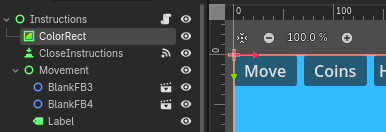
Hi. I have a ColorRect in the Instructions scene that fills up the screen (Full Rect). I have no code that hides it or removes it.
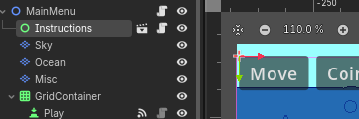
But, when I put the instructions scene into the main menu, the ColorRect is gone. I’ve tried putting both the Instructions Scene and the ColorRect at a high Z Index order, but the ColorRect does not show.
Below are the instructions Scene and the Main Menu scene. Note: I want the Instructions scene to be in a few places.
Looks like the Instructions are placed behind Sky, Ocean, Misc, and your GridContainer. Are you sure those other nodes aren’t overlapping? Maybe you need a CanvasLayer as a parent of the Instructions?