A bunch of nodes in my game aren’t working anymore and the game says that its because of dependency errors. It was working fine before today so I don’t know what happened.
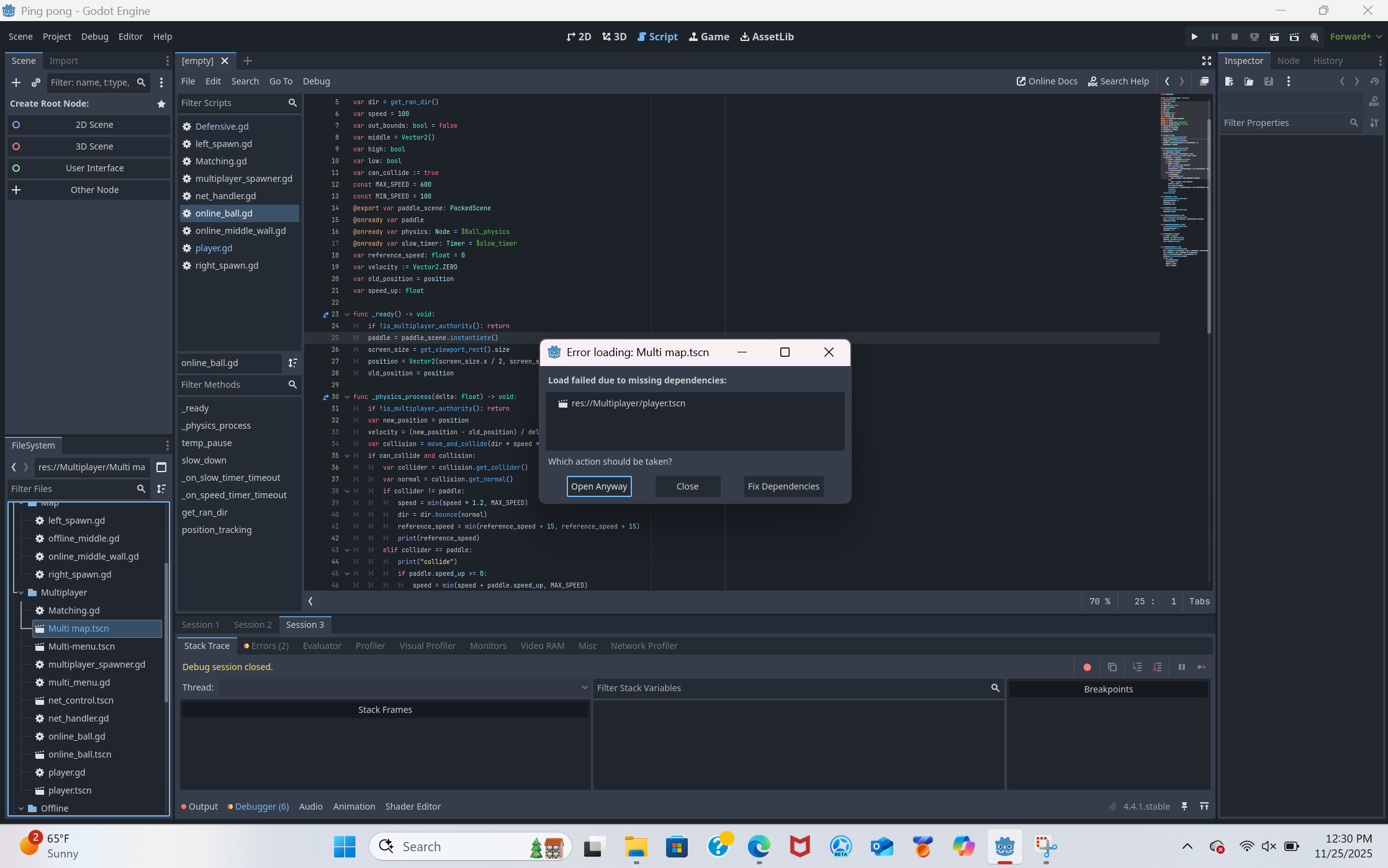
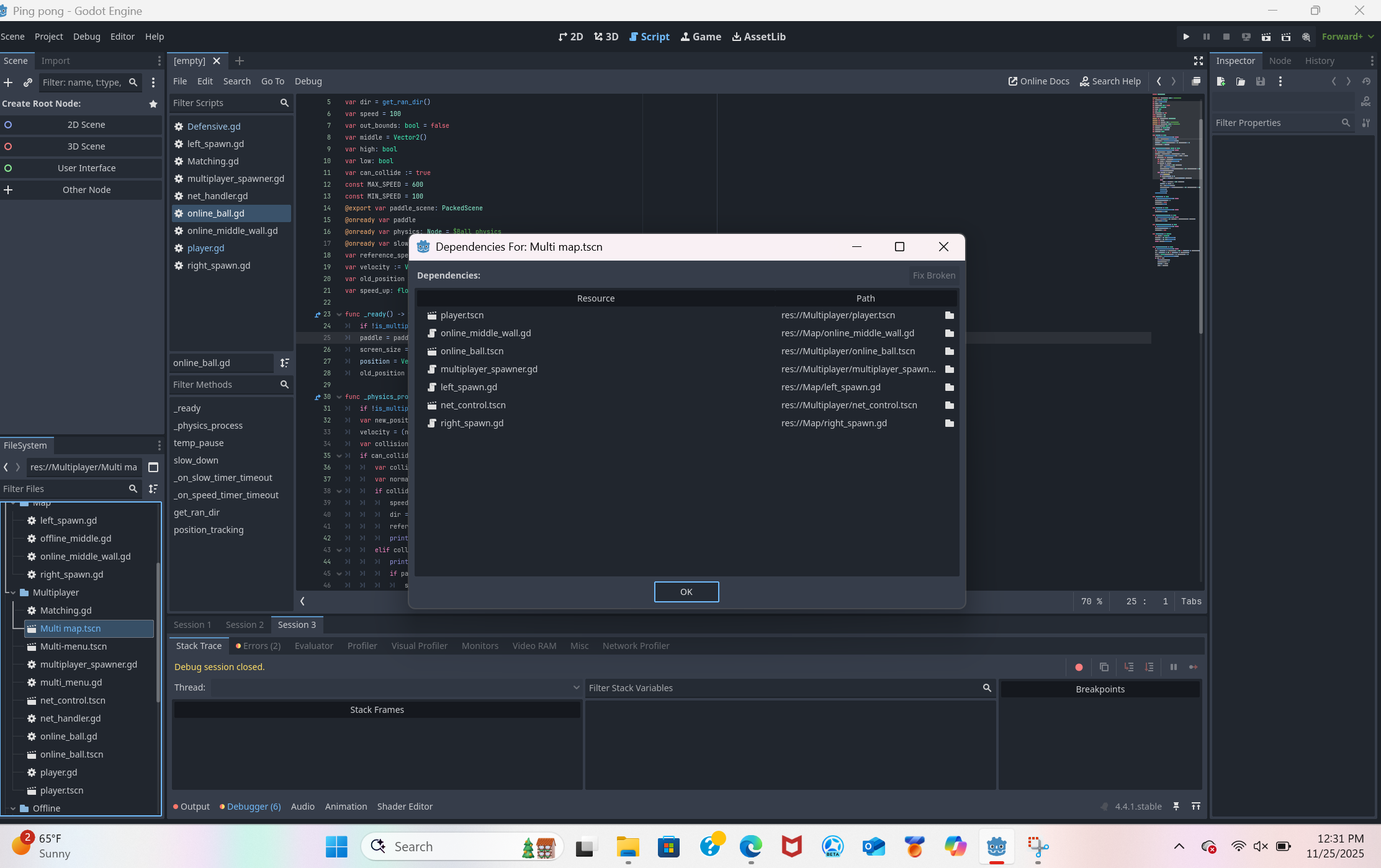

Could be a circular dependency somewhere. Does, for example, your player scene reference the Multi map scene?
My player code references online_ball:
extends CharacterBody2D

@onready var charge_time: Timer = $charge_time
@export var ball_scene: PackedScene
@onready var ball
const SPEED = 300.0
@export var rotation_speed = 7 # Speed of rotation
var speed_up: float = 0
var is_moving: bool = false
var rotation_delta: float = 0
var current_rotation: float = 0
@onready var paddle_image: Sprite2D = $Paddle_image
var paddle_pos: Vector2
var white: Color = Color(1, 1, 1)
var black: Color = Color(0, 0, 0)

func _multiplayer_spawned() -> void:
	if !is_multiplayer_authority(): return
	ball = ball_scene.instantiate()
	charge_time.timeout.connect(on_charge_timeout)
My ball code references player:
extends StaticBody2D

@onready var speed_timer: Timer = $speed_timer
var screen_size: Vector2
var dir = get_ran_dir()
var speed = 100
var out_bounds: bool = false
var middle = Vector2()
var high: bool
var low: bool
var can_collide := true
const MAX_SPEED = 600
const MIN_SPEED = 100
@export var paddle_scene: PackedScene
@onready var paddle
@onready var physics: Node = $Ball_physics
@onready var slow_timer: Timer = $slow_timer
var reference_speed: float = 0
var velocity := Vector2.ZERO
var old_position = position
var speed_up: float

func _ready() -> void:
	if !is_multiplayer_authority(): return
	paddle = paddle_scene.instantiate()
	screen_size = get_viewport_rect().size
	position = Vector2(screen_size.x / 2, screen_size.y / 2)
	old_position = position
My ball node is already in the multi-map from the start but player has to be spawned in from code in the multiplayer_spawner node, which is why I used packedscenes. Net_handler scene still opens despite being mentioned in the dependency list and it does’t reference either. All of this worked perfectly fine yesterday. Removing the references still doesnt fix the issue. It probably is a circular dependency issue but ive never dealt with a problem like this before.
This conversation also indicates you have a circular dependency. Opening project in editor fails with "Parse Error: Busy." · Issue #97684 · godotengine/godot · GitHub
The last comment has this line, which I found pertinent as you have exported packed scenes:
”Attached a very simple MRP to reproduce this. Literally just have an exported PackedScene var and in two scenes link them to each other.”
I tried changing the player and ball files in file explorer since those seem to be the source of the problem and someone in that discussion said that worked for them but that hasnt worked either. Since the script is still intact I think im just going to recreate all of the necessary nodes and reattach their scripts.
Ok I got rid of all the problem nodes and im going to use their offline counterparts to rebuild them but before that can anyone tell me how to make 2 scenes reference each other without causing cyclical dependency errors so I can avoid this later?
I would try using preload() for those scenes instead of referencing them from export variables.
preload also causes a cyclic dependency, actually… (if it’s used in both scripts)
Swapping one for @onready var x: X = load(y) will work though
I think im just going to avoid nodes referencing each other from now on. That seems like the simplest solution.