Enable Gaming Mode

Godot Version

Godot 4.5.1 Stable Mac OS

Question

I found this useful little HUD debugger on Mac OS built in -
“/bin/launchctl setenv MTL_HUD_ENABLED 1” enable in terminal .

I wonder how can I enable Game Mode inside Godot Editor itself or during Run Project to enhance performance .
This is the message from debugger :

“LSSupportsGameMode key not found in Info.plist. This key will become required to be eligible for Game Mode in a future OS release.”

Does it means only compiled game’s via Xcode can have this Game Mode feature enabled ?

After export for Mac OS it shows as Game Mode :slight_smile: , be cool if we could execute Game Mode directly from Run Project .
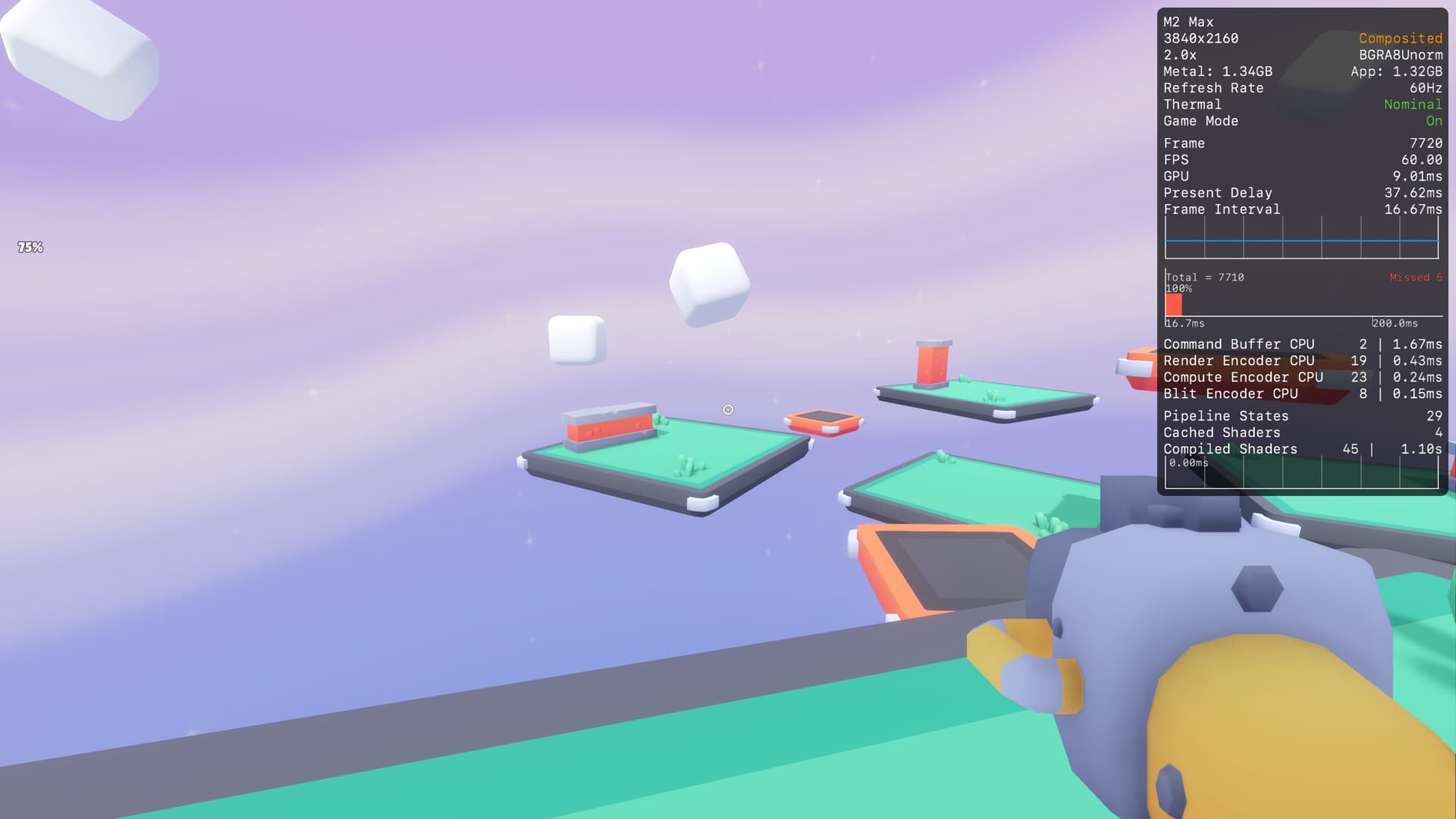
Also I noticed it quite useful to remove some of the identifiers inside Info.plist to speed up game .
on Tahoe without category game or its execute in GameMode without load screen :slight_smile:

All I kept

<?xml version="1.0" encoding="UTF-8"?>
<!DOCTYPE plist PUBLIC "-//Apple//DTD PLIST 1.0//EN" "http://www.apple.com/DTDs/PropertyList-1.0.dtd">
<plist version="1.0">
<dict>
	<key>CFBundleDevelopmentRegion</key>
	<string>English</string>
	<key>CFBundleExecutable</key>
	<string>Starter Kit FPS</string>
	<key>CFBundleName</key>
	<string>Starter Kit FPS</string>
	<key>CFBundleDisplayName</key>
	<string>Starter Kit FPS</string>
	<key>CFBundleIconFile</key>
	<string>icon.icns</string>
	<key>CFBundleIdentifier</key>
	<string>GodotX.Test-Game</string>
	<key>CFBundleInfoDictionaryVersion</key>
	<string>6.0</string>
	<key>CFBundlePackageType</key>
	<string>APPL</string>
	<key>CFBundleShortVersionString</key>
	<string>1.0.0</string>
	<key>CFBundleSignature</key>
	<string></string>
	<key>CFBundleVersion</key>
	<string>1.0.0</string>
	<key>DTPlatformBuild</key>
	<string>14C18</string>
	<key>DTPlatformName</key>
	<string>macosx</string>
	<key>DTPlatformVersion</key>
	<string>13.1</string>
	<key>DTSDKBuild</key>
	<string>22C55</string>
	<key>DTSDKName</key>
	<string>macosx13.1</string>
	<key>DTXcode</key>
	<string>1420</string>
	<key>DTXcodeBuild</key>
	<string>14C18</string>
	</dict>
	<key>NSHighResolutionCapable</key>
	<true/>
	<key>LSMinimumSystemVersion</key>
	<string>26.1</string>


</dict>
</plist>

Short demonstration of this FPS example how quicker is load with new plist

Original Info.plist

<?xml version="1.0" encoding="UTF-8"?>
<!DOCTYPE plist PUBLIC "-//Apple//DTD PLIST 1.0//EN" "http://www.apple.com/DTDs/PropertyList-1.0.dtd">
<plist version="1.0">
<dict>
	<key>CFBundleDevelopmentRegion</key>
	<string>English</string>
	<key>CFBundleExecutable</key>
	<string>Starter Kit FPS</string>
	<key>CFBundleName</key>
	<string>Starter Kit FPS</string>
	<key>CFBundleDisplayName</key>
	<string>Starter Kit FPS</string>
	<key>CFBundleIconFile</key>
	<string>icon.icns</string>
	<key>CFBundleIdentifier</key>
	<string>GodotX.Test-Game</string>
	<key>CFBundleInfoDictionaryVersion</key>
	<string>6.0</string>
	<key>CFBundlePackageType</key>
	<string>APPL</string>
	<key>CFBundleShortVersionString</key>
	<string>1.0.0</string>
	<key>CFBundleSignature</key>
	<string></string>
	<key>CFBundleVersion</key>
	<string>1.0.0</string>
	<key>DTPlatformBuild</key>
	<string>14C18</string>
	<key>DTPlatformName</key>
	<string>macosx</string>
	<key>DTPlatformVersion</key>
	<string>13.1</string>
	<key>DTSDKBuild</key>
	<string>22C55</string>
	<key>DTSDKName</key>
	<string>macosx13.1</string>
	<key>DTXcode</key>
	<string>1420</string>
	<key>DTXcodeBuild</key>
	<string>14C18</string>
	<key>NSHumanReadableCopyright</key>
	<string></string>
	<key>CFBundleSupportedPlatforms</key>
	<array>
		<string>MacOSX</string>
	</array>
	<key>NSPrincipalClass</key>
	<string>NSApplication</string>
	<key>LSApplicationCategoryType</key>
	<string>public.app-category.education</string>
	<key>LSArchitecturePriority</key>
	<array>
		<string>arm64</string>
		<string>x86_64</string>
	</array>
	<key>LSMinimumSystemVersionByArchitecture</key>
	<dict>
		<key>arm64</key>
		<string>11.00</string>
		<key>x86_64</key>
		<string>10.12</string>
	</dict>
	<key>NSHighResolutionCapable</key>
	<true/>

</dict>
</plist>


Here is result of that

  • load way slower
  • also it have some performance issue with shooting on initial two shots

The info.plist file is (IIRC) checked and used at runtime; it’s just a text file. You can edit it in whatever text editor you like. The xcode support just wraps a gui around editing it. It doesn’t require the app be built with xcode either, unless things have changed since the last time I did mac dev.

Yes you can edit in with ever you wants , just check time difference maybe is switch between native and Rosetta layer

You should be able to just add:

	<key>LSSupportsGameMode</key>
	<true/>

To your info.plist.

2 Likes

It rather seam to be issue with x86 check and back compatibility with load speed

In the export settings on macOS exports in Godot (since some 4.x release?) you can add additional info-plist content like this in the application/additional_plist_content field. This way you don’t need to edit the info plist file manually or set up a custom export template.

2 Likes

Can I also disable x86 check and only leave arm64 ?

I don’t know what the “x86 check” you’re referring to is. The presence of x86 in the info plist is I think an indication that the binary is universal and can run on both intel and apple processors natively. I would guess removing it from the plist would just make it not run on older intel-based macs, without any benefits. But maybe there are other effects then?

If there are benefits for not including x86/intel support what you probably want is to try get the export to be for arm/apple processors only. I’m not sure if that is currently possible in Godot exports though.

1 Like

I’m currently at that phase but official builds are universal , so compiling editor is easy .

But making template I have discovered gap between doc and what editor expect .
Making debug and release template and packing them , but this end up with .zip .

As soon as I try install template from file it doesn’t work .

I don’t think your performance boost is the result of chopping down the info.plist (or forcing Gaming Mode)

I think you just witnessed shader compilation caching.

1 Like

How does this shader compilation caching works ?

  • can this be isolated via specific project settings ?
  • what is it affect ?
  • does it works different on different renderer , architecture ?

I encourage you to read this documentation

1 Like

Nice reading thanks for sharing

But I haven’t changed anything what would explain what I witness

final exported app bundle info.plist and both were executed first time so couldn’t be pre cached or baked

I ‘ll make two duplicate projects , export as two apps and then only modify info.plist and run first time them .

Shaders are cached on a “deep level” on the computer that would survive compiling the game twice.

You should read the details of this pull request (especially the “Testing Methodology” section) if you want to create accurate test results : Ubershaders and pipeline pre-compilation (and dedicated transfer queues). by DarioSamo · Pull Request #90400 · godotengine/godot · GitHub

1 Like

Basically Game Mode still enable when game have valid info.plist , but as it runs inside editor it’s not identify as Game so it won’t recognise it as Game because info.plist for Godot.app is used .