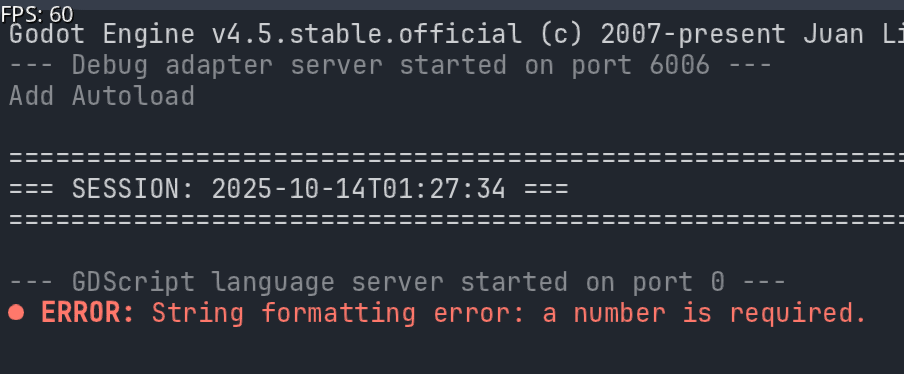
Question.. I’m getting this error: ERROR: String formatting error: a number is required. but with no script name or line number or anything else to go on I can’t find it to correct it. I have over 70 scripts and 100k lines of code.
Question is, where does such an error normally reside? How can one go about finding such an error with this many lines of code and files.
It is more to go on then what the compiler tells me.. Oddly I can compile an exe and this error doesn’t halt the process like most do.. I’m wondering - could this be an internal engine bug ?
Are you using any string formatting anywhere is your code? Those would obviously be first places to check.
If you can’t locate it, start deleting script files one by one from your project until the thing disappears. The last file you deleted is likely the cause.
I did mention not runtime, this error pops up when I Ioad the editor and my project. F5 runtime does not exhibit the error. Yes, I have tons of formatting in my code, the project has 71 scripts and about 100k lines of code ( mentioned above ) so commenting them out one by one isn’t really an option. I’m not going to worry much more with it, it’s not halting production so I’m going to run with it — i guess.
What I’d do is go back and think from the moment where the error pointed its ugly nose at and go from there, trying to find where I might have edited something.
If you’re using a remote repo that might be a good place to compare code with.
You probably thought of all those, but… just in case.
I was sending %s to scaffold function but localized ‘s’ was a string and it required a number… really silly, but i never localize my formatters, don’t know why i did that time.. live and learn.