In the pack, I have some gltf files for weapons (sword, shield, etc). I imported the axe_1handed.gltf and axe_1handed.bin files in my project. Only the gltf file appears in the hierarchy, and if I double-click it, it shows up untextured (white).
If I drag and drop the barbarian_texture.png file in the same directory as my axe_1handed.gltf, the axe is now textured. If I rename the texture, the axe is untextured.
Earlier in the project, I imported the barbarian model, and already created a material for the barbarian. To avoid duplication, I’m trying to make the axe use the already existing material.
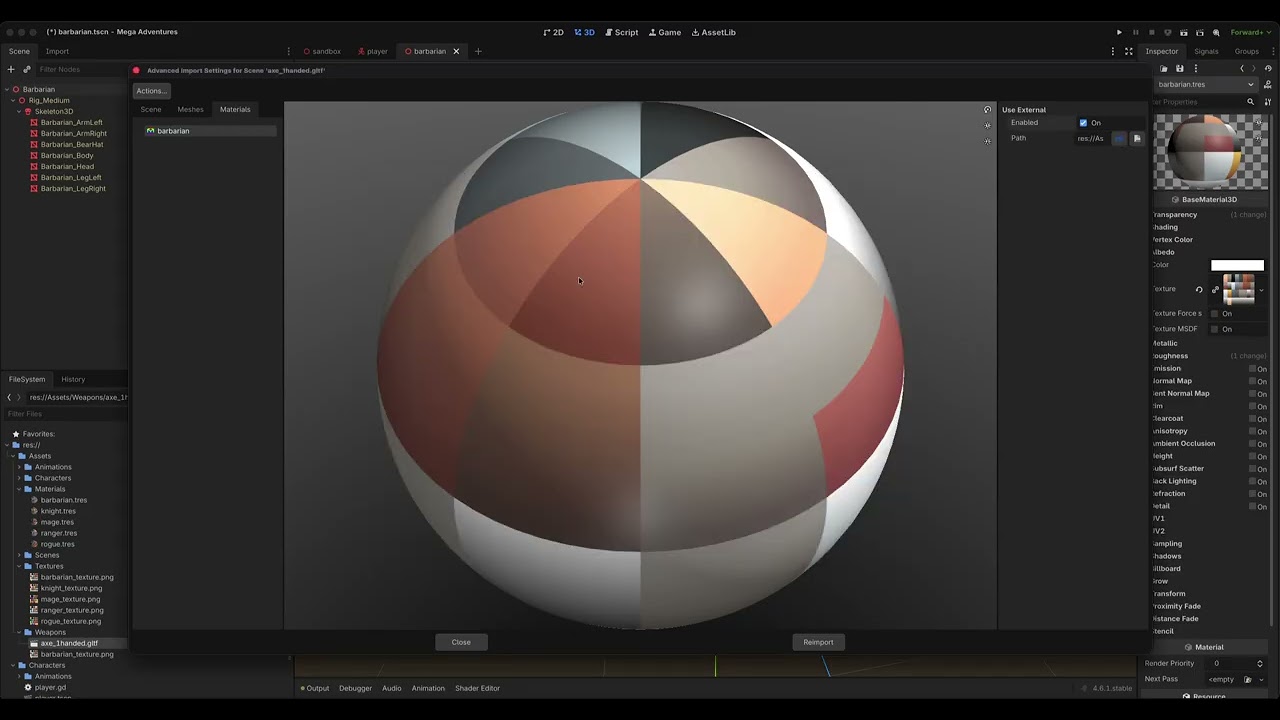
I double-clicked on the axe_1handed.gltf, went to materials → barbarian, enabled “use external”, set the path to my existing barbarian.tres material, and clicked reimport.
The axe remains untextured.
I do not understand why, even after setting the external material, the axe still relies on barbarian_texture.png being present in the same directory to have texture.
I’m a Godot beginner, so it’s likely that I misunderstood the way materials/textures work.
The best answer I can give you is to provide the answers directly from KayKit. In this video he answers exactly how to do what you are asking in detail.
I’ve been following the video you linked, at this point I already have the Barbarian character using the external material, and I deleted the texture in the Characters directory.
The problem arises when I try to get the weapon to use the material the barbarian uses.
I recorded a video of what I’m doing:
I don’t show it again after the final click on “reimport”, but the axe remains white.
There’s obviously something I’m missing, thanks a lot for taking the time to help.
So the compression makes it blurry at the beginning when you hover over the texture, but from the texture name length I think you are using the old texture. But maybe not.
I believe the issue is you are re-importing the axe after you delete the texture. Just opening up the Advanced dialogue causes it to recalculate and look for that original texture. (In the case of the Barbarian model, if you do that it will re-generate the texture.)
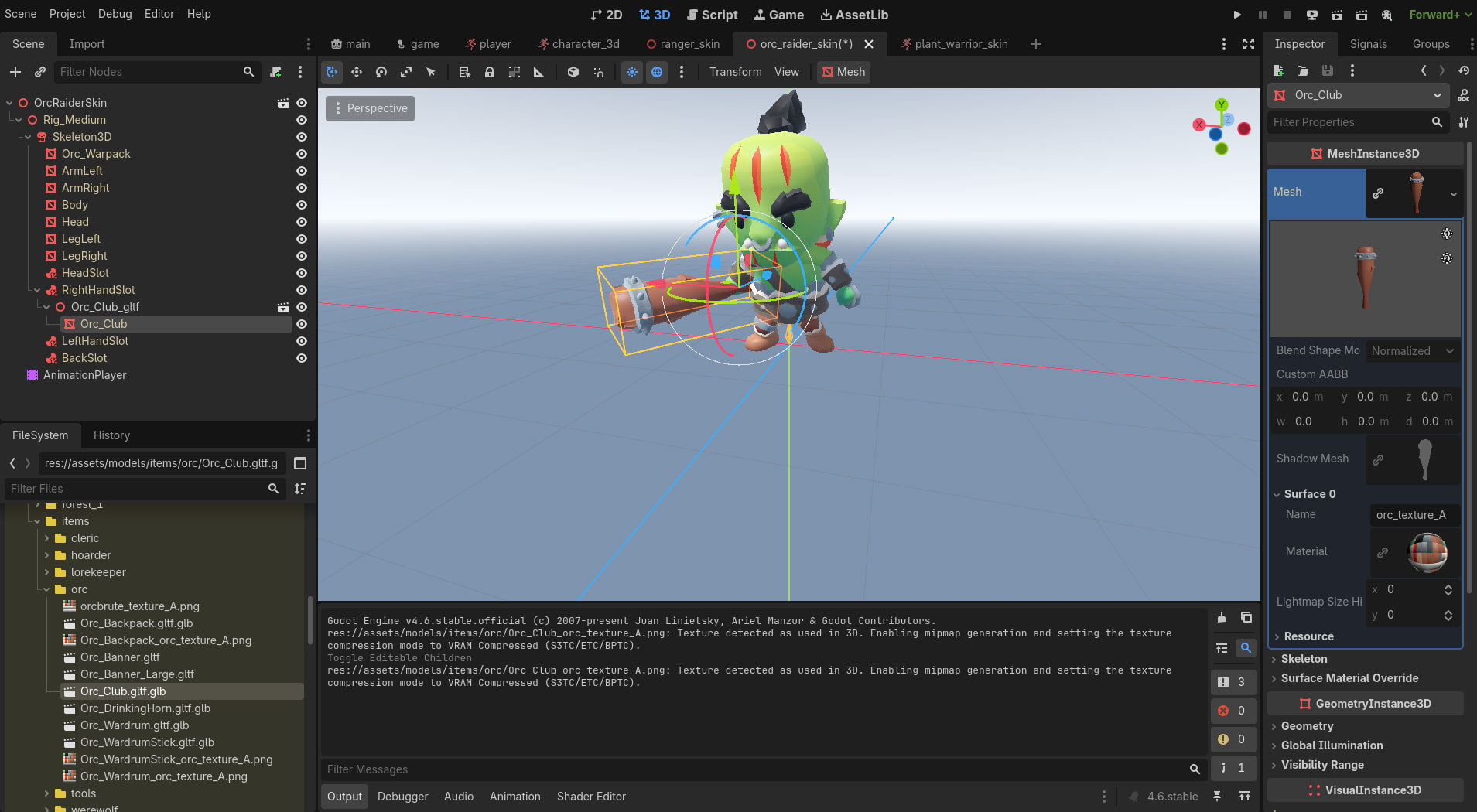
This is an example of me following the same process with the Orc Raider and Orc Club objects. If you look at the mesh of the club in the inspector, you can see under Mesh → Surface 0 → Material that it’s using the orc_texture_A material I made.
To check if the axe is loaded correctly, right-click on the .gltf and select New Inherited Scene. If it looks good there, do not open the Advanced import dialogue again.
You are indeed right. After deleting the texture, creating a new inherited scene shows the axe fully textured. Even if I reimport it, it’s still fully textured.
I now realize the mistake I made. I failed to understand that what is displayed when double-clicking the axe gltf in the file hierarchy is NOT a preview of the model, but the import settings. From the moment I change the settings to use an existing material within my project, I no longer import a fully textured axe, and it makes perfect sense that only the untextured 3D model is displayed.