Godot Version
4.5
Question
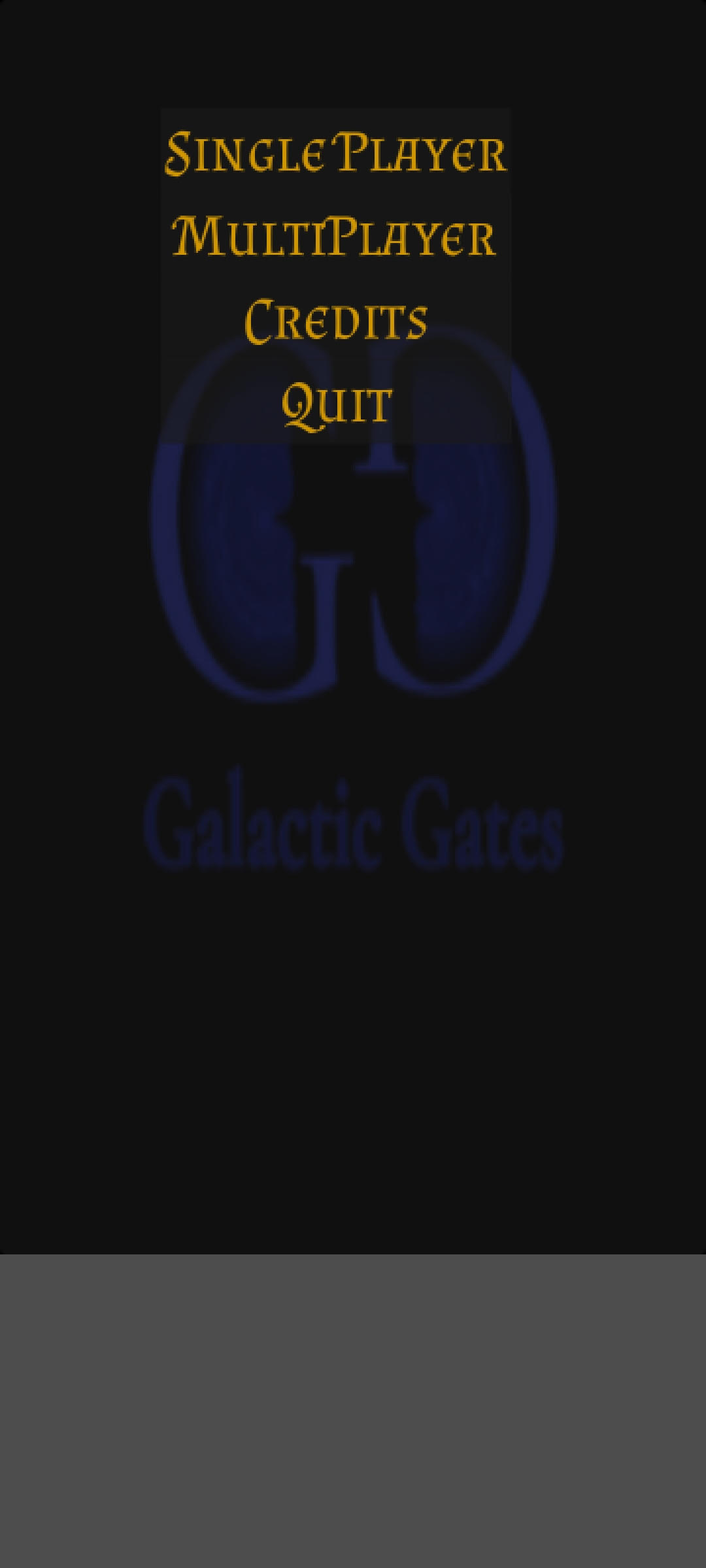
`I am trying to get the Android App to run for older cell phones and newer phones on the same resolution.
But I can’t figure it out.
I have set Viewport Width to 720 (currently 360 for older phones) and Viewport Height to 1280 (currently at 640 for older phones)
mode → viewport
aspect → expand
But on my Samsung S20 it only fills up some of the screen:
`
According to Google:
The standard Samsung Galaxy S20 has a screen resolution of 3200 x 1440 pixels (also known as QHD+), which can be set to a lower 2400 x 1080
I know I can get it to fit my phone perfectly if I change width to 1080 and height to 2400 but then it won’t work with smaller phones…
Where is the middle ground to make it work on all phones?
1 Like
I have decided to go with ViewScreen Width: 270px and ViewScreen Height: 600px which is 4x smaller than the (1080x2400) resolution necessary for my phone…
It works on my Phone but I don’t know how it would work on a 4:3 phone (Mine is a 16:9)
The recommendation for phones is to design it as a square (720x720) then expand to fit the screen. Control nodes will do this automatically if you tell them to. For your game itself you can detect the screen size and orientation and expand the window to fit.
1 Like
Sorry for Gravedigging my own thread.
Ive been using 360px width by 800px height which worked perfectly on my Galaxy S20.
I got my mom to lend me her old Galaxy S9 today and the width (right side of the screen is gray (screen resolution isnt working good, the game is the right size on the S20 but too small width on the S9)
You said to make the Game 700x700. What settings will always scale to all phones?
I am making a 2d UI Strategy Game
No, I said you can scale it. You can change the screen resolution, or allow the user to do it. It doesn’t automatically change. You can use DisplayServer.screen_get_size() to check the resolution of the screen and then set the resolution to that using:
var resolution = DisplayServer.screen_get_size()
get_window().set_size(resolution)
get_window().move_to_center()
Alternately, you can do
get_window().mode = Window.MODE_EXCLUSIVE_FULLSCREEN
which will solve the problem for you.
1 Like