Godot Version
4.5.1
Question
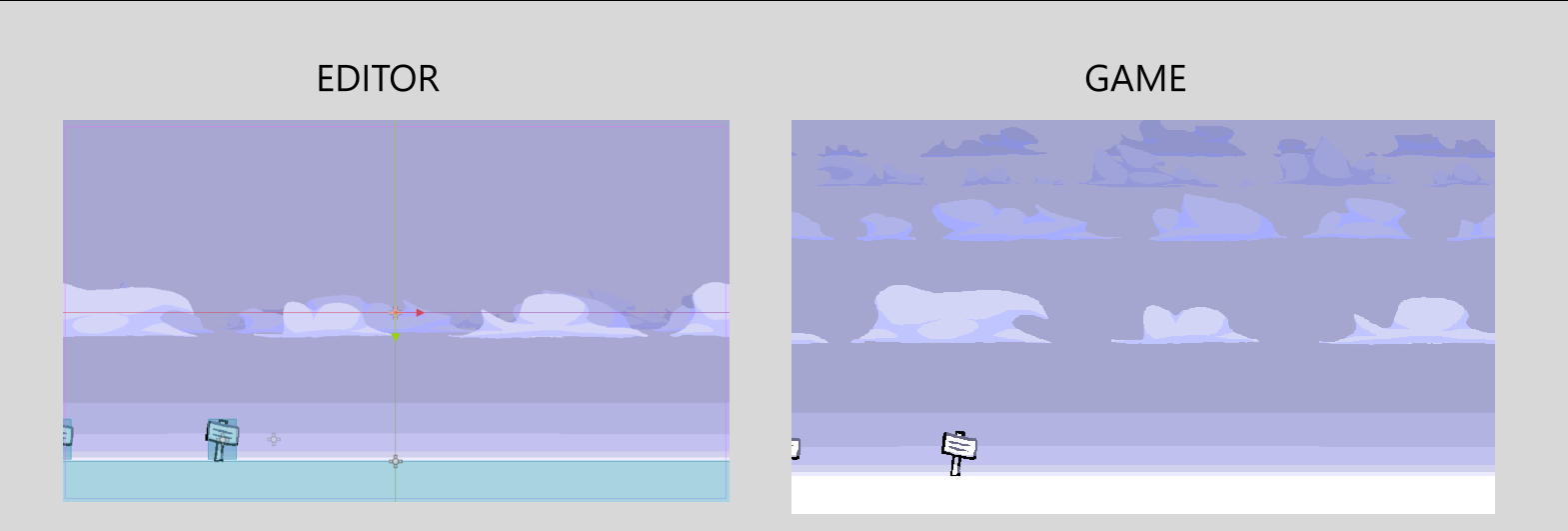
First image is the editor, second is in-game. The camera, the parallax2D nodes, and their Sprite2D children are all at position 0,0. Yet, despite being perfectly aligned in the editor, the layers are so offset from each other in-game based on their scroll scales. The explanation I was given to how the Parallax2D node works is that it multiplies the camera’s position by the scroll scale to get the parallax layer’s offset, but the camera is at 0,0, so the resulting offset should still be zero. I’m quite confused as to how make the clouds be aligned when the camera is at their height, but offset vertically when the camera is above/below the clouds.