Hi everyone,
I develop entirely on my phone (no PC access at all), and one of the biggest pain points I ran into was generating collision shapes for 3D maps — the usual right-click > Create Trimesh Static Body workflow is basically unusable on a small touchscreen. Both versions work perfectly on the mobile editor and desktop too! So I built a plugin to solve this.
Auto Collision Generator (Free) — see Screenshot 1
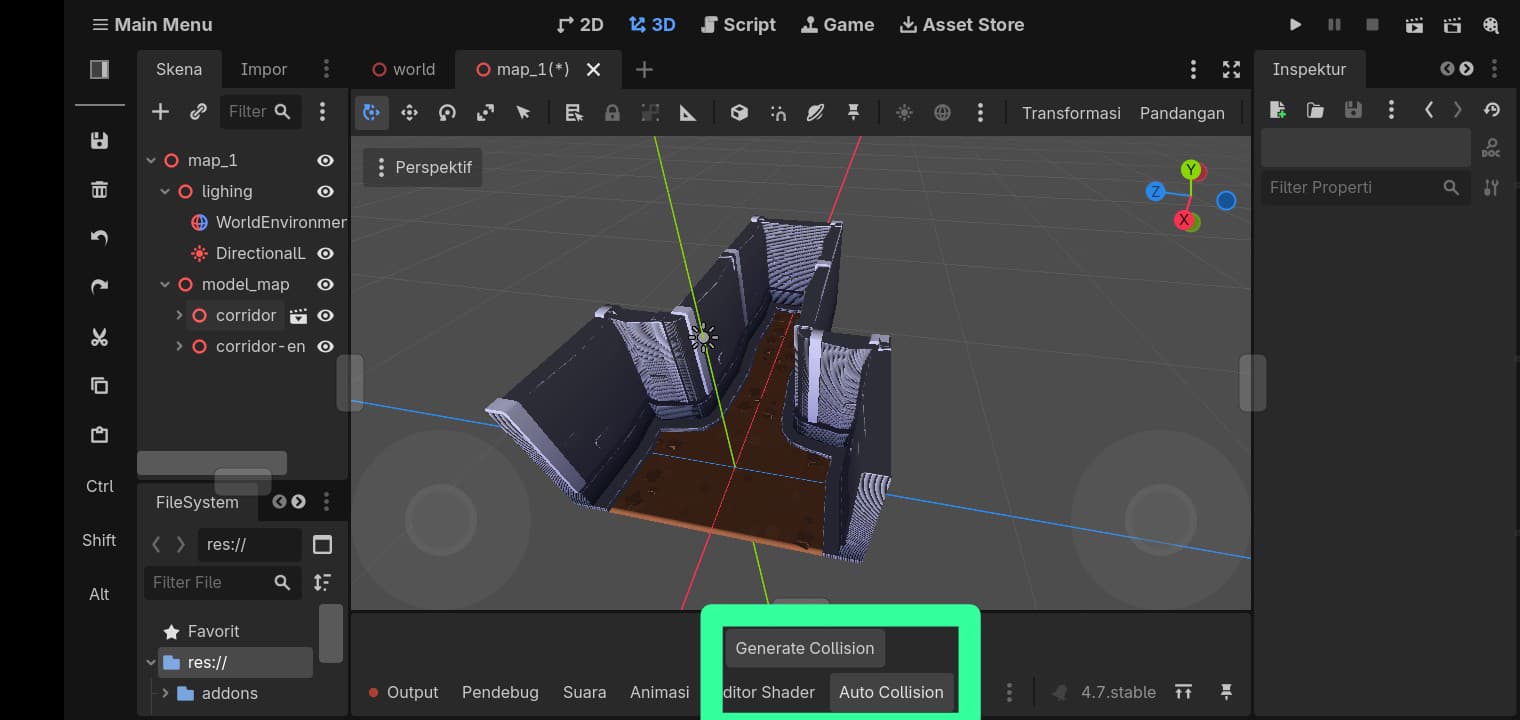
• One-tap trimesh collision generation for your entire scene
• Works with instanced GLB/GLTF/FBX models Note: If you’re using instanced scenes, enable Editable Children first. This is a Godot requirement, not a limitation of the plugin.
• Skips meshes that already have collision, so it’s safe to run multiple times.
Smart Collision PRO — see on download forum
For bigger, production-scale projects, I also built a PRO version with:
• 3 collision types: Trimesh / Convex / Multi Convex • Fully automatic instance handling (no manual “Editable Children” toggling needed — this is one of the key upgrades from Free).
• Smart skip filter by name (contains / exact match / starts with) — useful for excluding grass, props, decorations, etc.
• Automatic replace — regenerate anytime and switch collision types without deleting old nodes manually.
• Node selection support — process just one branch of the scene instead of the whole thing
Both come with bilingual documentation (English & Indonesian) and step-by-step screenshots.
This is my first published plugin, so I’d really appreciate any feedback — bugs, edge cases, or feature suggestions are all welcome!
 my profile
  https://raykit-studio.itch.io
You can find the Free version on my profile
Project page:
BUY MY PLUGIN PRO VERSION Smart Collision PRO by Raykit Studio