@dragonforge-dev and other goddoteers..
Step-1: Build your character
First things first: draw your character in a T-pose. Don’t worry if you can’t draw (ChatGPT is your friend here 
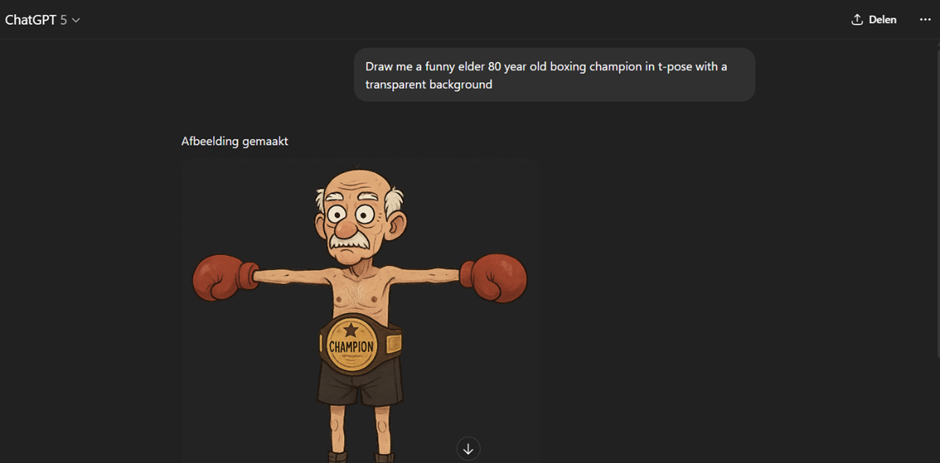
Download the image and upload it into Hyper3d.ai.
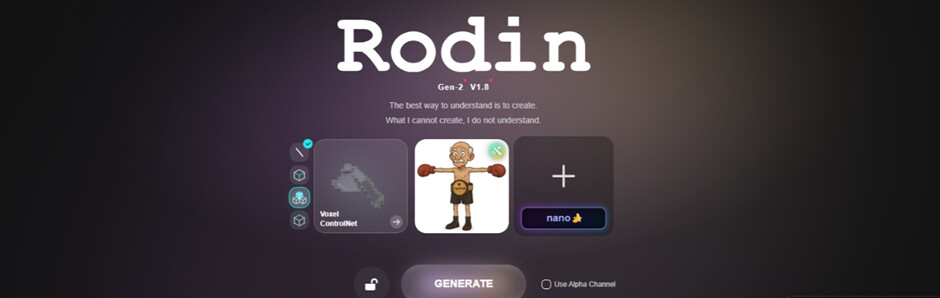
Hit the magic Generate button, grab yourself a cup of coffee, and wait. Accept the texture once it’s done.
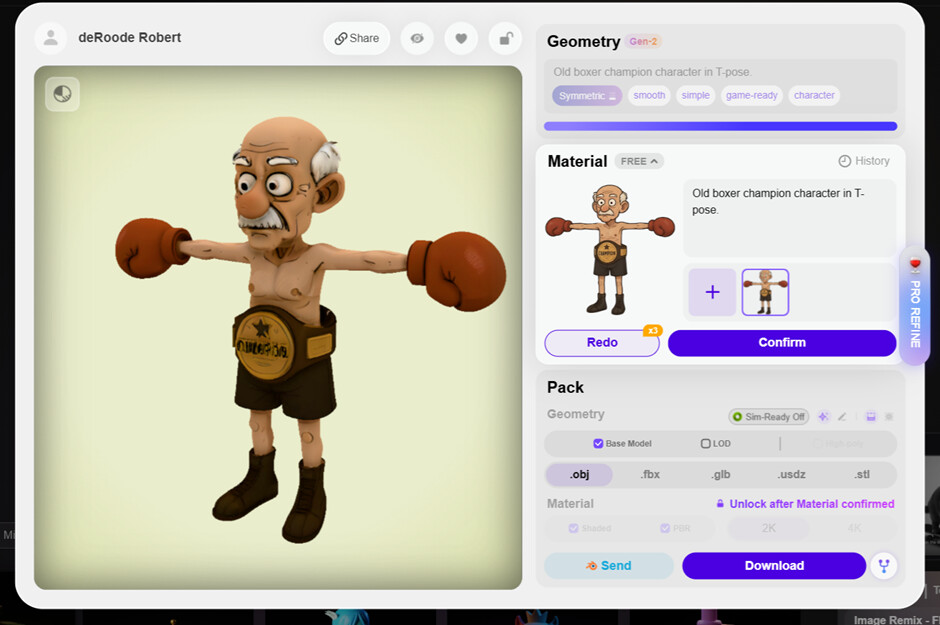
Confirm the material, select FBX, and download the whole thing as FBX.
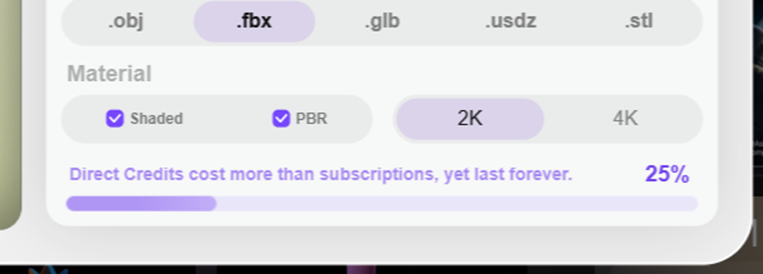
Unzip the files into a folder.
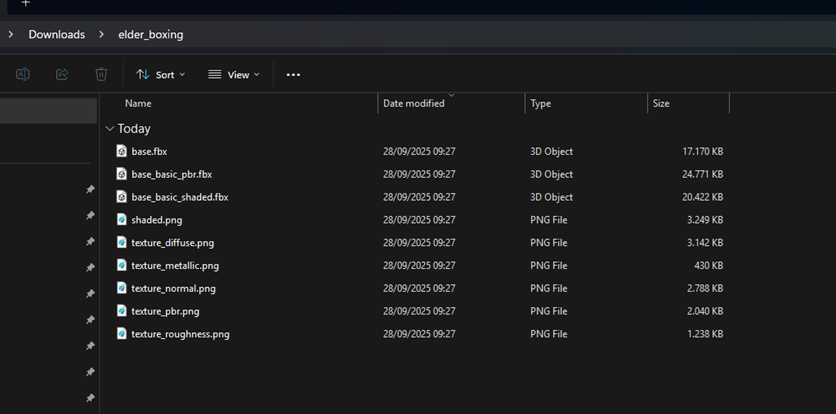
Now head over to Mixamo
. Log in (or sign up for free if you’re new).
On the right, choose Upload Character.
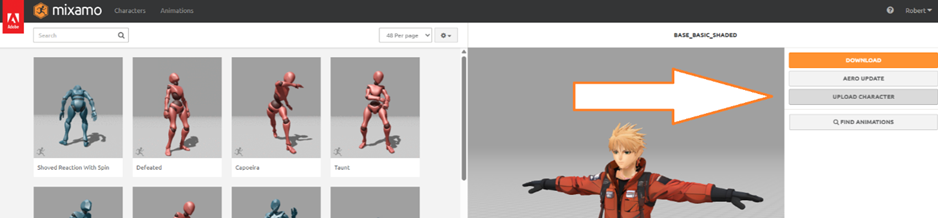
In the upload window, pick the basic_shaded.fbx file from the folder you just extracted. (Pro tip: don’t bother with the PBR one—realistic shading will fail harder than my diet plans after seeing pizza.)
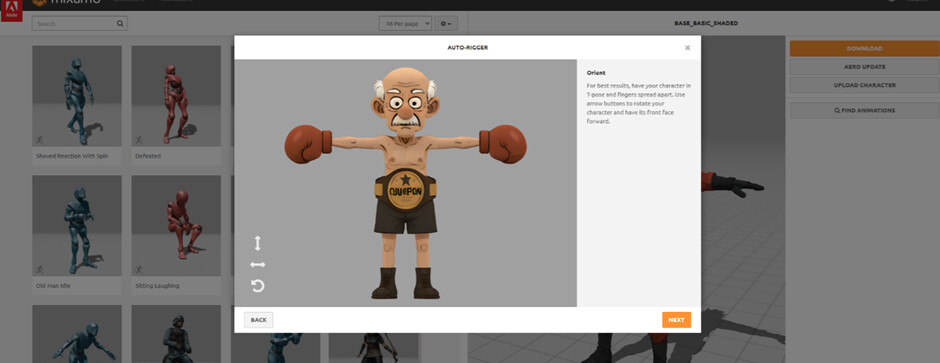
Click Next, then drag the rig points to the right places (chin, wrists, elbows, knees, groin, you know, the usual suspects).
Let Mixamo do its thing. It might take a while, but hey, your character is being born. Cue dramatic music.
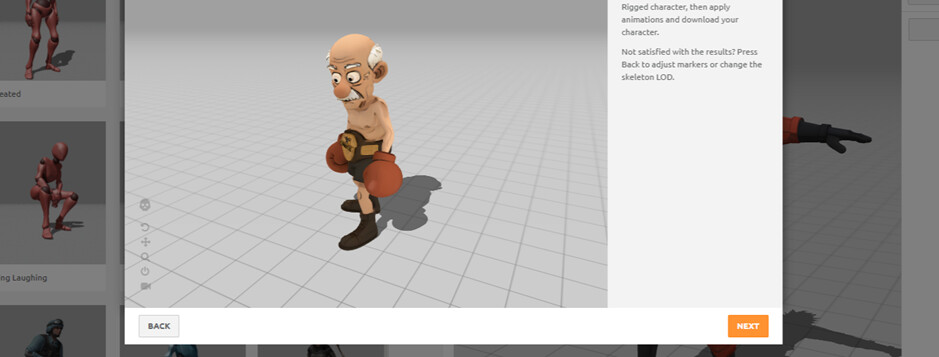
Once rigged: click Next → Next again.
Search for “Idle” and pick Happy Idle. Adjust the arm spacing so your poor character doesn’t look like they’re constantly trying to hug an invisible refrigerator.
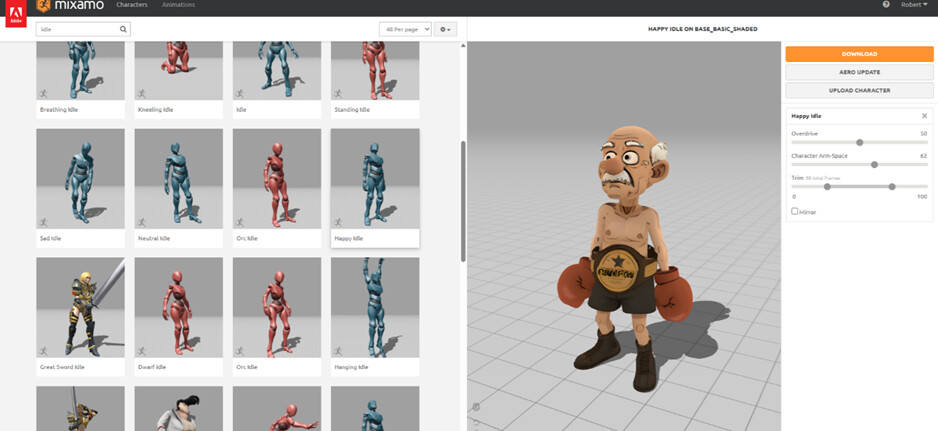
Time to export this to Godot—woohoo! 
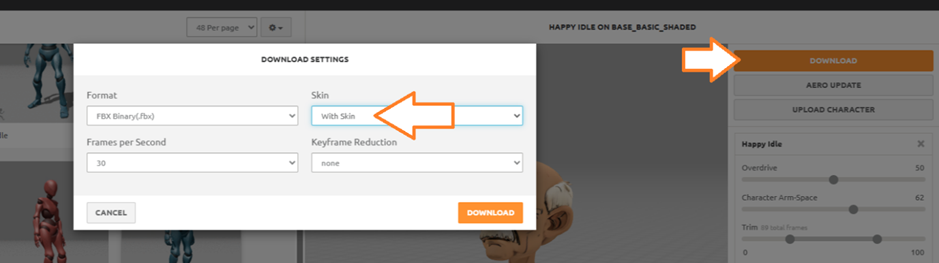
First download: With Skin. Later downloads (animations): Without Skin!
Create a new Godot project: call it Cane Fatality (or whatever masterpiece name you prefer).
Make a new 3D scene → Character.tscn
Drag the downloaded “Happy Idle.fbx” into your project.
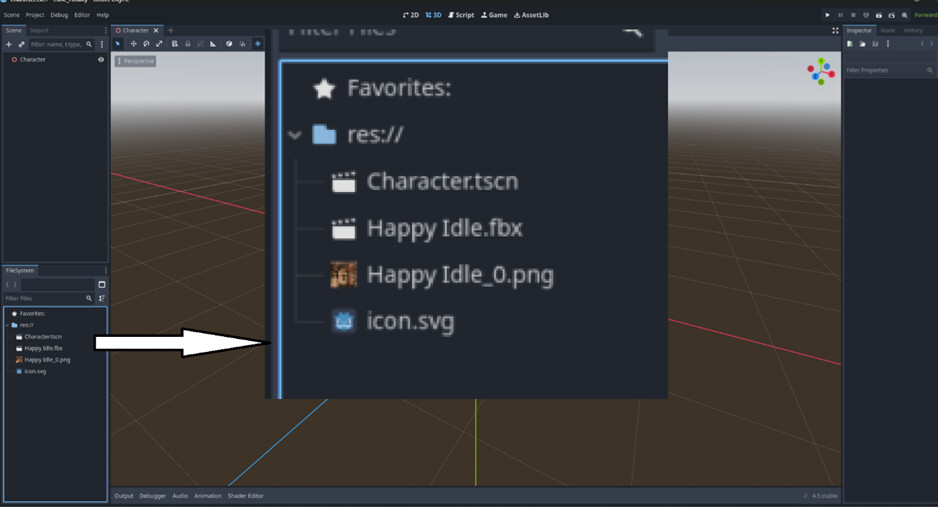
Drag the .FBX into your character scene
So now you have a Character node, and the inherited Happy idle file.
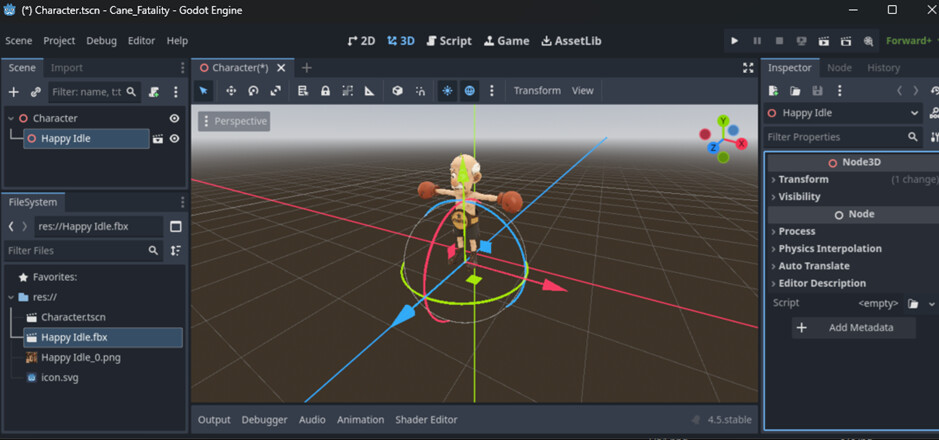
Find the inherited FBX scene, hit the little movie icon. Choose New Inherited.
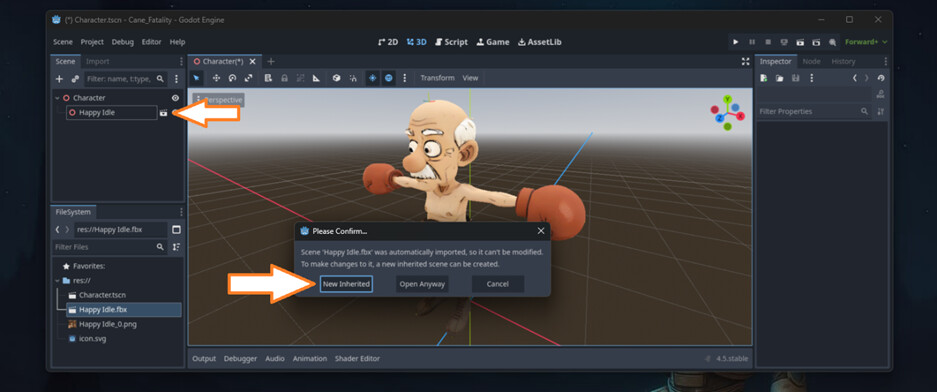
Copy the Skeleton and AnimationPlayer.
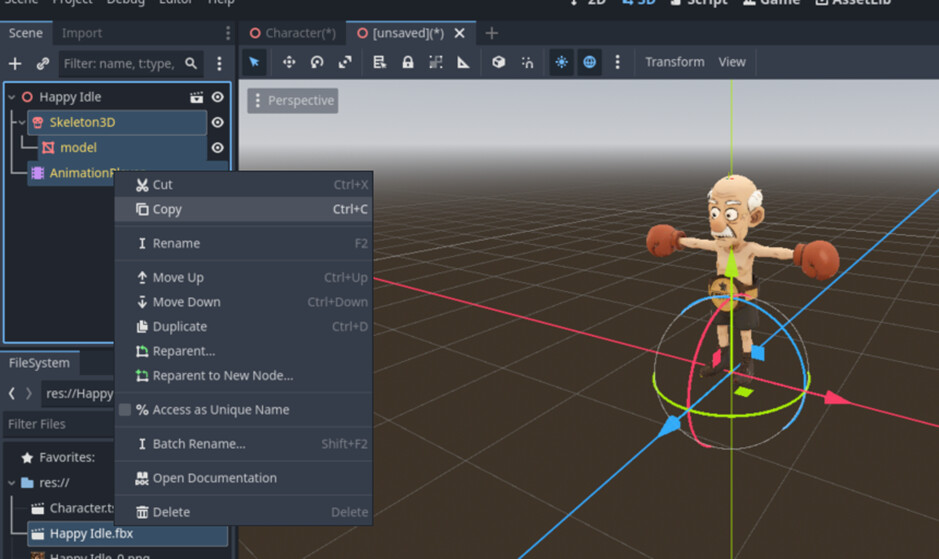
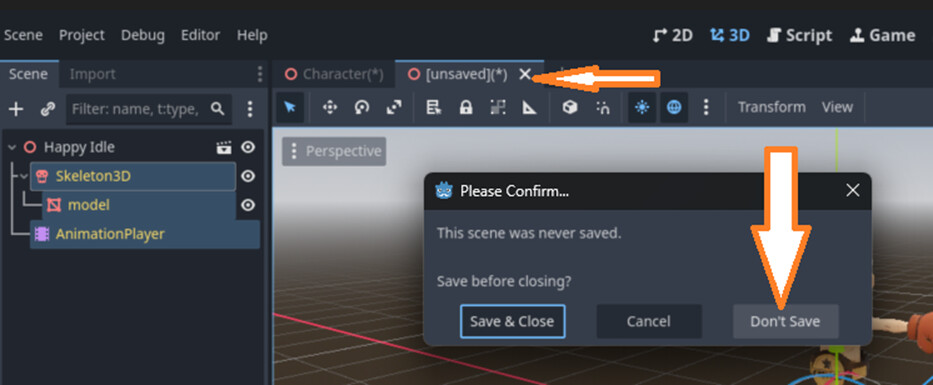
Close the window—don’t save.
Delete the inherited FBX from your scene.
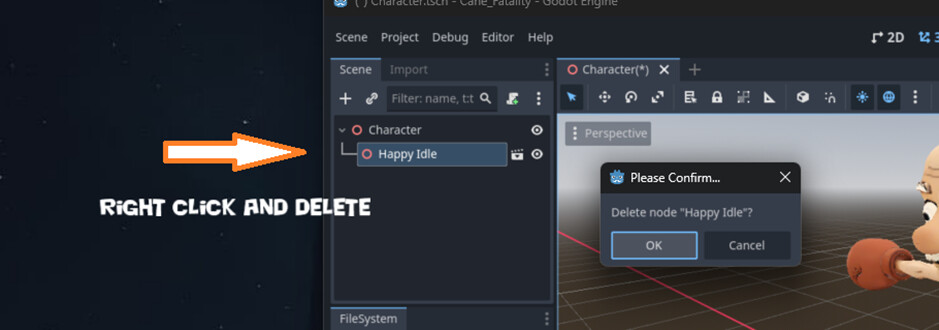
Paste the copied Skeleton, Model, and AnimationPlayer into your character scene.
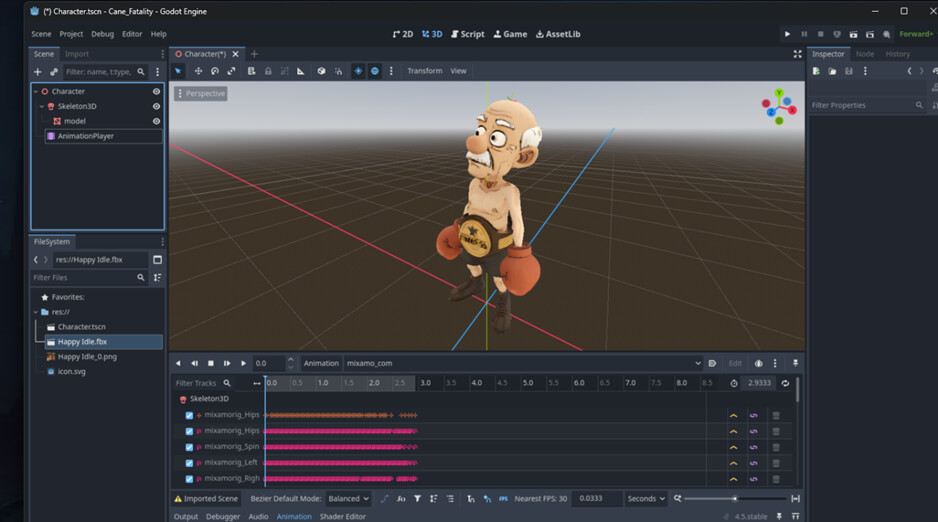
Now clean up the extra FBX junk in your scene tree. and rename your animation to “default” (or idle)
Congrats!  You now have character.tscn with textures and a shiny idle animation in Godot.

But wait… we want more! Time to JAB! 
Step-2: Add more animations
Here’s how to add more. I’ll show you with one example, and then you can repeat until you’ve got more moves than Street Fighter.
Back to Mixamo—search for Boxing → select Jab Cross.
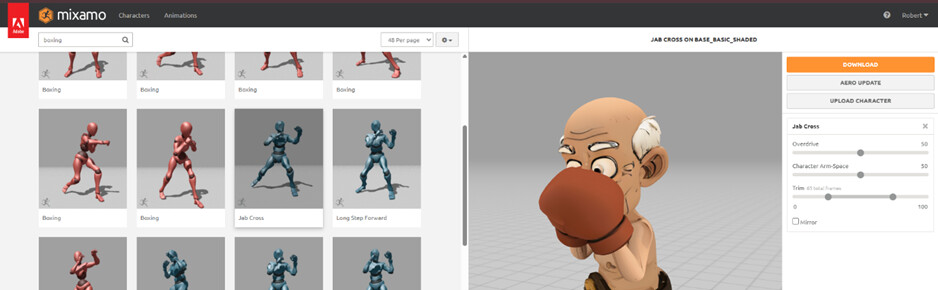
Download it Without Skin (remember, only the first animation gets skin).
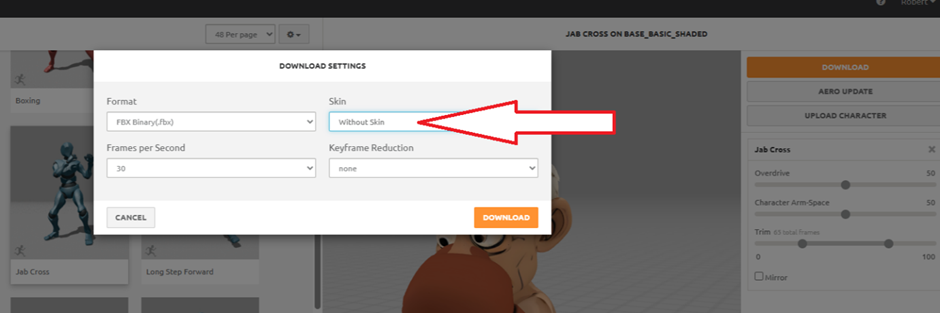
Drop the new FBX into your project.
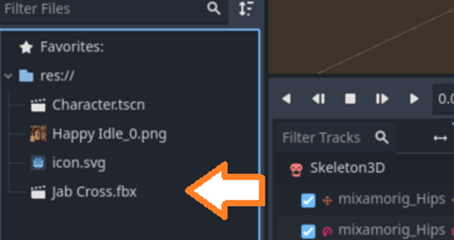
Drag the fbx into your character scene and open as inherited.
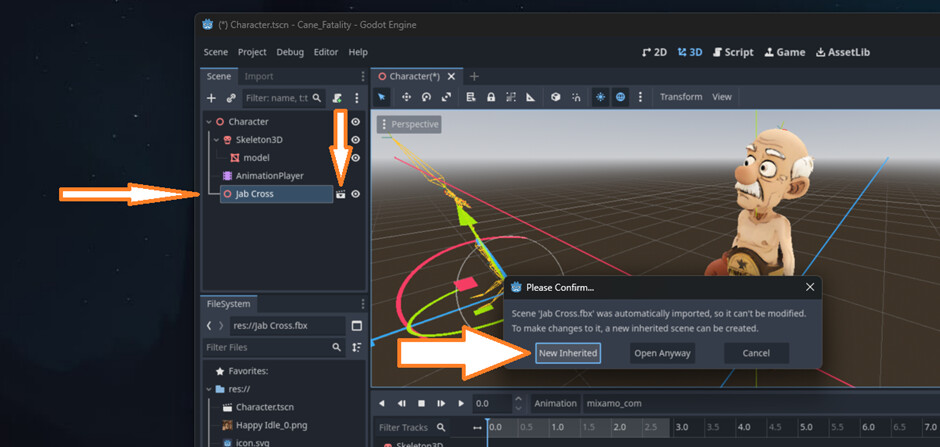
 The tricky part ahead!
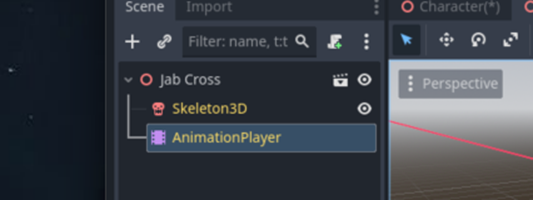
Select the AnimationPlayer from the inherited scene
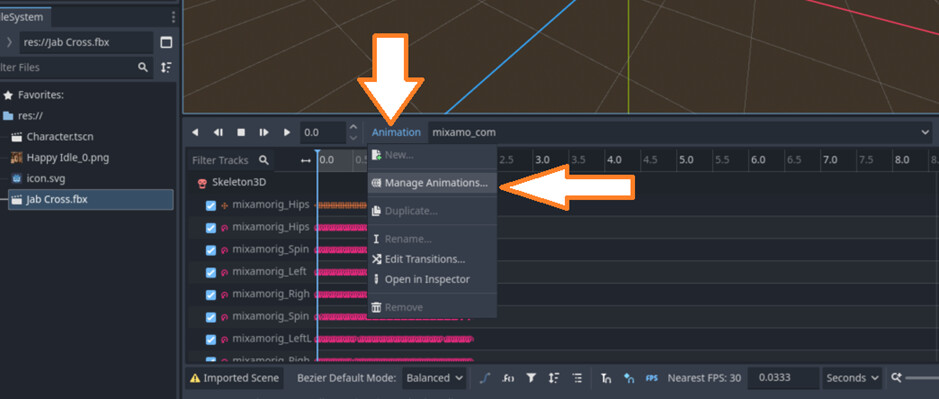
Go to Animation → Manage Animations.
Hit the floppy disk icon (yes, the thing from the 90s) → Make Unique!
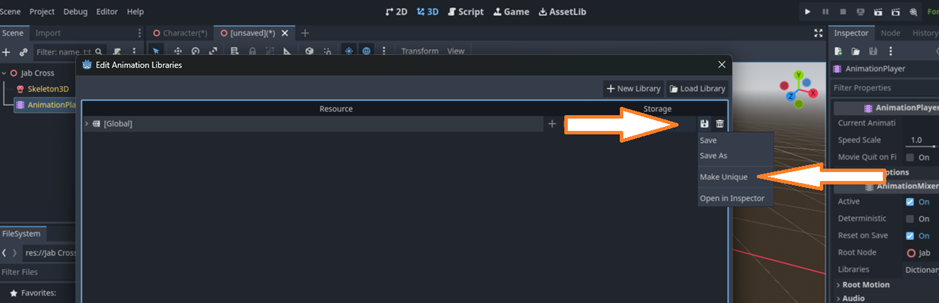
Close the window.
Select Edit

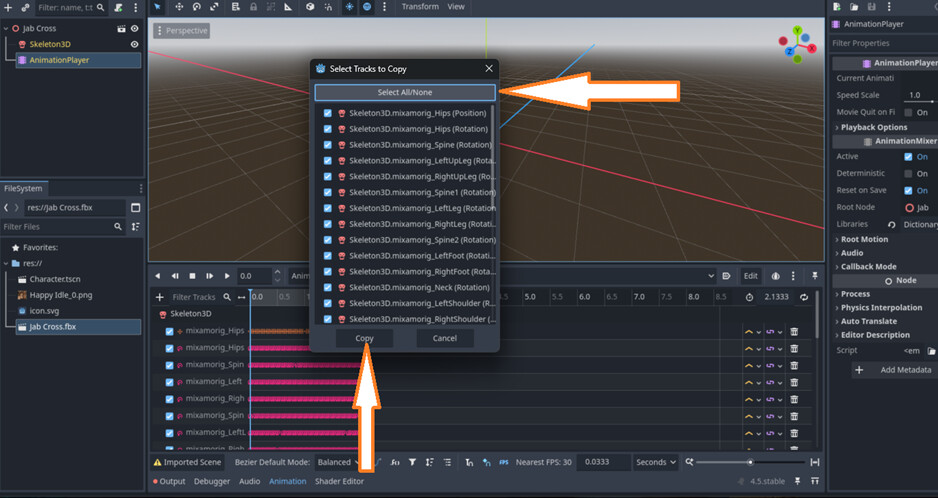
Copy Tracks.
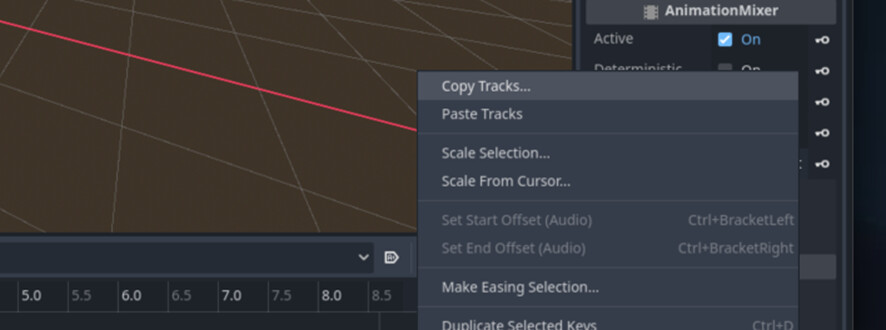
Select All, then click Copy.
Close the unsaved window (again: do NOT save).
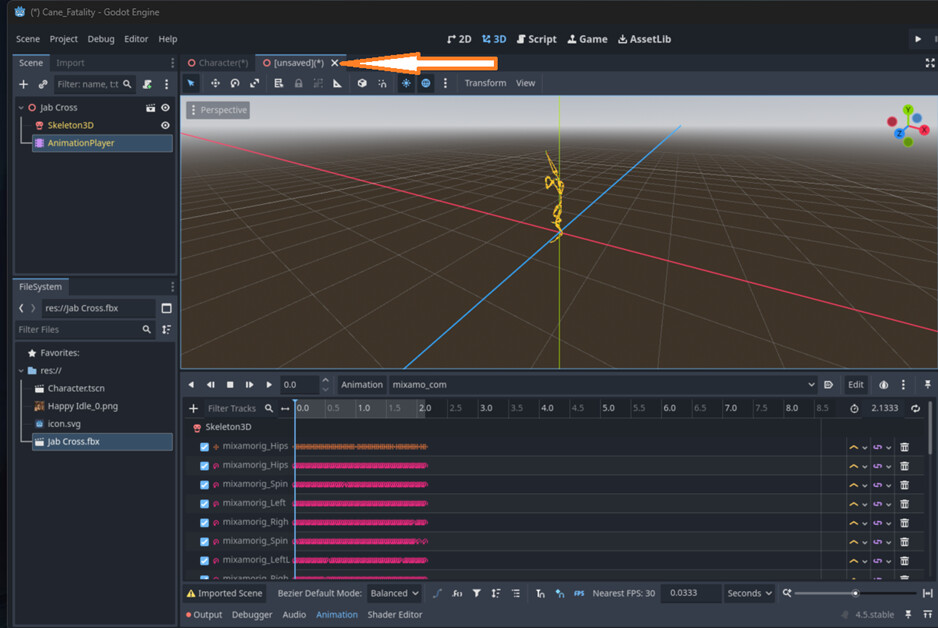
Delete the extra FBX scene from your character.
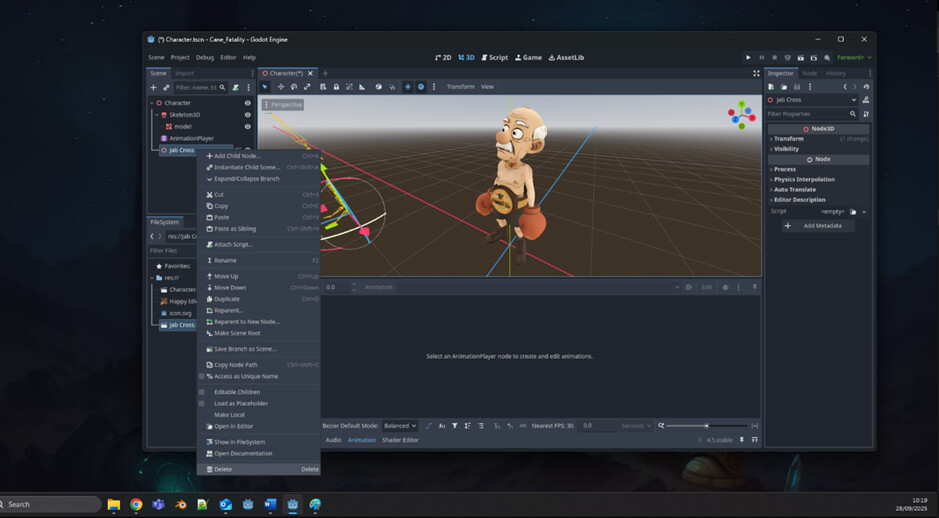
Now go back to your existing AnimationPlayer:
Select your existing AnimationPlayer – Choose animation – New
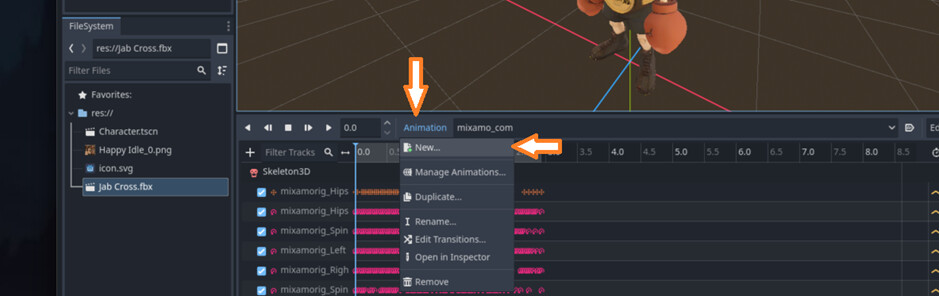
Give it a name for you to use… “JAB” . Now choose Edit and Paste tracks.
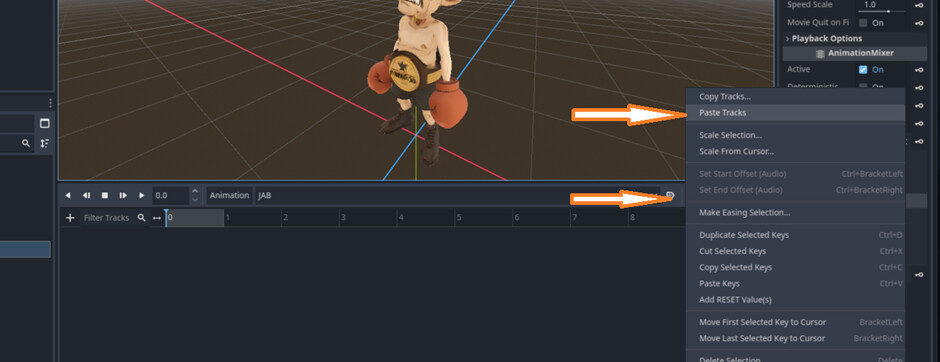
Hit Edit → Paste Tracks.
Adjust the animation length to match the copied one.
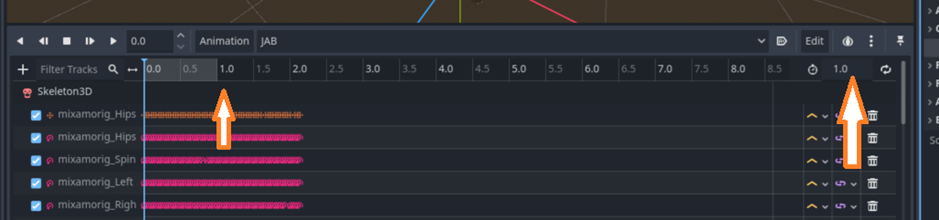
Save your scene - Delete the old FBX files to keep things neat.
Boom!!! you now have a character.tscn with multiple animations. 

Step-3: Use your character
At this point, you’re basically unstoppable. Some tips:
- Rename animations however you like: idle1, idle2, default, jabbyjab…
- Make a main scene with a camera, environment, lights, floor, etc.
- Attach a script to start blending animations or triggering them when needed.
extends Node

#-------------------
# main.tsc
#-------------------

const DEFAULT_ANIM := "default" # change if your idle/default animation has another name
const JAB_ANIM     := "JAB"
const BLEND_SEC    := 0.25      # crossfade duration
var boxeranim: AnimationPlayer

func _ready() -> void:
	boxeranim = $Character.get_node("AnimationPlayer")
	boxeranim.set_default_blend_time(BLEND_SEC)
	var a := boxeranim.get_animation(DEFAULT_ANIM)
	if a:
		a.loop_mode = Animation.LOOP_LINEAR
	boxeranim.play(DEFAULT_ANIM)
	boxeranim.animation_finished.connect(_on_animation_finished)

func _input(event: InputEvent) -> void:
	if event.is_action_pressed("ui_accept"):
		# Only trigger if not already jabbing
		if boxeranim.current_animation != JAB_ANIM:
			boxeranim.play(JAB_ANIM)

func _on_animation_finished(name: StringName) -> void:
	if name == JAB_ANIM:
		boxeranim.play(DEFAULT_ANIM)
Congrats!! you just went from a T-pose zombie to a fully animated fighter in Godot. 
Link to the Godot 4.5 sample project (Spacebar to jab ;): https://drive.google.com/file/d/1qvRAUzbwphQOTWwzc1zrhL1Z3omTd4Gs/view?usp=sharing
Happy Sunday, and please share your creations—because watching stiff T-poses evolve into kung-fu masters feels like a little bit of magic appearing right from your own hands.