Yes but you need a full scene mockup that shows what happens with cast shadows and how the object looks when inside cast shadow of another object. Are all objects in the scene to behave this way or only some etc…
If light passes through the object then it cannot cast a shadow. So those two things are “incompatible” with each other.
Once you have clearly defined how the scene visually behaves, then we can see if this is doable via built in lighting, or you need to write a custom light function in the shader.
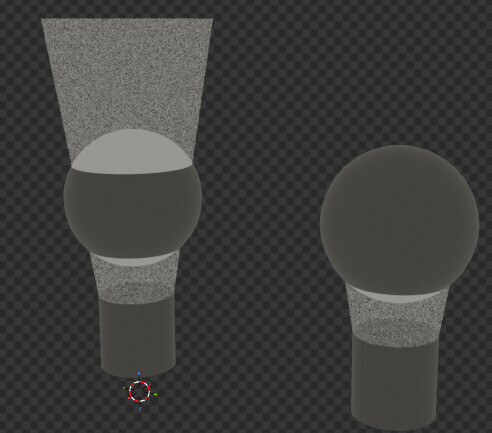
left is what im trying to do, right is what it normally looks like. left goes through and lights the back side as it passes through. this is as good as its gunna get
well if this was an effect triggered by a slider in a shader for a single object, it would only effect that object. not the light or anything else around it
Just make the mockup because talking about those things can be unclear.
Have in mind that Godot’s real time renderer doesn’t to light raytracing, so you cannot really calculate the light “passing through” an object. You can possibly fake it but without the exact mockup we can’t know what are we faking.
Should this support multiple light sources? We’ll need a mockup for that as well.
I’m running into some limitations in terms of what’s available in Godot’s shader built-ins for a shader’s light() function.
ATTENUATION takes shadows into account so I can’t easily retrieve the distance to a light source and produce the uniform shading that @Wodge wants. My hope was that you could simply compute the distance to a light source and then add this to DIFFUSE_LIGHT to avoid the shading (shadows) that appears on the side of the mesh facing away from the light. The problem with this approach is that it removes any occluders from the equation. The shadow from a house will, then, not affect the mesh as well – it becomes emissive, essentially.
The lighting that I think you have in mind is one where the shading is based on the position of the object; not per-fragment or per-vertex. Moreover, shadows maps should not be applied to the mesh. Instead, a simple modulated color is desired. Am I correct about this?
If you want to create this, I would go with creating a custom node that does this for you. By gathering all lights in the scene into a list, you can compute the attenuated lighting on the object based on its position and use that value in a shader to primitively shade the object as you intend.
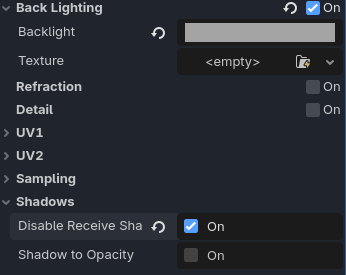
As for BACKLIGHT being an option, I didn’t find that it produced the desired effect. As @Wodge points out, there is still shading happening on the mesh.
@Wodge can you confirm that my previous description of what you want is correct? Then I can create the example for you.
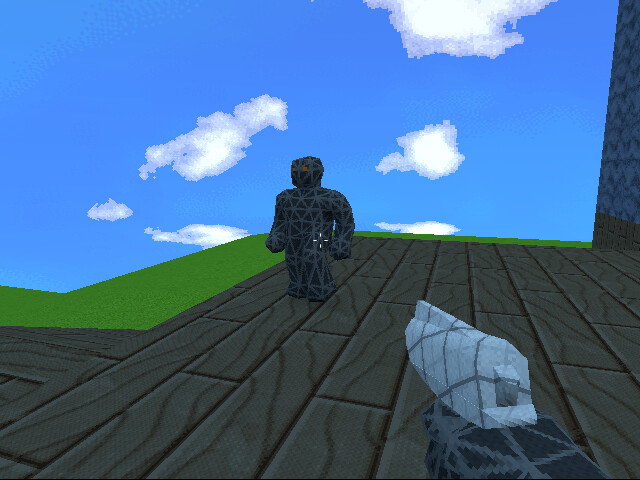
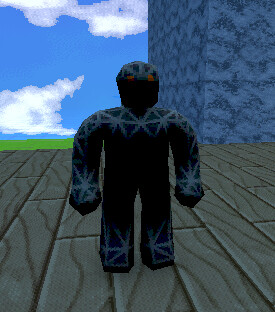
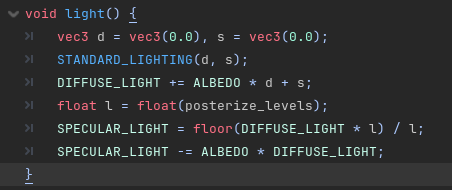
so in my main shader, which is basically just this, in the light() void it uses standard lighting to posturize the lights to give a limited color palette look. something about standard lighting just gave me these unavoidable extremely stark shadows that i just had assumed was default to godot. my bad for that
oh my god. quadruple apology i just figured it out. with standard lighting you can define what diffuse lighting you can use and i had it on diffuse_lambert instead of diffuse_lambert_wrap.
check out the texel lighting thing if you havent its pretty sick