Godot Version
4.4
Question
Hi all, just having a little trouble trying to get models and animations from my Unity library into my game. I have tried the fbx exporter with all kinds of different settings, but I can’t seem to get the animations to actually work with the model when I bring it into Godot. The bone mapping is correct, its actually the best bone mapping I have found with models so far. I have tried all kinds of things, but I can’t get the animations to work. I have tried several animations as well, but they never work. (I even tried a few Mixamo animations, same problem) So I am not sure where to turn.
I can’t find an effective guide that helps to bring both models and animations from Unity into Godot.
I have not yet, but I will give it a go! Thanks!
1 Like
Does not seem to do the trick  I am wondering if I am doing something wrong on the Godot side
We’re probably gonna need more info then. First question: Have you animated anything actually meant for Godot? If not, I suggest you start there to eliminate the variable of it being Unity related.
First thing I did was create a model in blender and animate it in blender. This worked fine once I got the settings right. I could import it into Godot with everything I needed. So I know that process works, and I suppose as long as I can bring things into Blender I can probably get them out of Blender (I just need to figure out importing animations and models properly)
Now I am trying to export full models from Unity to fbx and bring those directly into Godot, and the same for animations. I suspect this is the issue, that they can’t be directly exported/imported from one to the other. When I export models everything seems to be correct, the file and texture is there, and when I create the bone map everything lines up with no issues. So I think the models are ok.
But when it comes time to try out the animations, it seems to all fall apart.
Best thing to do is use a .glb file, or an .fbx file, then you can drag that straight into the 3d scene. There should be an animation player within the packed scene created by the .glb file. You can access that with right click and ‘make local’ or ‘editable children’. The animation player tab is at the bottom of the screen.
Can you post a screen shot of what has happened to the model, and what bone are you using for root, did you set the bone map manually or automatically?
Sometimes retargetting can mess up animations, or the IK snap setting, and numerous problems due to bone orientation, and because blender somehow preserves the internal bone orientations of imported files, the problem might only show up in other software.
In fact … the reimport window allows you to preview animations too.
I have found .fbx importing to be a much bigger PITA than .glb importing. However, as long as the animations are being imported, you can still map them to the model after the fact.
If you take a look at Mixamo tutorials for Godot, there is info on retargeting animations.
Another one to watch out for is the auto-key button. Its useful for making animations, but if you have IK -FK snapped the wrong way it can screw up all your actions.
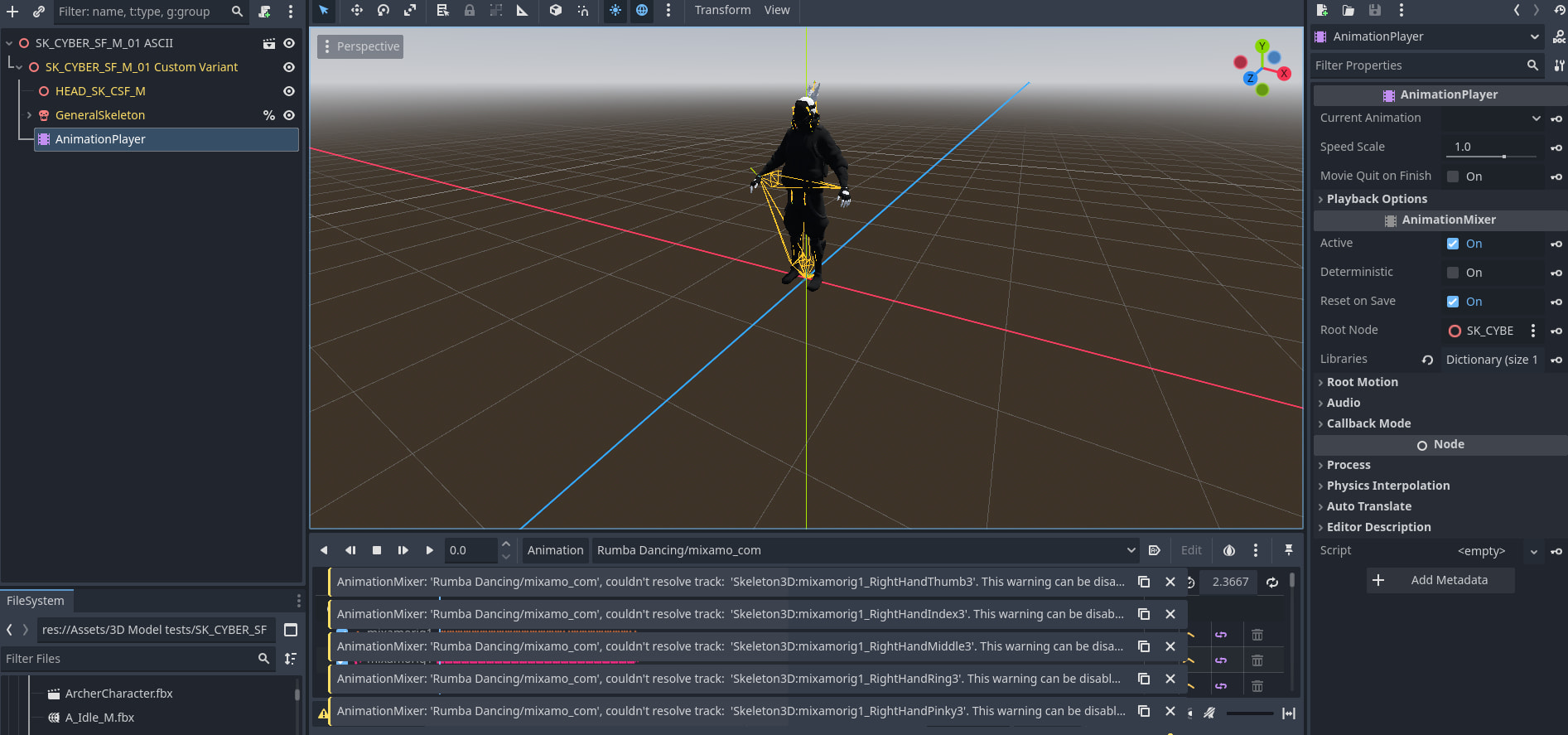
This is what my current issue is. The animations and the model do not play well together. I have tried multiple animations and multiple models. Tried animations from multiple sources too, as well as models from multiple sources (and multiple types of export)
Yeah the fbx files have always been trouble. I suppose if I can get everything into blender then I can export it into gltf or glb from there, which should solve the issues. Assuming I can get it all to work there though.
I’ll give the mixamo tutorials a look though, maybe there will be some info there I haven’t found yet
1 Like
Looks like theres an animation track for a bone that doesnt exist or has been renamed. You could try a fresh project and then an import without setting up bonemap.
That’s the weird thing, the model and the same animation both works in Blender. The model is from Unity but the animation is from Mixamo. They work fine when I bring them into Blender, but bringing them from Unity to Godot they don’t work.
I think I just need to bring things into Blender first and then into Godot. Its an extra step, but if its the only path I have then it’ll have to do.