Global Scripts Issues with Version Control

Godot Version

4.6

Issue

I’m currently working on a game with 2 other developers, a designer, and 2 artist. We use feature branching strategy where we create a branch for everything we work on, make pull request once it’s done, and squash merge after it’s been reviewed by 2 other developers.

The issue is, whenever a script is put into autoload by one of the developers, when we switch to their branch, the script will not work, and Project Settings will show empty path, even when re-entering the script.

It used to happen rarely, but as the project grows, it happens almost every day and it makes collaboration very annoying. The band-aid fix I found was switching the autoload file from one folder to another, but I would also like designers and artists to be able to open the project without being bombarded with errors and crashes.

Reproduce Steps

  1. Have Godot project on remote git repository (preferably GitHub)
  2. Create a branch on the version control
  3. Create an autoload script
  4. On another device, switch to the same branch
  5. Observe the errors running project
  6. Go to Project Settings > Globals
  7. Observe the empty file path

“New users can not upload attachments” so I made an unpublic video on YouTube:

Are you sure the project settings are being committed and not on gitignore?

2 Likes

Post your .gitignore file.

The .gitignore was generated automatically by GitHub Destkop. Later we added .translation and two .tres save files to ignore, because .translation was appearing on every commit, and the save files so that our stats are not the same when we test the game.

Godot 4+ specific ignores

.godot/
/android/
assets/Languages/godot_languages.Dutch.translation
assets/Languages/godot_languages.English.translation
player_data.tres
puzzle_data.tres
*.translation

No it wasn’t. Every Godot project generates its own .gitignore and it looks like this:

# Godot 4+ specific ignores
.godot/
/android/

Translation files are generated by importing a CSV that contains translations, and since re-import happens every time you open the project, you don’t have to include them as they will be re-generated. Odd they were appearing on every commit unless you kept adding words to translate a lot - in which case makes sense.

The player_data.tres and puzzle_data.tres files should be saved in the User Directory. They will stay unique and not be checked in, and that’s where they need to be to work when your game is exported. Once you move them there, you don’t need to ignore them.

I also recommend changes the Languages folder to languages. Best practice is to use snake_case for all folders/directories and filenames. Otherwise you can have export problems on Windows and Mac.


I finally watched your video because your .gitignore isn’t the problem. Best practice is to attach your scripts to a Node, and add that as your Autoload. While you can use just scripts, you get a lot more benefits from using a Scene, like being able to use @export variables, and being able to use other nodes as needed in the scene. (For example an AudioStreamPlayer that plays all your game music.

While I’m not sure this will fix your problem, it’s worth a shot.

Also, since you’re using 4.6, I recommend you update to 4.6.2.stable for bug fixes. Just in case that’s your issue.


FWIW I use the same feature branching strategy on both GitHub and GitLab. I use scenes for my Autoloads, and I’ve never seen this issue.

1 Like

About translation

Since the re-import happens every time, I assume there’s no harm in keeping it in .gitignore. The original .csv is not ignored. I am also aware about the snake_case and so are the other developers, but they often do not stick to it unfortunately which I keep trying to fix.

About save files

I have read somewhere that the save path needs to be changed to “res://” in order to work in editor and to “user://” in the build which is why I kept it like that, but I’ll try to keep the path as “user://” from now on and see if it works.

Replacing globals (core issue)

I have attempted that. This led to another two issues with resources and deleted scripts.

First one is with the script and the scene that I deleted called host.gd and host.tscn. It’s trying to search for the file that doesn’t exist anymore. There are no references to these files in any of my scripts.

Another issue is something that happened before. I was planning to make a separate forum post about it, but maybe it’s related enough to keep it in one thread and I can’t fix the autoload issue due to this problem. Couple of days ago, I changed the folder name where I keep the resources for player_data.gdand puzzle_data.gdfrom “player_data” to “stats” and it seems to have caused the issue with PlayerData class not being able to be referenced anymore, even when it’s global.

Image link

I have read this GitHub post for solutions. It covers issue with deleted scenes, but not with resources that changed the folder name.

What I have tried so far:

  • Deleting .godot folder
  • Searching through global_script_class_cache.cfg and scene_groups_cache.cfg for “host” and “player_data”.
    • “host” keyword does not appear,
    • “player_data” appears. I did not want to delete it because it should exist in the project, just in a different folder.
  • Re-importing project through Godot
  • Re-cloning the repository.
    • Solves the issue with PlayerData temporarily, but seems to reappear when any change with it is made
    • Does not solve the missing host.gd and host.tscn.

We are using 4.6.2. stable. My fault for not specifying the 3rd number.

You could write a @tool script in Godot that renames everything and will keep UIDs intact. I just run a bash file on resources before I add them to projects.

If it were me, I’d just start rejecting PRs for this until people stop doing it.

That is incorrect information. Both can be used in the editor and at runtime. However, filenames change in res:// on export.

This tells me that you didn’t remove it from the Project Settings before deleting it.

I’d recommend you try removing the Autoload, moving the files, then re-adding the Autoload.


I had another thought for you - which might help. I do not add Autoloads manually. I create plugins for everything. They load the Autoloads. The benefit of this, is they get re-loaded every time you open or restart the project.

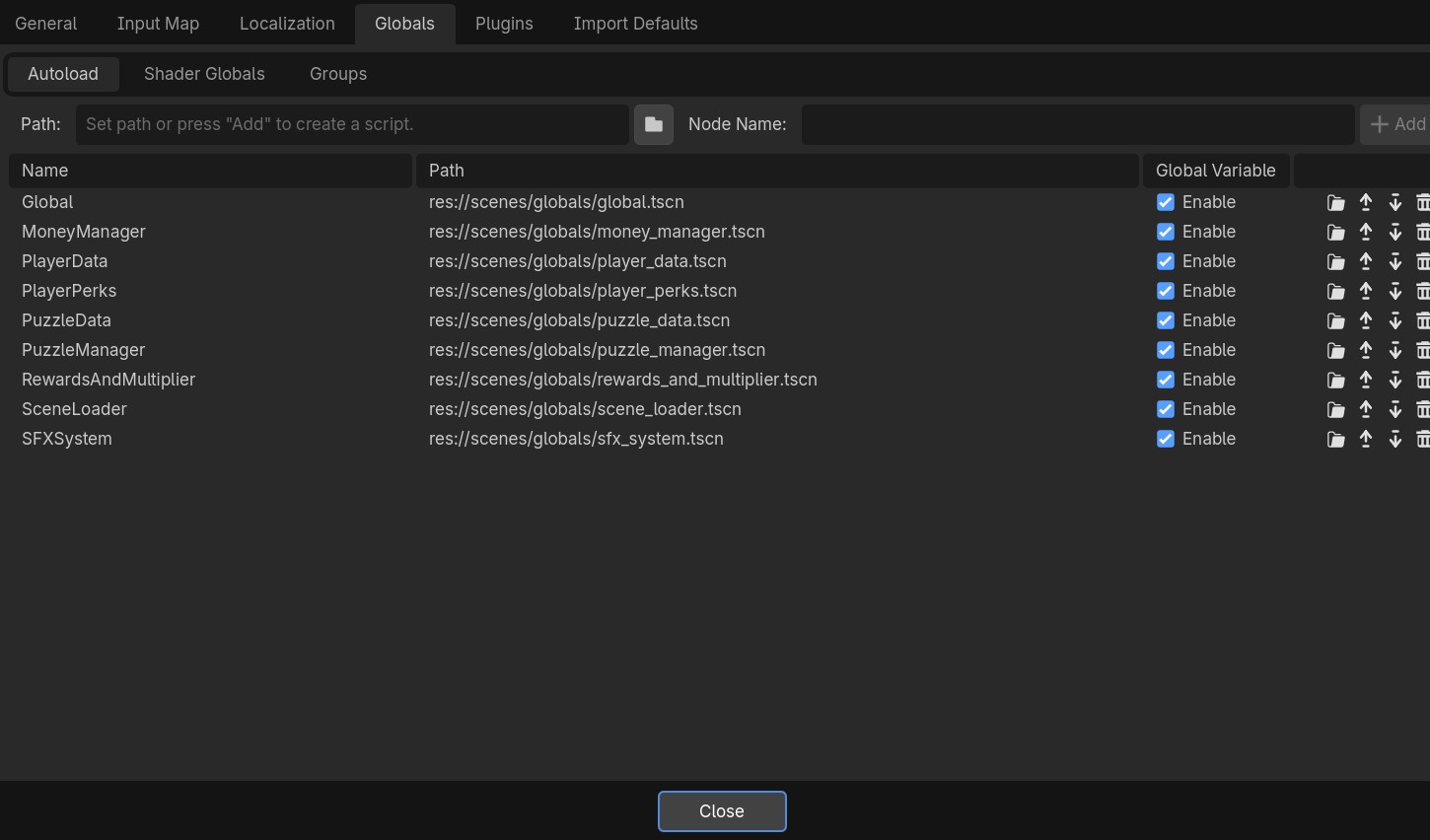
So this is my list of Autoloads for a project I am working on:

And this is the list of Plugins:

I just have each one in its own folder. I prepend everything with my domain to prevent namespace conflicts if I ever need to use someone else’s plugin.

For something like Localization, which just adds a option button for selecting languages, the plugin.gd is quite simple. (It detects which languages you have and adds them to the button along with country flags. Feel free to check it out)

@tool
extends EditorPlugin


const AUTOLOAD_LOCALIZATION = "Localization"


func _enable_plugin() -> void:
	add_autoload_singleton(AUTOLOAD_LOCALIZATION, "res://addons/dragonforge_localization/localization.tscn")


func _disable_plugin() -> void:
	remove_autoload_singleton(AUTOLOAD_LOCALIZATION)

This would most likely resolve your issues. Because you’d also be forced to put all autoloads into one or more folders inside addons, and they wouldn’t move as much. Plus, like I said, they’d get reloaded every time any of you reopened the project - so changes to the files themselves wouldn’t cause problems anymore.

1 Like

I tried deleting them from Autoload, moving them around, and re-adding, but the issue still persists.

If it comes to plugins, being still relatively new to Godot, I don’t think I could write one that would load Autoloads better than Godot does itself.

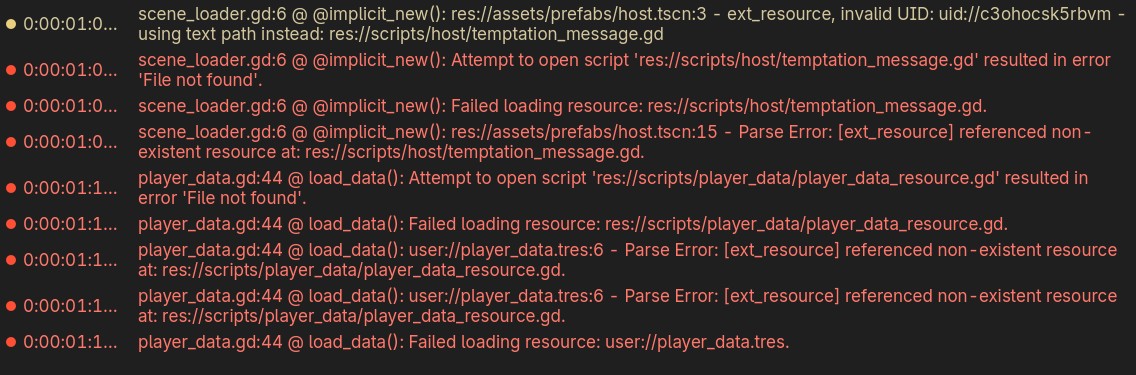
The error message from the previous screenshot seems to point out to host.tscn, temptation_message.gd, and player_data_resource.gd. None of these were ever Global scripts. host.tscn and temptation_message.gd have been deleted. player_data_resource.gd still exists, but is in the different folder than the error message points towards. The global script, player_data.gd(now saved as a scene) uses player_data_resource.gd.

Here’s list of the Autoloads:

And here’s the errors again:

I can write one for you using your screenshots.

@tool
extends EditorPlugin

const AUTOLOAD_GLOBAL = "Global"


func _enable_plugin() -> void:
	add_autoload_singleton(AUTOLOAD_GLOBAL, "res://scenes/globals/global.tscn")


func _disable_plugin() -> void:
	remove_autoload_singleton(AUTOLOAD_GLOBAL)

You can just add the other scripts yourself. So for MoneyManager:

@tool
extends EditorPlugin

const AUTOLOAD_GLOBAL = "Global"
const AUTOLOAD_MONEY_MANAGER = "MoneyManager"


func _enable_plugin() -> void:
	add_autoload_singleton(AUTOLOAD_GLOBAL, "res://scenes/globals/global.tscn")
	add_autoload_singleton(AUTOLOAD_MONEY_MANAGER, "res://scenes/globals/money_manager.tscn")


func _disable_plugin() -> void:
	remove_autoload_singleton(AUTOLOAD_GLOBAL)
	remove_autoload_singleton(AUTOLOAD_MONEY_MANAGER)

Do that for the rest. Then.

  1. Save this file in res://addons/autoloads/plugin.gd
  2. Create a file res://addons/autoloads/plugin.cfg and put this in it:
[plugin]

name="Autoloads"
description="Our game's autoloads."
author="Catlin"
version="1.0"
script="plugin.gd"
  1. Go to Project → Project Settings → Plugins
  2. Enable your new Autoloads plugin.
  3. Disable the plugin to uninstall everything.
  4. Click on the Globals tab.
  5. Delete any autoloads that were not uninstalled. (We are doing a clean sweep.) Note any that didn’t get deleted automatically in case you forgot to add them to the plugin script.
  6. Click Close.
  7. Save the entire project (Ctrl+S).
  8. Go to Project → Reload Current Project
  9. Wait for the project to reload. (You should get a bunch of errors about missing things - that’s good.)
  10. Go to Project → Project Settings → Plugins
  11. Enable your new Autoloads plugin.
  12. Click Close.
  13. Save the entire project (Ctrl+S).
  14. Go to Project → Reload Current Project
  15. Wait for the project to reload.

All the errors should go away.

Commit it to a branch and have someone else check it out, and their problems with the autoloads should go away.

1 Like

Alright, I did that. No issues with the plugin itself and it seems to work as intended (removes all autoloads on disable, and adds then when enabled).

This should hopefully solve the problem with the missing path for autoloads.

It did not solve the issue with “missing” scripts and resources, but that might be a different issue after all. I’m just not sure if I should make another post that is not about autoloads or keep it here. This is my first time posting on Godot forum.

1 Like

It’s fine, we can solve that here.

So most likely the problem is that those scripts were moved outside of the editor. So someone did some organization in their OS file explorer, or moved something on the command line.

Every file in Godot is assigned a UID. This UID is stored and points to the file it references. If you move the file outside the editor, the UID still points to the old file.

There are a few ways to fix this.

Delete the old UIDs

Go into each folder and find the UIDs, and delete them. Godot will reimport the files and these errors should go away.

Relink the Files

Move the files back to the paths that Godot expects them. Then open the editor and see if all the errors resolve. Once they do, move the files in the Godot IDE.


One of those options should work.

2 Likes

Deleting UIDs sadly didn’t help. What I tried to do is add an empty scene host.tscnto where the engine expects it, and move player_data_resource.gd to the path where it expects it. This does make the error disappear, but re-appears as soon as the files are moved or removed. I tried reopening or reloading the project, but it still didn’t help.

Although the way it is now could work, not being able to move any files without getting errors will be really bad for our project. I am curious to why it happens in the first place and how can it be prevented. Moving files only in IDE is not an option because Git needs to be able to edit the files for us to work on the project together.

1 Like

Ok, but how are you moving or removing them? In the editor?

The other thing you can do is right-click on the files and Edit Dependencies.

You’ll get this dialog:

If something is hanging off it, try breaking the connection. (Though I don’t think this is the problem.)

The other thing to check is the Owners

This will show you files that think this file should be a part of them. Breaking these connections may solve your problem. Then re-link them to the new ones.

It happened because you did something weird to the files that Godot couldn’t track. We are trying to fix that. But this is not a common problem. I’ve worked (and am working) on Godot projects with multiple developers, artists, sound designers, and level builders. I’ve never had this problem before.

All the projects I work on are in Git. So Git is not the issue either.

If Programmer A adds a file and it gets a UID, that UID gets checked in. As long as no one adds the same file or move it outside the editor, there will be no issues ever.

If Artist B adds a new model but doesn’t open the project, the first person to open the project will create a UID for it, and it will use that as soon as that branch is checked in. If another person also creates a UID - they will get a conflict when they merge and have to pick a UID for the file.


I think this is an XY Problem rearing its head. You had a problem X: You need multiple people to use Git to contribute to a game. You believe you solved it with Git, but created problem Y: Your files are getting corrupted.

I recommend we take a step back and you describe the problem you are trying to solve, which is people working collaboratively and let’s see what we can do about refining your PR process. Because it sounds like that’s where the issue lies.

Would you mind sharing your project.godot file? The one you have issues with. I’d like to see how your Autoloads are referenced in the “corrupt” project file..

I think this is very important to know. I’d suggest to get authority back for a working snapshot of your project. Get it to run clean on your machine and force push it to all other people. No branching for the moment. I also think it is reasonable to think, that somebody moved something the wrong way outside of Godot or you merged a branch that overwrote UIDs without you noticing it.

1 Like

I have one last guess based on your latest video here: Go to your local user folder at %AppData%\Roaming\Godot\app_userdata\YOURGAMENAMEand move/delete everything in there. It seems you store some important references inside a user file?

1 Like

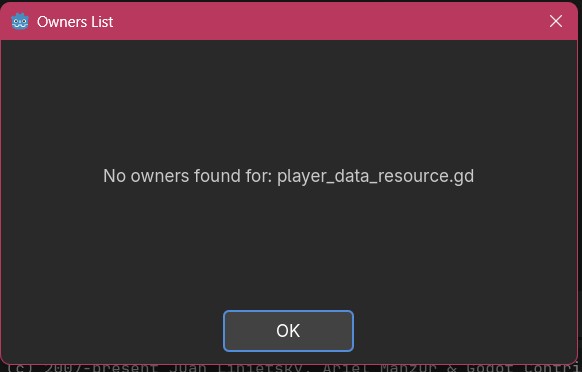
No dependencies or owners are shown in Godot.
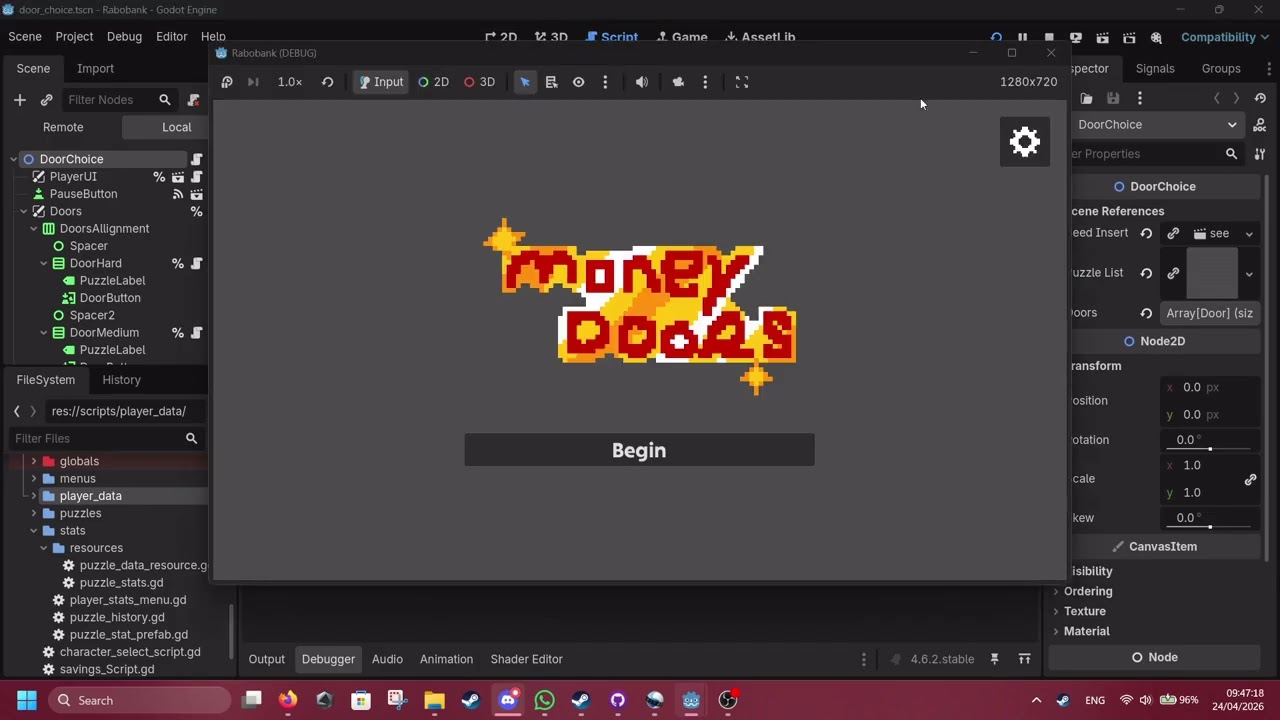
I tried to deeply look into how this error works and I found the following things:

Whenever any .gdfile is moved in editor, just by drag and drop, as shown on the video above, I get an Output error:

ERROR: Another resource is loaded from path 'res://scripts/player_data/puzzle.gd' (possible cyclic resource inclusion).

Regardless of the machine I tested it on, the message is the same with only the path changing to whatever folder the file was moved to. It doesn’t cause any errors during gameplay unless one of the three scripts that extend from resource are moved: player_data_resource.gd, puzzle_data_resource.gd, or puzzle_stats.gd.

All three of these are used by Autoloads. player_data_resource.gd is referenced by player_data.gd, puzzle_data_resource.gd is referenced by puzzle_stats, and puzzle_stats.gd is referenced by puzzle_data.gd.

On game start, the same 5 errors will appear in the Debugger. If the game reaches the line of code where any of these two (puzzle_data and player_data) Autoloads are referenced, the game will stop with a null reference error.

E 0:00:01:129   puzzle_data.gd:21 @ load_data(): Attempt to open script 'res://scripts/stats/resources/puzzle_stats.gd' resulted in error 'File not found'.
  <C++ Error>   Condition "err" is true. Returning: err
  <C++ Source>  modules/gdscript/gdscript.cpp:1127 @ load_source_code()
  <Stack Trace> puzzle_data.gd:21 @ load_data()
                puzzle_data.gd:10 @ _ready()

E 0:00:01:129   puzzle_data.gd:21 @ load_data(): Failed loading resource: res://scripts/stats/resources/puzzle_stats.gd.
  <C++ Error>   Condition "found" is true. Returning: Ref<Resource>()
  <C++ Source>  core/io/resource_loader.cpp:343 @ _load()
  <Stack Trace> puzzle_data.gd:21 @ load_data()
                puzzle_data.gd:10 @ _ready()

E 0:00:01:129   puzzle_data.gd:21 @ load_data(): user://puzzle_data.tres:62 - Parse Error: [ext_resource] referenced non-existent resource at: res://scripts/stats/resources/puzzle_stats.gd.
  <C++ Source>  scene/resources/resource_format_text.cpp:40 @ _printerr()
  <Stack Trace> puzzle_data.gd:21 @ load_data()
                puzzle_data.gd:10 @ _ready()

E 0:00:01:129   puzzle_data.gd:21 @ load_data(): user://puzzle_data.tres:62 - Parse Error: [ext_resource] referenced non-existent resource at: res://scripts/stats/resources/puzzle_stats.gd.
  <C++ Source>  scene/resources/resource_format_text.cpp:40 @ _printerr()
  <Stack Trace> puzzle_data.gd:21 @ load_data()
                puzzle_data.gd:10 @ _ready()

E 0:00:01:129   puzzle_data.gd:21 @ load_data(): Failed loading resource: user://puzzle_data.tres.
  <C++ Error>   Condition "found" is true. Returning: Ref<Resource>()
  <C++ Source>  core/io/resource_loader.cpp:343 @ _load()
  <Stack Trace> puzzle_data.gd:21 @ load_data()
                puzzle_data.gd:10 @ _ready()

Now I didn’t think it would be revelant until then, but here’s how puzzle_data.gd references puzzle_stats.gd.

extends Node


var puzzle_statistics: PuzzleStatistics
var _save_file_path = "user://puzzle_data.tres"


func _ready() -> void:
	# Load data
	puzzle_statistics = load_data()


func save_data(data: PuzzleDataResource):
	puzzle_statistics.stats.push_back(data)
	ResourceSaver.save(puzzle_statistics, _save_file_path)


func load_data():
	# Load save file, if it exists
	if ResourceLoader.exists(_save_file_path):
		var _resource = load(_save_file_path)
		return _resource
	
	var _new_resource = PuzzleStatistics.new()
	return _new_resource


func count_completed(result: bool) -> int:
	var _amount: int = 0
	for i in puzzle_statistics.stats.size():
		if puzzle_statistics.stats[i].completed == result:
			_amount += 1
	return _amount


func count_difficulties(difficulty: Puzzle.PuzzleDifficulty):
	var _amount: int = 0
	for i in puzzle_statistics.stats.size():
		if puzzle_statistics.stats[i].difficulty == difficulty:
			_amount += 1
	return _amount

puzzle_stats.gd:

extends Resource
class_name PuzzleStatistics

@export var stats: Array[PuzzleDataResource] 

puzzle_data_resource.gd:

extends Resource
class_name PuzzleDataResource

# Player data
@export var puzzle_name: String
@export var difficulty: Puzzle.PuzzleDifficulty
@export var completed: bool
@export var completion_time: int

Keep in mind that these scripts did not cause any errors beforehand in these forms though, so I don’t think the problem is with the code itself.

Now about how we handle PRs according to the Tech Guide I wrote. I will add however that aforementioned Autoloads were written by me, so I also don’t think it’s something that any of the other developers done:

When starting your work on the project, follow these steps:

  1. Create a new branch with the name of the feature

    • You do not need to publish the branch unless you leave work or someone asks to work on it
  2. Commit changes regularly and when taking a break

  3. Finish work on the feature

  4. Make a pull request

    • At this point the branch needs to be published
  5. Wait till your request is approved by two other developers

    • Fix or adress any requested changed
  6. Squash-merge the branch into develop

I apologize if this is a lot, but I wanted to give as much explanation as possible to the issue.
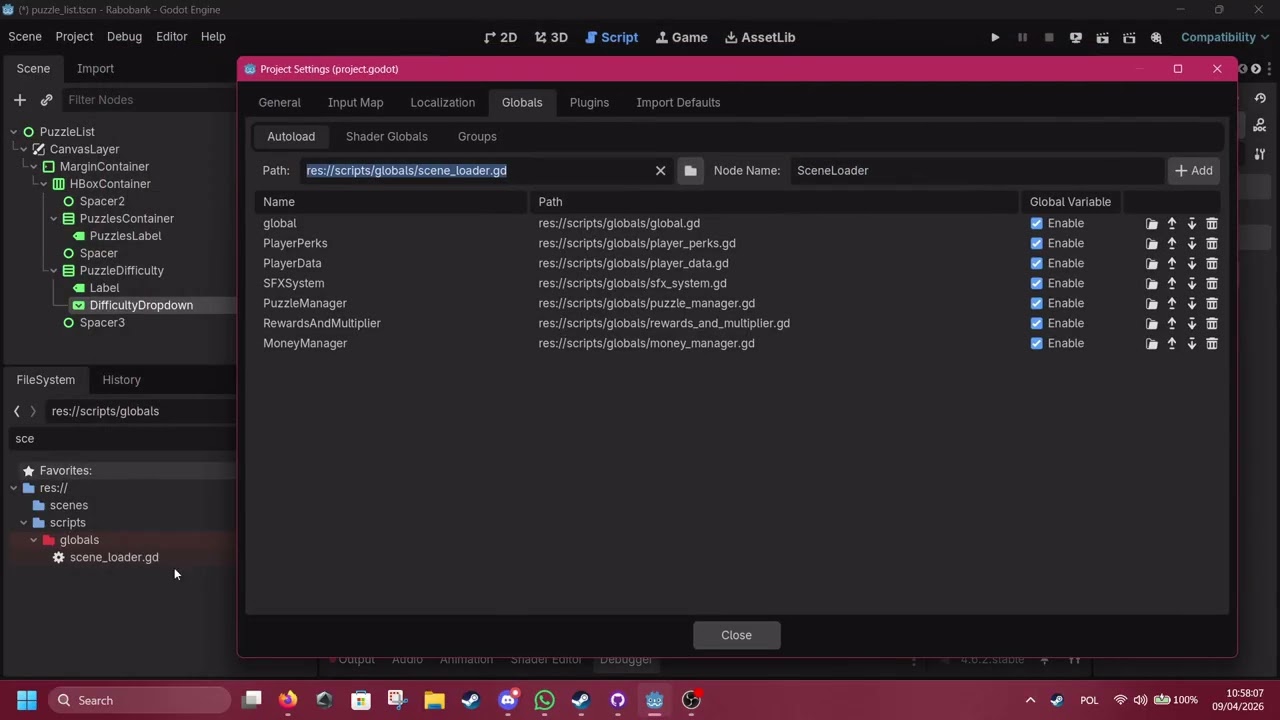
Deleting this seems to “reset” the expected location.

For example:

  1. The script is located at res://scripts/stats/player_data_resource.gd
  2. When running the project, Godot gives an error that player_data_resource.gd cannot be found at: res://scripts/player_data/player_data_resource.gd
  3. I close Godot and do what you suggested
  4. No errors appear when running the project.
  5. I move (in editor) player_data_resource.gd back to res:/scripts/player_data/player_data_resource.gd
  6. Same error as in step 2 appears, but now the error says player_data_resource.gd cannot be found at: res://scripts/stats/player_data_resource.gd

Additionally the Output error from above always happens when moving any script:

ERROR: Another resource is loaded from path ‘res://scripts/stats/puzzle_data_resource.gd’ (possible cyclic resource inclusion).

The path in error is always where the script was moved to.

Please check this thread and confirm how your resources are loaded:

Might also be a permission issue. Depending on your system, please check your file and folder permissions. The simplest way would be to overwrite all permissions on your project folder recursively.

I’ve read through the Godot forum thread and then through the GitHub thread.

Steps I took so far:

  • Comment out all AutoLoads that use ResourceLoader or ResourceSaver class and load() function.
  • Go to the project and add myself in permissions, with all permissions allowed
    • Keep in mind that this issue happens on every machine so it’s unlikely that it’s something related to that
  • Re-clone (through GitHub Destkop) and re-import (through Godot) the project

The issue still persists. If it’s something with code, removing the code should disable the issue. If it’s something with user permissions, it would probably not happen on different machines.