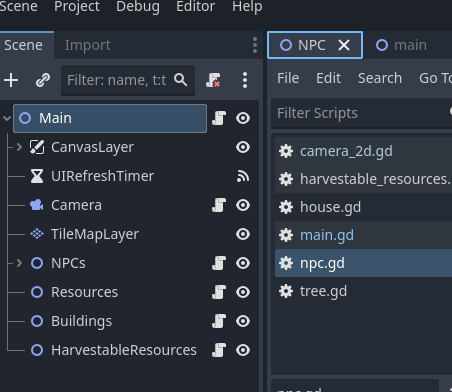
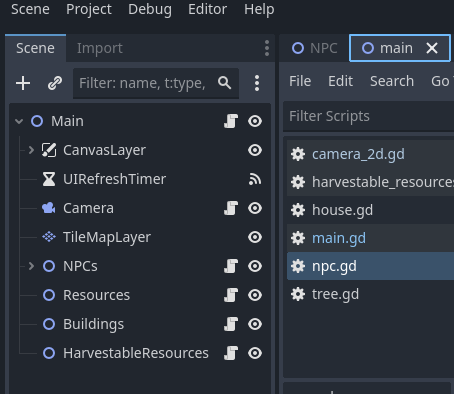
I have had this popup: “Files have been modified outside of Godot” and I have chosen to reload from the disk, as a naive beginner, even though I only worked on it inside Godot. This has happened multiple times before and I didn’t think much of it.
This time, however, the scene that was “loaded from disk” has been completely replaced with my main scene. All the nodes, the code, everything are just a copy of it.
Has anyone experienced this before? Is there any way to get the data back?
I would really love to solve this, since I worked a lot on it, and it feels so bad to lose it just like that. Thank you!
I haven’t had anything like this happen to me before and unfortunately I don’t think you can get the scene back. (Correct me if I’m wrong)
In the future, absolutely use version control, it’s a way of tracking all the changes to your project and you can jump back to previous versions etc. Git is basically the standard for this
I think this will be obvious for most of you, but fortunately all the scripts were still kept in the .gd files, and I was able to reconstruct the lost scene from a screenshot.
Chiming in on version control. Also, this problem is likely caused by some sort of backup system on your computer “backing up” and “restoring” your files when it sees discrepancies. If you project is in your Documents folder, moving it might solve the problem. Alternately, bring up Microsoft One Drive, Google Drive, Apple iCloud and exclude your folder from backup and this problem will likely stop happening.
I feel for you. I had my player scene replaced with my main scene and was devastated. Luckily I had a back up of the game from a month ago that I could steal the player scene from and rebuild from node paths in the script. Right after I set up GitHub.