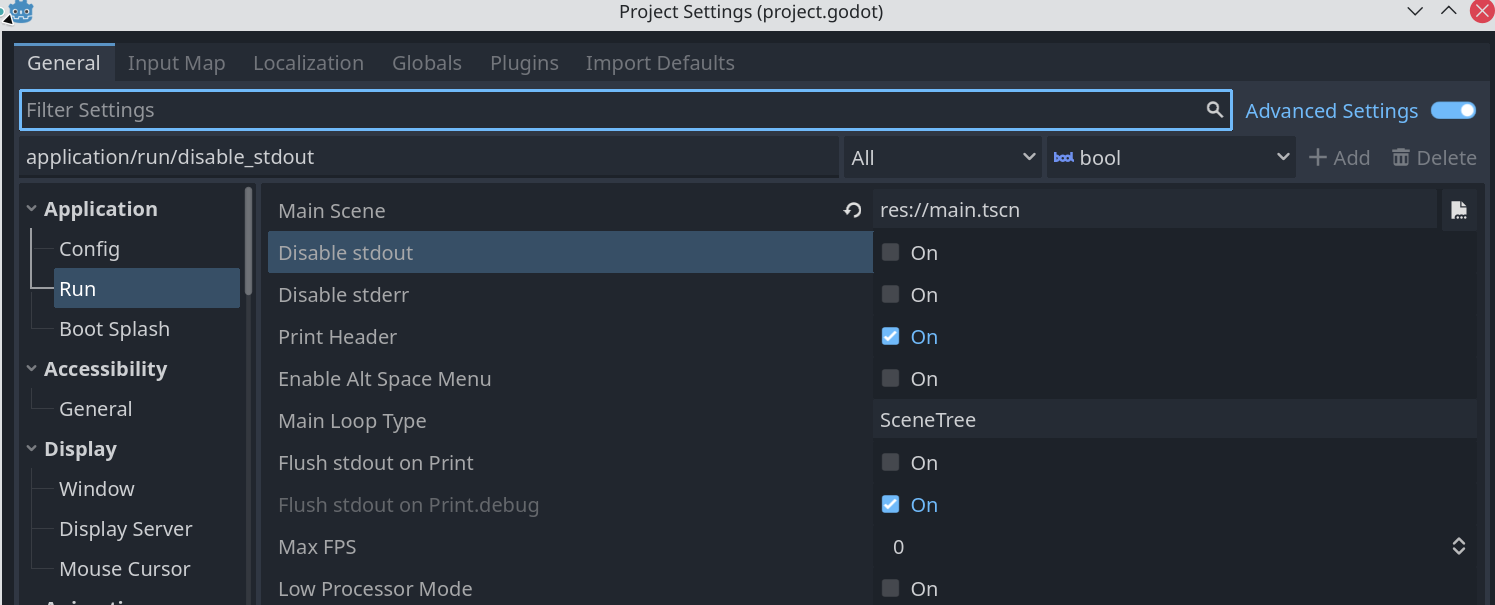
Hi there. I hope someone can help me, please. I’m having a glitch with the Editor affecting all my projects. I use Godot on both my desktop and laptop, but only the desktop has this problem. I have tried this with v4.3, 4.5.0, and 4.5.1 and all have the issue. While I started seeing it in my current project, I have tried others and even a new project but still get the behaviours.
Behaviours I’m getting:
When running a game from the editor, then exiting that game (by closing the window), the game remains running until the ‘stop’ button from the top right of the editor is pressed.
When running a game from the editor, the ‘remote’ tab is not visible in the scene tree window.
When calling ‘print()’ from any script, no output shows in the output window.
What I’ve tried to fix it:
As above - tried in different versions, different projects
Checking that the filters are all on so all output is shown.
Deleting the contents of %APPDATA%\Godot.
Removing the .godot directory within the project.
Running the Godot downloaded binary in ‘self contained’ mode per the documentation.
Please can anyone suggest how I can fix this? Having to click the stop button every time is manageable, but the lack of print output is making it hard to work.
In project settings check if stdout/stderris disabled. That will prevent print() or errors. Not sure about the other issue but hopefully stdout and stderr you may get an idea
Oh wow, thank you. That appears to have fixed it. Well, sort of. those options were not enabled. But I decided to toggle them to see if they made a difference, and when I toggled them back I am now getting output. And that seems to have freed up the play mode glitch as well - it is now cleanly exiting when I close the window. I can only guess that I had fiddled with those options and it had somehow recorded that setting to disable stdout, which was in turn preventing the game from signalling to the editor that it had closed. The remote tab is even back, so I guess all of this stemmed from some interation with the running game controlled by those options.
The glitch is back. When I toggled the stderr/stdout last week it stopped. But today it’s come back, strangely mid-session. It was working an hour ago but it’s just glitched again: same behaviour, no output being shown and the game doesn’t ‘stop’ when I close the window.
Thank you. I am still stumped on this one. Today’s update is that it’s gone away again. The laptop and desktop are on the same version of Windows. No warnings when I toggle the srderr/stdout settings. When I first had this issue I downloaded 4.5.1 and swapped from 4.5 to that - no difference. It also impacted every project, including brand new ones.
I’m going to have to put this down as a Windows problem on my desktop PC! Unless someone finds this thread and happens to recognise the behaviour and can advise in the future, I’ll work around it.
Hi, I have exactly the same problem. For some reason I can’t make the “Local | Remote” tab reappear. Even deleting Godot folder inside %APPDATA% didn’t help. I tried it on the older Godot version (4.4.1) too.
Thanks for the continued help. I feel foolish now, but I have noticed the pattern. This was happening on my desktop and not on my laptop because I tend to leave my desktop switched on. It seems to be a Windows issue that occurs after a certain uptime. Read through that linked issue it could be to do with a local port becoming unreachable. I have noticed now that when I get the issue, a reboot fixes it. So Windows error and nothing to do with Godot by the look of it!