Godot Version
4.6.1
Question
hi! I’m Octo and I’ve been working on this tiny RPG that’s still in an early stage. I recently started workin on the UI but well… i got some problems. So, I have this tree:
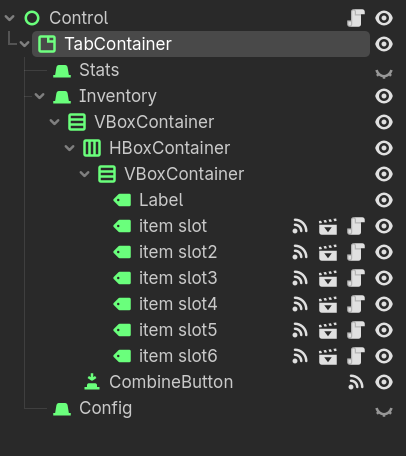
the idea is to have a TabConteiner where I have an inventory, and in it, i have a columm with the key items (item slot). And, because my game will feature point’n click elementes, I wanna be able to combine these items. So, in the item slot scene, there’s a child node called Outline, which is a poligon 2d with inverted on and clip children at clip only, and as child of this one i have a color rect with Yelow color. My idea is that when I press Combine the outline turns on, reavealing which slot i’m currently selecting, but when I click it, nothing happens, however, if I “hide” the UI and show it again it shows the outline, how do i fix this?
Also, here’s my code:
class_name Item_slot
extends Control

@export var id: int

@onready var outline = $Outline

var hovered: bool = false

@warning_ignore(“unused_parameter”)
func _process(delta):
hovered = Global.items_hovered[id]

if Global.items[id] != "none":
	self.text = Global.items[id]

outline.visible = hovered
queue_redraw()
get_parent().get_parent().queue_sort()