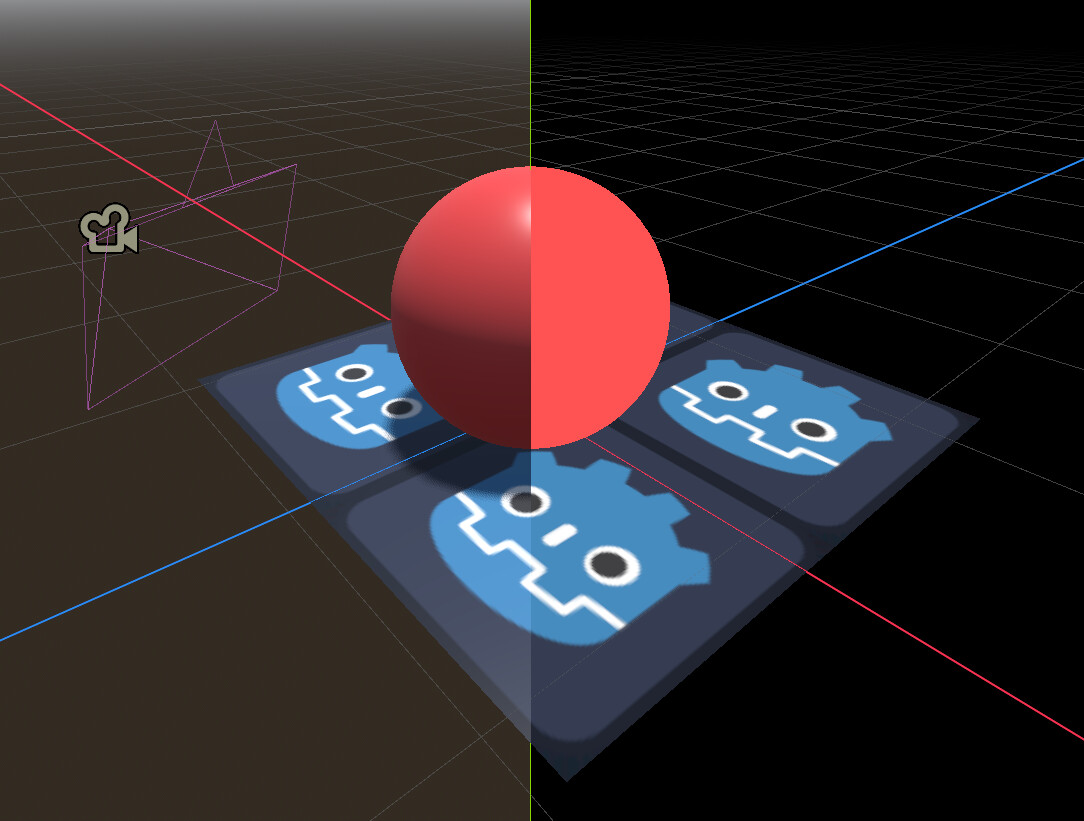
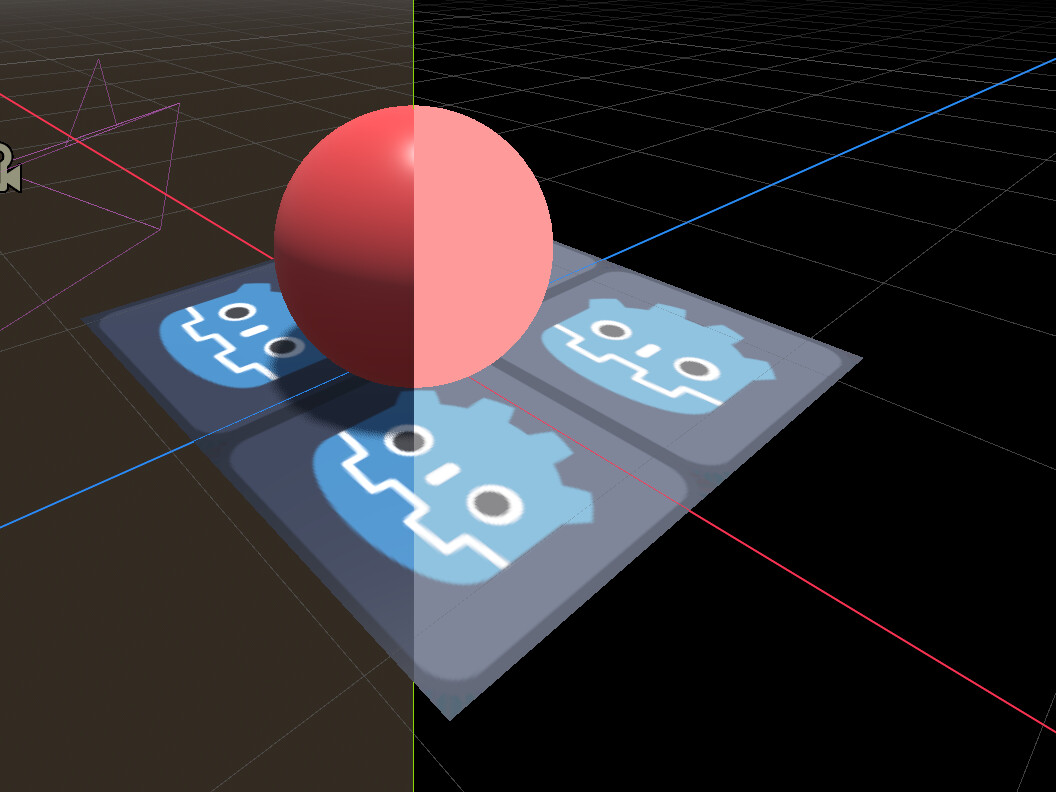
How can I access the unlit scene in either GDShaders or Compositor for PostProcess effects?

So here’s the setup. Runs smooth as butter in the editor. I excluded all boilerplate error checks and thread safety stuff for brevity. Once you get it running you can bring all that back in if needed.

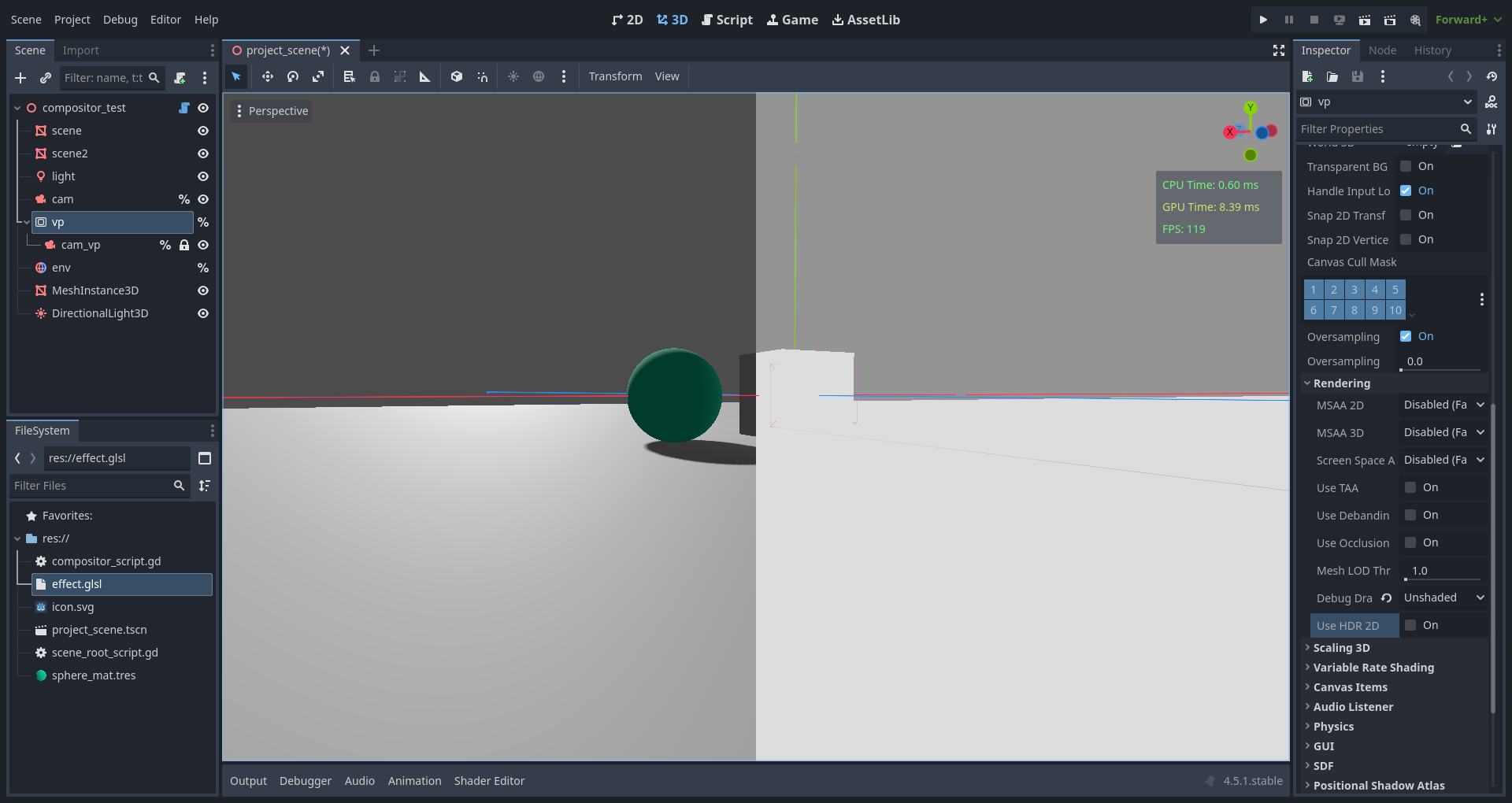
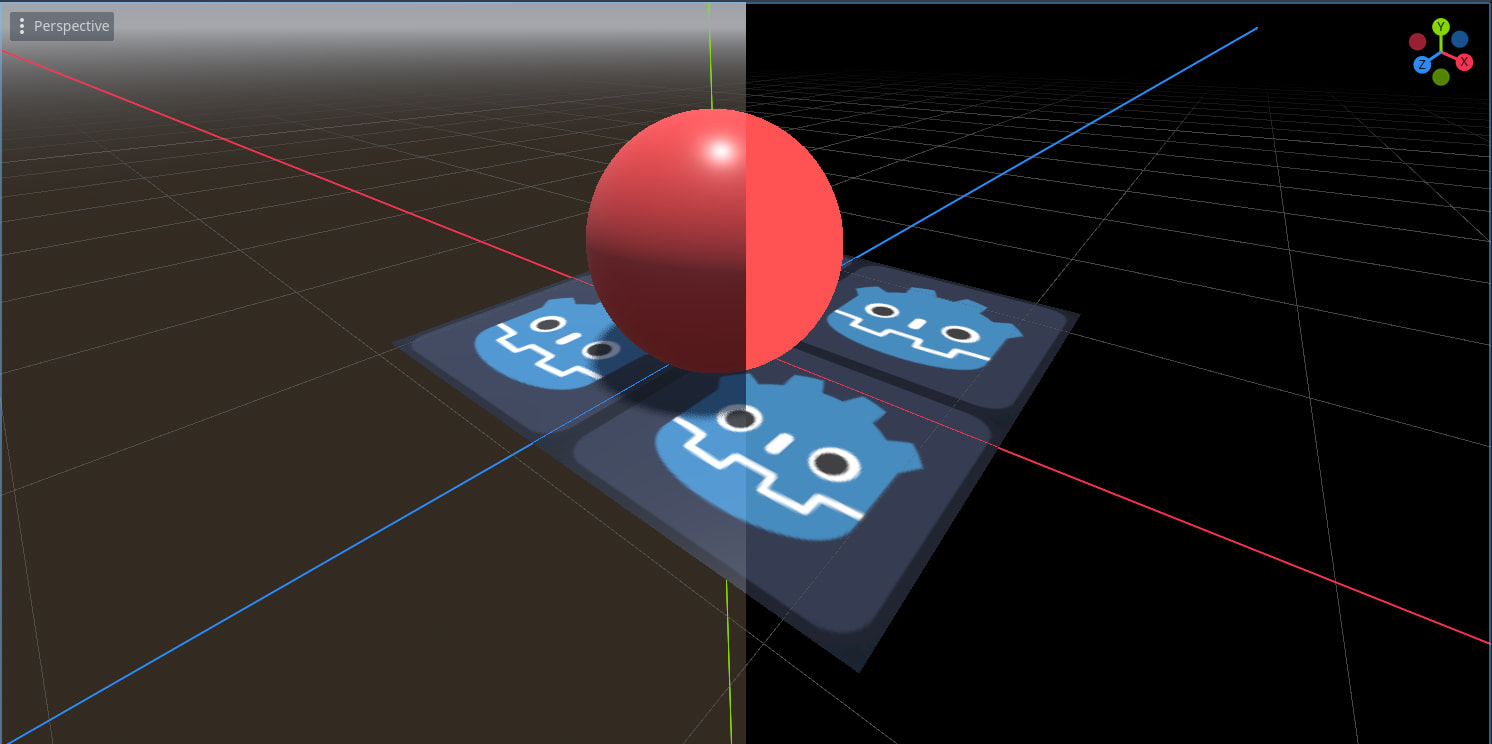
Editor:
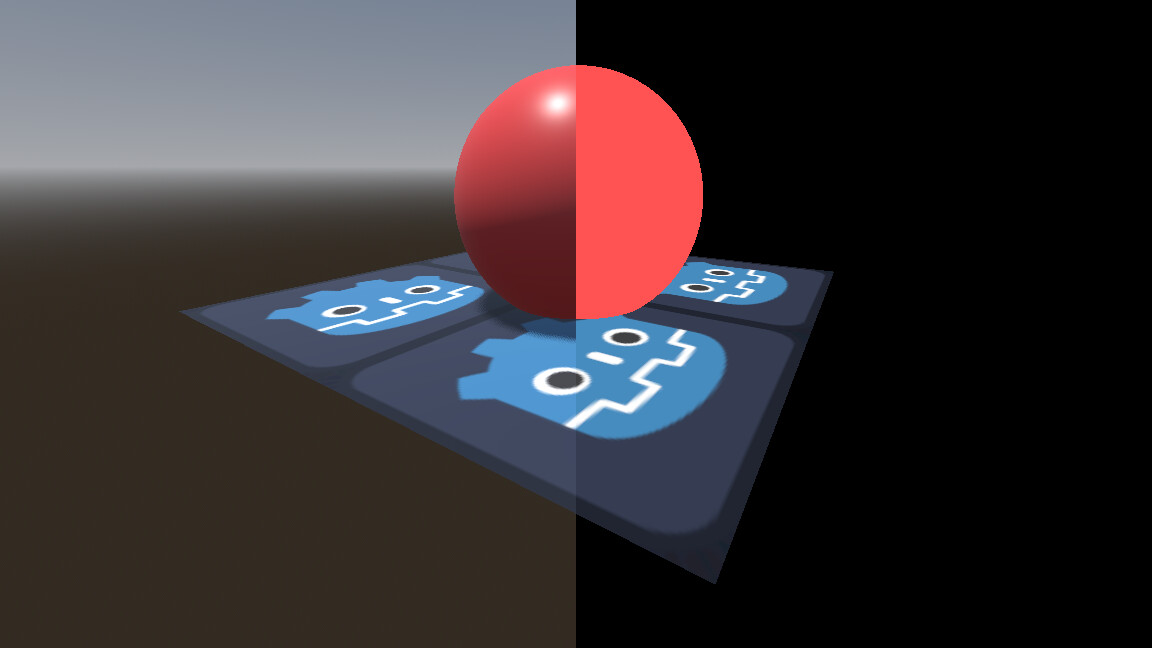
Runtime:
Scene:
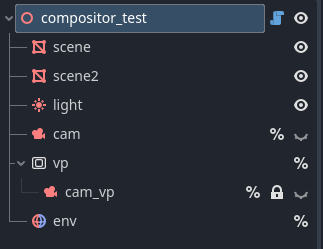
Script in scene root (updates camera transform/fov and SubViewport texture rid in compositor effect):

@tool
extends Node3D

func _process(dt) :
	var vp_main: Viewport
	if  Engine.is_editor_hint():
		vp_main = EditorInterface.get_editor_viewport_3d()
	else:
		vp_main = get_tree().get_root()
	var cam_main: Camera3D = vp_main.get_camera_3d()	
	%vp.size = vp_main.size
	%cam_vp.global_transform = cam_main.global_transform
	%cam_vp.fov = cam_main.fov
	
	# needs to be done on startup and vp resize but we do it every frame for simplicity
	var ce: CompositorEffect = %env.compositor.compositor_effects[0]
	ce.vp_tex = RenderingServer.texture_get_rd_texture(%vp.get_texture());

Compositor effect:

@tool
class_name Effect extends CompositorEffect

var shader_file = preload("effect.glsl")
var rd: RenderingDevice
var shader: RID
var pipeline: RID
var vp_tex: RID


func _init():
	effect_callback_type = CompositorEffect.EFFECT_CALLBACK_TYPE_POST_SKY
	rd = RenderingServer.get_rendering_device()
	shader = rd.shader_create_from_spirv(shader_file.get_spirv())
	pipeline = rd.compute_pipeline_create(shader)


func _render_callback(callback_type, render_data):
	# get frame buffers
	var render_scene_buffers: RenderSceneBuffersRD = render_data.get_render_scene_buffers()

	# main render image uniform
	var u_main: RDUniform = RDUniform.new()
	u_main.uniform_type = RenderingDevice.UNIFORM_TYPE_IMAGE
	u_main.binding = 0
	u_main.add_id(render_scene_buffers.get_color_layer(0))
	# vp render image uniform
	var u_vp: RDUniform = RDUniform.new()
	u_vp.uniform_type = RenderingDevice.UNIFORM_TYPE_IMAGE
	u_vp.binding = 1
	u_vp.add_id(vp_tex)
	# uniform set
	var uniform_set = UniformSetCacheRD.get_cache(shader, 0, [u_main, u_vp])

	# calculate number of workgroups
	var image_size = render_scene_buffers.get_internal_size()
	var wgroups_count_x = (image_size.x - 1) / 8 + 1
	var wgroups_count_y = (image_size.y - 1) / 8 + 1

	# size uniform (for split screen mixing and invocation "crop")
	var push_constant: PackedFloat32Array = PackedFloat32Array()
	push_constant.push_back(image_size.x)
	push_constant.push_back(image_size.y)
	push_constant.push_back(0.0)
	push_constant.push_back(0.0)

	# execute shader
	var compute_list:= rd.compute_list_begin()
	rd.compute_list_bind_compute_pipeline(compute_list, pipeline)
	rd.compute_list_bind_uniform_set(compute_list, uniform_set, 0)
	rd.compute_list_set_push_constant(compute_list, push_constant.to_byte_array(), push_constant.size() * 4)
	rd.compute_list_dispatch(compute_list, wgroups_count_x, wgroups_count_y, 1)
	rd.compute_list_end()

Compute shader:

#[compute]
#version 450

layout(local_size_x = 8, local_size_y = 8, local_size_z = 1) in;
layout(rgba16f, set = 0, binding = 0) uniform image2D main_image;
layout(rgba8, set = 0, binding = 1) uniform image2D vp_image;

layout(push_constant) uniform Params {
	vec2 image_size;
	vec2 padding;
} params;

void main() {
	ivec2 uv = ivec2(gl_GlobalInvocationID.xy);
	if(uv.x >= params.image_size.x || uv.y >= params.image_size.y){
		return;
	}
	vec3 main = imageLoad(main_image, uv).rgb;
	vec3 vp = imageLoad(vp_image, uv).rgb;
	float mix_fac = step(params.image_size.x / 2, uv.x);
	vec4 out_color = vec4(mix(main, vp, mix_fac), 1.0);
	imageStore(main_image, uv, out_color);
}

To avoid dealing with individual cameras, the Compositor is attached to the WorldEnvironment node, but since that applies the effect to all viewports including the SubViewport, there’s a dummy Compositor assigned to SubViewport’s camera to avoid “infinite loop” feedback over frames (which causes cool looking ghosting, try it out). You also might want to enable SubViewport’s use_hdr_2d flag to keep everything linear.
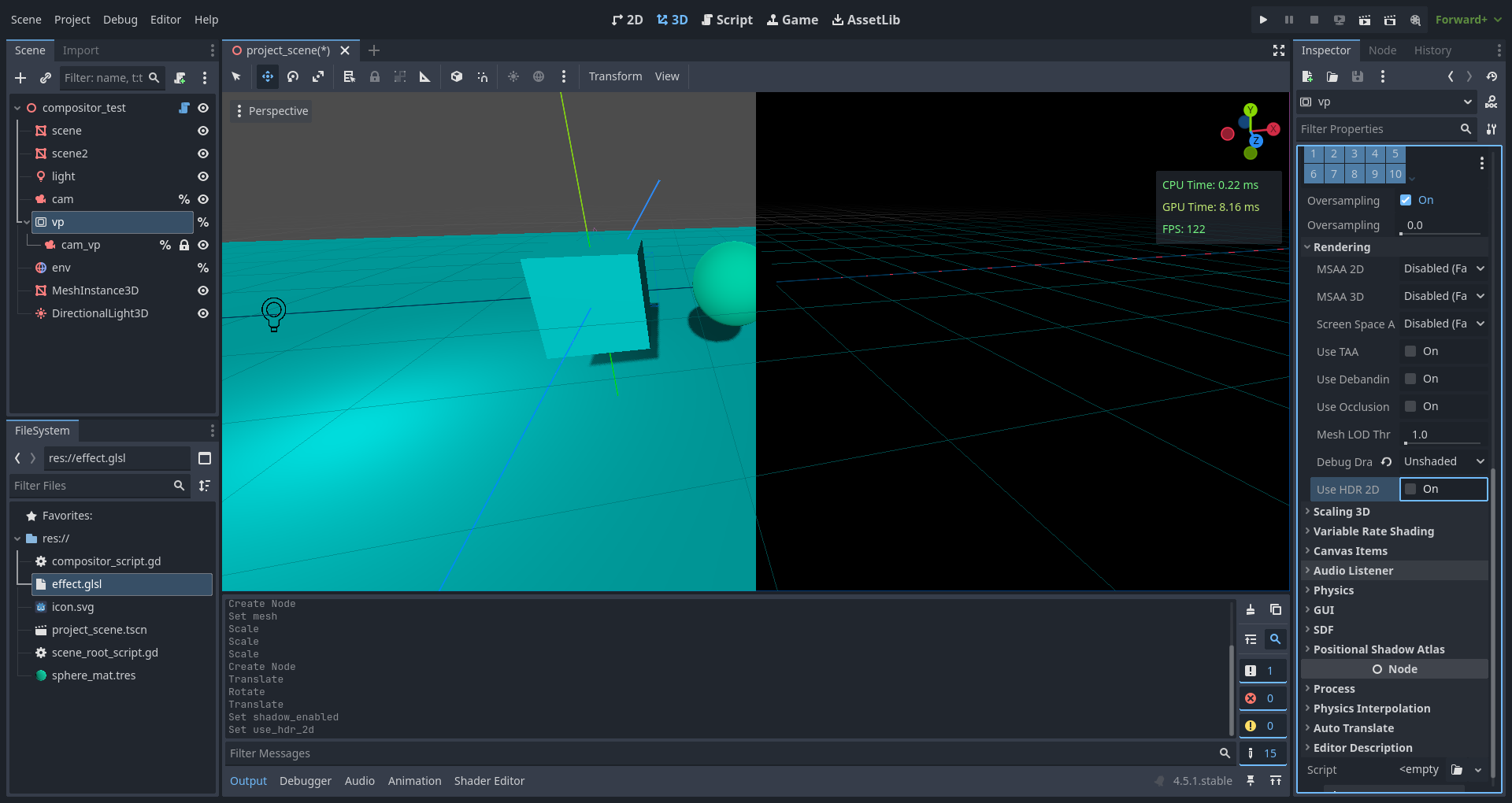
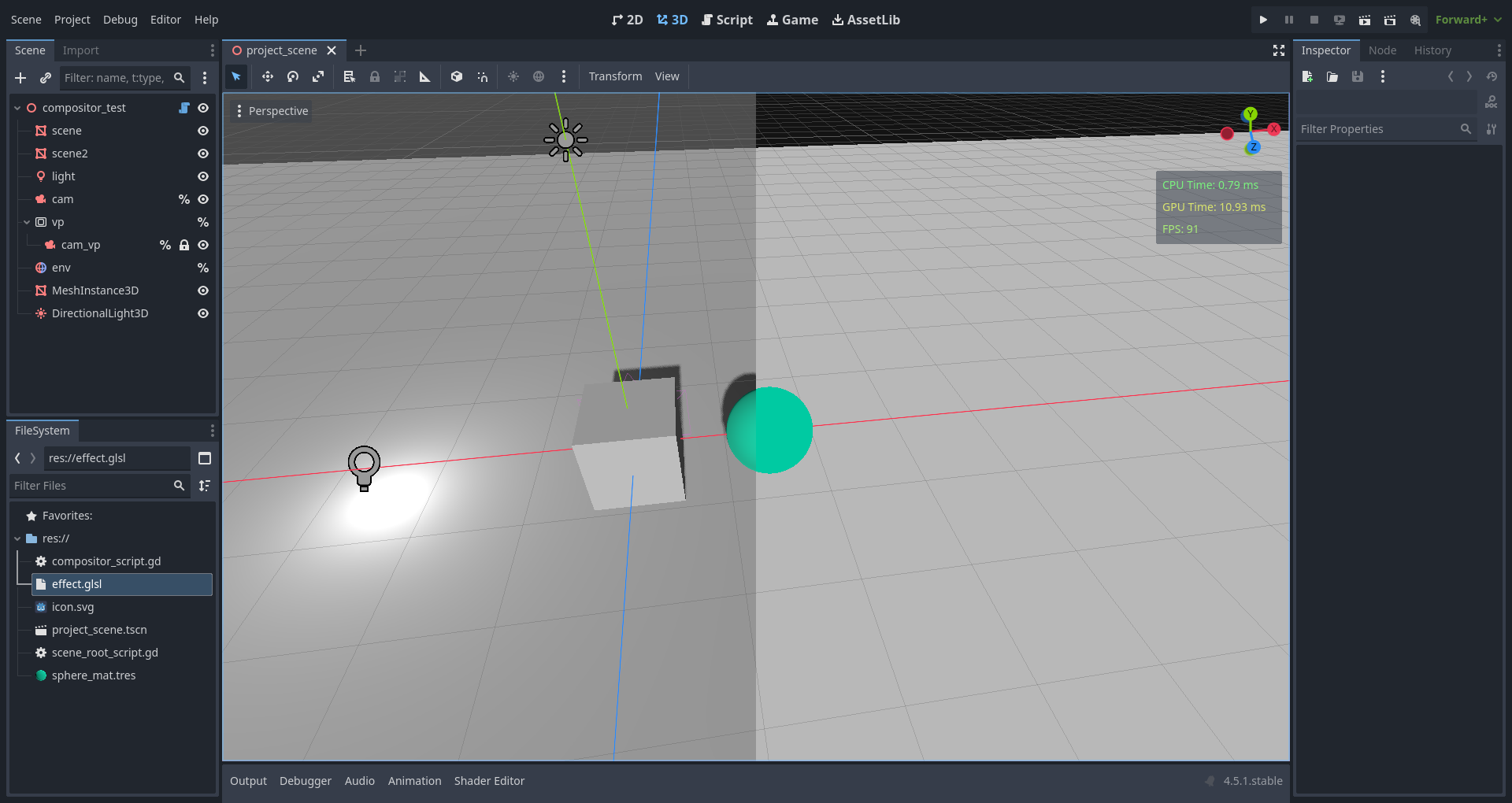
As I was struggling with odd artifacting and colours (turns out I had forgotten the dummy compositor on the camera) I went ahead and started a test project from scratch using your code and scene layout as 1:1 as I could get it.

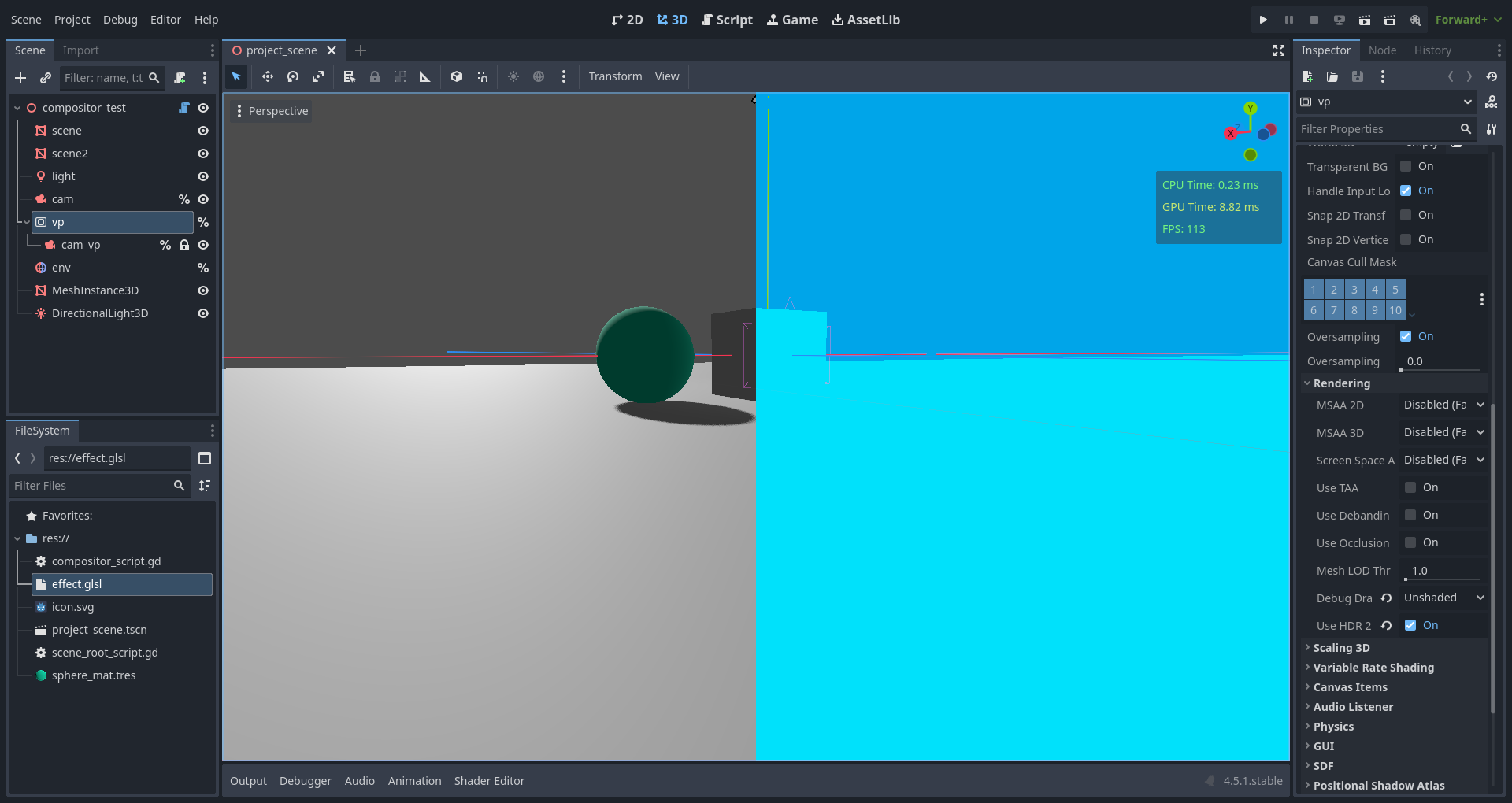
I did get it working, but one thing that I did have to do was to enable hdr2d as you’d suggested, because without it I get this:

Compared to this with it enabled:

Could be gpu / pixel format related. I just get overexposed image when disabling hdr. What happens if you use rgba8 instead of rgba16f for the SubViewport image in uniform layout declaration in the shader?

I’ll upload the whole project as soon as I get time, so you can compare.

Interestingly enough using rgb8 makes things blue or correct depending on hdr2d being enabled/disabled.
So, disabled it looks as expected.

and with it enabled:

That sounds about right. It’s indeed the pixel format thing.

You’d also want to correct the following. It may improve the shader performance by skipping excess workgroups/invocations. I was tired when writing the example so it was a bit sketchy.

In _render_callback(), calculate the number of workgroups for each dimension separately, not just the x dimension.

	# calculate number of workgroups 
	var image_size = render_scene_buffers.get_internal_size()
	var wgroups_count_x = (image_size.x - 1) / 8 + 1
	var wgroups_count_y = (image_size.y - 1) / 8 + 1

And then assign those when submitting the compute list:

rd.compute_list_dispatch(compute_list, wgroups_count_x, wgroups_count_y, 1)

In the shader, exit the invocation early if its coordinate is out of image bounds:

void main() {
	ivec2 uv = ivec2(gl_GlobalInvocationID.xy);
	if(uv.x >= params.image_size.x || uv.y >= params.image_size.y){
		return;
	}
	vec3 main = imageLoad(main_image, uv).rgb;
	vec3 vp = imageLoad(vp_image, uv).rgb;
	float mix_fac = step(params.image_size.x / 2, uv.x);
	vec4 out_color = vec4(mix(main, vp, mix_fac), 1.0);
	imageStore(main_image, uv, out_color);
}

I corrected those in the post containing all of the code. I also replaced rgba16f with rgba8 in the shader since sub viewport buffers are supposed to be 8 bits per channel by default. That’ll likely work properly across more gpu models.

Here’s the example project to compare:
https://limewire.com/d/zDBqy#fiwIITw9EH

There’s definitely something going on in regards to hdr2d, I presume it’s down to using different GPUs, unless you’re not using Forward+ rendering?

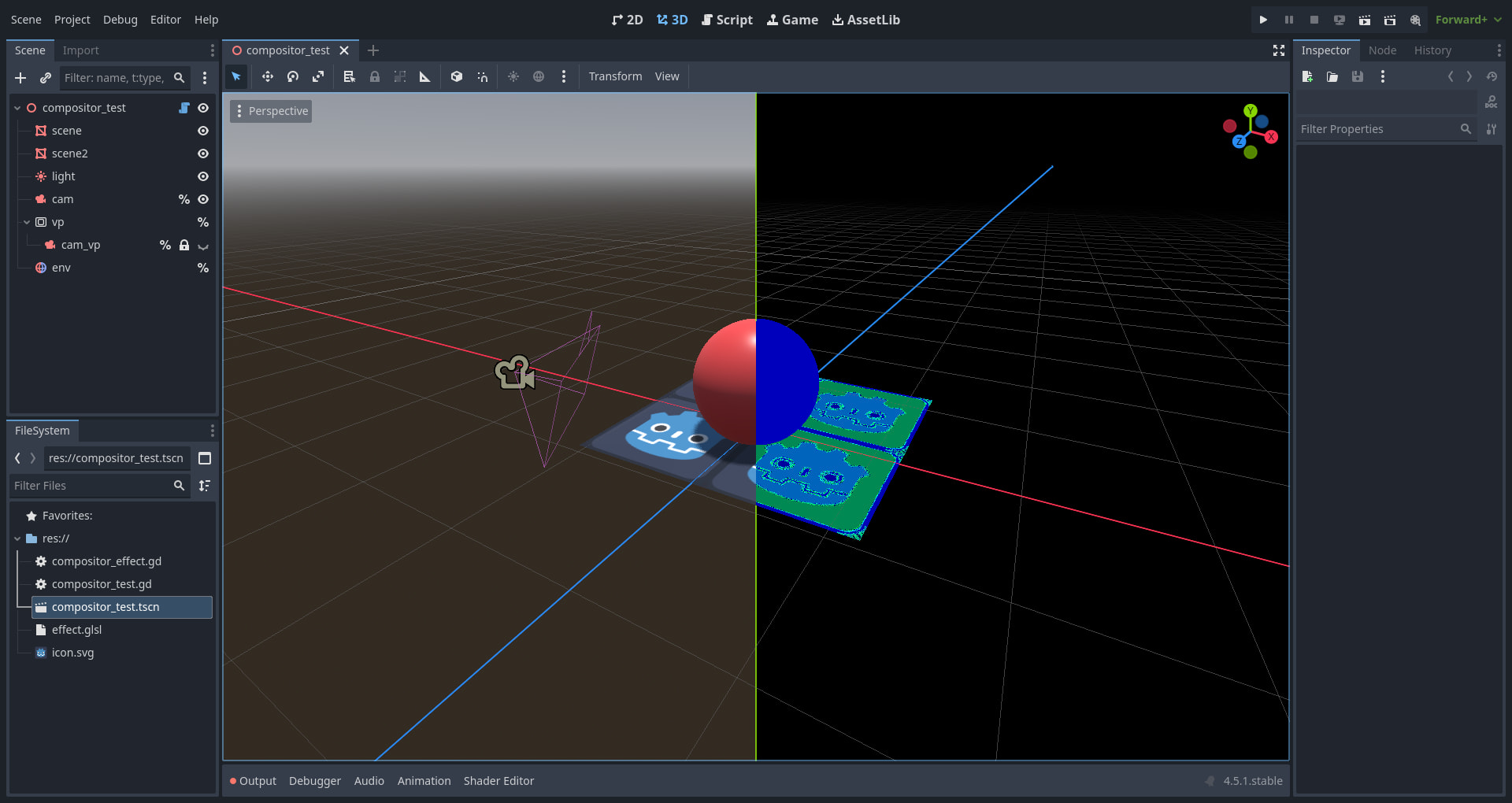
Anyway, I downloaded the example project and on loading it for the first time, this is how the scene looks:

I see that hdr2d was enabled in vp, so disabling it did make the scene look as expected.

Strangely, I just opened my other test project (the one in my previous screenshots using your un-modified code), which hasn’t been changed in any way from when I took the screenshots - I had to flip hdr2 on again, to get it to render correctly as with it disabled it didn’t work, which is completely the opposite to how it was when I took the screenshots.

How’s the viewport rendering looking by itself? Select the vp node and look the preview in the inspector.

Btw. If you make any changes to the shader or have any code in _ready() you need to close and reopen the scene for it to take effect.

The nodes’ preview itself looks as expected, it’s only within the editor viewport that the colours get modified, and usually as a precaution -though reload scene usually works- I’ve been exiting the entire editor on changes to ensure they work.

I also figure I should ask, in the Unreal forum rules, any code submitted is a free-for-all to use, but the Godot forums rules say anything submitted is still yours and yours alone. Are you happy for everyone to use your code/shader in projects? I noticed your download expires in 6 days so figured it was a good time to ask (since I forgot to put the question in my previous post :smiley: ).

You can use the code. I just put it on the first free sharing service that came up in the search. I guess a week is the limit for a free service.

But beware, it’s not a production ready code. It’s just barebones to demonstrate plugging a viewport into a compositor effect. Take a look at the compositor boilerplate/tutorial in the docs and see if you want to add some threading/errors safeguards presented there.

The problem you’re having with hdr is still bothering me though. It’s certainly due to some pixel format mismatch between the actual texture and what’s declared in the shader layout.

What numbers sdo you get printed for each hdr flag state if somewhere in _render_callback() you do:

print(rd.texture_get_format(vp_tex).format)

If I add that line then I get the following:

ERROR: Unrecognized UID: “uid://cpa71jk607fb1”. (though relaunching the editor stopped this appearing, even though reloading the scene didn’t).

and for the numbers with hdr2d disabled:
36

and with hdr enabled:

96

Yeah the error is due to viewport not being rendered yet on the very first frame. Just ignore it or safeguard by exiting _render_callback() early if that rid is not valid.

I get the same numbers. So the “problem” must be specific to your gpu. The only thing I can suggest is updating the drivers and maybe try to run the example on a different system if you can, to see what happens.

For more insights we’ll have to ask the Godot devs.

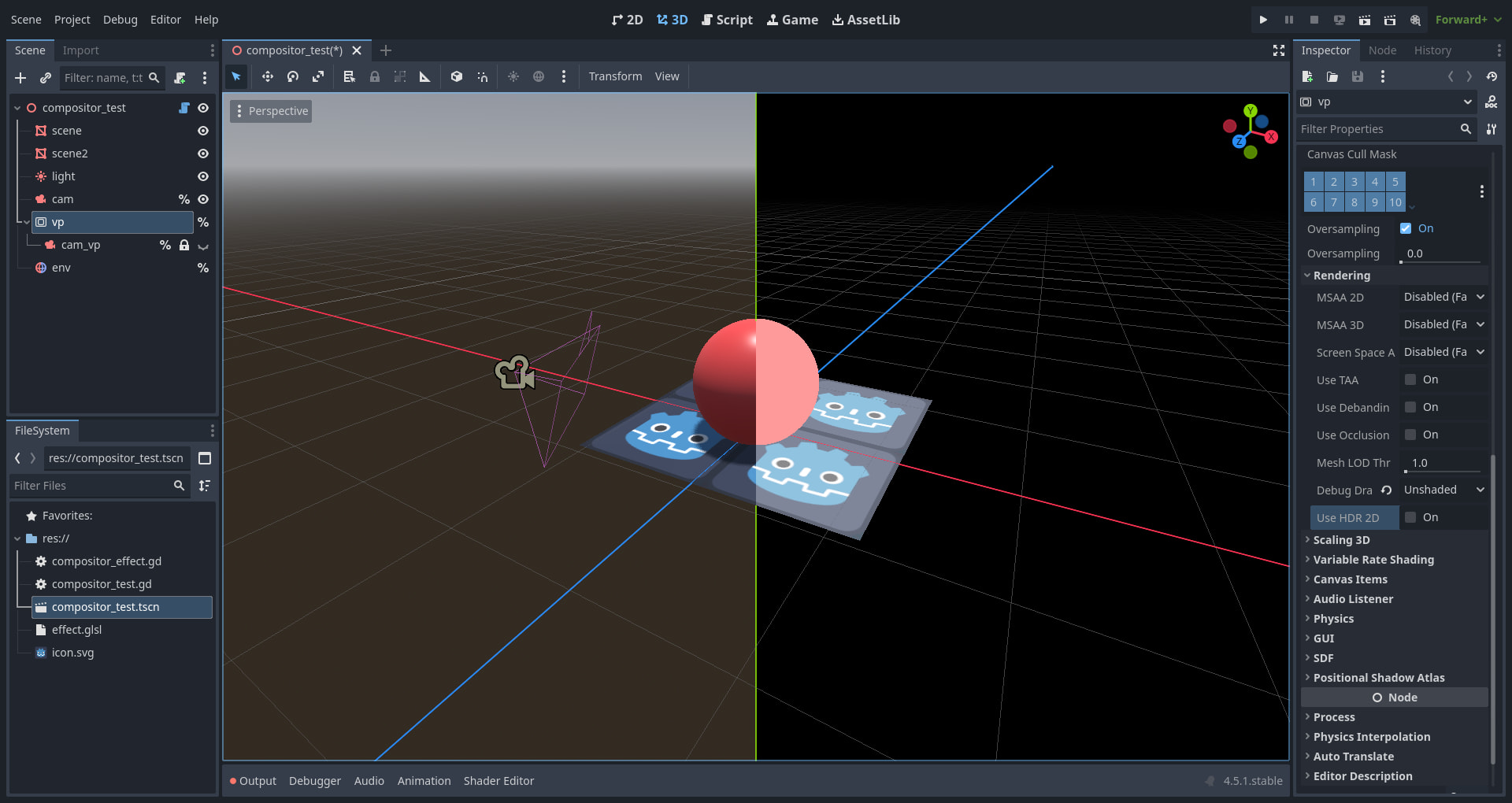
For the reference,
with hdr enabled:

with hdr disabled:

This link isn’t working.

Could you generously share a project on github?

Everything you need is in post #21: