Hello,
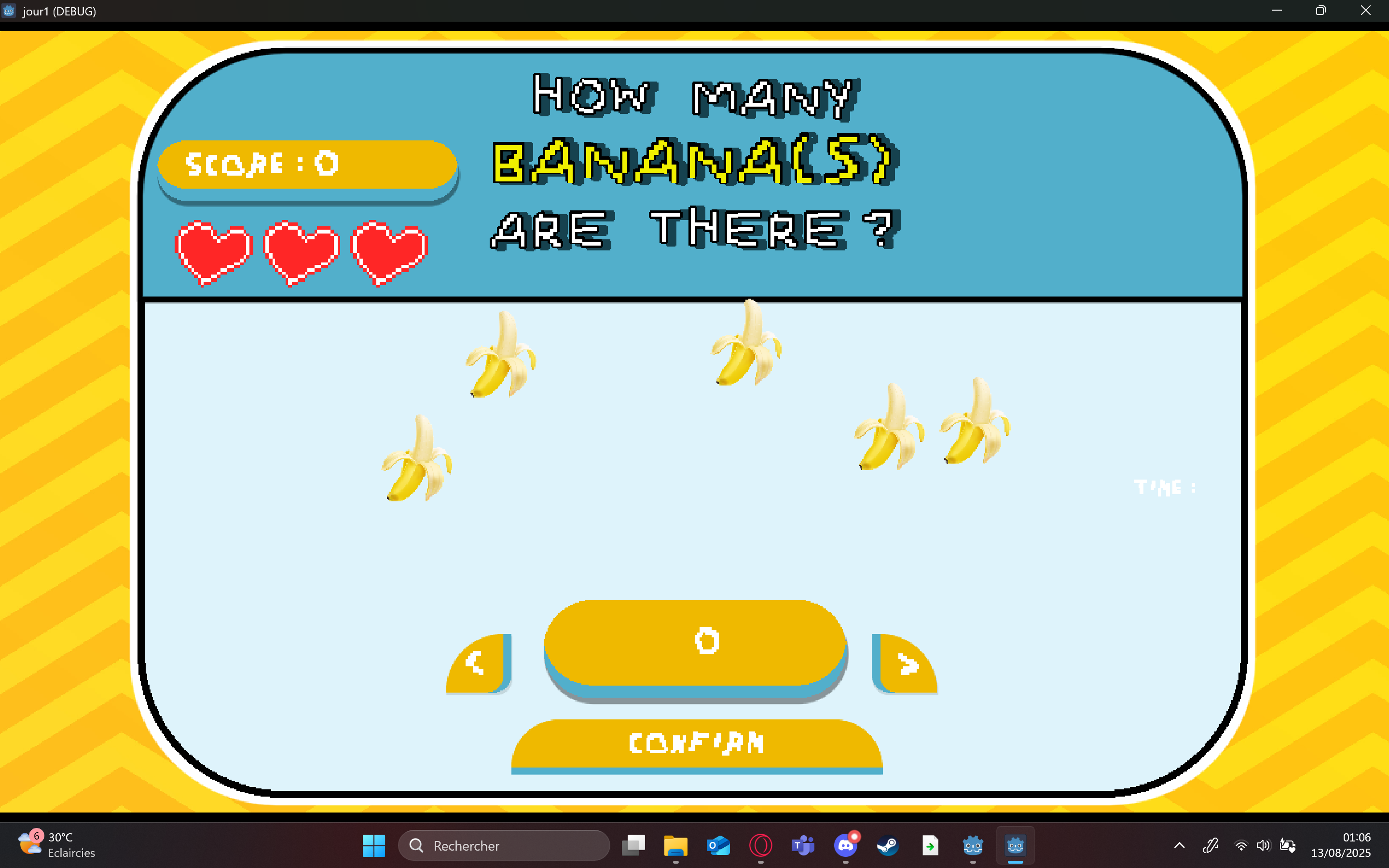
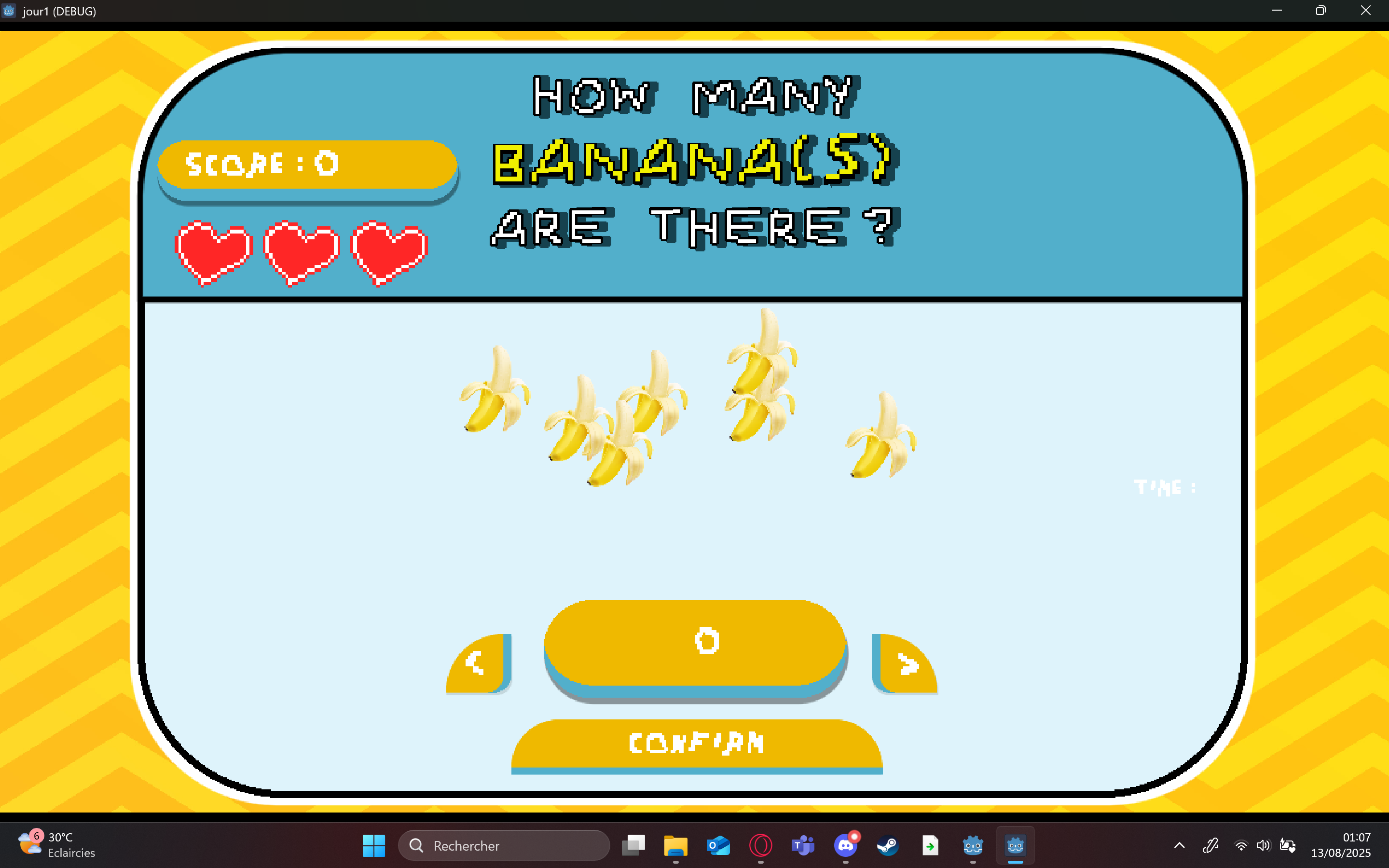
so I was working on a little project where there are bananas that you need to count, they appear on the screen and it’s random. But sometimes those bananas overlap or are very close so it’s hard to count.
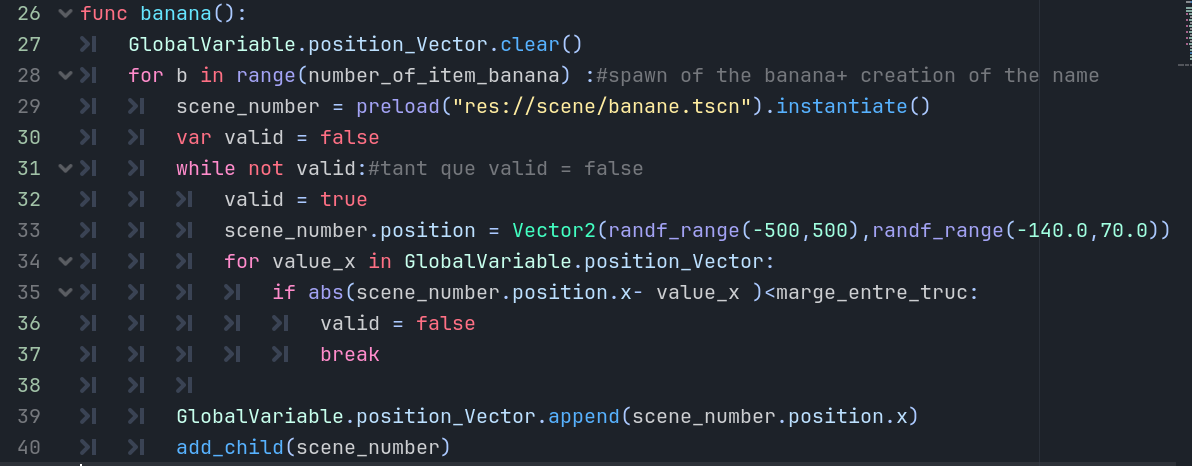
I don't know how to spawn them randomly and having them far enough from each others. I've tried raycast and failed, doing by hand with keeping the last banana position but it wasn't efficient with many bananas and collision so it would self-collide but it wouldn't work
Sometimes the bananas spawn far enough like this one:
Maybe use array to store x pos , then check new random x if < x + tolerance > , if so add to array else new rand number , after queue_free delete from array to free up x range for new rand number ?
There are a variety of ways with a variety of difficulties. The easiest way I can think of that still provides a degree of perceived, but controlled, randomness is to place a bunch of markers at appropriate locations where bananas can potentially spawn (thereby guaranteeing they can never overlap), then randomly choose markers when generating your problems.
This has been inspiring and it made me discover Halton sequences. I shared the code here on the forum but I think it’s an overshoot for your project.
What I would use in your case is a accept/reject sampling, with a decreasing distance threshold over time.
I think you can split the frame into grid cells. For example, if your window size is (800, 600), generate a random number in range 0..8 than multiply it by 100. And apply the same to y axis. This way, you can ensure that the positions are far enough apart.
The only problem is that more than one sprite can be in the same cell, you can manage it by saving previously generated positions into an array and chek them.
The second problem is that they are all placed in an orderly manner, which may not look appealing. To address this, you can add or subtract a smaller random number. This way, you’ll get a more scattered appearance.
Yes , for each new position you check if is not overlap with existing . I’m sure there are more methods , but with randomness only way to check not hit twice same number is to check is number was previously used .
I think this solution is the best way for you. Just to build on it, to make it more structured, here is my suggestion. Please note that I didn’t try it. I’m just ballparking. You may have to do some adjustments.
Decide the mininum distance between each banana, make it a variable like var min_dist : float = 100
Then decide your banana spawning window boundary var boundary : Rect2 = Rect2(position, size)
Create an array to save the cells that already has a banana var used_cells : Array[Vector2i]
Then generate a random integer for each axis from 0 to floor(size.x/(2 * min_dist)) and 0 to floor(size.y/(2*min_dist)). Save is as a Vector2i. Let’s call it grid_pos : Vector2i .Do this in a while loop until the generated grid_pos is not in used_cells.
Add (append) the randomly generated grid_pos in used_cells
Now to fine tune the position of banana, so that it won’t always appear on the grid line, generate a random float for each axis from - min_dist/2 to + min_dist/2. Let’s call this offset_pos:Vector2
Last step to calculate the actual position of the banana position = Rect2.position + grid_pos * 2 * min_dist + Vector2(min_dist, min_dist) + offset_pos
@1mpek You could add an area node to the banana scene. The area node will be used to check if it is within another banana’s area node. If the area nodes are intersecting then the bananas are too close and they should select another random position.
BlockquoteThere are a variety of ways with a variety of difficulties. The easiest way I can think of that still provides a degree of perceived, but controlled, randomness is to place a bunch of markers at appropriate locations where bananas can potentially spawn (thereby guaranteeing they can never overlap), then randomly choose markers when generating your problems.
Randomize which marker and then randomIze a small offset from the marker, to add a little spice to your approach
Cheers !
TIPS
just don’t be stupid like me and don’t use float, because the numbers can be really close to each other. (it can give like 300.25 and 300.84) so yeah do not use float
also don’t put a separation that is too big because in my case my canva was 1000px and the separation was 150 and there can be 10 bananas so it won’t work as 1000/150= 6.6
6.6<10 so it would crash since it can’t find a number.
(won’t mark as the answer since i’ll try the other methods)