hello,
I have an enemy that is naked, when i add it to a level;
I right mouse click on it;
Select Editable Childern;
Then change the sprite body parts to the clothes i want.
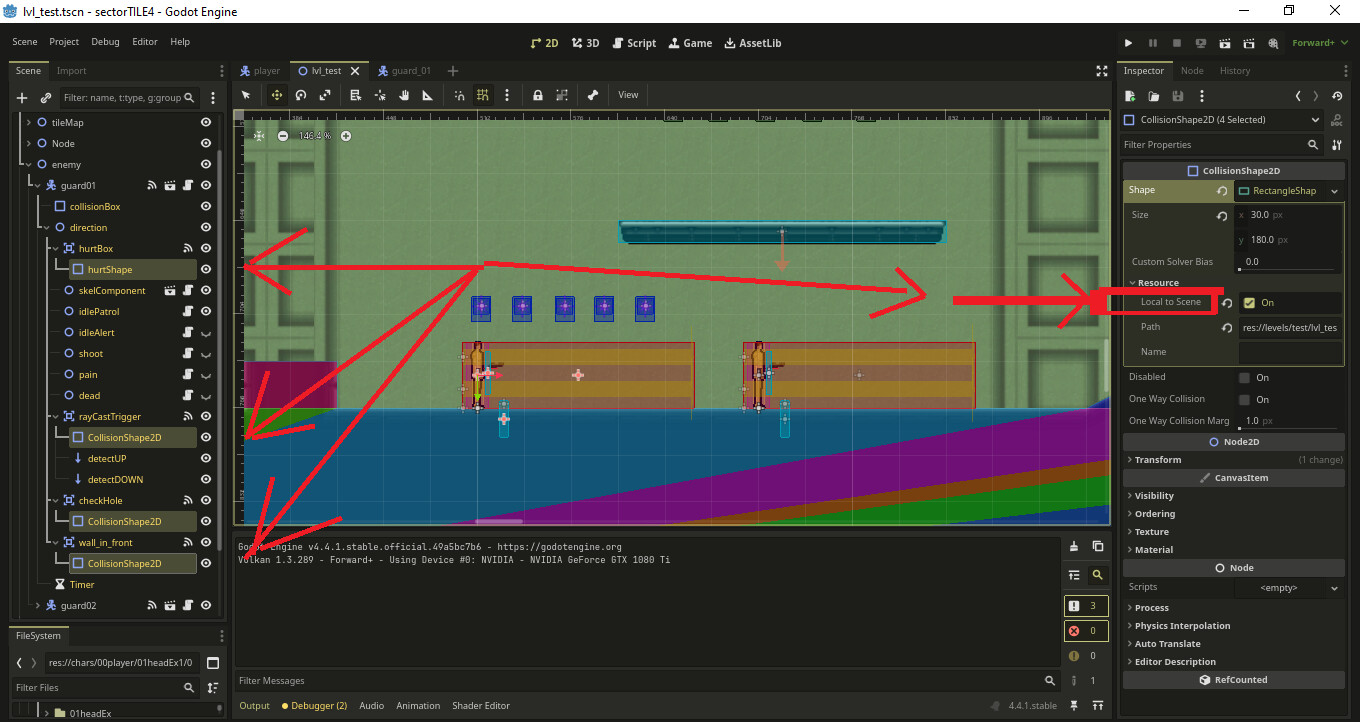
I have all the collision shapes in the enemie.tscn set to “resource_local_to_scene”
problem here is this: “resource_local_to_scene” only seems to work when you drag and drop a new enemie on to the level…
If i copy paste an already existing enemy in the level, ALL COPY PASTED ENEMIES will share the collision shapes, ex: bodyBoxes and hurtBoxes ?
Is there a way to really make this shapes unique, even when duplicating or copy pasting an enemie in the level ?
I dont want to have to spend 5 min change each enemy clothes every time i had 1 to the level ?
Whats even wrost is in the copied enemies it says the shapes are already “Local to Scene”
I though i would not need about +20 @exports vars for each body part, since i could make “editable childern” in the level tree…
Even so i still dont know if the “editable childern” option its whats making the “shapes” crash or collapse or obsolete… When copy pasting an enemie in the level.
But i managed to rid of this non sense, by duplicating the shapes in the ready func
Both options should result in the same shared resource, Godot aggressively shares resources to save on memory. What do you mean by “making the shapes crash or collapse”? Do you have an error code?
Yes…
I have all collision shapes set to “local_to_scene”
If i add an enemy on to the level; Then copy that same enemy, and paste it on to the fist node in the tree “Level1 node”
Everything works fine…
If i select that enemy then set “editable childern” ON, then copy paste that enemy on to level 1, 2, 3… times, they will all share the same collisions shape size ( collisionBox, hutBox, etc… ) even if all collision shapes are set to “local_to_scene” in that same level ( editable childern says “local_to_scene” in all shapes )
I think “editable childern” ON is what breaks the “local_to_scene” in the collision shapes
No it doesnt save any memory has you so delightful say it “on shares resources, or whatever”. The only thing it shares its the collision shape. And it does it for convenience reasons on how the code/editor its made.
And now all the other crap that comes after, like “editable childern, etc…” has to put up with it