Godot 4.5.1
I’m trying to figure out how 2D coordinate spaces work in Godot.
My end goal is to create a sort of “Map” which would be a large 2D area with various things on it that the user could click to interact with. The map would be big (much larger than the viewport), so the user could zoom in/out, as well as pan it by clicking-and-dragging in an empty area.
So far I’m not very successful. For testing I’ve created the following setup:
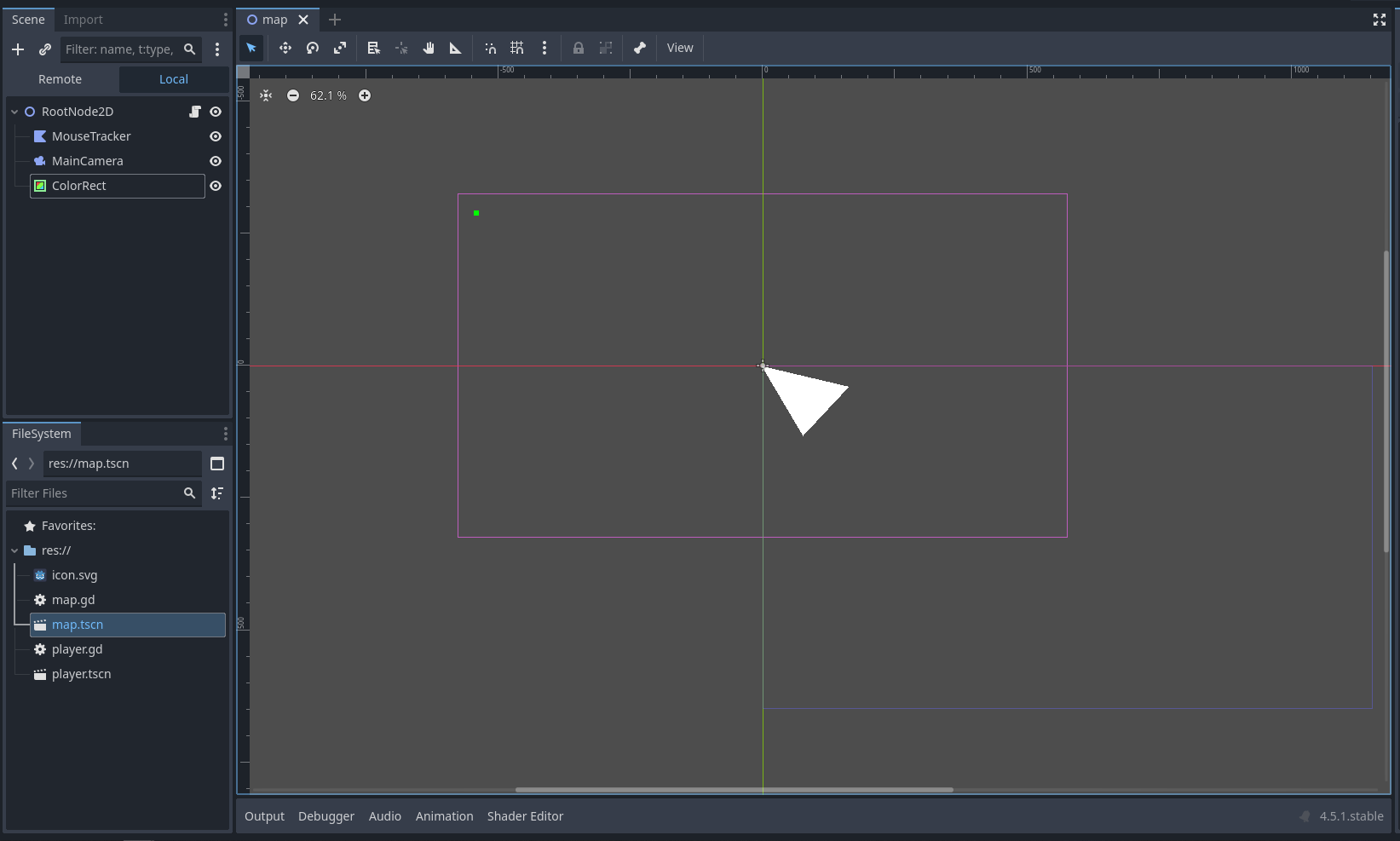
The white triangle is the MouseTracker (a Polygon 2D) that I’m trying to get to follow the mouse (for now). The camera is set to AnchorMode=DragCenter.
The root node has the following scrip attached to it:
extends Node2D

func _input(event: InputEvent) -> void:
	if ( event is InputEventMouseMotion ):
		$MouseTracker.position = event.position
When I run it and position the mouse over the little green rectangle (added because I couldn’t include the mouse cursor in the screenshot), I get the following:
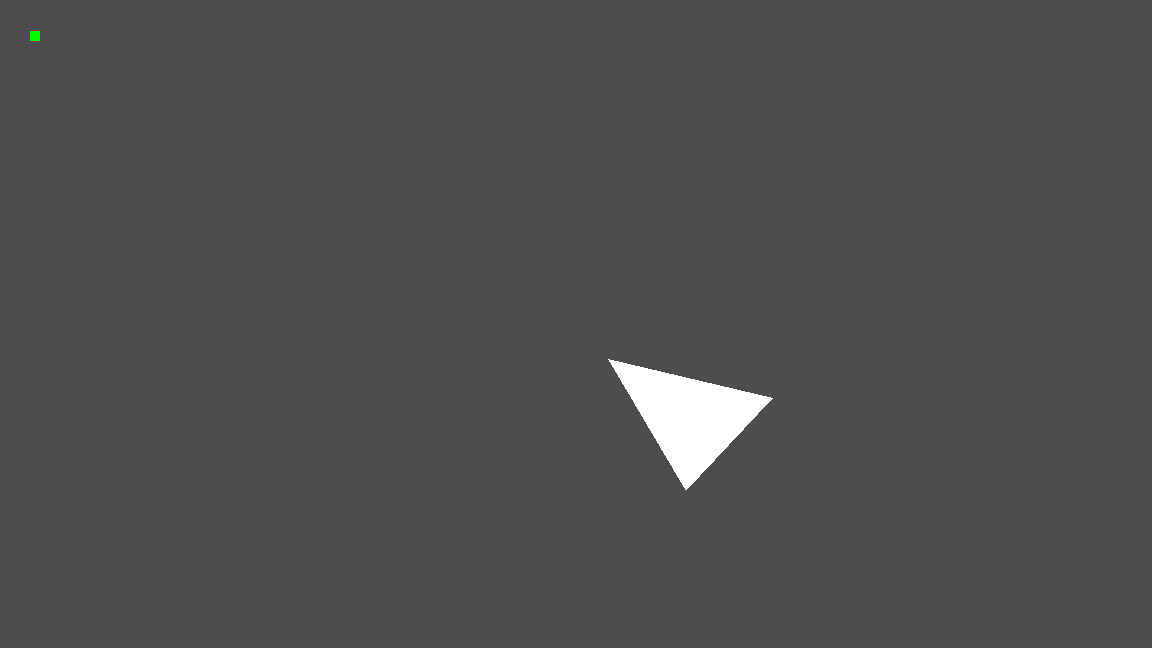
The triangle is offset quite a bit from the mouse cursor. The same happens when I change the last line in the script to:
$MouseTracker.global_position = event.global_position
This also seems to be affected by the camera, because when I disable it, the top left tip of the triangle snaps to the mouse cursor (not visible here), although the green rectangle is now somewhere outside the scene.

I’m am thoroughly baffled how all the transformations work here, and the manual for the mouse events isn’t much help either.
It just says:
When received in Node._input() or Node._unhandled_input(), returns the mouse’s position in the Viewport this Node is in using the coordinate system of this Viewport.
But that means it should be in the same coordinate system as $MouseTracker. Or at least the global positions should be in the same coordinate system. But they’re not.
Can someone please explain?