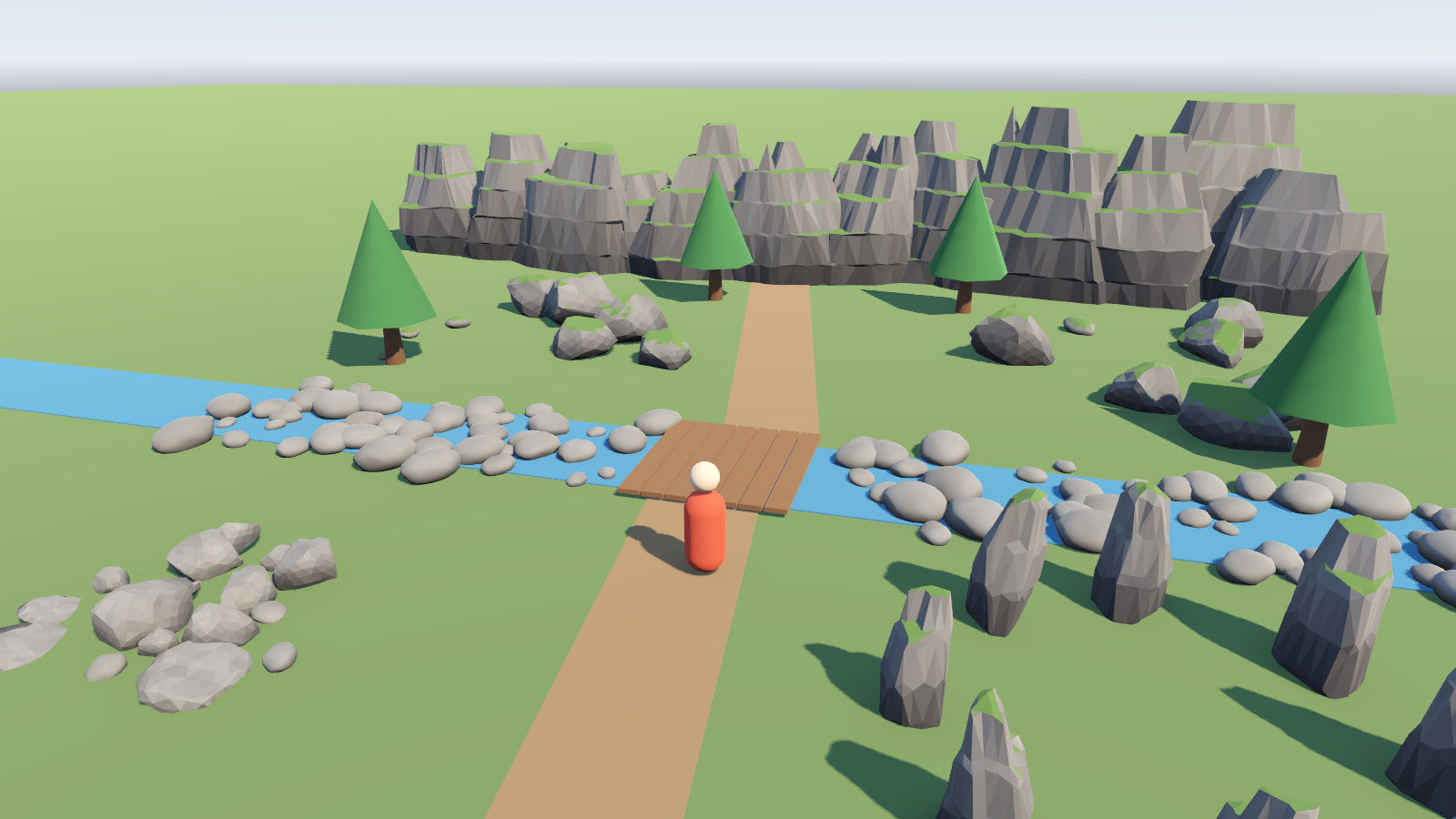
I built a rock generator for Godot 4 (screenshot: every rock in it is generated) and I’m deciding whether to release it as a paid tool. Before that, I’d like to know how other people solve this.
Where do your rocks come from right now: a free pack, models you make yourself, or something procedural?
Is the problem the number of different rocks, matching your game’s colors, or placing them?
Would you pay a few dollars for a tool that solves it, or is a free pack good enough?
Honest “free pack is fine” answers help me just as much.
Can you explain how the generator works? Can you tween parameters to make the rocks match the feel of my game? Can I apply PBR textures to the rocks? How much do you plan to make the tool cost?
Mostly free packs for me right now, and the part that breaks is matching the game’s palette, not the count. I’ve also wondered about photographing a few real rocks and turning those into models instead. Would your generator let you tint or re-color per level?
Thanks, that matches what I expected. Arranging is the part I spent the most time on: besides single rocks there’s a field node that scatters them for you (presets like meadow, riverbed, rubble, stone circle, canyon wall; scatter, ring or line patterns; snap to ground). You can then “make editable” to move individual rocks by hand.
Customising works with sliders (shape, cuts, layers, colors) instead of editing meshes.
Sure. Each rock starts from a shape preset (boulder, pebble, cliff, pillar, slab). On top of that come noise lumps, flat “chisel” cuts for the faceted look, optional horizontal strata, and flat top/bottom/taper. A seed picks the variation, and the same seed always gives the same rock.
Every slider is a normal exported property and the rock rebuilds when it changes. So you can set it from code, an AnimationPlayer or a Tween. A rebuild takes roughly 1–6 ms per rock, so it’s fine for a few rocks but not for animating a whole field every frame. I haven’t tested tweening specifically yet.
Colors are vertex colors by default (5 palettes or your own base/dark/top colors). The mesh has box-projected UVs, so you can put your own material with albedo/roughness textures into Material Override. Normal maps need tangents, which the mesh doesn’t generate yet. I’d add that before a release.
Price: I’m thinking around 8 dollars, plus a free version with the single-rock generator (boulder preset, all sliders).
That’s the most useful answer for me, thanks. Yes: every rock has a palette or your own three colors (base, dark crevices, top for moss/snow/sand) plus a color variation slider. The field node has its own palette setting, so one field per level in that level’s colors works. It’s all vertex color, so changing it costs nothing at runtime.
Photo-scanned rocks are a different look (realistic, heavy). This one is stylized/low-poly, so it fits games that aren’t going for photo realism.
Fair point, and thanks for the honest answer. If you model and texture everything yourself for one consistent style, a generator mostly doesn’t fit. And yes, Proton Scatter is great for placement; mine only covers simple rock fields and isn’t meant to replace it.
nice idea for free pack but i don’t think many people would buy this, placing rocks is tedious but for many games it’s not that tedious, also half of the time rocks are resources, interactables or in places that are hard to access and aren’t just plain 3D models but rather specific mesh or trick with light
free pack is good, but if you want people to use it a lot you need to add ton of customizability or find some niche, still idea is nice if you’re making games with tons of rocks/objects