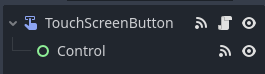
the button scene should look like this
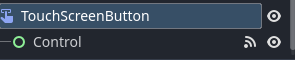
but have the script icon of the button on the “TouchScreenButton”
1 Like
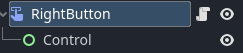
Like this?
Now what do I add to the script?
how many direction will there
also do you spawn/copy paste it with editor or by code instantiating it
Up down left and right, but there will be more buttons other than these. I used copy ad paste I think to bring it in to the scene
where will this buttons spawned? at what type of node and which scene will be the parent? is it the same rigidbody2d player scene?
this is made in a scene that contains all my buttons, I’ll copy and paste the finished products into my level where they will be arranged.
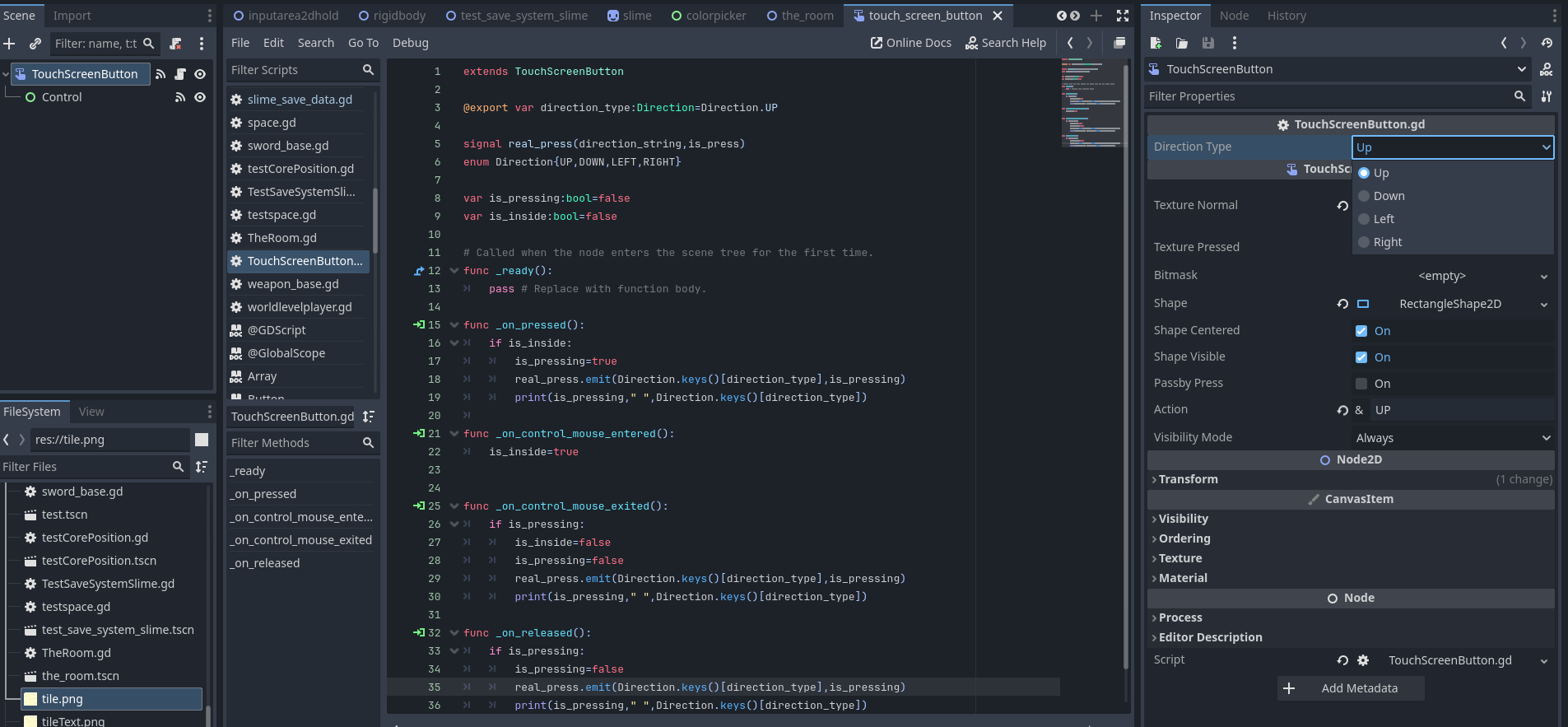

CODE
touchscreenbutton code:
extends TouchScreenButton

@export var direction_type:Direction=Direction.UP

signal real_press(direction_string,is_press)
enum Direction{UP,DOWN,LEFT,RIGHT}

var is_pressing:bool=false
var is_inside:bool=false

func _on_pressed():
	if is_inside:
		is_pressing=true
		real_press.emit(Direction.keys()[direction_type],is_pressing)
		print(is_pressing," ",Direction.keys()[direction_type])

func _on_control_mouse_entered():
	is_inside=true

func _on_control_mouse_exited():
	if is_pressing:
		is_inside=false
		is_pressing=false
		real_press.emit(Direction.keys()[direction_type],is_pressing)
		print(is_pressing," ",Direction.keys()[direction_type])

func _on_released():
	if is_pressing:
		is_pressing=false
		real_press.emit(Direction.keys()[direction_type],is_pressing)
		print(is_pressing," ",Direction.keys()[direction_type])
the player code:
extends RigidBody2D

@export var button_container:Node
var button_list:Array=[]

# Called when the node enters the scene tree for the first time.
func _ready():
	button_list=button_container.get_children()
	for button in button_list:
		button.real_press.connect(evaluate_movement)

func evaluate_movement(string_direction,is_press):
	if not is_press:
		constant_force = Vector2(0, 0)
		linear_velocity=Vector2.ZERO
	else:
		match string_direction:
			"UP":
				add_constant_force(Vector2.UP*200)
			"DOWN":
				add_constant_force(Vector2.DOWN*200)
			"LEFT":
				add_constant_force(Vector2.LEFT*200)
			"RIGHT":
				add_constant_force(Vector2.RIGHT*200)
player’s scene tree:
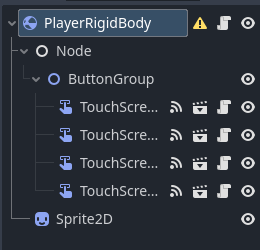
touchscreenbutton’s scene tree:
1 Like
My touchscreen button is set to “Right” command, then in the Rigidbody code when “Right” is pressed, the rigidbody moves
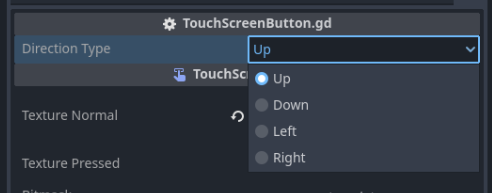
will need to manually select where the movement direction is for each new button, but you can just Ctrl+D the touchscreen node on player scene, if you want it to be the same direction later for the same button
but all n all, the touchscreenbutton with control should work to detect mouse/touch being outside the button or not
no need to set the command now, because this one works without it by apply_constant_force
I added the code to the script, but I don’t think it carried over to any of the other scenes. (The right button scene, the level scene)
if the level scene has all the buttons instantiated as its child, then you will want the level scene to reference the player node, then call the player node’s evaluate_movement like:
button.real_press.connect(player_node.evaluate_movement)
Right now, it’s difficult to see how you structured your game, so this is what i can tell
if you are having trouble for other specific issues/topic like connecting signal or structure, make a new topic and continue from there, looks like it’s always a long replies in your topic, thanks mod still haven’t told us to keep it short (lol)
current topic should have been solved from the code i sent as to how to make touchscreenbuttons only pressed while the mouse cursor is on it
1 Like
I think what you made will work, but I’m not sure if it will work for what I have so far. It doesn’t seem that Godot has a good way to turn off the TouchScreenButton when the mouse is not on it and still have it function like a regular touchscreen button But thanks for your help with this anyway.
1 Like
Ok, I think I’ve figured out a pretty good solution: I’ve surrounded my buttons with invisible touchscreen buttons all with passby press turned on, and all set to “(Direction)Stop” and added in the movement code “and if not Input pressed “(Direction)Stop”” so that then he will only move when stop is not being pressed, and movement is