Godot Version
4.5.1
Question
I’ve created a simple multiplayer environment. The game starts with a scene that multiple players can spawn into. The scene also starts with a ‘scanner’ object that can be picked up and put down. The idea is that different players can pick up the scanner and move it to different places on the map.
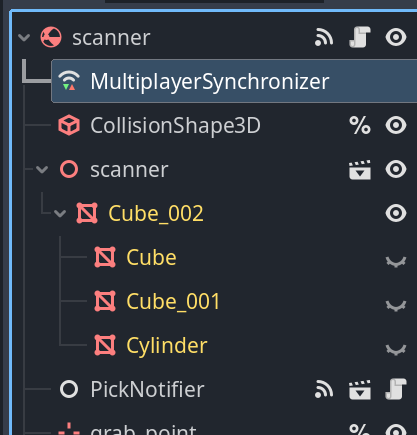
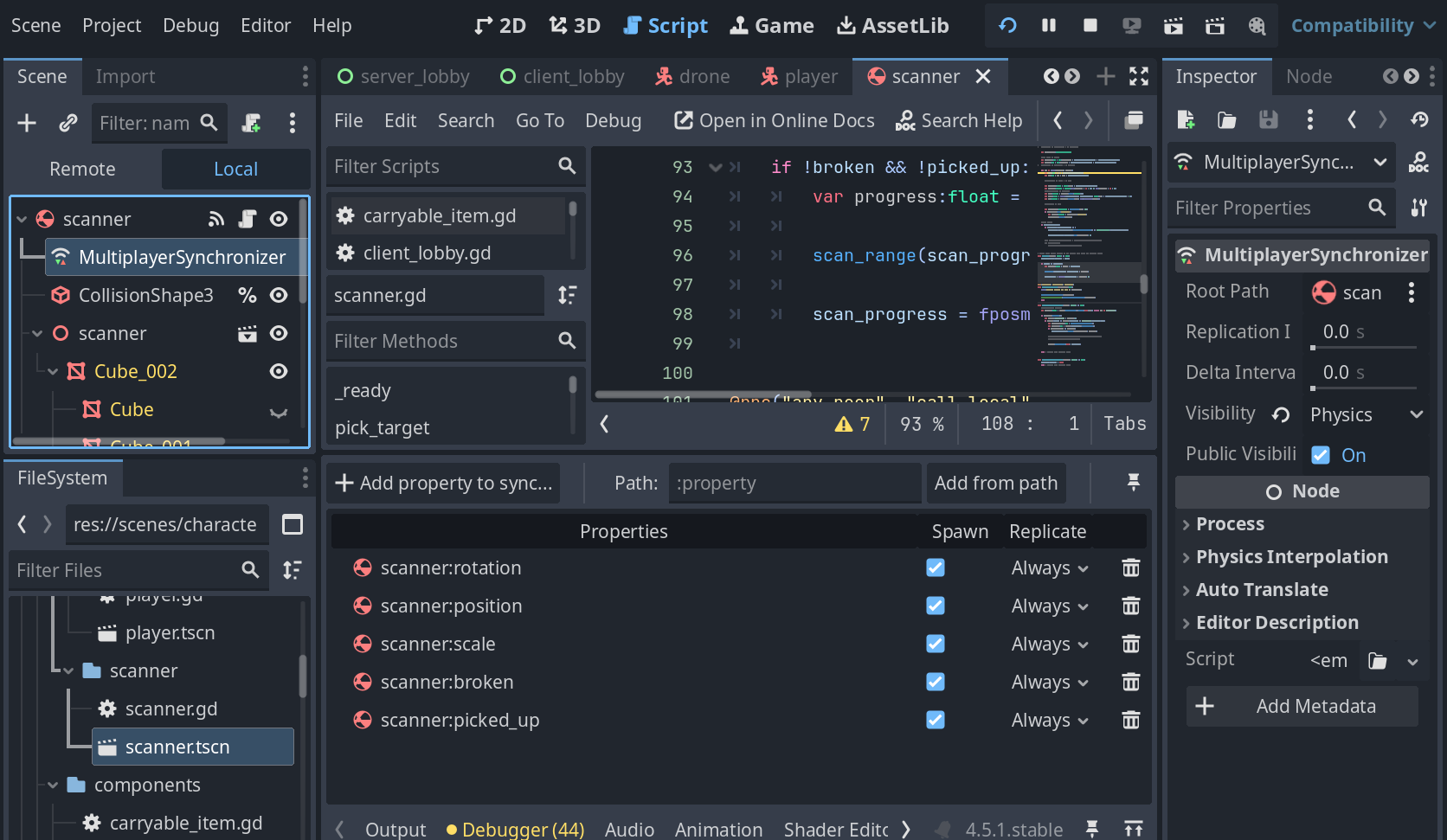
The scanner has a RigidBody3D at its root and is saved in its own .tscn object. I’ve added a MultiplayerSynchronizer as a child of my scanner scene, which copies things like position and rotation to my clients - but unfortunately this only works when the player on the server picks up and carries the object. If I have one of my client players try to pick up and carry the object, the changes only affect the copy of the object in their window.
After watching some videos on this, I though that setting a new multiplayer authority for my scanner object would fix this:
			var multi_uid:int = player.multiplayer.get_unique_id()
			set_multiplayer_authority(multi_uid)
but this is only causing an error message, I think coming from the MultiplayerSynchronizer
E 0:00:39:603   on_sync_receive: Ignoring sync data from non-authority or for missing node.
  <C++ Error>   Condition "true" is true. Continuing.
  <C++ Source>  modules/multiplayer/scene_replication_interface.cpp:877 @ on_sync_receive()
I’m already setting the multiplayer authority for the bodies of my players and that seems to be working, but I can’t figure out how to do that for these objects that start as part of the spawned scene. Is there a way to do this?
It looks like the issue is that the function call is being done by the client that pick up the object.
To transfer the authority, the current authority should be calling the method, handing it over to the client you want. This client will then have to do the same to drop (which I guess will hand it over to the server) or give it to an other player
I tried changing the authority on the proper client. While this does make the error go away, my nodes are no longer synchronized.
When my game first starts, if I use the player on the server to pick up my object and move it, I will see it’s position updated in the client. When the client picks it up, though, the synchronization is lost. Even if the server picks it up again, it is still lost.
I used your suggestion and created an rpc call to make sure the auth change happens on the node that currently has authorization, but I’m still losing the synchronization after the change.
@rpc("any_peer", "call_local", "reliable")
func transfer_authority(new_auth_id:int):
	print("scanner setting new auth ", new_auth_id)

	set_multiplayer_authority(new_auth_id)
	$MultiplayerSynchronizer.set_multiplayer_authority(new_auth_id)
	pass

func _on_pick_notifier_picked(player: Node3D) -> void:
	var carriers:Array = player.get_children().filter(func(obj): return obj is ItemCarrier)

	if !carriers.is_empty():
		var carrier:ItemCarrier = carriers[0]
		if carrier.active && carrier.grab_state == ItemCarrier.GrabState.IDLE:
			var current_auth_id:int = get_multiplayer_authority()
			var multi_uid:int = player.multiplayer.get_unique_id()
			if current_auth_id != multi_uid:
				transfer_authority.rpc_id(current_auth_id, multi_uid)

			carrier.pick_up_item(self, grab_point)
Now that I read the docs again, I am not sure why your original code did not work
void set_multiplayer_authority(id: int, recursive: bool = true)
Sets the node’s multiplayer authority to the peer with the given peer id. The multiplayer authority is the peer that has authority over the node on the network. Defaults to peer ID 1 (the server). Useful in conjunction with rpc_config() and the MultiplayerAPI.
If recursive is true, the given peer is recursively set as the authority for all children of this node.
Warning: This does not automatically replicate the new authority to other peers. It is the developer’s responsibility to do so. You may replicate the new authority’s information using MultiplayerSpawner.spawn_function, an RPC, or a MultiplayerSynchronizer. Furthermore, the parent’s authority does not propagate to newly added children.
It makes sense to me now that the sync would be lost in this new scenario, as the client updates the authority, but not the server … but then your original system, just calling set_multiplayer_authority should have worked 
What happens if you make every client (including server) update the authority? So something like
@rpc("any_peer", "call_local", "reliable")
func transfer_authority(new_auth_id:int):
	print("scanner setting new auth ", new_auth_id)

	set_multiplayer_authority(new_auth_id, recursive=true)

func _on_pick_notifier_picked(player: Node3D) -> void:
	var carriers:Array = player.get_children().filter(func(obj): return obj is ItemCarrier)

	if !carriers.is_empty():
		var carrier:ItemCarrier = carriers[0]
		if carrier.active && carrier.grab_state == ItemCarrier.GrabState.IDLE:
			var current_auth_id:int = get_multiplayer_authority()
			var multi_uid:int = player.multiplayer.get_unique_id()
			transfer_authority.rpc_id(current_auth_id, multi_uid)

			carrier.pick_up_item(self, grab_point)
Every time I think I finally understand high-level-multiplayer I am proven wrong 
So, that didn’t work, but I do think setting the recursive flag was part of the solution. I also changed how I’m calling the transfer_authorithy method, so it is broadcasting to all clients and not just the client gaining the authority.
So my code which seems to work is:
@rpc("any_peer", "call_local", "reliable")
func transfer_authority(new_auth_id:int):
	print("scanner setting new auth ", new_auth_id)

	set_multiplayer_authority(new_auth_id, true)
	set_physics_process(new_auth_id == multiplayer.get_unique_id())

func _on_pick_notifier_picked(player: Node3D) -> void:
	var carriers:Array = player.get_children().filter(func(obj): return obj is ItemCarrier)

	if !carriers.is_empty():
		var carrier:ItemCarrier = carriers[0]
		if carrier.active && carrier.grab_state == ItemCarrier.GrabState.IDLE:
			var current_auth_id:int = get_multiplayer_authority()
			var multi_uid:int = player.multiplayer.get_unique_id()
			if current_auth_id != multi_uid:
				transfer_authority.rpc(multi_uid)

			carrier.pick_up_item(self, grab_point)
I’m finding this pretty confusing too. Hopefully this is the right way to do this and not something that will cause a subtle bug later.
I realize now that I sent you some gibberish code, my bad 
		if carrier.active && carrier.grab_state == ItemCarrier.GrabState.IDLE:
			var current_auth_id:int = get_multiplayer_authority()
			var multi_uid:int = player.multiplayer.get_unique_id()
			transfer_authority.rpc_id(current_auth_id, multi_uid)
This did not, in fact, make every client (including server) update the authority as I said, this just told the current auth to update - except it made every client send the request to the auth.
But what you did:
		if carrier.active && carrier.grab_state == ItemCarrier.GrabState.IDLE:
			var current_auth_id:int = get_multiplayer_authority()
			var multi_uid:int = player.multiplayer.get_unique_id()
			if current_auth_id != multi_uid:
				transfer_authority.rpc(multi_uid)
Does indeed make every client update the authority.
If I understand this setup correctly
var current_auth_id:int = get_multiplayer_authority() is the current auth of the object
var multi_uid:int = player.multiplayer.get_unique_id() is the auth of the player now holding the object
So you’re checking whether it’s a new player grabbing the thing.
However if _on_pick_notifier_picked is called on every client, this means the request will be made by every client that is not the current auth.
Just to be thorough I’d check that the multiplayer.get_unique_id() is the same as current_auth_id so that the only client calling transfer_authority.rpc() is the current authority.
Sorry I misled you with nonsense, glad you still made it work 
That’s okay. This method is called as a result of mouse input, so I don’t need to guard against it happening simultaneously on every client.
I should have realized I needed to update the authority on every client.