Godot Version
4.6.
Using this Tiny Farm RPG - Asset Pack [16x16] by Emanuelle Asset pack
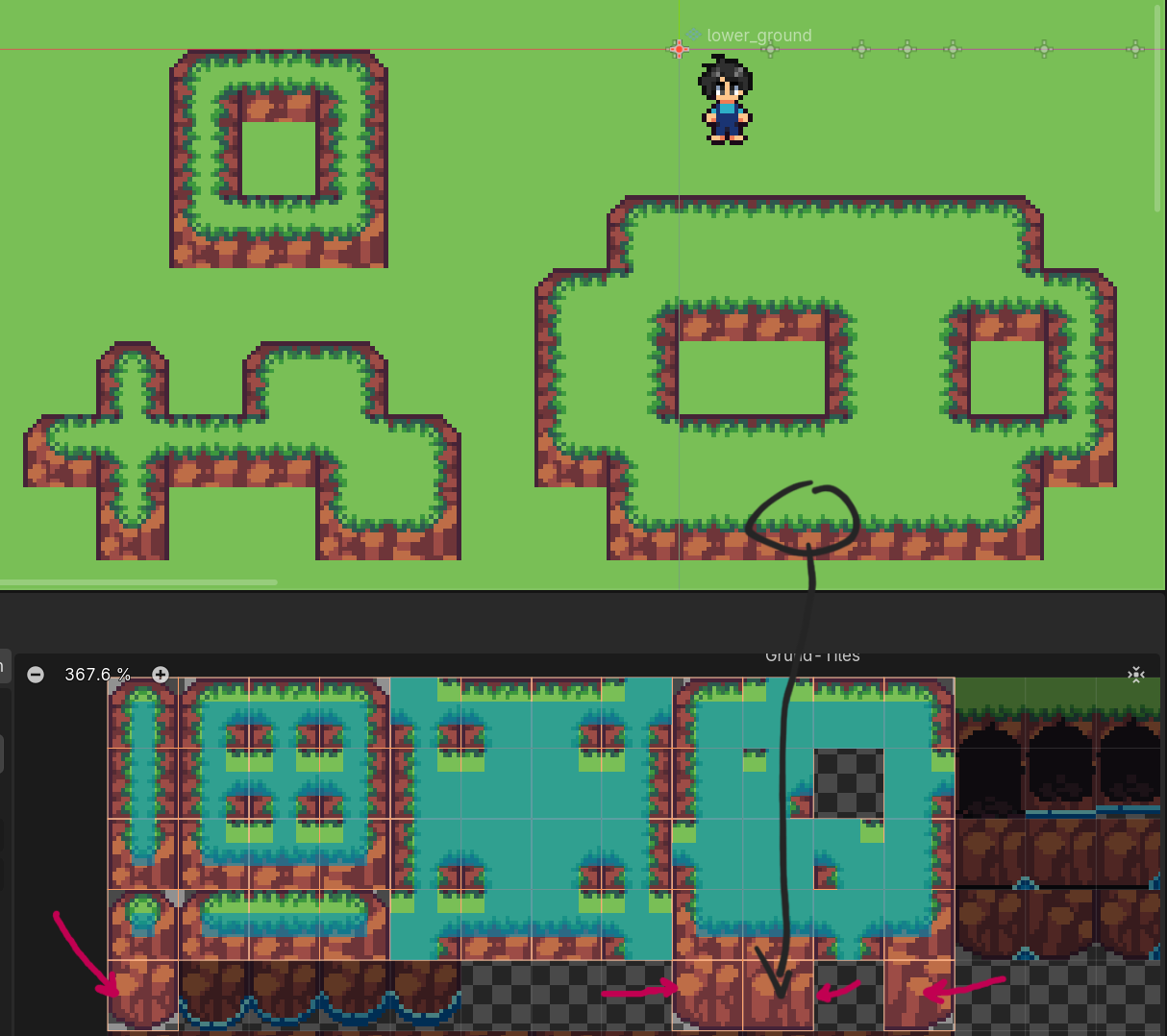
How to cliffs / higher walls autotile
I wanted to use those to set boundaries to my levels/ world. I watched several videos, searched online but somehow I don’t know what the problem is here.
I’m struggling to understand if what I wanna do is even possible. I got this cliff set and I can’t wrap my head around how to use it.
The 3*3 minimal I understood. But how the heck do I add the wall parts (arrows) to the autotile set? When I try to include them the grass edge turns into a hard cut edge (black circle to tile) and I just don’t get why. And maybe I’m wrong and that’s not how this is used at all.
Maybe somebody could enlighten me on this or tell what else I would have to do to use autotiling for higher walls?
Thanks in advance 