Godot Version
v4.6.1.stable.official [14d19694e]
Question
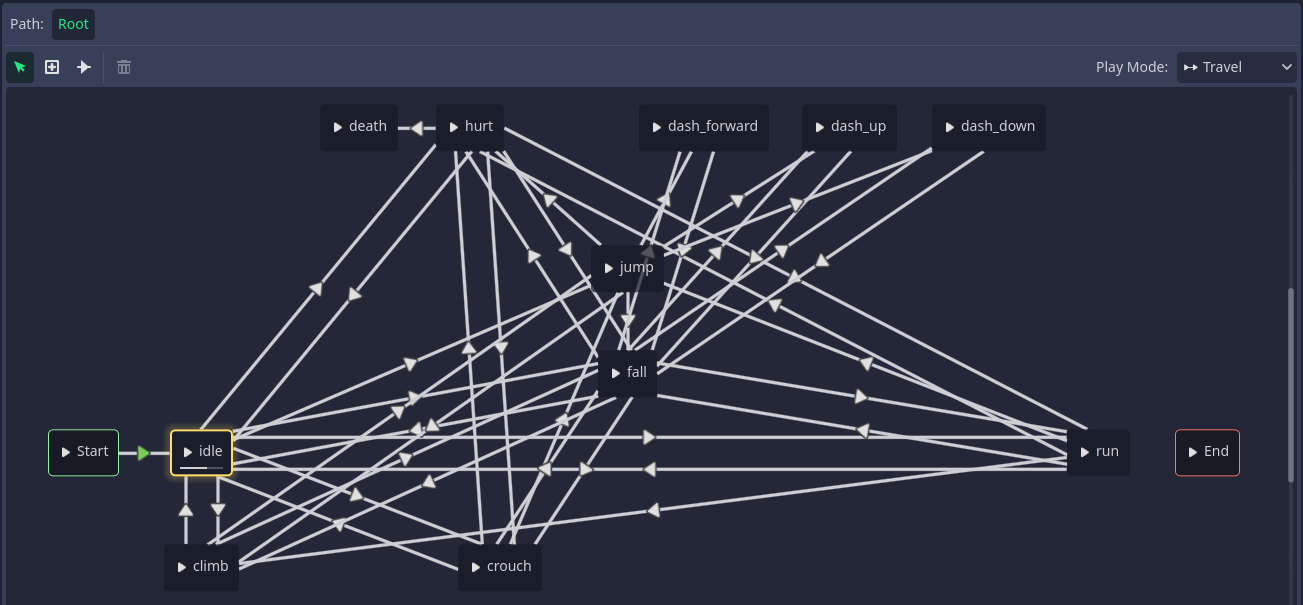
I’ve added a climb animation for my player character. Now I want it to play forward when the player is climbing up, backwards when they’re climbing down, and to pause when they’re not moving anywhere. I know AnimationPlayer has the play_backwards and pause methods, so I was thinking of using those, but this doesn’t work when the rest of the animations are changed through an AnimationTree. Is there any way to get those methods to work with an AnimationTree present or do I need some kind of workaround?
Just set it to play backwards in the AnimationTree.
If you want more specifics on how, you have to tell us how you configured your AnimationTree.
Okay, TIL you could do this in the animation tree itself
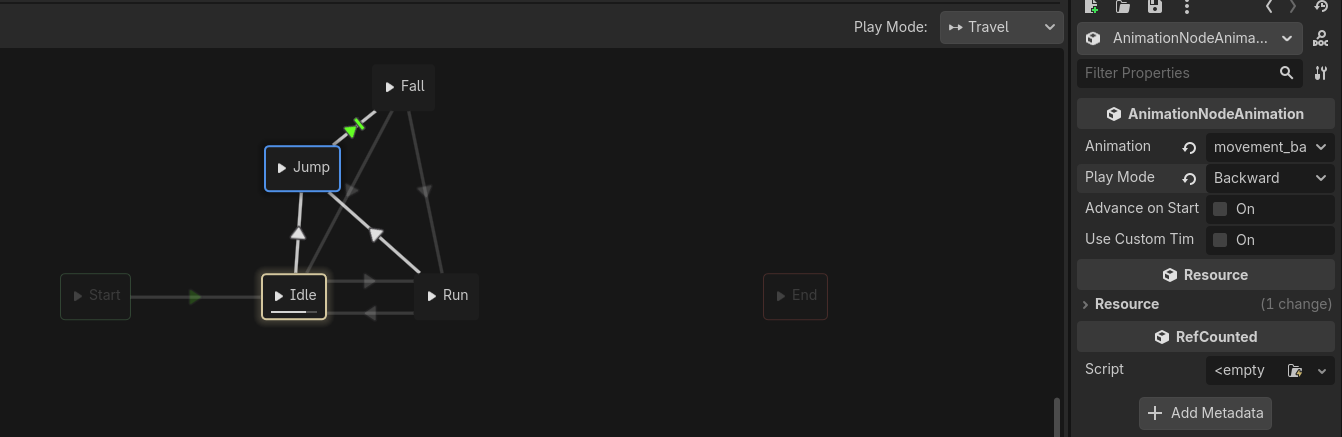
Uh, like this? Not sure if I understood what you meant
That is enough information..
Add the Climb animation a second time to your AnimationStateTree. Click on it. Change the Play Mode to Backward.
And for pausing? What do I do then?
Create a climbing idle state and traverse to it.
Why doesn’t simply calling playback.stop() work?
You can modify the speed to using TimeScale node.
Something like:
_animation_tree.set(“parameters/TimeScale Climbing/scale”, climbingTimeScale)
where you set climbingTimeScale like -1.0, 0.0 or +1.0
Unfortunately I don’t think that’s a thing in AnimationNodeStateMachine, but you’ve given me an idea so I did this:
anim_state.travel("climb")

var anim_node: AnimationNodeAnimation = $AnimationTree.tree_root.get_node("climb")

if input_vector.y < 0:
	anim_node.timeline_length = 1.0
elif input_vector.y > 0:
	anim_node.timeline_length = -1.0
else:
	anim_node.timeline_length = 0.0
Seems to work fine