Hi, I’d like to know if there are any resources available on the subject of creating an outline for multiple meshes.
The use case is that if I have an object like a chest that is split in two meshes for simpler animations, how should I create an outline for both meshes to be considered as one ?
If you mean a visual outline in the game, you might want to check out the stencil feature in Godot 4.5: Dev snapshot: Godot 4.5 beta 1 – Godot Engine It’s the best solution. Other solutions kinda work but have their issues in earlier version of Godot.
If you don’t mean that I’m not sure what you’re asking for.
I don’t know, but that’s been the ongoing issue I’ve encountered with other methods. I was hoping they had fixed that. I’s post in the issue (linked in the article) and ask about it there.
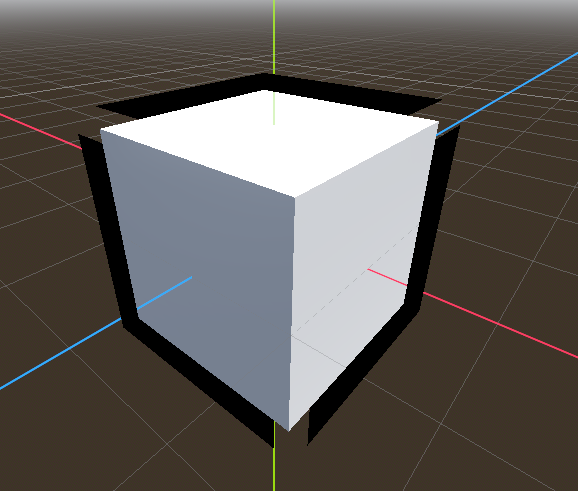
After more research I understand that it’s normal for meshes with sharp edges to just not work.
There are at least three ways to solve this discussed in the issue, I link it there for others.
I didn’t manage to use the third method but the second works well for me.
One way to address this problem is to make the edges of the cube smooth, and bevel them. This will impact the look of the cube itself.
Another option is to use a separate mesh that has smooth normals exclusively for drawing the outline. This requires us to author or generate in a script a separate mesh for each mesh that has sharp edges that we’d like to outline.
Finally, we can store smooth normal data in another channel of the mesh we aren’t using, e.g. in the vertex colors.
It should be possible to fix this for Create Outline Mesh by adding an option that welds vertices when generating the mesh. Note that it will impact the appearance of the outline if you were relied on its flat-shaded normals somehow.
On the other hand, it’s not possible to fix this for BaseMaterial3D’s Grow property, as it does not generate new vertices (it’s only a vertex shader).
In blender you have a script section where you can write code to duplicate all meshes under another collection, apply bevel then smooth. This way you can have the outline compatible meshes in one click.
Then in godot i wrote an import script (extends EditorScenePostImport) and manipulate the scene so that I apply a Material with stencil enabled and alpha 0 to all smoothed MeshInstance.
In my case I append “_smoothed” to all smoothed meshes in the blender script, so I filter on “_smoothed” MeshInstances in Godot and I reparent them to a new node so I can differentiate the normal meshes from smoothed meshes + it allows for easy enabling/disabling of outline on all objects.
My blender script is from claude so I will not share it there, also, I never tested this with complex objects, but for simple objects at least it make the workflow fully automated with one additionnal click when you edit your .blend file