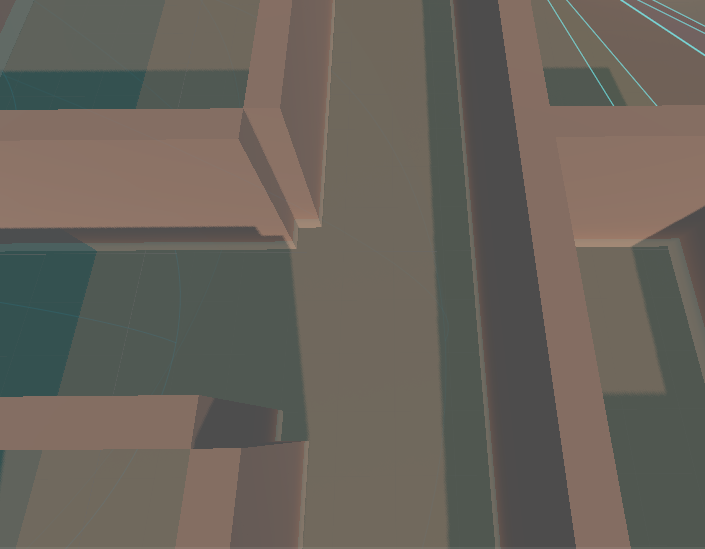
When using a GridMap to place walls, making a corner between walls creates a noticeable gap, which make sense since it is from the adjacent cell.
My question here is do I then have to create extra wall variants that fill the specific gap(s) (i.e. for example picture I’d need a mesh that is just one wall with two corner pillars), repeating this for every possible combination?
So far I haven’t found a way to place more than one mesh in the same cell which would simplify things greatly (just create a corner pillar and place where needed).
Is a GridMap perhaps not the best workflow for my needs? I’d like a fast way to place walls with uniform spacing, no gaps between each wall etc, so maybe a spline-based placement tool would be better and more flexbile when I want to break away from the rigidty of the grid placments?
There are different solutions.
The mesh could be longer and intersect. but for that you have to use a small angle at the ends, to avoid z-fighting by coplanar faces. From the top, you’ll have some coplanar faces, but most of the time they are hidden by other geometry.
You could have a 45° angle, so both ends fit together.
You could place columns there, visible and a little larger. Or invisible flat, for that I would use triplanar mapping to have no visible edge there.
The best results you can get with a different basic logic. Not the walls on the sides of the grid, but in the middle/center. And build meshes for the inner and outer edges, so that the edge is in the center of a grid cell.
Or build both sides of the corridor with the walls in one grid cell, and have a T-Junction as a mesh.
There are two ways of thinking, the walls are on the inside of the room, or in the cells outside of the room. Both have edge cases.
How does your mesh library looks like, what are your elements?