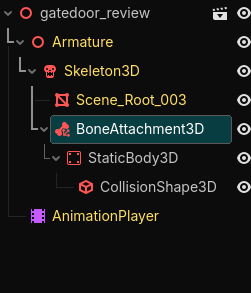
.blend and .gltf never works for me. As I stated in my post title I’ve exported this model from blender as .fbx file.
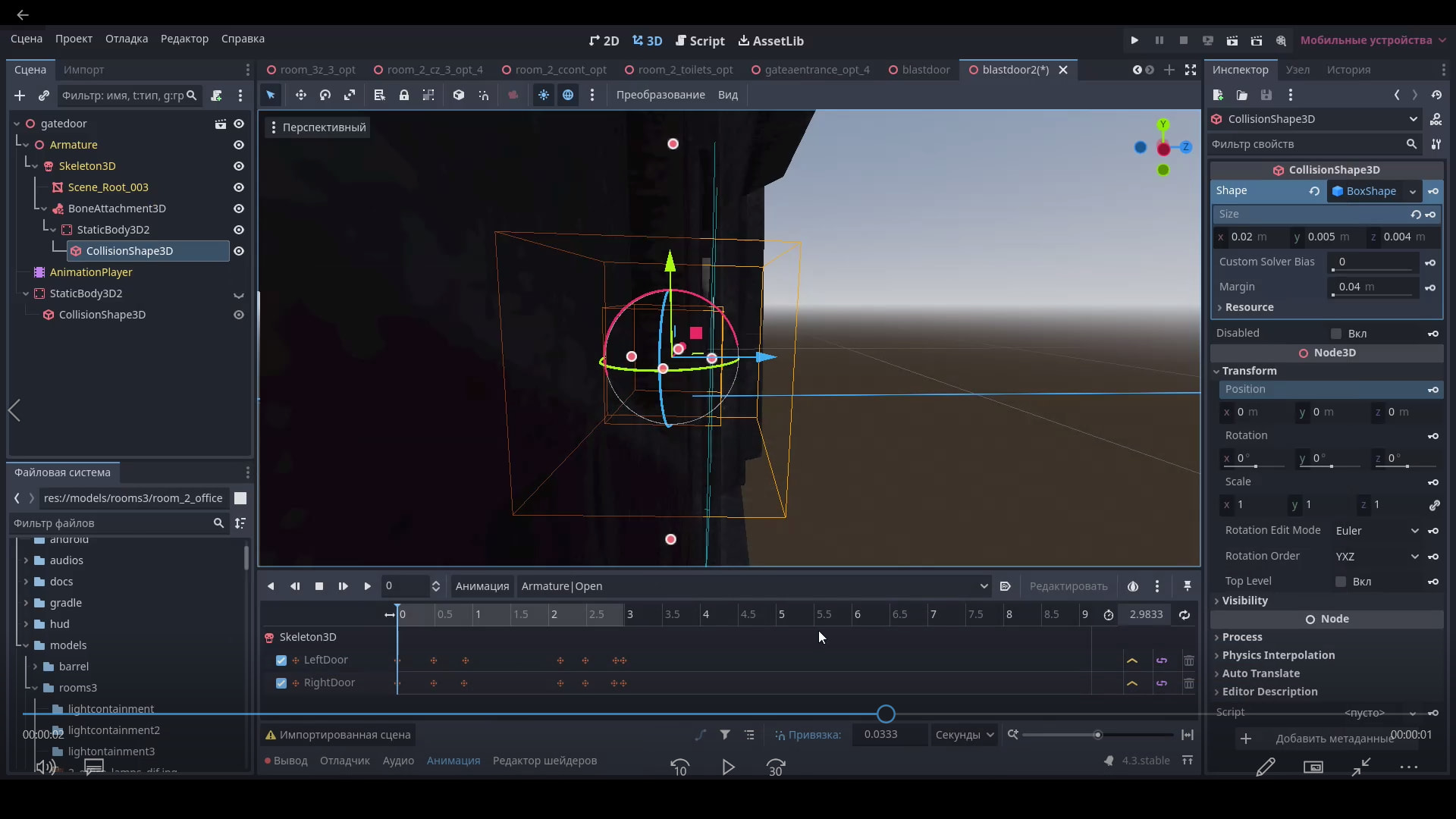
Btw, the collision box is also has small rotation when attached to the bone. This is quite bad at this point.
.blend and .gltf never works for me. As I stated in my post title I’ve exported this model from blender as .fbx file.
Btw, the collision box is also has small rotation when attached to the bone. This is quite bad at this point.
I guess the only actual solution to the rotation problems would me fixing the bone orientation in blender… but bruh this will quite complicate things because I’ve already applied vertex groups and etc. to animate it… uhhh
What about the scaling problem though? Can it be fixed? The bone isn’t even THAT large.
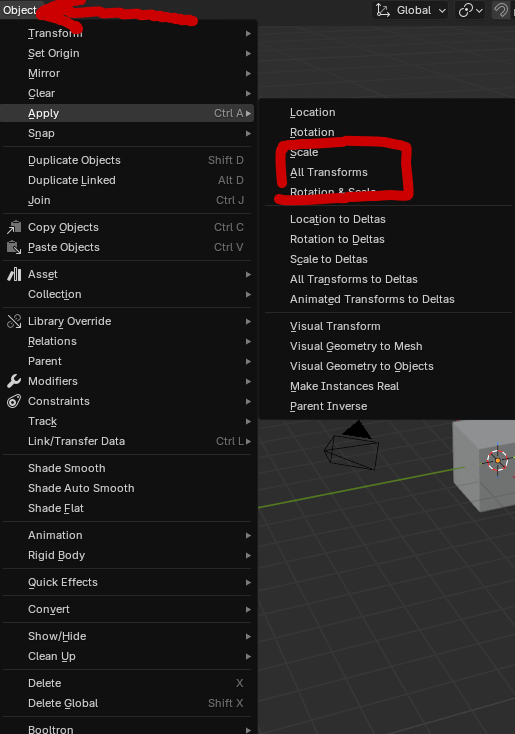
I ran into this scaling issue before what I did is apply the transform by clicking on object and then apply all transforms. This made it not weird in Godot for me in the past. (I would backup your .blend in case this messes with a lot of animations or something like that)
If this fixes it that is what is causing the scaling issues
After applying all transforms; exporting the model as new .fbx file; and importing this new model in Godot Engine…
Same issues.
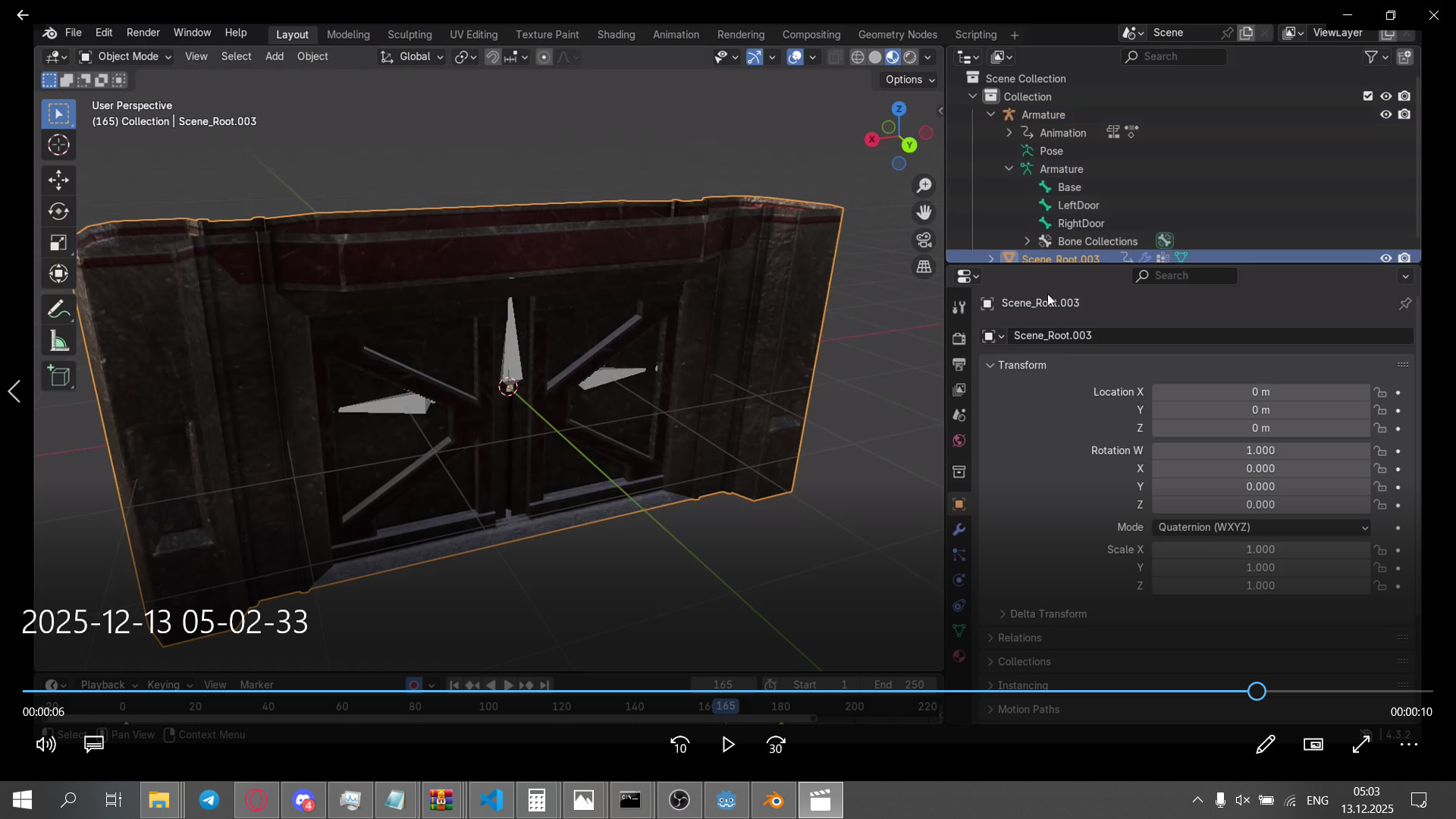
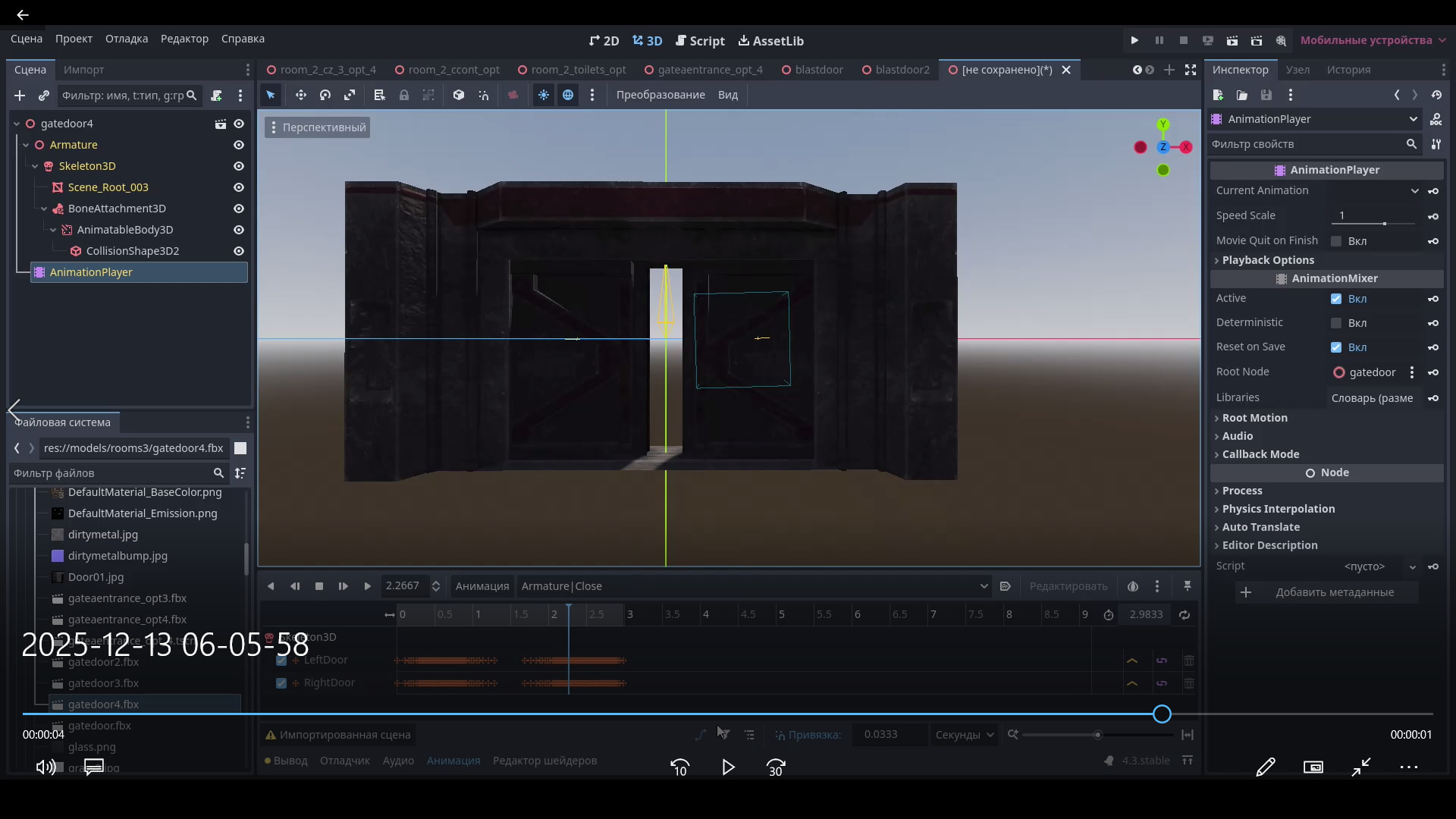
Look what I mean in the screenshot. In the inspector window - “Size” property have crazy small values just to align the box.
By the way. I’ve noticed something interesting.
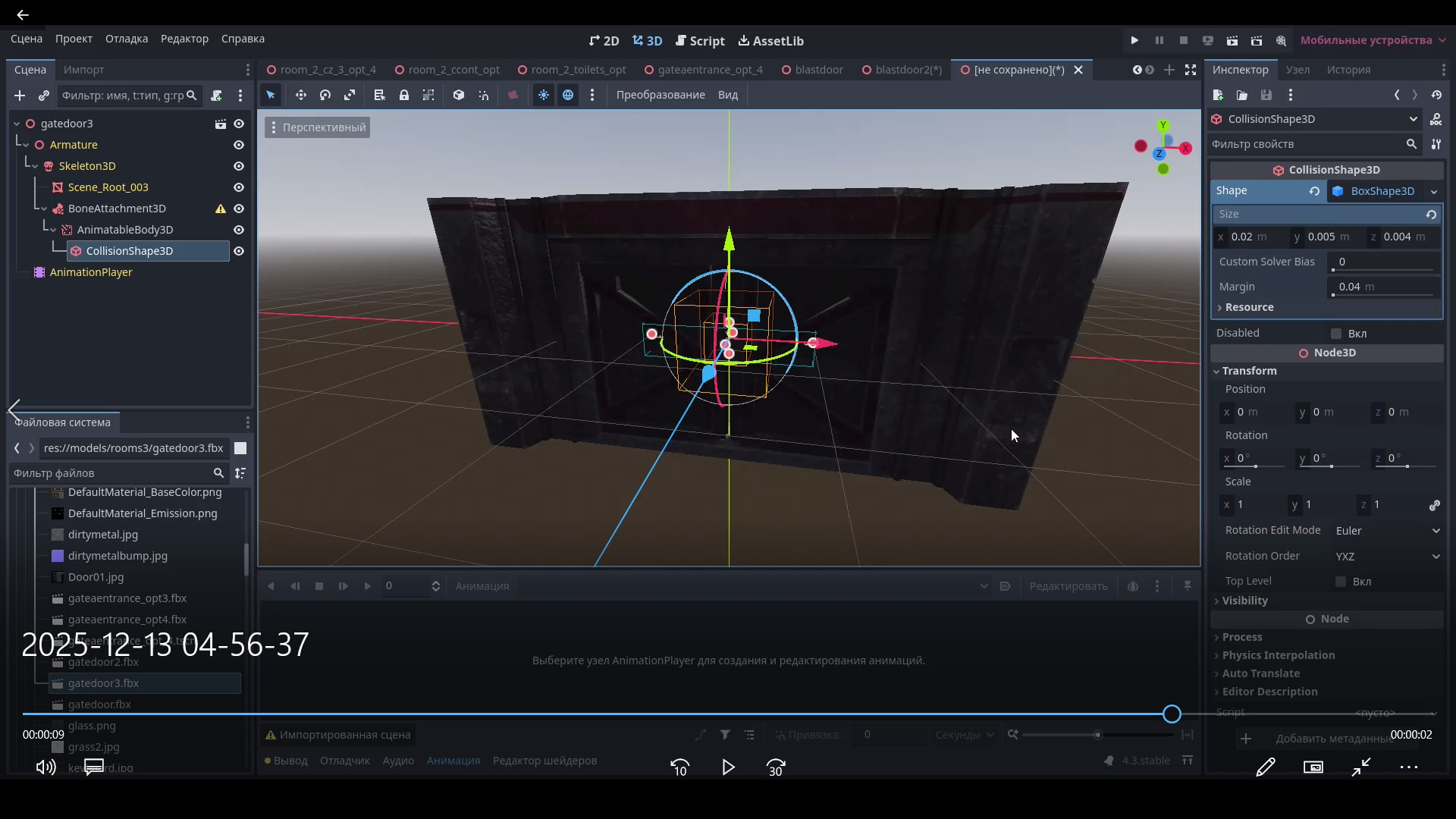
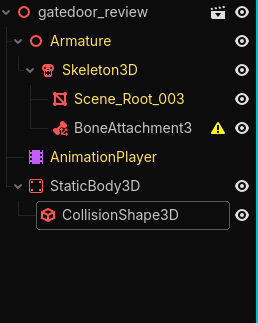
As you can see from the screenshot there is warning sign on the BoneAttachment3D. This is because I did NOT select the bone to apply to.
The collision box still appeared large. Which means that this issue appears from the Skeleton3D.
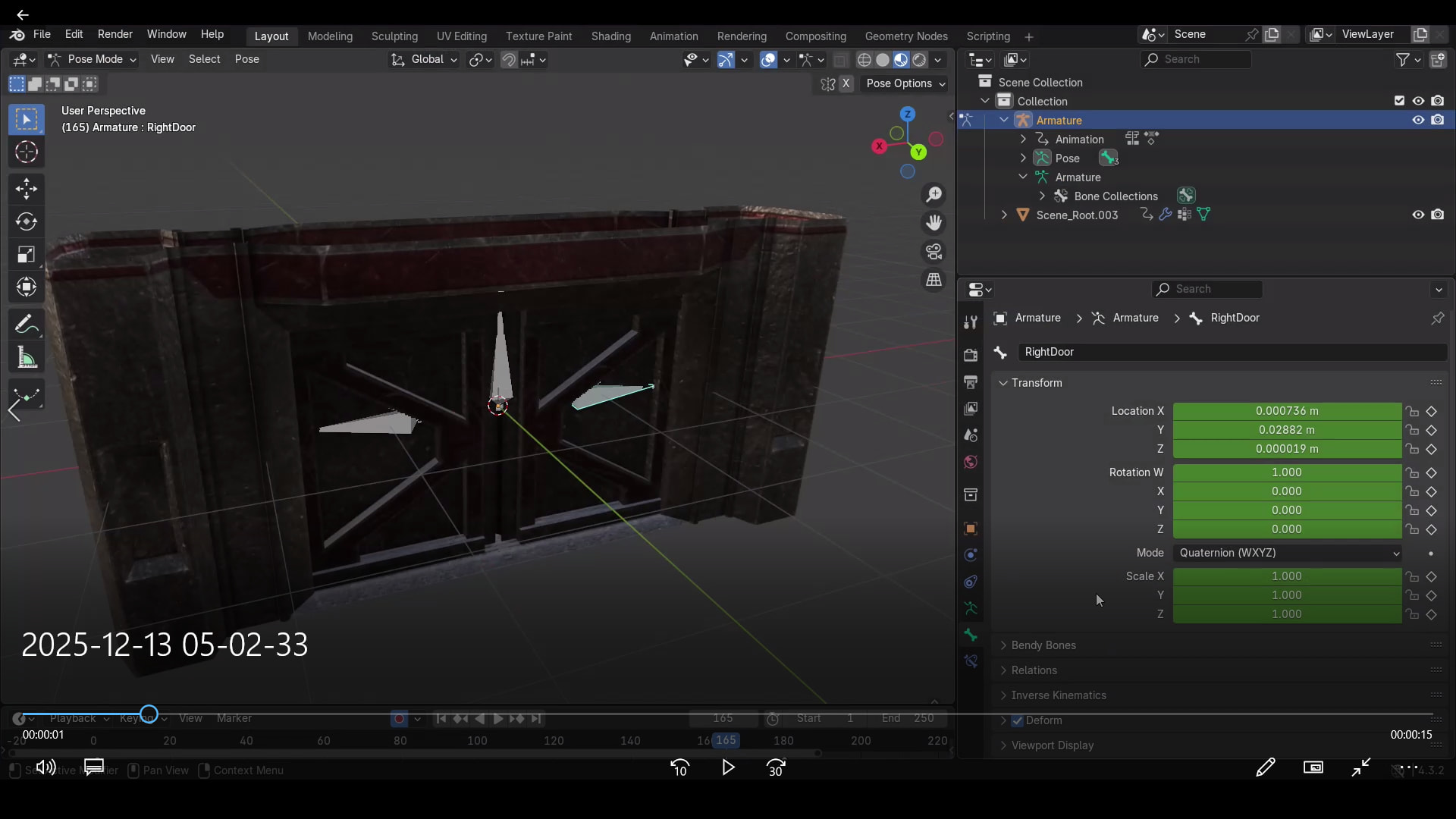
how does the skeletons transform values look in blender?
Collision box again obtained the weird small rotation when bone was selected in the Bone Attachment3D.
Here’s my “armature” transform values with the model transform values in blender.
Is it possible to send the .blend file to me? (you can remove any of the meshing I will apply my own and I just need to look at the armature and animation) (you don’t have to if you don’t want to there is just so many variables it could be)
What it could be:
Yeah, sure. No problem with that.
I will send you Google Drive link to my .blend project. Project file don’t have any materials so it’s just the mesh and animations.
[DATA EXPUNGED] quite comical isn’t it? especifically when you think about the theme of my project…
I will uh try to check your possible suggestions on what it could be…
Got it 
Using orthographic preview in Godot Engine I’ve managed to rotate the collision box so it would appear more perpendicular to the floor surface… (straighten it up, y’know).
I don’t know if these values specifically may help in any way but… these values are too specific. So I will send you them here: x: 0; y: -1.6; z: -1.6. Unfortunately when applied to the BoneAttachment3D the coordinate axis are quite flipped.
In what way specifically they are flipped? Well…
EDIT: That’s for LeftDoor bone. I don’t know what about other bones.
I think I found the issue I am just testing and to see if it is for sure the case. I am currently trying find an easy way to fix it, then I will test it and then tell you about it, it might take a while.
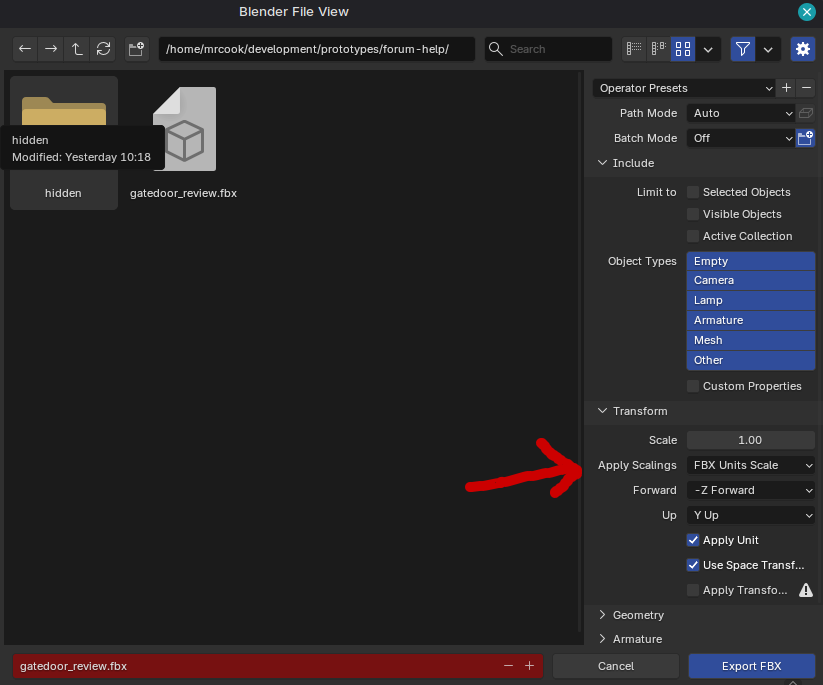
The first thing you will need to do is change an export setting when exporting to fbx, change All Scaling to From All Local to FBX Units Scaled:
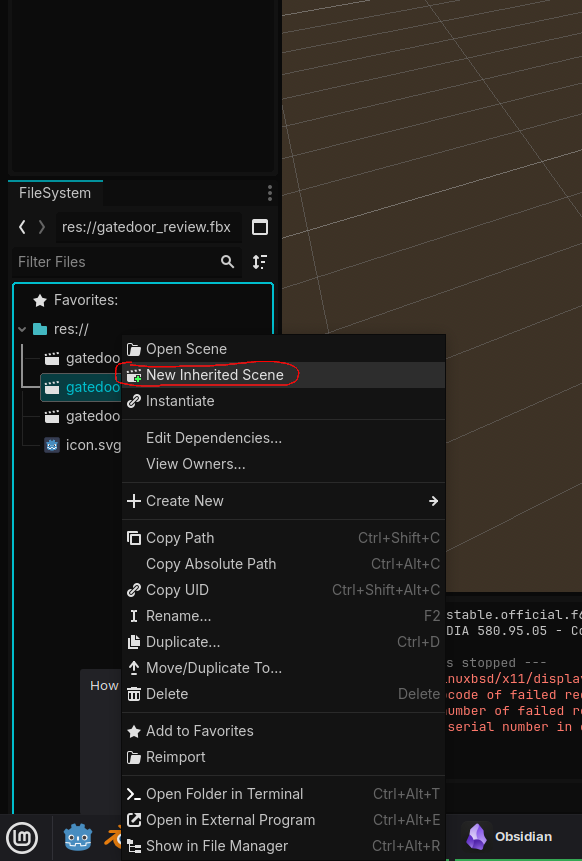
You will have to redo the scene to get all the settings to correct itself on the Godot side
Then from this video I attached the StaticBody3D to a BoneAttachment3D to the left door bone.
The CollisionShape3D was only 2m by 1m by 1m and it seemed to work as intended, no weird rotation either
Append:
With more testing I seem to get the weird rotation when making the collision shape directly on the bone.
I created the collision outside of the bone:
Then made it the child of the bone attachment:
This is the result and showing what happens doing the steps above and when you create it on the bone:
Thank you so much for your response! I’ve just tested it doing exactly what you’ve said and…
It worked! There is no scaling problems!
But unfortunately the collision shape still have weird slight rotation…
To be honest now I am worried about selecting the “FBX Scale”. I’ve already exported many “Room” models that I’ve made in Blender… and they didn’t have “FBX Scale” set when I were exporting them… should I re-export them?
What is the purpose of “FBX Scale” and what is the difference between “Local” and “FBX Scale”?
EDIT: I’ve fixed the slight rotation by rotating the collision shape for LeftBone like so x: 0; y: -1.6; z: -1.6.
I added a second part to my response above explaining the rotation.
For the difference between your fbx model
First see how the door looks around other models in your main scene and scale accordingly (unless you already have it in there).
You could always go with the super small collision and change it back to Local if it is too much of a headache
Okay, thank you so much for your help and responses!
I’ve checked from your edited message - indeed, when creating collision in the Node3D instead of directly in BoneAttachment3D there is no slight rotation.
I also noticed that for some reason if you create StaticBody3D directly in the BoneAttachment3D then the rotation problem will persist always when creating CollisionShape3D. It seems like the PhysicsBody3D itself gets “broken” forever somehow by the BoneAttachment3D after directly creating CollisionShape3D on it.
Your solution on creating StaticBody3D at the Node3D worked perfectly. Your solution on exporting .fbx model with “FBX Scale” also worked perfectly. I don’t see any issues with this model around my models right now.
Thank you so much both of you @mrcook and @marcythejinx for trying helping me out!
Especcially, I give HUGE RESPECT and CREDIT to the @mrcook for staying with me and helping to resolve the issue with the CollisionShape3D. Thank you even asking for the .blend project file to help find the cause of the issue. Without you I wouldn’t be able to find the solution myself. Thank you so much!
I will… still mark this specific my message as a solution… (sorry) because it contains full description for other new users to find information more easier.
The exact solution to my post is described below for the people who have stumbled upon same questions and have found my post:
If your door model is animated the same way as mine (it has bones, specifically, bone of moving the door part) then -
StaticBody3D because it’s the part that does not move.AnimatableBody3D. Because AnimatableBody3D allows to push other physical bodies such as RigidBody3D (and possibly CharacterBody3D while the CollisionMesh3D is moving during an animation.StaticBody3D and AnimatableBody3D EXACTLY in the root of the scene which is Node3D.CollisionMesh3D you need to these nodes we’ve created.StaticBody3D and AnimatableBody3D nodes directly to the Skeleton3D node. This will prevent possible “slightly rotated” collision meshes problems due to the fact that Godot Engine, for some reason, applies transforms of the bones to the collision meshes.After that your collision meshes are directly applied to the door model. When the door plays an animation (e.g. opening or closing) the attached collision meshes on the AnimatableBody3D will move according to the movement of the bones on the door model.
There may be an issue when you apply CollisionMesh3D to the BoneAttachment3D (basically after following all the instructions above) the CollisionMesh3D will appear LARGE.
To fix this if you have used Blender for your model then follow these instructions below by @mrcook. Instructions also contain what to do with the “slight rotation” issue you may have encountered and that was mentioned in my previous instructions above.