In that case, I’d have suggested using a forward vector at the gun’s orientation and muzzle position. Scaling appropriately for speed, of course.
So, with the help of @wchc, @dragonforge-dev, @hexgrid, and some of my own problem solving, I figured out how to get the projectile firing along the camera’s raycast. And on stream no less.
I’ll explain my system in detail so others can replicate and understand how it works.
For clarification, this system is for a multiplayer THIRD-PERSON PvP game. So I’ve designed it a certain way.
Also, this system is only for shooting the projectile toward the crosshair, I haven’t gotten to projectile collision and such… yet.
Also also, a little bit of terminology: A target_position is the end point of a raycast. It’s relative to it’s position, which is it’s starting point.
The system has 4 parts:
- A really long raycast that is centered on the middle of the player’s crosshair at all times.
- A raycast in the muzzle of the player’s weapon.
- A simple projectile scene and script.
- and a function in the player script which handles raycast and projectile shooting logic.
The raycast setup is simple, but tedious.
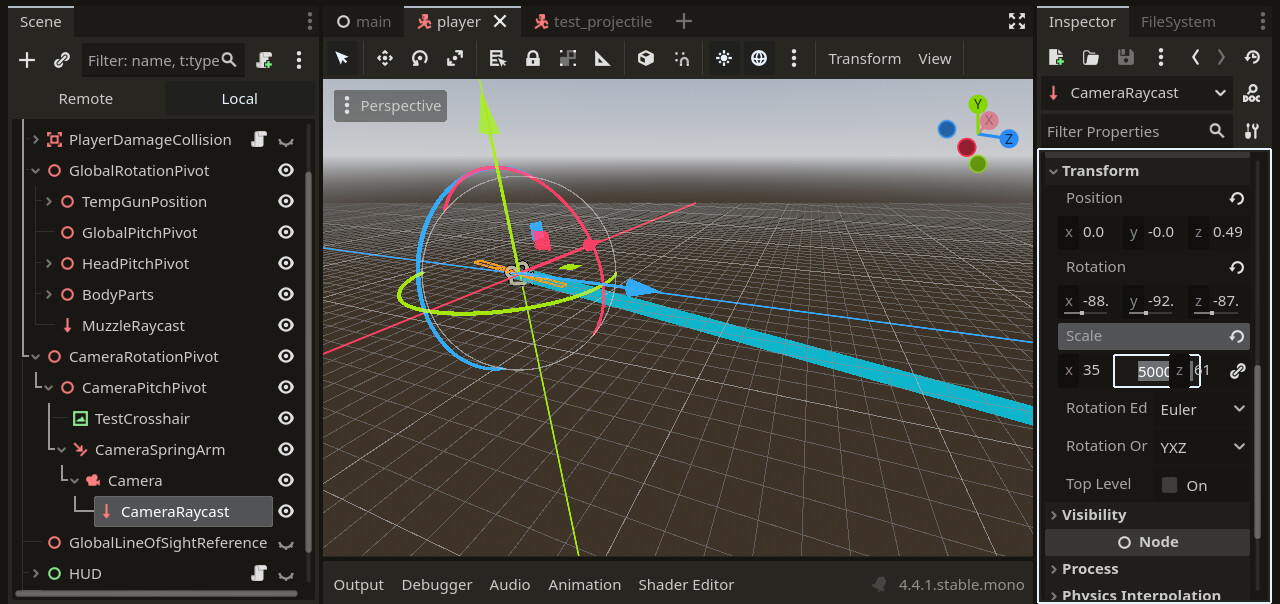
You must place the camera’s raycast to the middle of a crosshair. Please make sure this crosshair is TRULY aligned with the center of the screen. (Use another game’s HUD for reference. That’s what I did.)
Also, make sure the camera raycast only detects BODIES. Not areas.
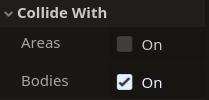
This is VERY important. As bodies are physical objects like geometry, which the camera raycast needs to collide with. While areas are invisible and non-geometrical. Making the camera raycast’s target_location inconsistent and hard to manage.
And keep in mind, the skybox won’t have body collision. So you will need to add invisible geometric border walls to the edge of the map so the camera raycast ALWAYS hits something. (A roof, 4 walls, and a ceiling)
(And make sure the camera raycast is REALLY long. Set it’s scale to something like 50,000 on the Y axis)
Once the camera’s raycast is aligned, add another raycast connected to the muzzle of your weapon (or anywhere else you want it). This doesn’t have to be a specific size. Just make it attached to the muzzle and only collide with bodies as well.
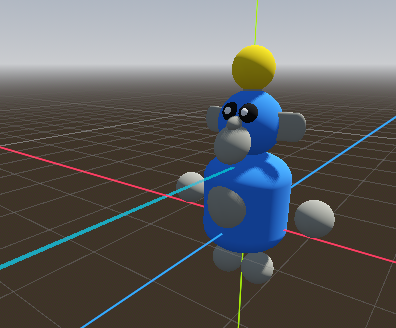
Now, you need to create a simple projectile.
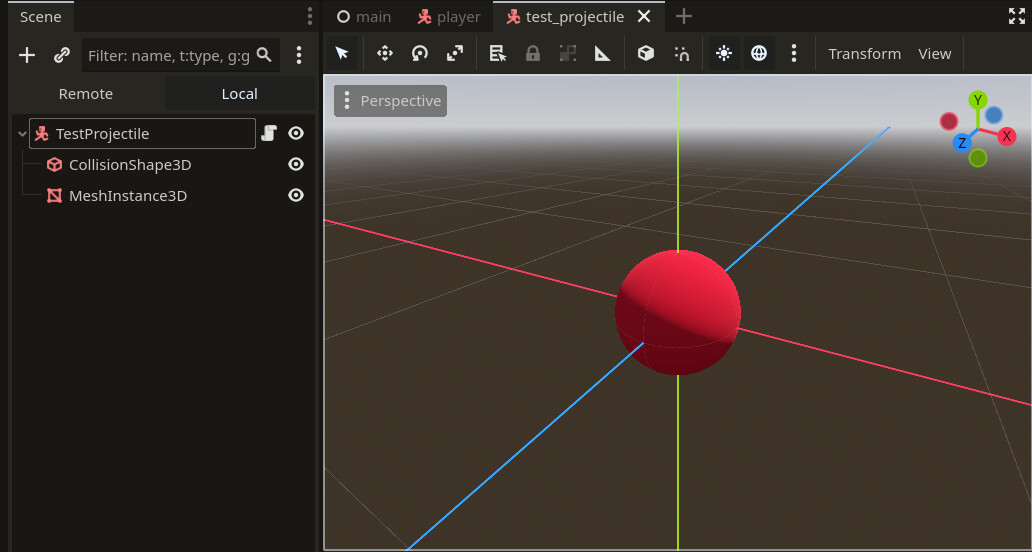
For the scene, I used a CharacterBody3D, as it doesn’t use real-time physics and requires code for all movement.
This is great for a multiplayer game like Monkanics, as physics are not deterministic in Godot. Meaning, players won’t see the projectile the same, which is HORRIBLE for a PvP shooter.
Then, add a CollisionShape3D and a MeshInstance3D.
The projectile script is the following:
extends CharacterBody3D

#------------------------------------------#
# Variables:
#------------------------------------------#

# Projectile stats

var Projectile_Speed : float = 60

var Current_Projectile_Lifetime : float = 0.0
const MAX_PROJECTILE_LIFETIME : float = 10.0

# Nodes
@onready var Projectile_Hitbox : CollisionShape3D = $CollisionShape3D
@onready var Projectile_Mesh : MeshInstance3D = $MeshInstance3D

#------------------------------------------#
# Virtual Functions:
#------------------------------------------#

func _physics_process(delta: float) -> void:

	# Move the projecile forward every physics tick
	velocity = global_basis * Vector3.FORWARD * Projectile_Speed

	# Needed to trigger physics
	move_and_slide()

	# Tick projectile lifetime counter
	Current_Projectile_Lifetime += delta

	# Delete projectile if lifetime runs out
	if Current_Projectile_Lifetime >= MAX_PROJECTILE_LIFETIME:
		queue_free()

func initialize_projectile(Spawn_Position:Vector3, Target_Position:Vector3) -> void:

	# Set the projectile's position to the muzzle of the player's weapon
	global_position = Spawn_Position

	# Rotate the projectile toward the camera raycast's target position
	look_at(Target_Position)
I explain all the code via it’s comments. The projectile is just a base for the player script to spawn and fill in attributes for.
The code inside the player script is the following:
func primary_action() -> void:

	# Update the camera raycast
	Camera_Raycast.force_raycast_update()

	# Create collision variables
	var Camera_Raycast_Collision_Point : Vector3 = Camera_Raycast.get_collision_point()
	var Target_Raycast_Location : Vector3 = Muzzle_Raycast.to_local(Camera_Raycast_Collision_Point)

	# Update muzzle raycast to go toward camera raycast hit location
	Muzzle_Raycast.target_position = Target_Raycast_Location
	Muzzle_Raycast.force_raycast_update()

	# Instantiate projectile
	var Projectile_Instance : Node = Test_Projectile.instantiate()

	# Spawn projectile in scene
	add_sibling(Projectile_Instance)

	# Add real-time parameters to the projectile
	Projectile_Instance.initialize_projectile(Temp_Gun_Position.global_position, Camera_Raycast.get_collision_point())
This sets the raycast positions, calculate the projectile trajectory, and shoot the projectile.
The raycasts work like this:
- We force the camera raycast to update to ignore physics frames.
- We save the camera raycast’s collision point into a variable. (
Camera_Raycast_Collision_Point) - We use that variable to create another variable to calculate the muzzle raycast’s new
target_position. We convert the camera’s collision point into local space for the muzzle (Target_Raycast_Location) (I’m not sure why this has to be done, but it does) - We set the muzzle’s
target_locationand force and update.
Now, we have the references we need to fire the projectile from the muzzle to the middle of the crosshair.
- First, we instantiate the projectile instance. (Just save it to an
@onreadyvariable)
@onready var Test_Projectile := load("YourProjectileScene.tscn") - Spawn in your projectile as a sibling.
- We use the projectile’s
initialize_projectilefunction we made to set the spawn position and the angle for the projectile to rotate toward vialook_at().
BOOM! It works! (Hopefully)
I hope this helps you out in some way. I know reading and translating other people code in your own implementation is HARD, but I know you can do it.
3 Likes
This topic was automatically closed 30 days after the last reply. New replies are no longer allowed.