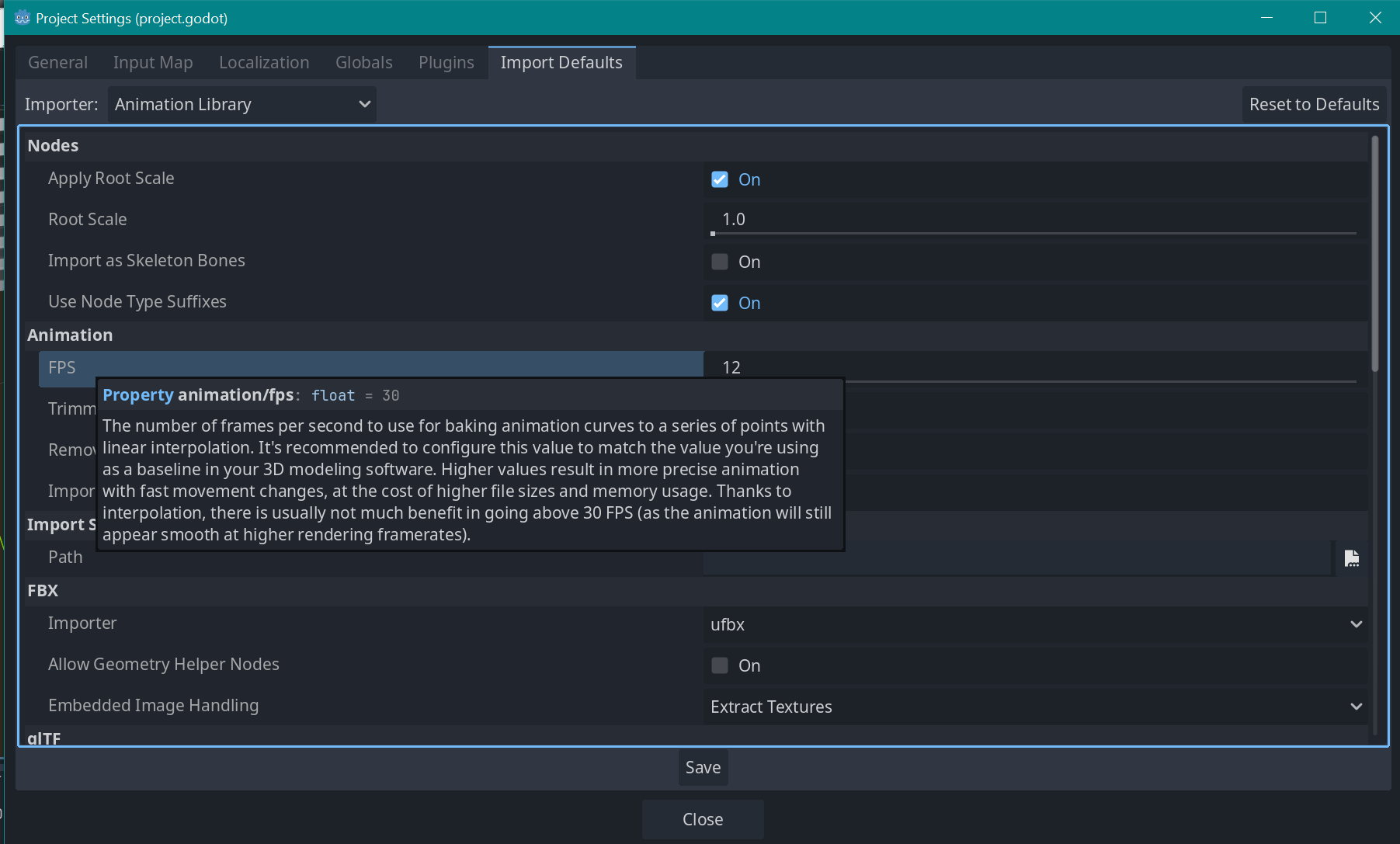
I am trying to achieve a lofi stop-motion animation style for my 3D adventure game. I want my character animations to play at 12 frames per second, and I’ve got that set up and working in Blender. But Godot applies some form of auto-smoothing when I import the .blend files.
I looked at Project Settings > Import Defaults > Animation > FPS, and set that to 12, but it still does the interpolation. The tooltip for that setting implies it’s intentional, but I don’t see a way to switch it off (see screenshot)
Does anyone know if it’s possible to disable animation interpolation when importing .blend files? Or at least a quick way to manually remove it after importing?
Removing interpolation in Blender seems to work inconsistently (again, looks fine in Blender, but not in Godot). Parts of the animation do actually become more choppy like I want, but others remain smoothed. I even tried keyframing every bone on every frame with no interpolation, but that still gets smoothed on import.
Try in on a very simple test example. Make sure all keyframes in blender are held and see if you get the same in Godot. Keep the framerate same in both.