Godot Version
4.2.1
Question
Hi Everyone
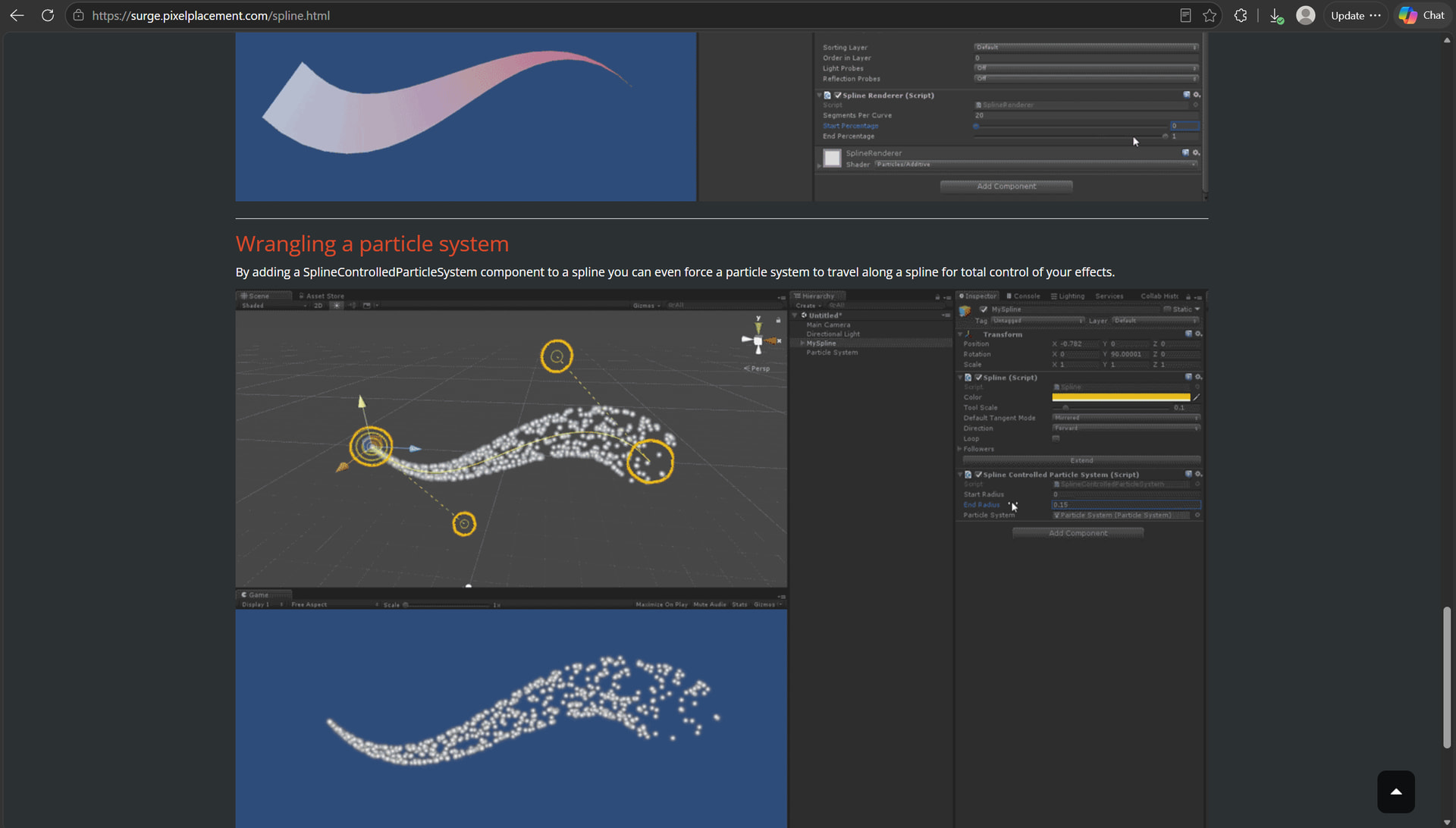
How to make particles moving along a path in Godot, like the example below?
Afaik, there’s no built-in equivalent to this. You’ll need to make a custom particle process shader. Tesselate the curve and encode the positions into a texture. In the shader, sample the texture with particle lifetime as a sampling coordinate and position the particle there. For “variable stroke” effect you can encode the stroke radius into alpha channel of the texture and let the particle pick its distance from the path between zero and that value.
Wow, that sounds complicated. I think Unity and Unreal possess the directable particles with splines feature since ten years ago…
Is there no Godot plugin for moving particles along a path? How can Godot developers build dynamic particle effects that run through bezier curves?
There may be a plugin but I’m not aware of it.
It’s not really complicated though. How badly do you need it?
There’s also an option to use plain mesh instances instead of particles. In that case you won’t need a shader. See my example here:
What’s the exact effect you’re after?
Thank you for the example of multiple objects flying through a path. That’s really useful.
I just need to move the particles inside complex pipe network. In Unity, we can’t simulate water flow in long and complicated pipes, because the water flow simulation will kill the frame rate. This is why I used particles to represent water flow in Unity and I thought Godot possessed a similar spline particle feature
Can you show a visual mockup of the effect, with the actual pipe paths?
So here’s a quick proof of concept.
Note that I hardcoded most of parameters for brevity. This can be expanded with features and quality-of-life stuff to meet your specific needs.
If you want to use other built in particle features, enable them in particle process material, convert the material to shader and append this shader code to the converted code.
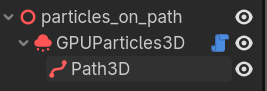
Script:
@tool extends GPUParticles3D
var setting_up := false

@export var path: Path3D:
	set(value):
		path = value
		if path:
			path.curve.changed.connect(func(): if not setting_up: setup())

func setup() -> void:
	setting_up = true
	const TEXTURE_SIZE := 64
	path.curve.bake_interval = 0.01
	var image: Image = Image.create_empty(TEXTURE_SIZE, TEXTURE_SIZE, false, Image.FORMAT_RGBAF)
	var points = path.curve.get_baked_points()
	var pixel := Vector2i()
	for point in points:
		image.set_pixelv(pixel, Color(point.x, point.y, point.z))
		pixel.x += 1
		if pixel.x == TEXTURE_SIZE:
			pixel.x = 0
			pixel.y += 1
	var texture := ImageTexture.create_from_image(image)
	process_material.set_shader_parameter("position_texture", texture)
	process_material.set_shader_parameter("position_count", points.size())
	setting_up = false
Particle process shader:
shader_type particles;

uniform sampler2D position_texture;
uniform int position_count;
uniform float pipe_radius = 1.0;

vec3 rotate_axis_angle(vec3 p, vec3 axis, float angle){
	vec3 acrossp = cross(axis, p);
	return p + sin(angle) * acrossp + (1.0 - cos(angle)) * cross(axis, acrossp);
}

float random (vec2 st) {return fract(sin(dot(st.xy, vec2(12.9898,78.233))) * 43758.5453123);}

void start() {
	if(RESTART_POSITION){
		CUSTOM.y = 0.0;
	}
}

void process() {
	CUSTOM.y += DELTA / LIFETIME; // store lifetime percent in CUSTOM.y
	float lifetime_percent = CUSTOM.y;

	float position_along_path = lifetime_percent * float(position_count - 1);
	int position_index = int(position_along_path);
	float position_fract = fract(position_along_path);

	ivec2 texture_size = textureSize(position_texture, 0);
	vec2 seed = vec2(float(INDEX), 0.0);

	vec3 p1 = texelFetch(position_texture, ivec2(position_index % texture_size.x, position_index / texture_size.x), 0).rgb;
	vec3 p2 = texelFetch(position_texture, ivec2((position_index + 1) % texture_size.x, (position_index + 1) / texture_size.x), 0).rgb;
	TRANSFORM[3].xyz = mix(p1, p2, position_fract) + normalize(cross(normalize(p2 - p1), vec3(0.0, 1.0, 0.0))) * pipe_radius * random(seed);
	TRANSFORM[3].xyz = p1 + rotate_axis_angle(TRANSFORM[3].xyz - p1, normalize(p2 - p1), TAU * random(seed + 10.0));
}
And here it is combined with built in particle process shader:
Thank you! It looks exactly like the Unity Surge plugin. Unfortunately, I can’t see anything when I play the engine, maybe because I’m a total noob in Godot. Here’s my project, made with Godot v4.7.2:
Or could you please share your project?
Make sure to:
path property of the particle nodeThanks again! It works