Godot Version
4.7.1
Question
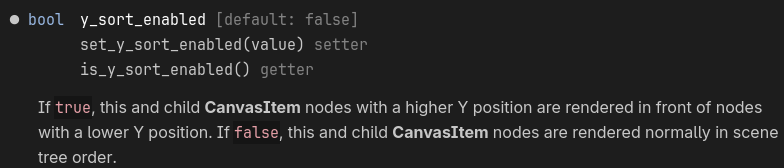
How do I make nodes with a lower Y position render in front of higher ones with Y-sort.
the z_index property controls the drawing order of 2D nodes, determining which objects appear in front of or behind others. Nodes with a higher z_index value are drawn on top of nodes with a lower value.
When you select a CanvasItem node (like Sprite2D or Node2D), look under the Ordering section in the Inspector:
z_index: The integer value determining render order.
z_relative: (On by default). If enabled, a child node’s z_index is added to its parent’s z_index. If disabled, the child uses its own absolute value, ignoring the parent.
Two common problems with y-sort. First, every node and its parent(s) must have y-sort enabled. Next, sprite textures are centered by default. Make sure you are using the offset property to make the visual bottom of the sprite’s texture align with the y=0 position.
The only quick way I could think of is to rotate the camera by 180 deg and y-flip or 180 rotate the node that parents all of the nodes you want to reverse.
So you want the opposite of a standard y-sort? Sorry, I totally misread your question. Handling z order yourself is probably the most straightforward way, as @silocoder pointed out.
Maybe if you give us a picture of what you want to achieve, we can suggest specific implementation ideas. Is this for something like an upside down city or cave ceiling?
In Godot, Y-sort normally puts higher Y positions in front. If you want the opposite, invert the Y-sort logic or use z_index to control the draw order.
I don’t have time right now to make a scene to test this, but I’m pretty sure Y-sort is just doing set_z_index(int(position.y)), so you’d be able to reverse that with set_z_index(int(position.y * -1)).
That may perform poorly if there’s a large number of moving nodes. Fine for predominantly static nodes though.