Godot Version
4.4.1v
Question
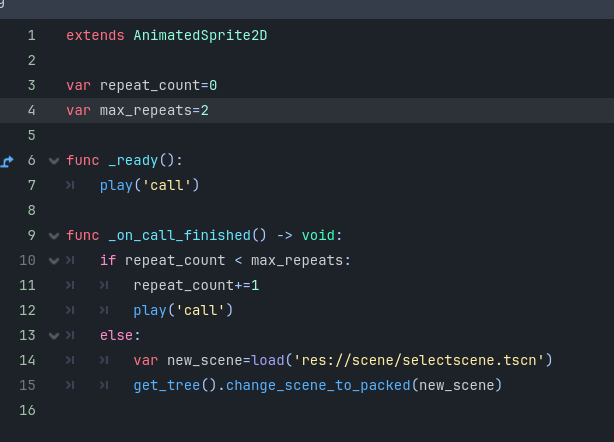
How can I make the sound in an AudioStreamPlayer loop according to the script shown in this picture?
4.4.1v
How can I make the sound in an AudioStreamPlayer loop according to the script shown in this picture?
Could you use the AudioStreamPlayer’s .play function the same time you call play for this AnimatedSprite2D?
do you mean i should put .play function in AnimatedSprite2D script?
Yes, but I specifically mean to use the AudioStreamPlayer’s play function. Assuming you have an AudioStreamPlayer as a child of this node you can get it by it’s name, this example assumes it’s named “Audio”
func _ready() -> void:
    play("call")
    $Audio.play()
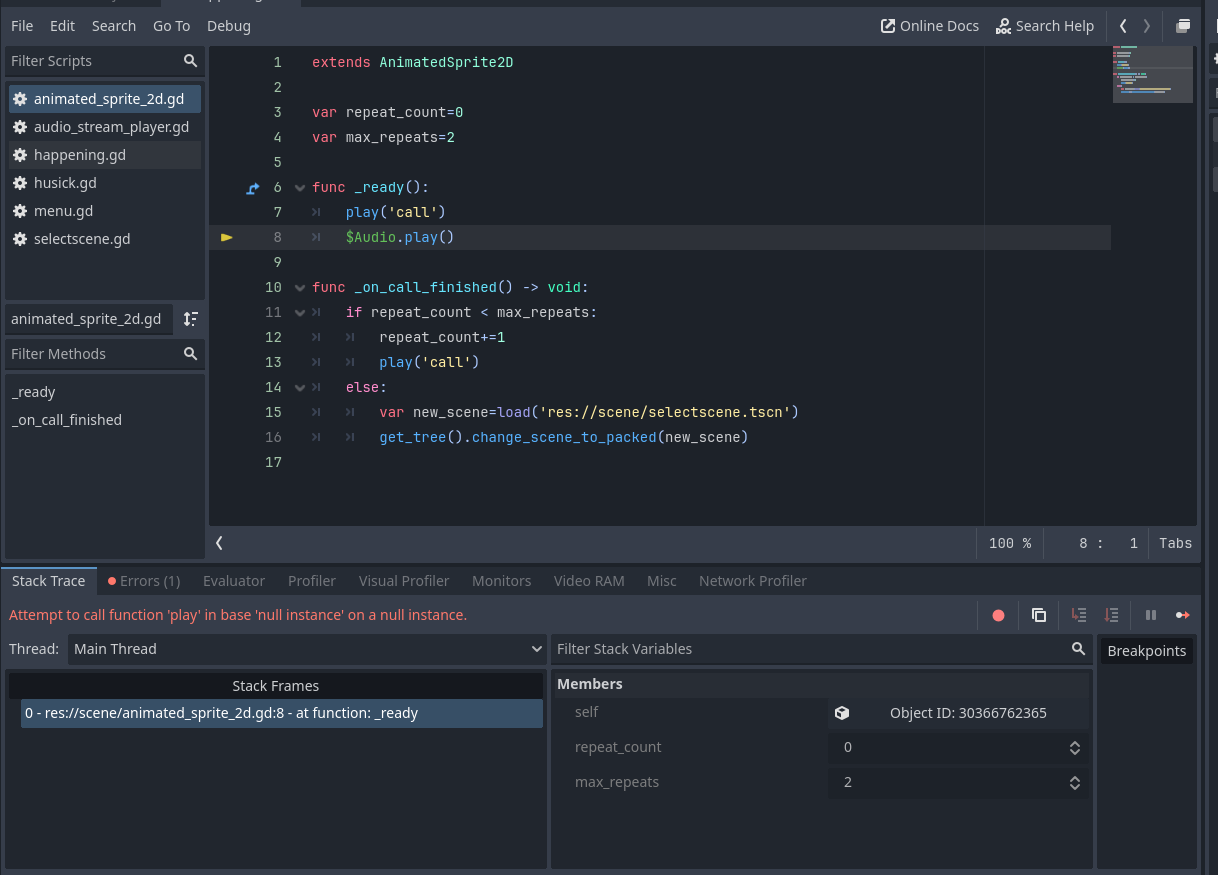
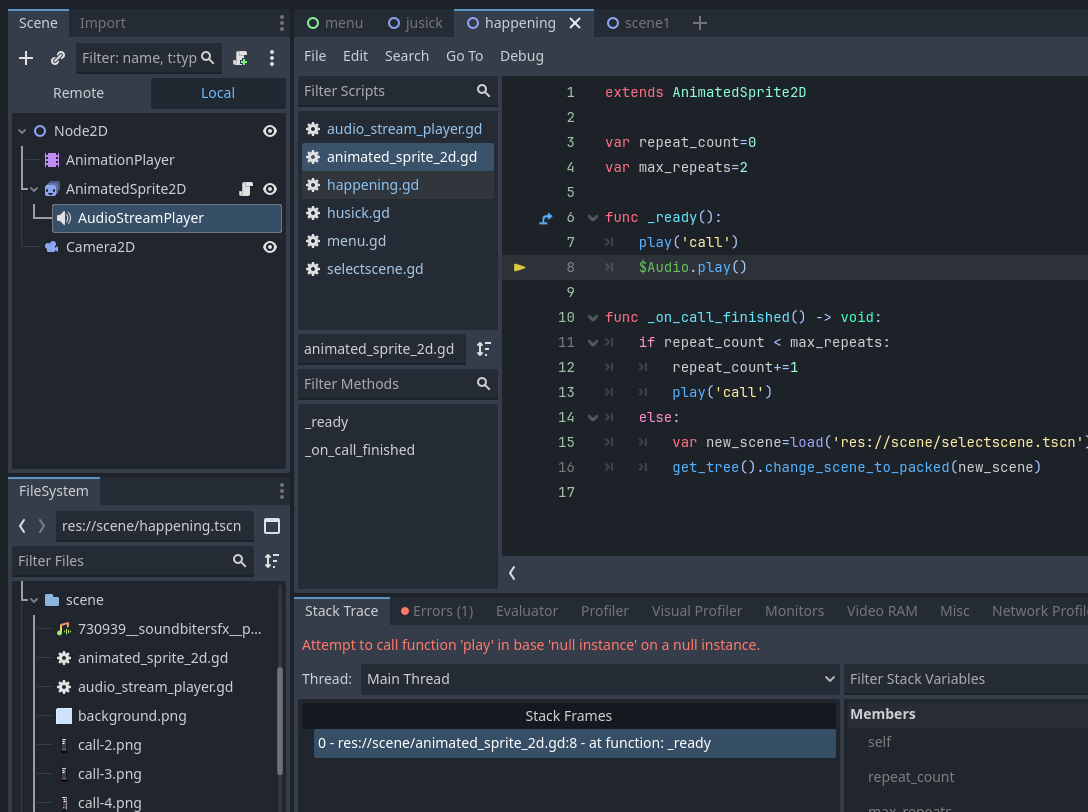
That error means you do not have a child name “Audio”
Should I place the AudioStream node as a child node of the AnimatedSprite?
Yes, that would allow the script to easily call it’s play function, make sure to use the same name the node has in the script.
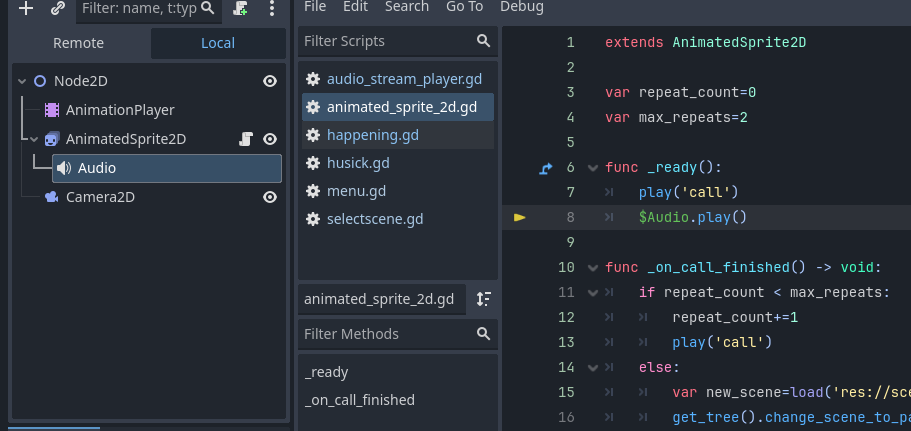
It’s the same error, your node’s name is “AudioStreamPlayer” not “Audio”
Did you re-run the game? Do you have a different error?