Godot Version
4.5.1
Question
Hi! I am learning high level multiplayer in Godot. Managed to set up basics, joined with two instance from game and synched movement.
However I am stuck at figuring out how to set up reference for multiplayer purposes.
Issue is, only last joined player can control in game menu / choose items from menu / instantiated them in game, despite tree being instantiated within player node.
My player tree setup:
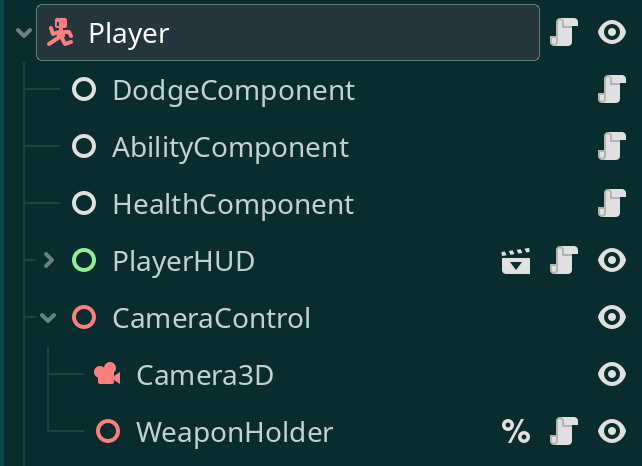
in PlayweHUD control node I have exported var for all child elements like buttons which control what item can be picked and spawned
the only var that is not set from editor level is player_node which is set in ready funcion after authotity is checked:
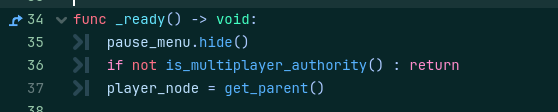
I tried with enter_tree but I have the same result
So what happens
I host a game on first instance of game, all menus are accesible and work fine on host.
then I join on second instance and all menus are accesible and work fine only on second instance. on host I cannot interact with them.
I checked in remote and authority is matched with peed_id of both host and new peer.
How this should be set up?
thank!