Godot Version
4.2.2.
Question
I’m trying to achieve a disintegration effect on a sprite, similar to what’s shown here. I think the shaders here are for Godot 3.x, though; it appears that in 4.0, particle shaders changed to use start/process functions instead of vertex functions, and a number of other things seem to have changed that make 3.x resources no longer apply to 4.x.
I can’t seem to find any resources on how to write particles shaders for 4.x, beyond the documentation, which helpfully defines some terms but doesn’t give any practical examples of a working particle shader, so I don’t really feel like I have anywhere I can start building a working understanding of these shaders from.
Are there any good particle shader tutorials for 4.x, or is there a minimalist functional particle shader somewhere that I can pop into a project and immediately have it work, so that I can start tweaking and experimenting from there?
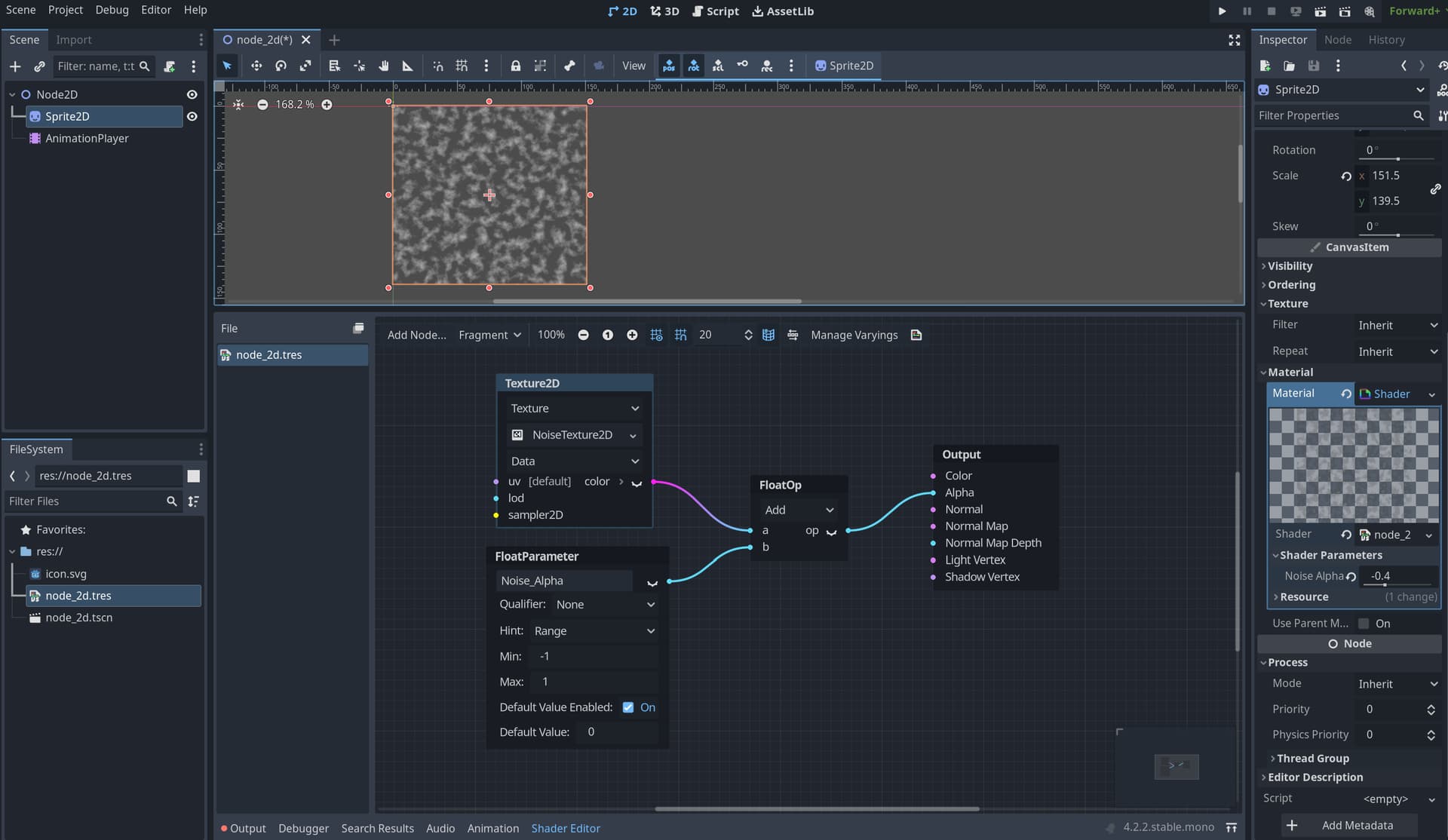
I would try out the visual shaders, use noise to disintegrate the sprite materials alpha, then analyze the code.
Start by adding a visual shader to your sprite2D:
-add a custom parameter (float alpha) with range -1,1,
-add it to the noise, then connect to alpha
-then you can key it’s value from 1 to -1 in the AnimationPlayer node.
You can probably make something cooler than this with more nodes, adding color, and refining the noise texture.
the step one pretty much is real particle shaders using the
shader_type particles
this examples is trying to use that method
if you want the other way to do particle shaders with
shader_type canvas_item by setting the material in that particle node’s Canvas Item, here’s an example for it, though in godot 3
I recognize that this post is half a year old, but I’m dealing with something similar and feel I can share my technique, which has not yet been mentioned.
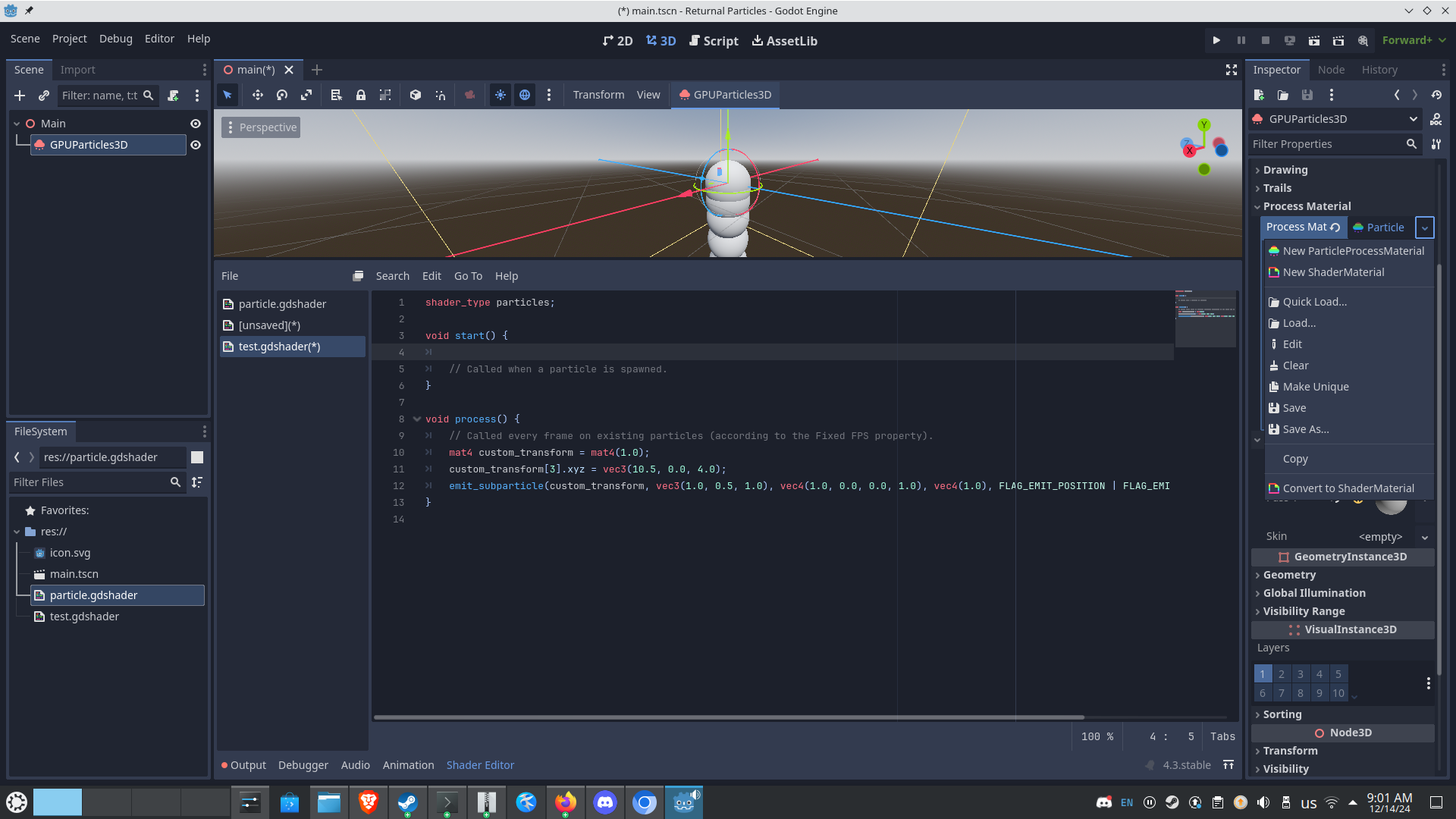
I start with a normal ParticleProcessMaterial and set it up to be as close as I can get to my intended effect… then, I click on it again, and select “Convert to ShaderMaterial”.
This provides you with a shader which does everything you’ve set up your ParticleProcessMaterial to do, but allows you to manually edit it in case you need something weirder/cooler. Given the lack of demonstrable particle process shader code on the web, this is at least a way to see how a shader might use different internal flags to achieve an affect, and build skill.
I actually recommend printing it out and reviewing it away from a computer, if you can; there’s a lot to absorb here.
2 Likes