The position will depend on the position set for the top node in the instantiated scene. You can re-position it after you instantiate and add it to the scene tree. Simply set its global_position to whatever you want.
1 Like
I’m sorry for being so annoying. But how do I do it?
Set instance’s global_position in the piece of code that calls instantiate() and add_child().
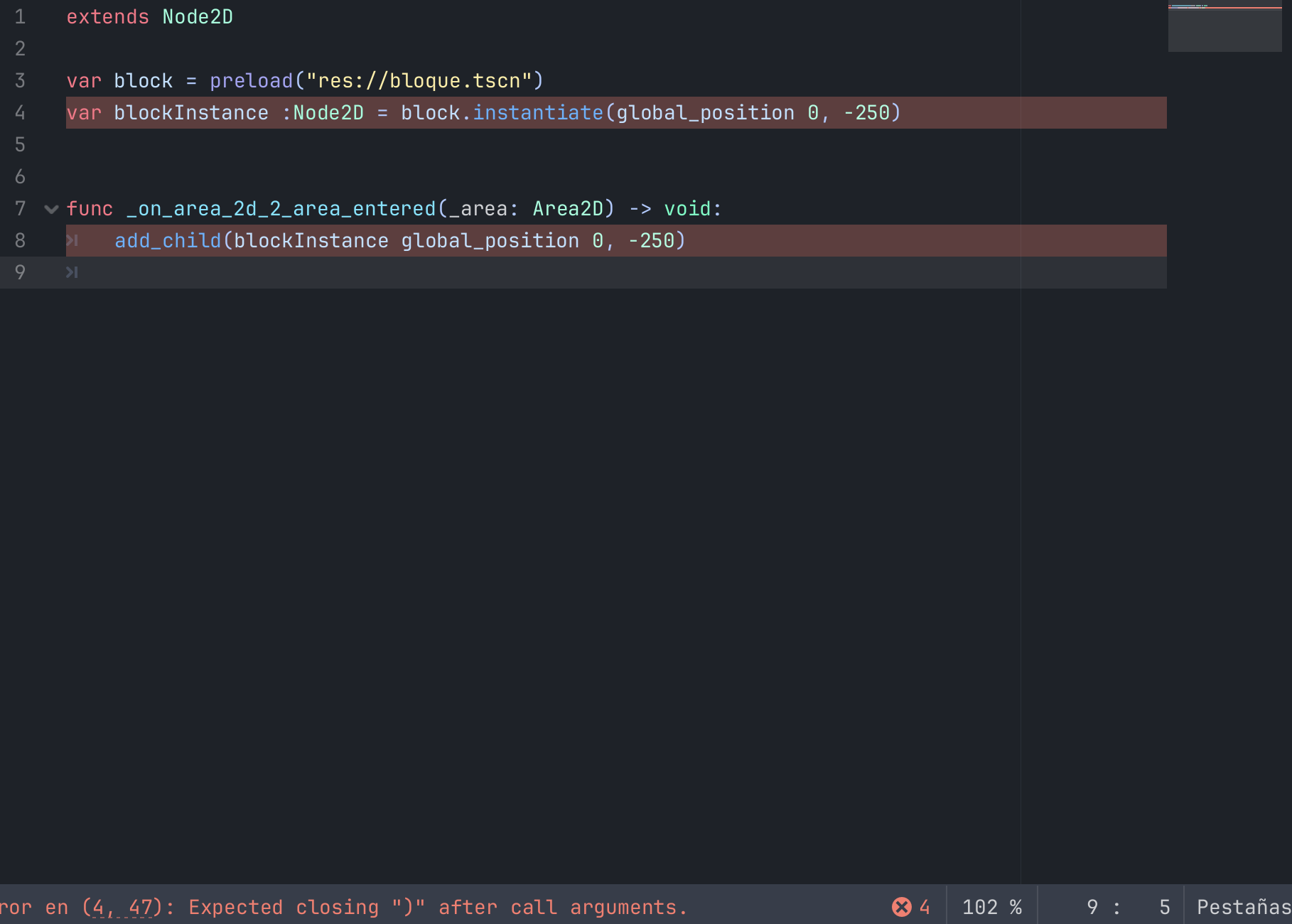
You should really go through introductory tutorials in Godot’s official docs to get acquainted with engine’s basic functionality and fundamental concepts.
I know I have to review it, but please can you tell me what to do because I have to deliver the game soon.
Do everything in the area_entered signal handler:
- create the instance using
instanitate() - add the instance to the scene tree
- place the instance at wanted position by setting its
global_positionproperty