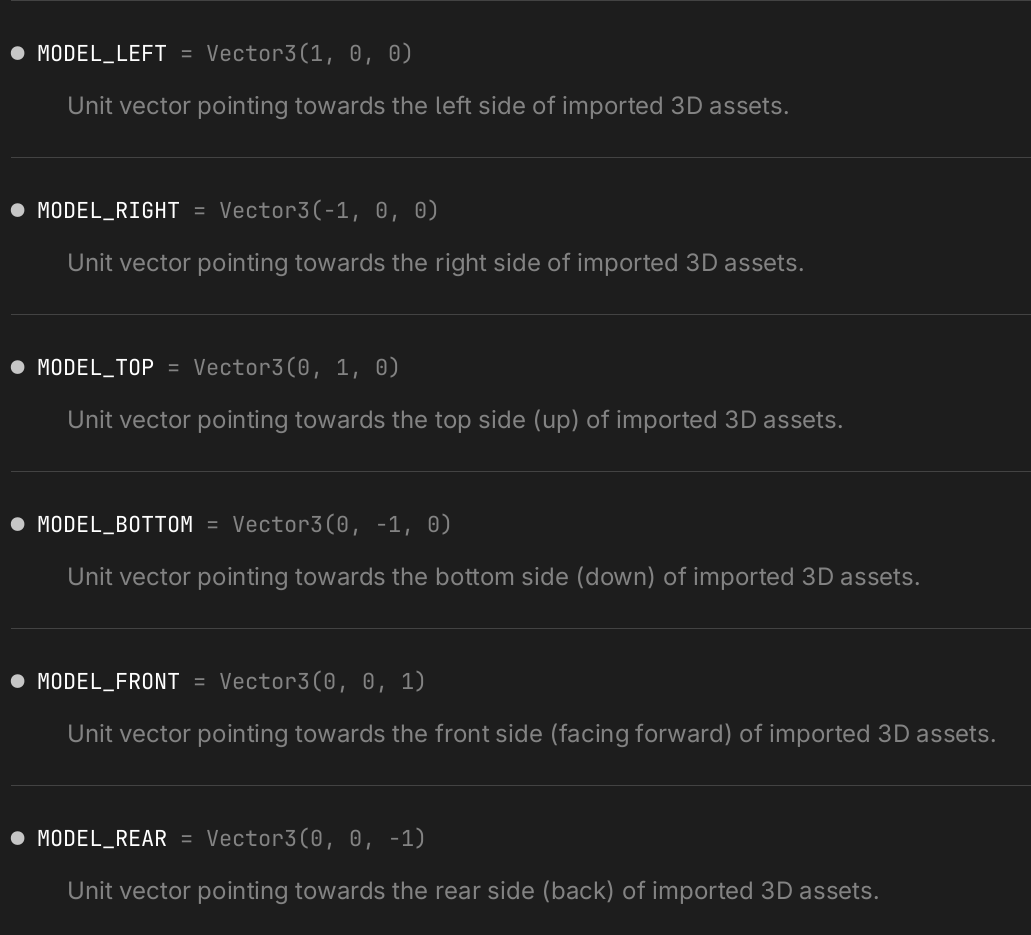
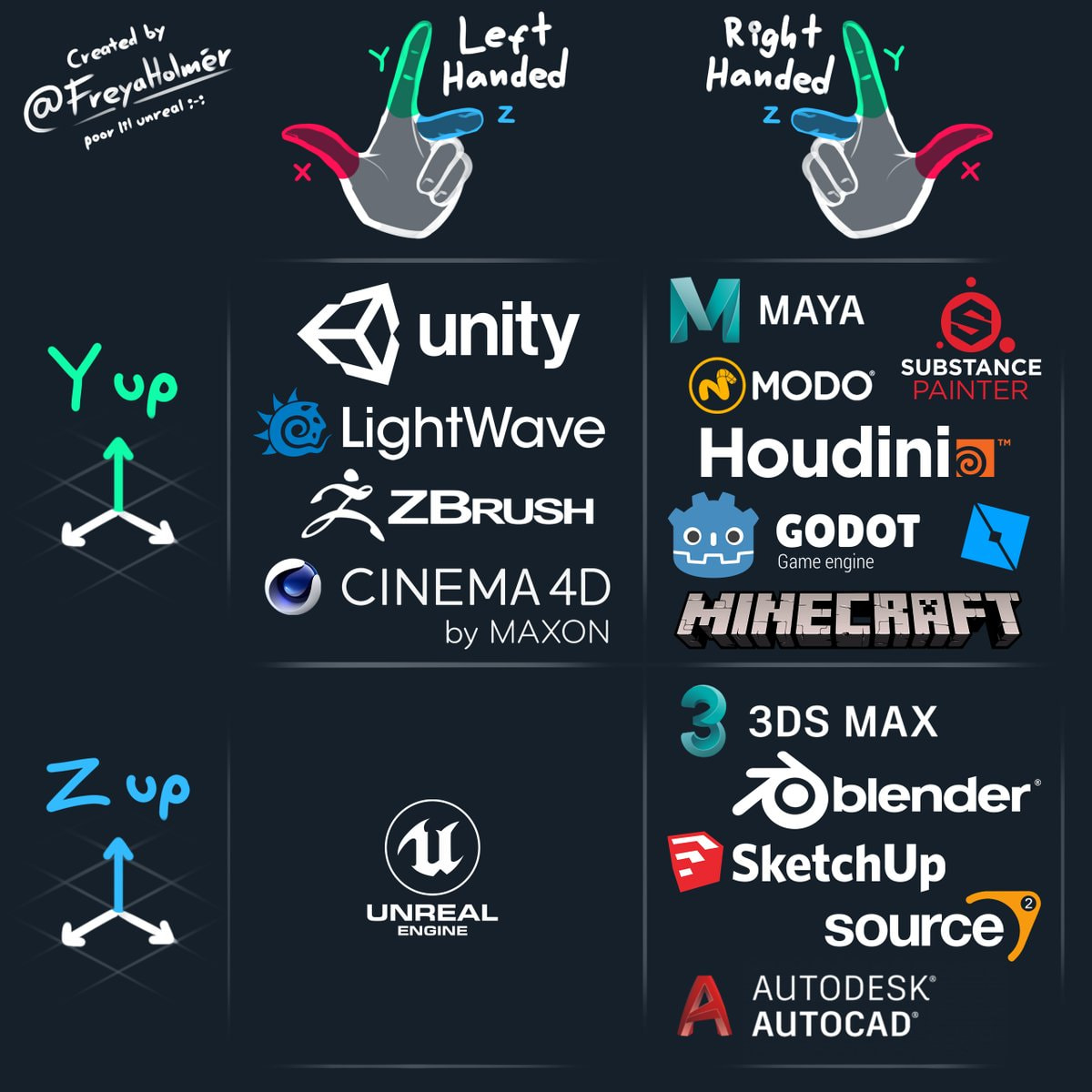
Standard 3D asset exchange formats like FBX and glTF use the Y-Up Right-Handed coordinate system, just like Godot. However, the actual content of those files—such as characters—is typically authored to face +Z. This is known as LUF(+X: Left, +Y: Up, +Z: Forward). To truly align with industry standards, an engine should support both Y-Up and the LUF convention.
The reason for this convention is rooted in DCC tools like Maya; while the viewport camera in Front View looks toward -Z, the modeler naturally builds the front of the character facing the screen, which makes +Z the ‘forward’ direction from the character’s perspective.
As a game engine, the forward orientation of the models within the world is far more critical than the default camera direction. In this regard, Godot’s current -Z forward convention feels counterintuitive. If Godot were to transition to +Z as the forward direction, it would become a much more refined and industry-compatible engine. Given that UEFN has already adopted LUF and UE6 is expected to follow, Godot should also make this transition.
If you joined this forum just to say this, you’re in the wrong place. Go file a ticket on Godot Proposals.
Since this would likely be considered a breaking change, I wouldn’t look for it before Godot 5.x.
What would be a really neat proposal is a little checkbox on the import to allow us to say what orientation the model is coming from and let the importer deal with it. TBH, I just have import scripts written.
It ia all screwed up TBH because the definition of a cross product is always right handed, physics puts + motion as positive and so + is a good choice as the forward direction.
Early computers were mostly 2D and the coordinates were x and y, but y was measured downwards, (possibly because the screen was written like english language from the top left) then with a right handed coordinate system Z faces outwards from the screen.
The camera did not have a local transform.
Then much later OpenGL and DirectX had different row/columns for the shaders … one was row major and the other column major. Yet another convention screw up, its because people imagine the correct version differently.
So what? I’m not understanding the issue beyond import. The graphic @gertkeno shows is pretty clear that there’s no industry standard. And Unreal engine is great, but just because it’s first to market doesn’t mean they can swing their d*ick around and everyone has to be like them. Emi has stated on multiple occasions they’re not trying to compete with Unreal. So “Unity and Unreal do it” isn’t really much of an argument.
Again, you’re proposing a change that would break all 3D games made in Godot. You do understand why that’s bad for backwards compatibility, right? That requires a major revision change - i.e. going from 4.x to 5.x. Then telling people their old games just won’t work going forwards unless they do some major updates. It’s going to happen, but they literally have no roadmap for moving to 5.x in the next few years.
Again, you’re spitting in the wind here. We can shoot the sh*t on the subject all you want (and we enjoy a lively debate here), but the only way this has a chance of changing is if you follow the link I posted and make your case there. The Godot Devs (with a few exceptions) do not read anything on these forums.
wouldn’t touch this convention. It’d just cause more problems than it solves.
[/quote]
Lol. This isnt a big deal.
I just think its clearly all a mess and it gets worse …
First, there is no point in changing the standard used in the engine, its a case of adapting to it.
This is not a Godot-only problem. Everything is a mess because standards keep varying.
The problems occur when an animated model turns up broken because the other software writes the scales or axes differently. That should be fixed - its nonsensical. The problem occurs when something happens that the exporter plugin authors cannot explain.
If anyone can understand all the pitfalls of importing a model with scaled nodes and flipped axes then perhaps they could write an expert system that imports and handles each case, and reports to the user in a clear and consise manner what may have gone wrong, or simply is this orientation intended etc. Then perhaps scales could be baked to the skeleton and model to sanitize it for Godot.
With all the modern tech that makes Godot so deluxe there are shadows of legacy issues that make slow progress for certain activities, like animation and importing models properly.
Little bit OT, an old Mastodon post of mine: But should fit to any of the programs:
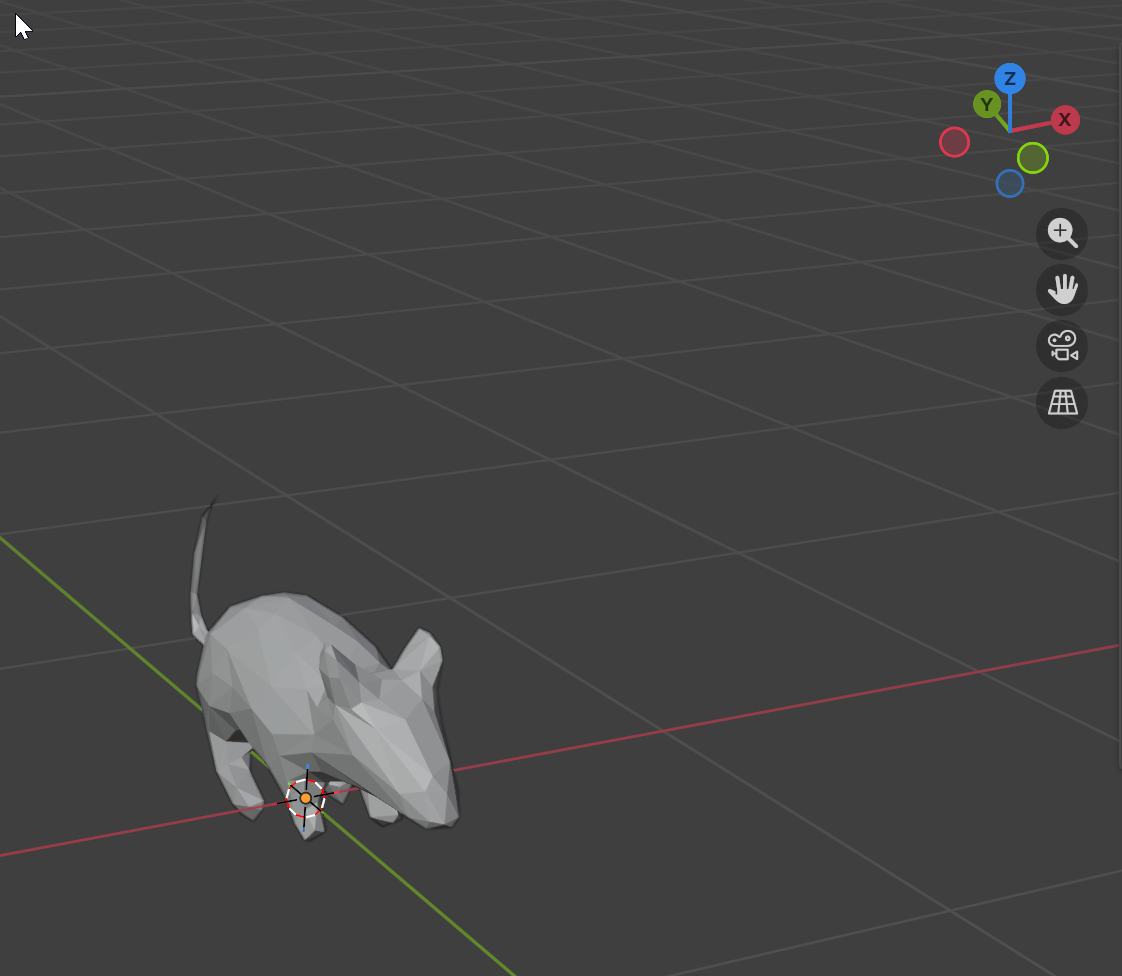
”Constantly switching between Godot and Blender is a pain due to the different coordinate systems (Y-Z flipped).
Pro tip: Just remember that RGB corresponds to XYZ (Red=X, Green=Y, Blue=Z). One glance at the axis color and the orientation is immediately clear.”
And the anims have to be rescaled too. Otherwise the bones motion is wrong.
This is offtopic , but along similar lines to the issue highlighted inadvertantly by the main post …systemic problems in 3D graphics due to conflicting standards and units.
I’m not sure if I understand the issue you’re describing with Blender and Godot.
I make sure that X+ is on the right in Blender and export as GLB. And then there is nothing else to worry about. Or am I missing something? Or am I indeed using the wrong “front”? Haha now I’m confused.
GLB export is not the problem I’m referring to. There is the option to define Y as up in the exporter.
It’s the orientation inside Blender and Godot, there it can be confusing if you switch between the two all the time when transforming something. In Blender Z is up (and the axis is blue) and in Godot Z is depth, and the axis is blue there too. So you can see with one glance which axis is which, just by the color. Same for the gizmos in local coordinates. Just that fact I wanted to point out, since most people are not aware that there is a deeper meaning in the colors of the axis.
Thanks for clarifying. It didn’t occure to me, that people might not be aware of the axis each having their designated color. Godot and Unreal even color their Vector3 properties accordingly, Unity and Blender don’t.
The documentation suggests to work with Vector3.Model_* in 3D asset space:
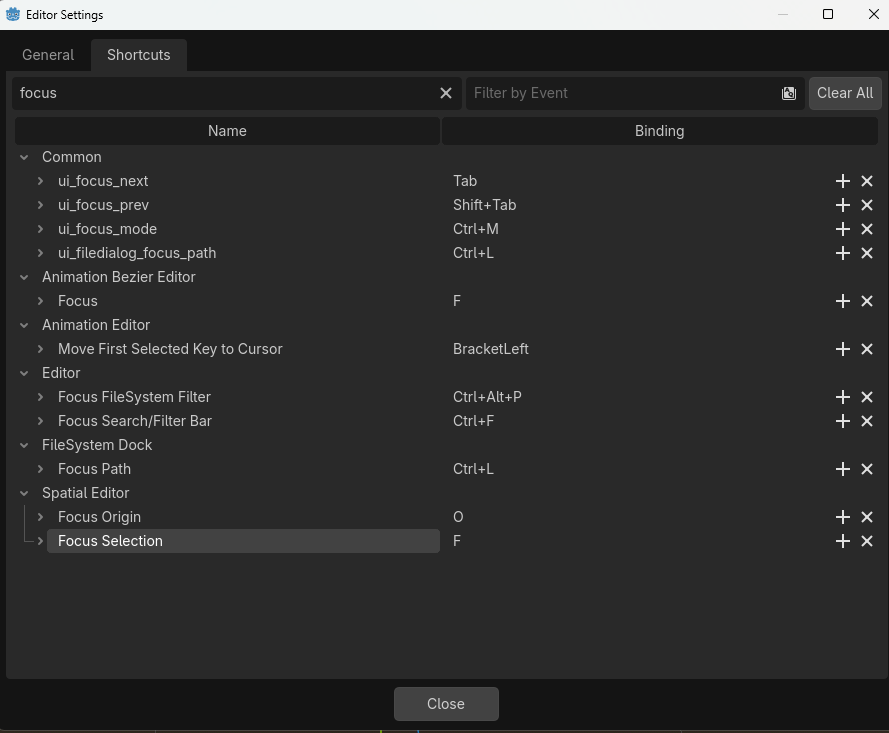
Not really an issue but i find the F key for focus pretty weird, because in Blender its the numpad ‘.’ also known as numpad delete.
Also the vectors names isnt an issue, and although ive had to put negative signs on things calculated to go left or right over the years, the ‘handedness’ is usually something i can fix.
But as the differences accumulate, as some of the more experienced developers will know after using CG, GLSL and DirectX HLSL, the problems can get weirder and more difficult to figure out.
Ive had loads of problems with file formats not being used properly and yeah the export option with y as up is already checked…but the bones dont reorient and they keep their different directions.
I know a bit about math, and tbh the axis direction becomes abstract, vectors are just indexed like x_i, or tensors x_ijk, so theres not much difference because you dont even write x_1 anymore. You get the early hint to think in generalized coordinates. Heck, in classical mechanics anglular coordinates and axes are treated the same, its all just a coordinate.
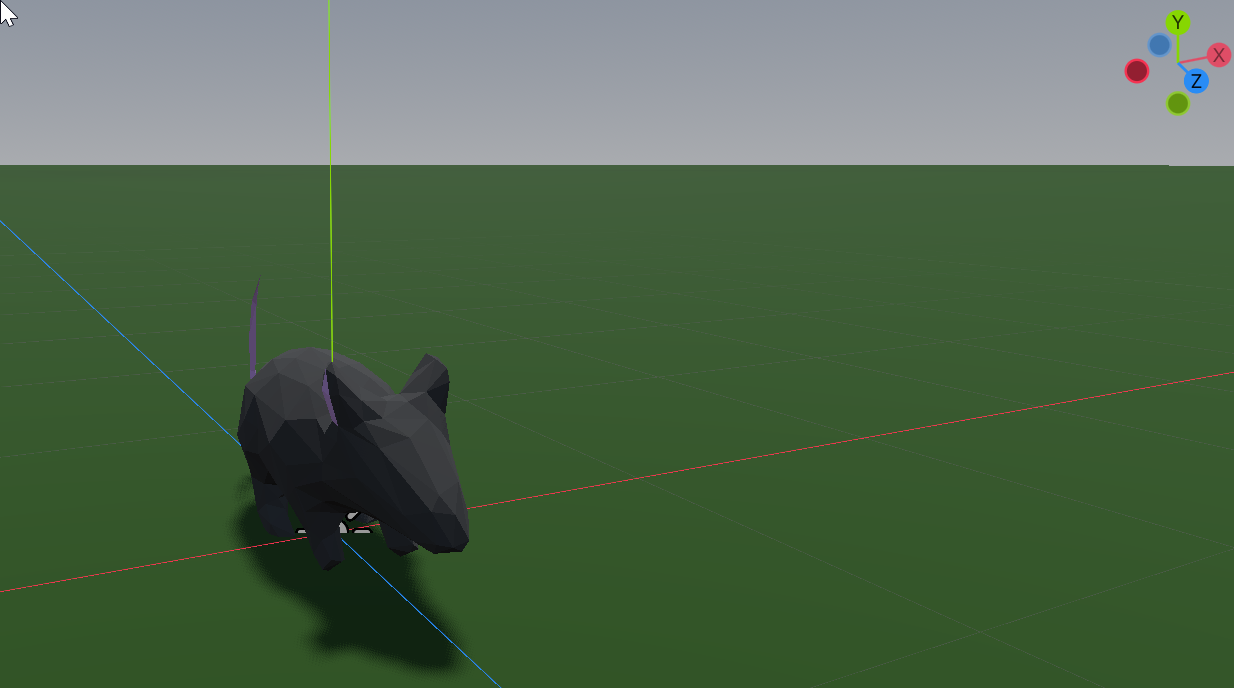
 It didn’t occure to me, that people might not be aware of the axis each having their designated color. Godot and Unreal even color their Vector3 properties accordingly, Unity and Blender don’t.