Godot Version
4.7.2
Question
Hello,
I could need some help since I am currently have a hard time standardizing my 3D import/update pipeline between Blender and Godot. It should be straight forward but I have some quirks where I couldn’t find a solution here.
It’s really nothing fancy, I simply want:
- export/update a GLB mesh from Blender to Godot
- have the mesh as instance so it updates whenever the GLB is updated (inherited scene or tres resource)
- use the mesh in a GridMap (MeshLibrary)
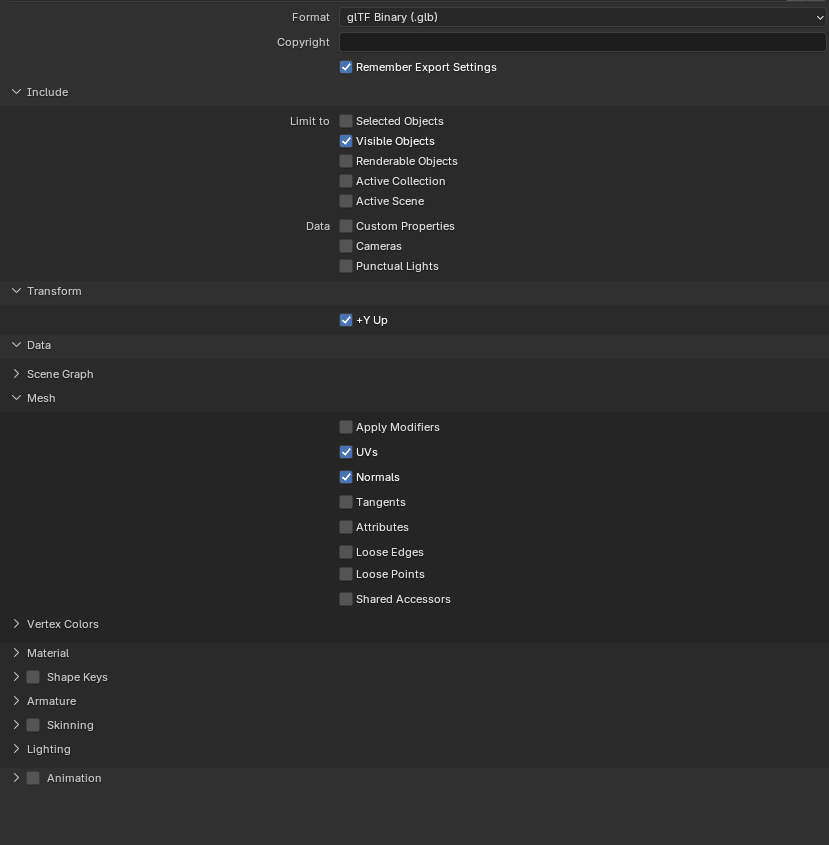
So, my two approaches: create an inherited scene or use “Save on import” in the GLB import dialog to create the tres file. Both produce a quirk that I’m not able to fix: the mesh is rotated 90° on the Z axis. That’s all. I can rotate in Godot, yes. But I just want to have it imported it correctly.
I can see the wrong rotation in the GLB import dialog (and in the tres preview) but when I create an inherited scene, the mesh is placed correctly (as Node3D with a MeshInstance3D child).
In Blender I played with the “Y Up” export option which didn’t fix it and the inherited scene also displays it correctly.
So, is this a known issue or do I have to do something different?
Or is there another workflow for importing/creating instances (not unique meshes) of a 3D/GLB mesh? I don’t want to use .blend files, GLB just should work.
Thanks.