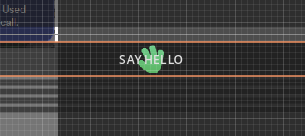
In Button node, how to make icon and text not overlap if both are centered?

Godot Version

4.7

Question

I’m simply trying to make a button have an icon and it’s text centered, but when centering both, they overlap:

And aligning either to the left will of course result in the icon being too far away from the text. I want the text to start right next to the icon, and the composition to be centered. Adding spaces to the text results in de-centering the text and not the image. I could bake the text inside the icon texture but then I wouldn’t be able to modify the text dinamically.

Adding spaces, icon is centered, text is not:

And this is what should happen:

There are not many settings in the option button to begin with, so I’m not sure this is even possible. Is it?

I generally just make an h-box a child of the button, add my labels and a spacer, and then center the h-box

Take a look here. You might be able to use RichTextLabels.

Hmmm, I could make a child RichTextLabel and embed the image in there I guess. I was hoping for that behaviour to be more readily available in the button itself.