Godot Version
Any
Question
Specifically, in Minecraft, every time a block is destroyed or placed, the chunk in which that block is located is updated. However, each chunk contains 16x16x384 blocks, and each block has 6 faces. If traverse all 16x16x384x6 faces to determine which ones should be rendered every time when updating a chunk, it would be a performance issue.
I don’t know much about Minecraft, so I don’t know where to search for these questions, and the answers given by GPT are very ambiguous. It just so happens that I am exploring the Godot engine, so I posted this topic here
If anyone knows:
- How to arrange the Mesh data of the block so that it can be quickly updated and submitted to ArrayMesh?
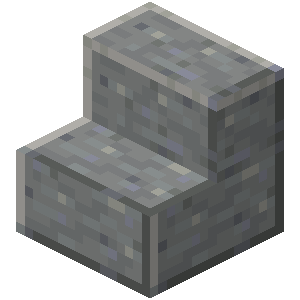
- How should we perform face culling for objects with complex shapes? For example, the staircase block only has two complete square faces for culling. In this case, how should we handle the faces of such a block in Question 1?
- For cubes, generating a mesh based on their numbers is quite straightforward. However, for complex objects, how can I only generate the visible faces? Do I need to label which faces are hidden under what circumstances during modeling?
- For generating block Mesh data, almost only the block information that is in contact with air or other transparent blocks is useful, because blocks that are not in contact with transparent blocks are wrapped by opaque blocks and will not generate any Mesh. Can we use this to store block resources?
Or know where to seek answers
Please tell me, thank you very much!
1 Like
I think you could write a mesh renderer that reads data from a json file and use UV’s to put the textures on for each block, when people clone minecraft they make cubes but minecraft fakes it with a mesh renderer.
I have been researching this for some time because I want to write my own level editor like the old days.
1 Like
Thank you for your reply
Yes, after subjecting GPT to severe torture, he did say the same thing, but the new question, as I mentioned in my first question, is how to design data structures.
ArrayMesh require at least three arrays to generate Mesh (verts, normals , uvs), which means that these arrays need to be regenerated every time a block is updated.
I think we can use the list in the following example code to update only a few corresponding elements in the list for each placement and destruction of a single block, and then directly convert the modified list into an array through the "vertices.ToArray()” function.
I’m actually more interested in knowing this
public override void _Ready()
    {
        Godot.Collections.Array surfaceArray = [];
        surfaceArray.Resize((int)Mesh.ArrayType.Max);

        // C# arrays cannot be resized or expanded, so use Lists to create geometry.
        List<Vector3> verts = [];
        List<Vector2> uvs = [];
        List<Vector3> normals = [];
        List<int> indices = [];

        /***********************************
        * Insert code here to generate mesh.
        * *********************************/

        // Convert Lists to arrays and assign to surface array
        surfaceArray[(int)Mesh.ArrayType.Vertex] = verts.ToArray();
        surfaceArray[(int)Mesh.ArrayType.TexUV] = uvs.ToArray();
        surfaceArray[(int)Mesh.ArrayType.Normal] = normals.ToArray();
        surfaceArray[(int)Mesh.ArrayType.Index] = indices.ToArray();

        var arrMesh = Mesh as ArrayMesh;
        if (arrMesh != null)
        {
            // Create mesh surface from mesh array
            // No blendshapes, lods, or compression used.
            arrMesh.AddSurfaceFromArrays(Mesh.PrimitiveType.Triangles,
surfaceArray);
        }
    }
1 Like
This solution is called “Greedy meshing” to create the most optimal mesh, either by lowest vertex count or a mix of generation speed and low vertex count. Caching data like this is the largest challenge in making a destructible Voxel game, and there are many parameters to tweak to your liking.
1 Like
Thank you for your reply. I‘ll try this
1 Like
I’ve been afk for a while, I hope it worked out for your project. did you get it to work with chunks too?