Include file in exported build (web platform)

Godot Version

4.4.1

Question

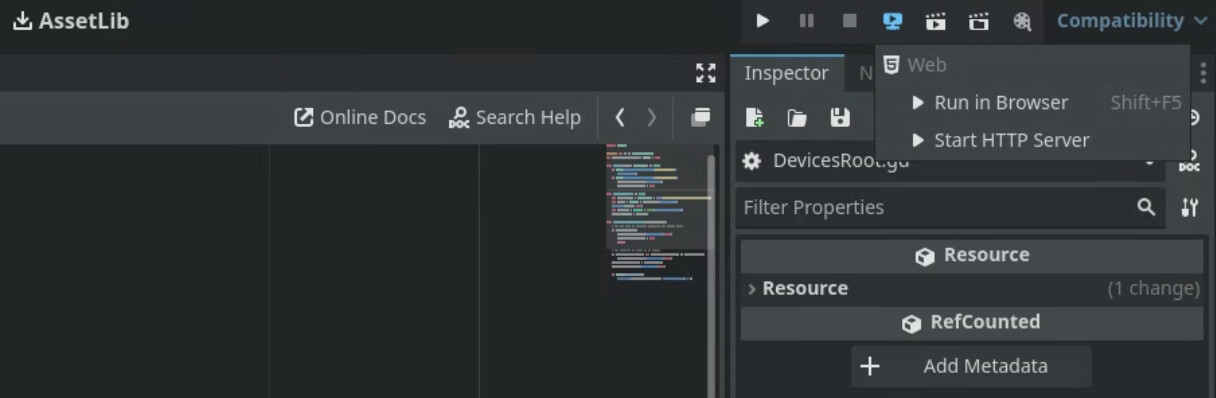
Hi everyone. I’m trying to figure out how to simply include a file in my web export - without it going inside the .pck file. My use case is that I have a .js file my project imports as part of the <head> in the HTML that provides helper functions. I need the HTML file to be able to find the script to import it (ie it has to exist inside the build folder). I’m aware something like a bash script could do this but for speedy development I use Godot’s Remote Display -> Start HTTP Server option which prevents me from having to creating a new build, start my own HTTP server, run some script/copying over files etc.

So is there anyway to do this? Every method I’ve tried has not worked or put the file inside the .pck file. This would save me a ton of time. Thanks!

I am unfamiliar with this feature and cannot find it. Googling it didn’t help either. Could you provide a link to the official Godot documentation of what you’re using?

It would save a ton of time in helping you debug this if you told us what you’ve tried. Otherwise this thread is probably going to be filled with you responding, “Oh I already tried that.”

I’m not 100% sure if this will work but you could make a plugin that implements an EditorExportPlugin implementing the callback EditorExportPlugin._export_begin() that copies the js file to the path

I tested the following code and seems to work fine:

@tool
extends EditorPlugin


var export_plugin:ExportPlugin


func _enter_tree() -> void:
	export_plugin = ExportPlugin.new()
	add_export_plugin(export_plugin)


func _exit_tree() -> void:
	if is_instance_valid(export_plugin):
		remove_export_plugin(export_plugin)
		export_plugin = null


class ExportPlugin extends EditorExportPlugin:


	func _get_name() -> String:
		return "My export plugin"

	func _export_begin(features: PackedStringArray, is_debug: bool, path: String, flags: int) -> void:
		print("Export begin")
		var dir = DirAccess.open("res://")
		if dir:
			var err = dir.copy("my_script.js", path.get_base_dir().path_join("my_script.js"))
			print("File copied: " + error_string(err))
		else:
			print("Error opening directory: " + error_string(dir.get_open_error()))

2 Likes

I’ve tried editing a bunch of different export settings (ex Filter to export non-resource files/folders) so I’d think it would live there. Basically I’ve tweaked almost everything in the export config.
1 Like

This seems very promising! I’ll try it and report back.

Edit: TOTALLY WORKED! Thank you so much this just saved me a ton of time. Had zero idea about this export plugin feature.

This topic was automatically closed 30 days after the last reply. New replies are no longer allowed.