I want to be able to see my Blender working files within Godot. I want some .blend files to be imported, but others not.
From one of the unimported files, I want to export some of its models as gltf files. I don’t want to have to tell Blender where to export each time. I simply want it to export to the same directory.
This could be done if filenames could be removed from the Godot import using some kind of pattern. For example, I could name my Blender file my_file-noimp.blend to exclude it.
I don’t want to use .gdignore. I want to see my files and have them in the same export directory.
Is there any way to do this? I believe something like this existed in previous versions of Godot.
Also relevant:
Sounds like a good feature to have going forward!
(Sorry, I never know which button to press when replying)
Thank you very much for your reply.
I think that proposal would also make those files invisible in the file system, and that’s important for what I want. Anyway, I’ll subscribe to it because it seems interesting.
I’ve thought about putting the Blender files I don’t want to import in directories with .gdignore and creating a Blender script that automatically generates the .gltf file in the parent folder. Again, I would lose visibility of those files. It’s not something I particularly like.
I think I’ll try to register a new .blend file import preset that doesn’t actually do anything with the file (or just create a resource). I think I’ll be able to select it for the files I don’t want to import instead of the default Blender preset. It will run every time I save the file, but since it doesn’t do anything, it should be very fast. With that, I think I’ll have what I want. In the future, if I’m lucky enough to finish the game, I’ll have to do some cleaning up, but that doesn’t worry me much at the moment.
Thanks for replying, good that you have a workaround!
If this was the answer you were looking for, maybe you can mark it as accepted for when others with the same question come here. 
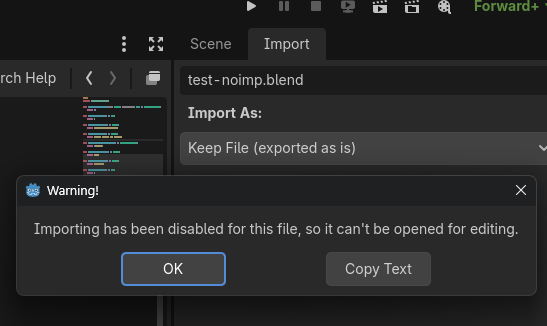
Cool! Thanks for sharing!