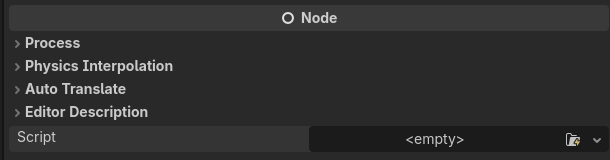
Is there a way to disable the Script Editor but keep the “Attach New Script” feature?
Hi everyone,
I want to keep using Godot’s Attach Script / New Script functionality, but I don’t use Godot’s built-in Script Editor. I prefer writing scripts in an external editor.
The problem is that when I disable the Script Editor through Manage Editor Features, the option to attach or create a new script stops working. However, I don’t want the Script Editor icon or tab to remain visible in the editor’s top toolbar since I never use it.
Is there any way to disable or hide the built-in Script Editor’s toolbar icon while keeping the “Attach Script” and “New Script” functionality available?
I’d like to create and attach scripts directly from Godot while editing their code externally, without keeping an unused Script Editor button in the toolbar.
Is this possible through the editor settings, a plugin, or some other workaround?
You can also still drag a script file from the FileSystem dock to the node in the Scene dock to attach it, but I didn’t find a way to remove the script from inside the Scene dock.
You can also create a new script file within the FileSystem dock by right-clicking > New Script, or right-clicking a folder > Create New > Script
Additionally, under Interface → Editor I have “Import Resources When Unfocused” and “Save on Focus Loss” set to true to make the interaction between the external text editor and Godot more reactive.