Hi, I’m new at the forum so if I selected the category wrong, please move it to proper place or just tell me and I’ll try to move it to proper place.
The question is - Is there any good AI or not AI tool, for generation 3d models from 2d images? I’m not gonna lie, I’m terrible in making models and looking for some tools that would help me with development of 3d games. I saw a couple of tools, but most of them are only free for 500 tokens lol, not supported right now or just a malware/stealer. I’m not looking for some stunning effects with like AAA studio whole department of people type models. I’m looking for something that would help me process my concept arts into 3d objects. I would like also to start an discussion about this topic.
Of course I’m looking for opensource projects that could be run locally. With the code that I could clone to my PC and look inside it.
I can highly recommend Blender, it’s free and open source, and it can be used to create 3D models, and there are plenty of resources online that help you learn how to use it!
I’m sure it might feel like “But I don’t have time to learn this” now, but trust me in the long run, you’ll save time AND money if you learn even the basics of how blender works, and how to make simple 3D shapes and models.
AI 3D tools produce horrible results, with broken geometry, broken textures, and even if they look “good enough” at a first glance, as soon as you want to make even small changes to it, you won’t be able to, because, as I said, the geometry is completely broken and doesn’t make any sense.
I heard and checked Blender a couple times a few years ago, and maybe now I will look like I’m looking for excuses… but for me personally - it looks really, really time consuming.
I started as webdev and switched as fast as I could to backend, because when I had to make frontend I stuck not at the code… I stuck when I had to choose colors for an app. One time it took me over 3hrs to choose which colors I want to use for a gradient. And honestly I feel like I’m not created for graphic design of anything.
But maybe as I’m getting old… it’s time to fight the old demons once again with colors, shapes and compositions.
And as you said with broken geometry… debugging those results could be much more terrible than making models from zero.
Check out GameDev.tv. They have a ton of really great Blender tutorials for games. Alternately, check out Kenny and KayKit on itch.io. They have huge collections of stuff for very reasonable prices, and a TON of high-quality free stuff.
Just install WSL with Ubuntu, set up a small FastAPI server, and run locally. For anyone wondering what my local setup looks like, everything runs completely offline.
TRELLIS.2-4B – the main Image-to-3D model that converts a single image into a textured GLB mesh.
DINOv3 – the vision encoder used for feature extraction from the input image before it’s passed to TRELLIS.
BiRefNet – used for background removal and object segmentation to isolate the subject.
All models are stored locally:
models/TRELLIS.2-4B/
models/dinov3/
models/rembg/
The server is a small FastAPI application, and HF_HUB_OFFLINE=1 is enabled, so nothing is downloaded or sent over the internet once everything is installed. The only real requirement is a decent NVIDIA GPU with enough VRAM.
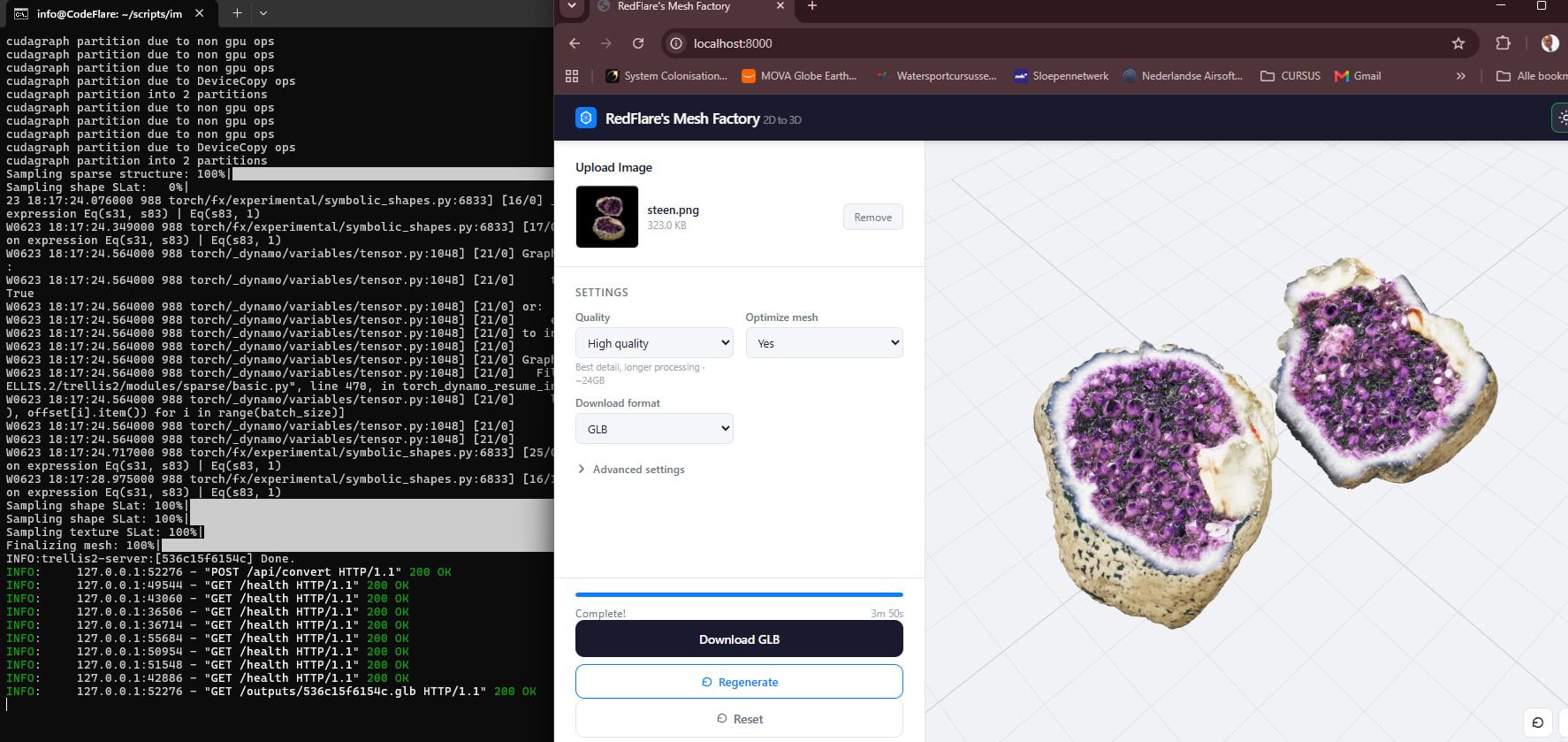
(venv) info@CodeFlare:~/scripts/img_2_3d$ python app.py [SPARSE] Conv backend: flex_gemm; Attention backend: flash_attn INFO: Started server process [940] INFO: Waiting for application startup. INFO:trellis2-server:Loading TRELLIS.2-4B pipeline (offline, local DINOv3)… [ATTENTION] Using backend: flash_attn INFO:trellis2-server:torch.compile (reduce-overhead): sparse_structure_flow_model INFO:trellis2-server:torch.compile (default): shape_slat_flow_model_512 INFO:trellis2-server:torch.compile (default): shape_slat_flow_model_1024 INFO:trellis2-server:torch.compile (default): tex_slat_flow_model_512 INFO:trellis2-server:torch.compile (default): tex_slat_flow_model_1024 INFO:trellis2-server:Pipeline loaded successfully. INFO: Application startup complete. INFO: Uvicorn running on ``http://0.0.0.0:8000`` (Press CTRL+C to quit)
input (Also a locally running fastapi server where i can choose from 15+ local AI models)
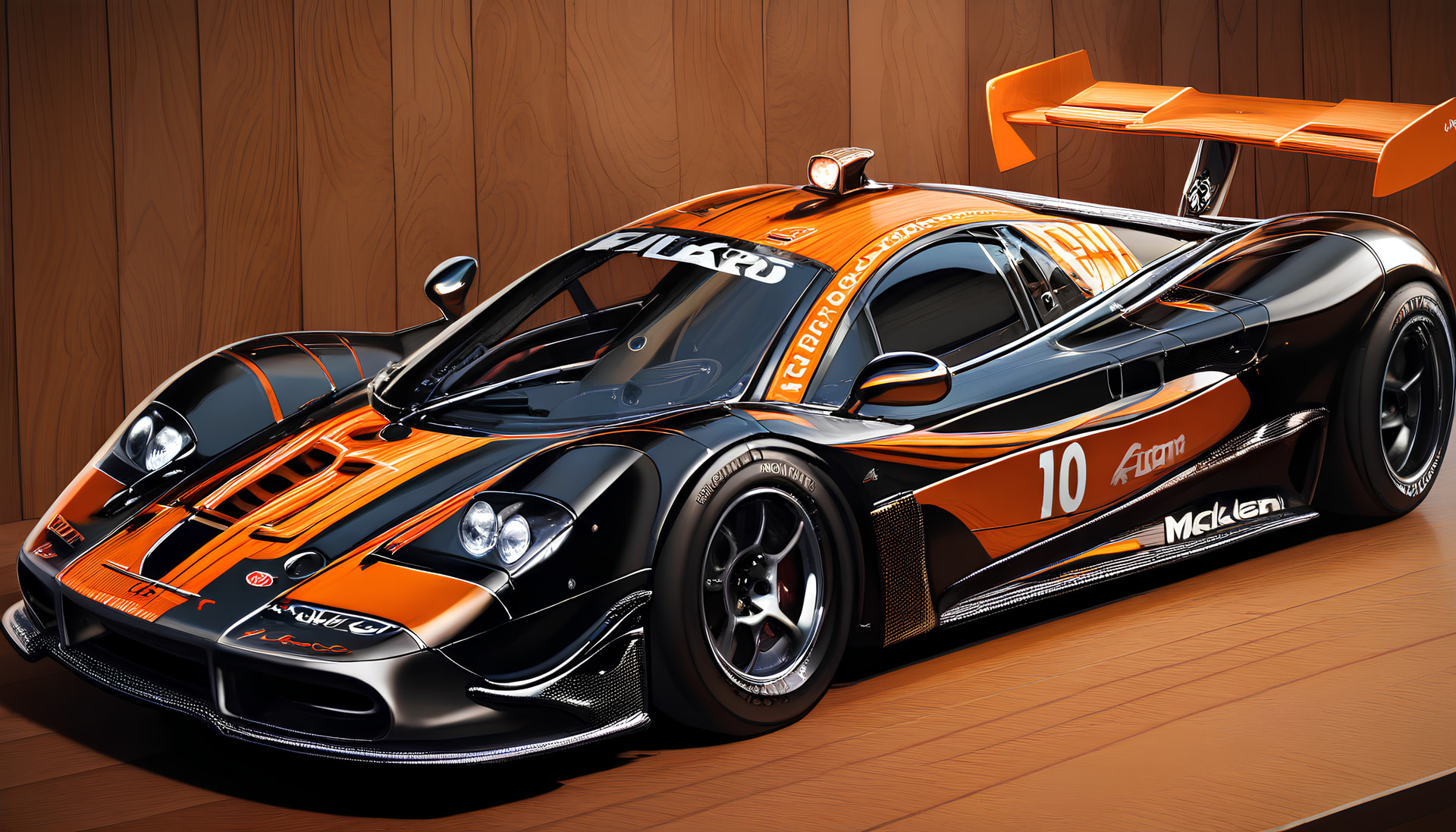
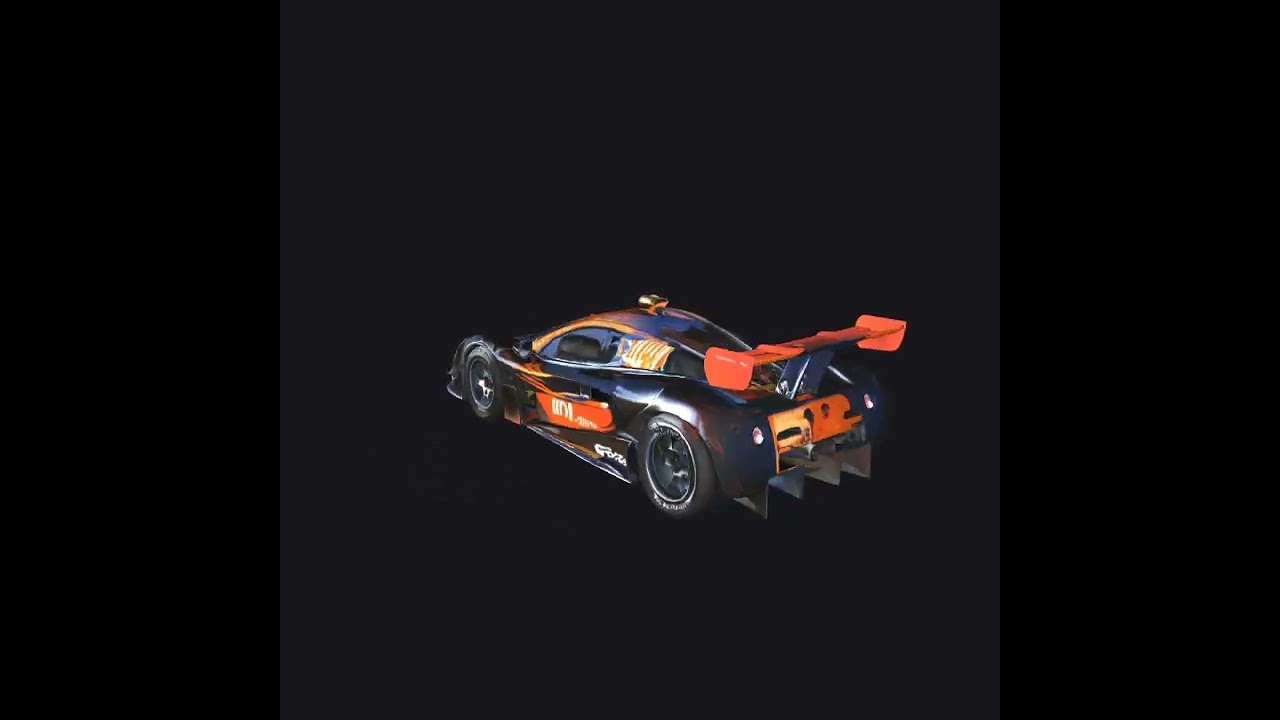
And what about using it as prop for making proper model? I don’t know if I’m saying it right, but I mean that we could just use this generated 3d car in this example, and make by hand a proper car inside a blender with shape matching? What about this idea? For me it sounds easier, but in blender I only made right now model of a 3d letter.
I don’t know what advantage McLuen thinks a racing car with a broken front axle has over other cars, but I’m sure FILARO approves of the tiny yet aerodynamics-breaking roof-mounted headlight in case the team ever decides to pivot to rally driving.
I can share an generated GLB if your are interested. just give a picture and i will convert it locally with trellis.. the questions was if you could generate 3d models from pictures for free.. the answer: Yes you can.
I’m really curious if it can take a picture like this and turn it into an object. I’ve been thinking about making a geode in my current game you can split open as a player.
for me that looks cool. If it is created that fast… I mean it looks good, and well enough for low poly game I would say. As I understand correctly, you setup from zero your server with models that you pointed? Trellis.2-4B, DinoV3 and BiRefNet? By the way how much is exactly “enough VRAM”? 8GB or 16GB? Also could I point those models to my swap partition or RAM to work with this memory or this type of memory will be too slow?
Runs the Fast preset (512) only: turn mesh optimization off and keep textures at 1024
Good for low-to-mid poly props: crates, barrels, rocks, simple weapons, furniture
Expect rougher geometry and lower texture detail: fine for stylized/low-poly games
Characters work, but fine details (faces, hands) come out mediocre
With 16 GB (the sweet spot for indie/hobby use):
Runs the Balanced preset (1024) comfortably
Textures at 2048–4096 are doable
Sharper geometry and textures: good enough for props seen up close
Characters and creatures become genuinely usable
Enough headroom to occasionally try High quality (1536)
Godot-specific tips:
Godot imports .glb natively, easiest path
AI-generated meshes are usually not game-ready: messy/high topology, no clean UVs, too many tris → Run them through Blender (decimate/retopo + UV check) before importing
If you’re rigging characters, generating a T-pose mesh first makes skinning far easier
I can share my app.py and frontend. but you will need some tinkering to get it running on 8Gb. Nvidia GPU is required. if you meet the requirements i can pre-cook (blind) a small setup for you. or if you have 16GB.. let me know.