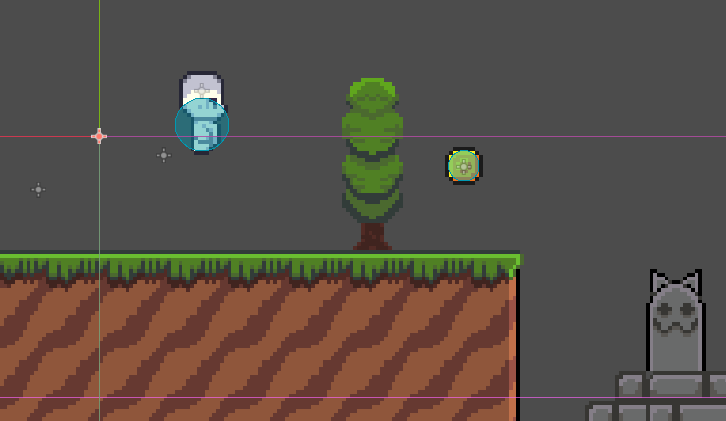
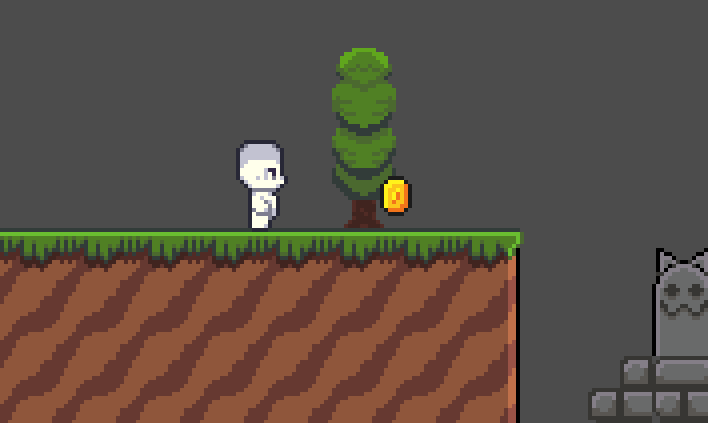
I am following Brackey's beginner tutorial (the platformer one). I created a scene with Area2D and with 2 children, collisionshape2D and animatedsprite2D. I dragged it to the main scene called "game" and dragged it where I liked, however when I tested the game, the pickup shifted downward and to the left (You could say the X and Y axis values of the pickup were subtracted). I already checked offset and transform, all of the X and Y values were 0, and center was checked. The problem doesn't lie on the image since I tested 2 different images for the pickup and both had the same problem.
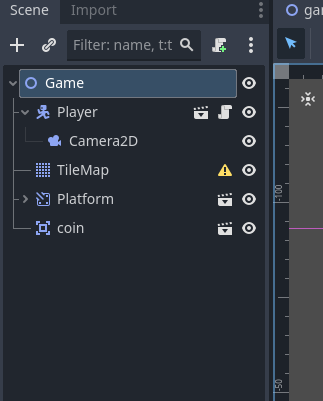
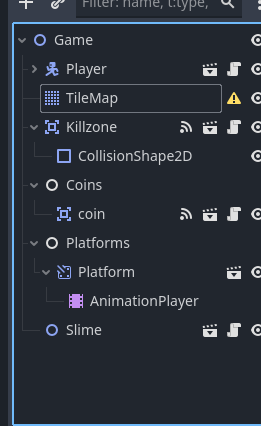
Here’s the scene tree, also yes I’m aware that tilemap is deprecated, I just haven’t gone around to change it with something else yet. Thanks for also informing me that down is positive Y.
Gonna need to see the Player and coin scenes to be sure, but @normalized is getting at what I now suspect - which is you moved something in those scenes so that they’re snapping back to those origins. What I suspect now is that in the root node of those scenes, you have transformed (i.e. moved) the root node away from (0,0). Godot doesn’t like when you do this with root nodes, and it’s snapping them back to (0,0) when you start the game.
The likely solution is to go into each of those scenes, and set the x and y coordinates of the root node to zero. Then go back to your Game scene and they will have shifted in the editor. Move the scenes inside your Game scene to where you want them.
Since you’re following a tutorial, my best guess is he had you make the scenes inside the game scene, then had you save them as scenes by right-clicking and saving them as a scene, or dragging them into FileSystem. Either way, when you do that, there’s a popup asking if you want to remove any transformations at the root. You said no and that’s how you got into this mess. Again, best guess.
I checked the individual scenes, everything is 0,0. Also, the scenes were created seperately from the game scene and were put in a folder with all the scenes, and the tutorial had me drag the scene from the folder into the game scene.
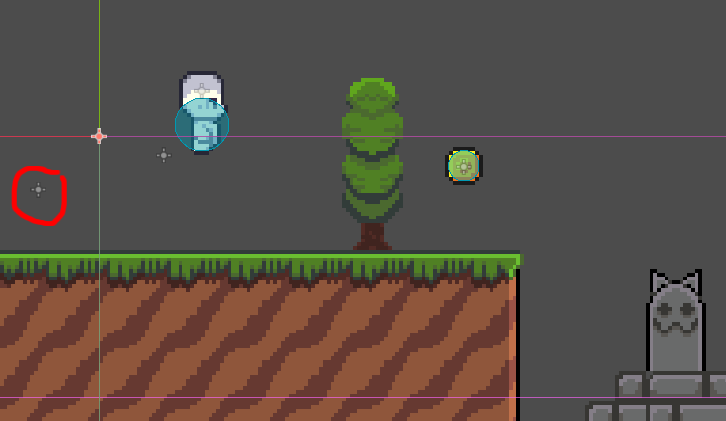
Why it it offset like that? Notice that it’s the exact same offset you get for the coin.
Post your player script, your autoloaded scripts (if any) and all other scripts that may be attached to nodes inside your scenes. Post the structure of all those scenes as well. What’s Platform?
extends CharacterBody2D


const SPEED = 100.0
const JUMP_VELOCITY = -250.0


func _physics_process(delta: float) -> void:
	# Add the gravity.
	if not is_on_floor():
		velocity += get_gravity() * delta

	# Handle jump.
	if Input.is_action_just_pressed("ui_accept") and is_on_floor():
		velocity.y = JUMP_VELOCITY

	# Get the input direction and handle the movement/deceleration.
	# As good practice, you should replace UI actions with custom gameplay actions.
	var direction := Input.get_axis("ui_left", "ui_right")
	if direction:
		velocity.x = direction * SPEED
	else:
		velocity.x = move_toward(velocity.x, 0, SPEED)

	move_and_slide()
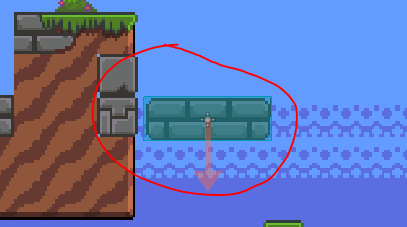
Platform is a scene whose sprite is just a platform, I only noticed now that it has the same problem as the coin. Platform is just a moving platform that moves back and forth.
Why is this scene structure different from what you’ve shown in the first post?
Is AnimationPlayer accidentally animating the tile map as well? Check all tracks in all animations including RESET and make sure none of them are controlling tile map’s position.