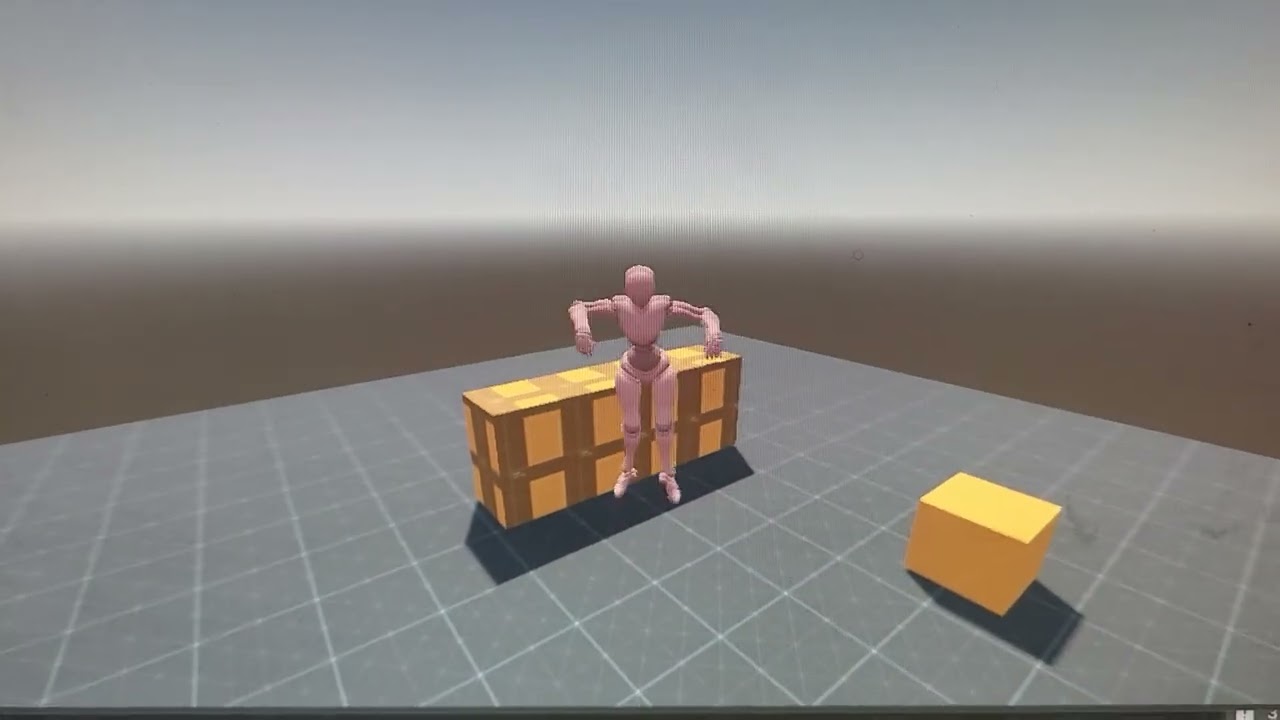
Jump not working in 3D godot 4.6

video here

extends CharacterBody3D

# --- NODES ---
@onready var animation_player: AnimationPlayer = $visuals/character/AnimationPlayer
@onready var camera_mount := $camera_mount  # Changed from SpringArm3D
@onready var camera := $camera_mount/Camera3D

# --- SETTINGS ---
const SPEED = 5.0
const JUMP_VELOCITY = 6.5
const SENSITIVITY = 0.005 # Adjust this for mouse speed

# Get the gravity from the project settings
var gravity = ProjectSettings.get_setting("physics/3d/default_gravity")

enum State { idle, walk, jump }
var current_state: State = State.idle

func _ready():
	Input.mouse_mode = Input.MOUSE_MODE_CAPTURED
	animation_player.play("idle")

func _input(event: InputEvent) -> void:
	# Release mouse with ESC
	if event.is_action_pressed("ui_cancel"):
		Input.mouse_mode = Input.MOUSE_MODE_VISIBLE
	
	# Handle Rotation
	if Input.mouse_mode == Input.MOUSE_MODE_CAPTURED:
		if event is InputEventMouseMotion:
			# Rotate the whole Player left/right
			rotate_y(-event.relative.x * SENSITIVITY)
			
			# Rotate the camera_mount up/down
			camera_mount.rotate_x(-event.relative.y * SENSITIVITY)
			
			# Clamp the vertical look so you don't flip upside down
			camera_mount.rotation.x = clamp(camera_mount.rotation.x, deg_to_rad(-60), deg_to_rad(60))

func _physics_process(delta: float) -> void:
	# 1. Gravity
	if not is_on_floor():
		velocity.y -= gravity * delta
	else:
		velocity.y = -0.1

	# 2. Jump
	if Input.is_action_just_pressed("ui_accept") and is_on_floor():
		velocity.y = JUMP_VELOCITY

	# 3. Movement
	var input_dir := Input.get_vector("left", "right", "forward", "backward")
	var direction := (transform.basis * Vector3(input_dir.x, 0, input_dir.y)).normalized()
	
	if direction:
		velocity.x = direction.x * SPEED
		velocity.z = direction.z * SPEED
	else:
		velocity.x = move_toward(velocity.x, 0, SPEED)
		velocity.z = move_toward(velocity.z, 0, SPEED)

	move_and_slide()
	
	# 4. Animations
	update_animations()

func update_animations():
	var new_state = current_state
	
	if not is_on_floor():
		new_state = State.jump
	elif is_moving():
		new_state = State.walk
	else:
		new_state = State.idle
		
	if new_state != current_state:
		current_state = new_state
		match current_state:
			State.idle:
				animation_player.play("idle")
			State.walk:
				animation_player.play("walk")
			State.jump:
				animation_player.play("jump")

func is_moving() -> bool:
	return abs(velocity.z) > 0.1 or abs(velocity.x) > 0.1

Your problem is very straightforward. When you press the jump button, the player is still on the ground, which means the state change is happening at least one frame after the jump button is pressed. You need to start playing the animation when the jump button is pressed.

I’d also recommend you take a look at the default CharacterBody3D script. You should be using get_gravity(), not pulling it from settings - that’s a very old way of doing it. Using get_gravity() factors in a number of other things, including switching the gravity direction with an Area3D.

new code same issue

extends CharacterBody3D

— NODES —

@onready var animation_player: AnimationPlayer = $visuals/character/AnimationPlayer
@onready var camera_mount: Node3D = $camera_mount
@onready var camera: Camera3D = $camera_mount/Camera3D

— SETTINGS —

const SPEED = 5.0
const JUMP_VELOCITY = 6.0
const SENSITIVITY = 0.005

enum State { idle, walk, jump, reload }
var current_state: State = State.idle

func _ready() → void:
Input.mouse_mode = Input.MOUSE_MODE_CAPTURED
animation_player.play(“idle”)

func _input(event: InputEvent) → void:
if event.is_action_pressed(“ui_cancel”):
Input.mouse_mode = Input.MOUSE_MODE_VISIBLE

if Input.mouse_mode == Input.MOUSE_MODE_CAPTURED:
	if event is InputEventMouseMotion:
		rotate_y(-event.relative.x * SENSITIVITY)
		camera_mount.rotate_x(-event.relative.y * SENSITIVITY)
		camera_mount.rotation.x = clamp(camera_mount.rotation.x, deg_to_rad(-60), deg_to_rad(60))

func _physics_process(delta: float) → void:

1. MODERN GRAVITY

get_gravity() is better than pulling from ProjectSettings manually

if not is_on_floor():
velocity += get_gravity() * delta
else:
velocity.y = -0.1

# 2. INSTANT JUMP ANIMATION
# We play the animation the EXACT moment the button is hit
if Input.is_action_just_pressed("ui_accept") and is_on_floor():
	velocity.y = JUMP_VELOCITY
	animation_player.play("jump") # Play here so there is 0 frame delay
	current_state = State.jump

# 3. RELOAD
if is_on_floor() and Input.is_key_pressed(KEY_X):
	if animation_player.current_animation != "reload":
		animation_player.play("reload")
		current_state = State.reload

# 4. 8-WAY MOVEMENT
var input_dir := Input.get_vector("left", "right", "forward", "backward")
var direction := (transform.basis * Vector3(input_dir.x, 0, input_dir.y)).normalized()

if direction:
	velocity.x = direction.x * SPEED
	velocity.z = direction.z * SPEED
else:
	velocity.x = move_toward(velocity.x, 0, SPEED)
	velocity.z = move_toward(velocity.z, 0, SPEED)

move_and_slide()

# 5. UPDATE GROUND STATES
# Only update if we are on floor and not currently playing a "one-shot" like reload
if is_on_floor() and animation_player.current_animation != "reload":
	# Only change back to idle/walk if we aren't still mid-jump velocity
	if velocity.y <= 0: 
		update_ground_animations()

func update_ground_animations() → void:
var new_state = current_state

if is_moving():
	new_state = State.walk
else:
	new_state = State.idle
	
if new_state != current_state:
	current_state = new_state
	match current_state:
		State.idle:
			animation_player.play("idle")
		State.walk:
			animation_player.play("walk")

func is_moving() → bool:
return abs(velocity.z) > 0.1 or abs(velocity.x) > 0.1

Please format your code correctly.

```gd
#Your code here
```

If you can’t take the time to format it, why should we take the time to try and read it?

1 Like
extends CharacterBody3D

# --- NODES ---
@onready var animation_player: AnimationPlayer = $visuals/character/AnimationPlayer
@onready var camera_mount: Node3D = $camera_mount 

# --- SETTINGS ---
const SPEED = 5.0
const JUMP_VELOCITY = 7.0 
const SENSITIVITY = 0.005 

enum State { idle, walk, jump }
var current_state: State = State.idle

func _ready() -> void:
	Input.mouse_mode = Input.MOUSE_MODE_CAPTURED
	animation_player.play("idle")

func _input(event: InputEvent) -> void:
	if event.is_action_pressed("ui_cancel"):
		Input.mouse_mode = Input.MOUSE_MODE_VISIBLE
	
	if Input.mouse_mode == Input.MOUSE_MODE_CAPTURED and event is InputEventMouseMotion:
		rotate_y(-event.relative.x * SENSITIVITY)
		camera_mount.rotate_x(-event.relative.y * SENSITIVITY)
		camera_mount.rotation.x = clamp(camera_mount.rotation.x, deg_to_rad(-60), deg_to_rad(60))

func _physics_process(delta: float) -> void:
	# 1. MODERN GRAVITY
	# Using get_gravity() as suggested for Godot 4.6
	if not is_on_floor():
		velocity += get_gravity() * delta
	else:
		velocity.y = -0.1 # Keep character glued to CSGBox

	# 2. INSTANT JUMP TRIGGER
	# We play jump IMMEDIATELY to fix that lag you see in the video
	if Input.is_action_just_pressed("ui_accept") and is_on_floor():
		velocity.y = JUMP_VELOCITY
		animation_player.play("jump")
		current_state = State.jump

	# 3. MOVEMENT
	var input_dir := Input.get_vector("left", "right", "forward", "backward")
	var direction := (transform.basis * Vector3(input_dir.x, 0, input_dir.y)).normalized()
	
	if direction:
		velocity.x = direction.x * SPEED
		velocity.z = direction.z * SPEED
	else:
		velocity.x = move_toward(velocity.x, 0, SPEED)
		velocity.z = move_toward(velocity.z, 0, SPEED)

	move_and_slide()
	
	# 4. THE JITTER FIX: PRIORITY LOGIC
	update_animations()

func update_animations():
	# PRIORITY 1: AIR TIME
	# If we are in the air, STOP here. Do not let walk/idle run.
	if not is_on_floor():
		if animation_player.current_animation != "jump":
			animation_player.play("jump")
		return 

	# PRIORITY 2: GROUND MOVEMENT
	if is_moving():
		if animation_player.current_animation != "walk":
			animation_player.play("walk")
			current_state = State.walk
	# PRIORITY 3: STILL
	else:
		if animation_player.current_animation != "idle":
			animation_player.play("idle")
			current_state = State.idle

func is_moving() -> bool:
	return abs(velocity.z) > 0.1 or abs(velocity.x) > 0.1


i belive like this

1 Like

im gonna be honest choosing to be rude and give nothing to this thread over improper formatting instead of just giving a helpful tip is 10x worse than the all Gray code

I think the problem is related to the animations.

# PRIORITY 1: AIR TIME

If we are in the air, STOP here. Do not let walk/idle run.

if not is_on_floor():
if animation_player.current_animation != “jump”:
animation_player.play(“jump”)
return

If the character is on air, when jump animation ends will again play the same animation.
Without knowing your animations but on my own experience and mistakes, I think you are not using split animations for jump, on air/fall and landing.
Could this be the issue?

I’m going to be honest, I don’t care about your opinion. I did give a helpful tip. It was clear from the first post that he was using an LLM to vibe code. That’s why he got the initial terse response. I tried to be helpful and send him in the right direction without wasting a bunch of my time. You get what you put into your questions. He put very little effort into his question.

The OP ran what I said through an LLM, and then copy and pasted his new LLM-generated code into the window with no formatting. Not even spending time to format the code, and asking me to help debug vibe coding is highly insulting. I am not an LLM. I also don’t get paid to do this.

I respond to multiple questions on this forum every day. Reading through “grey text” is a huge waste of my time. Your response was really offensive, because you have no idea how hard it is to read unformatted text. It’s like someone posting in a foreign language, and me asking them to post in English, and you telling me that I should spend my time figuring out what they asked instead of rudely asking them to post in English on an English-based forum.

Also, I wasn’t being rude. I was being terse. I happened to be about to shut my computer down, and was trying to help him by having him format his code so maybe someone else could help him while I was gone. You choosing to interpret my perfectly reasonable request as rude, and then giving me sh*t for it is rude.

I’m going to be honest with you. I have no interest in correcting vibe-coding from an LLM. I wish you well with it. If you want to pay me to debug your vibe-coding, I’m happy to do so. You can message me privately on here to set something up or fill out the contact form on my website (found in my profile).

I was hoping someone else might be willing to help you. Maybe you got this fixed already. I would suggest you follow a tutorial and learn how to make this code yourself instead of relying on an LLM to teach you. Studies have shown that people using LLMs to learn retain very little knowledge and struggle to learn concepts.

I recommend you follow this tutorial: Your first 3D game — Godot Engine (stable) documentation in English and then follow this tutorial on making a 3D character controller: Creating a 3D Character :: Godot 4 Recipes Making a character controller is relatively easy compared to all the other things you’re going to have to learn, and doing it yourself is going to give you a sense of accomplishment and reduce your frustration.

Good luck!

im gonna be honest that makes it fair