Kula World recreation

Godot Version

4.6

Question

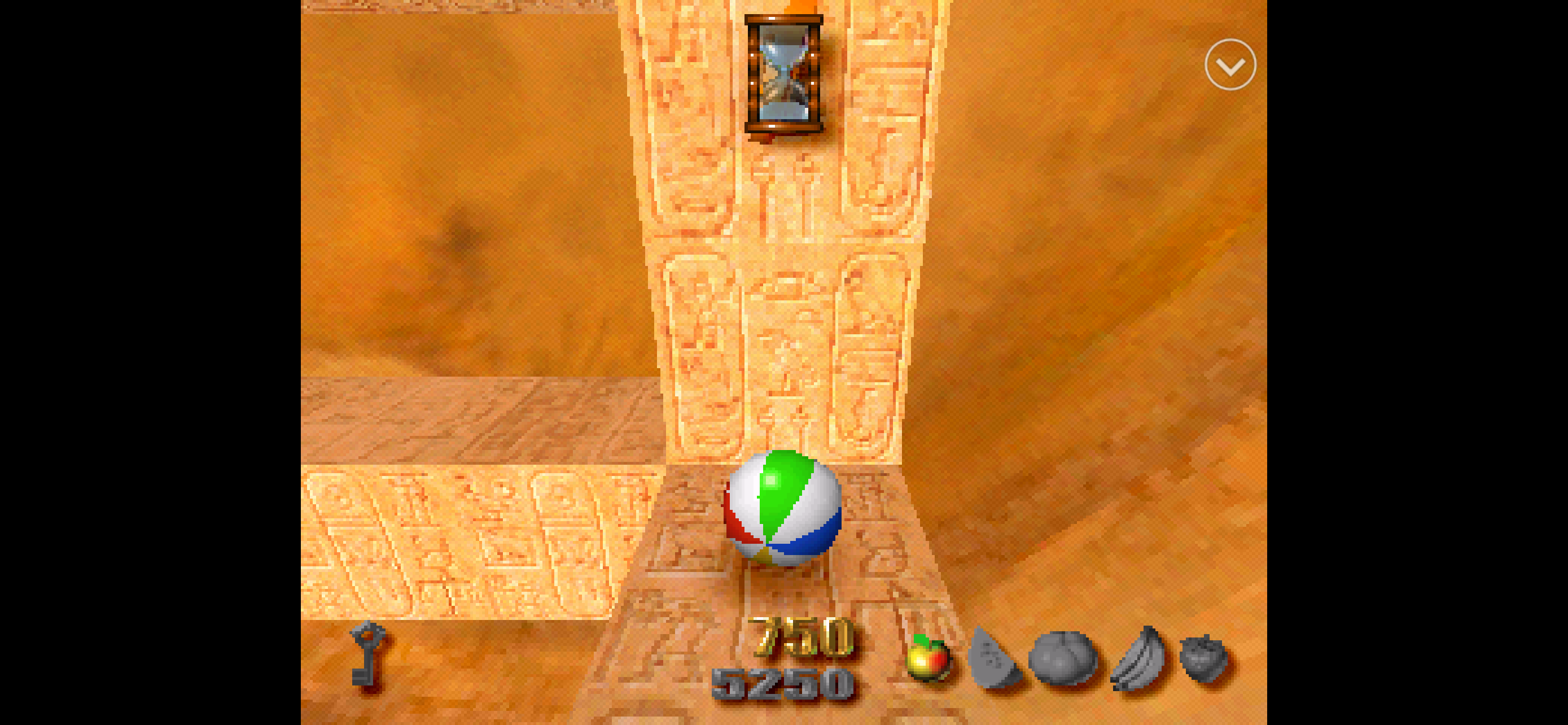
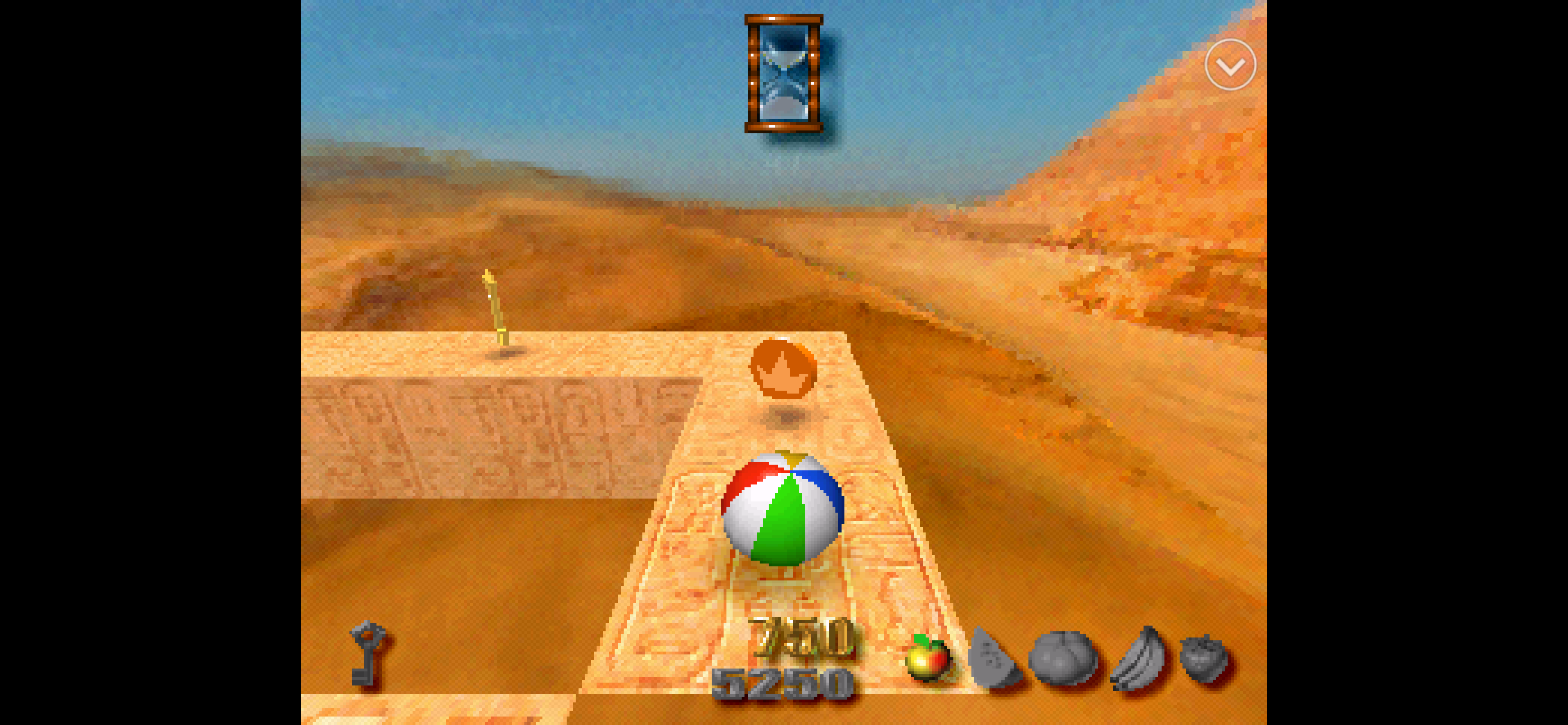
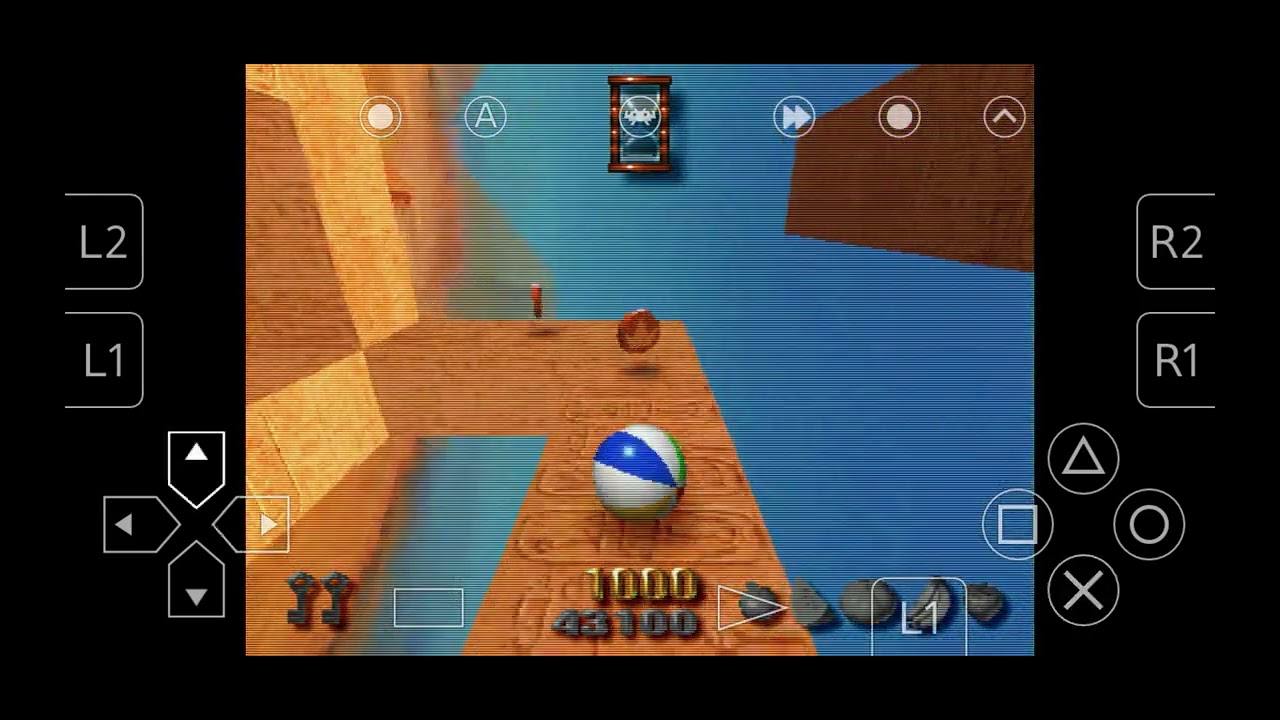
I start looking more how player behaves during gameplay in original game and I noticed couple of a things

  1. Ball breathing ( squeeze from above ) is active during idle
  2. Rotation seem to be quite consistent
  3. Camera rotation seem to be snapping to 45 degrees
  4. Gravity seem to be not applied and it’s rather some custom surface solution which camera follow along this track and not rendering any inside faces .

Some tips how to make this animations or should I go approach the PS1 ( Naughty dog used for vertices move ) ?

Later I plan to use rigidbody3d to make it more realistic but first I want to learn a bit how it was made and recreate it using Godot .

You mean the rotation animation?

This looks like completely tile/grid based system. It doesn’t even need a character body. And using a rigid body here would just cause problems instead of solving them.

1 Like

yes, rotation and deformation animation during idle and jump .

So what type of node do you propose ?

So far I have only model created in Blender and found texture’s so those were straight forward.

First, I’d use grid map for the map. That way you won’t really need to use any colliders as movement is strictly grid based and all constraints are implied. You can get away with a plain mesh instance and a bit of scripting. You could use some character body physics but I really think it’s an overkill to use physics for something that’s so obviously dependent on the grid.

As for rotation/scaling it’s just transformation of the mesh instance depending on the state the player is in - moving/jumping.

1 Like

You mean like I don’t need colliders for cube or player and navigate them strictly by forward by changing transform by storing current position and adding to it ?
( in original game the rotation left, right is changing camera only by 45 degree on Y axe , would I need some pivot and interpolation to make it looks smooth ? , the backward movement doesn’t exist its always forward based on orientation of camera )

Is this deformation achieved by scale then ? so its got extra pivot instead of origin( in my case mass center )


Node3D or AnimatableBody3D as the root and handling movement purely through code/tweens on a grid?

print(grid_map.get_used_cells())

returned

[(-1, 0, 0), (-2, 0, 0), (-3, 0, 0), (-4, 0, 0), (-5, 0, 0), (-6, 0, 0), (-7, 0, 0), (-7, 0, -1), (-7, 0, -2), (-7, 0, -3), (-8, 0, -3), (-9, 0, -3), (-10, 0, -3)]

so could I use this + vector3( 0,1,0) or rather use extra layer for navigation of ball around the grid ?

You could do it with colliders, but judging from what is shown in the video, I’d opt for not using them. They’ll just make things more complicated.

Likely, yes.

Yeah, I’d try to do it without any physics nodes, just some convenient hierarchy of plain Node3D’s and mesh instances.

1 Like
Array[Vector3i] get_used_cells() const 

Returns an array of Vector3 with the non-empty cell coordinates in the grid map.

this looks like most sensible function to use , but there is also

Array[Vector3i] get_used_cells_by_item(item: int) const 

Returns an array of all cells with the given item index specified in item.

Vector3 map_to_local(map_position: Vector3i) const 

Returns the position of a grid cell in the GridMap's local coordinate space. To convert the returned value into global coordinates, use Node3D.to_global(). See also local_to_map().

especially map_to_local could be useful , but not sure what exactly to use for determine next position when press forward.

I’d start with doing a basics cell-to-cell movement using tweens.

1 Like
extends Node3D
@onready var grid_map: GridMap = $"../GridMap"
var cell_world_positions: Array[Vector3] = []
@onready var grid_position_player = 0
@onready var start_pos = global_position

func _ready() -> void:
	var used_cells = grid_map.get_used_cells()
	print(used_cells)
	for cell_index in used_cells:
		var world_pos = grid_map.map_to_local(cell_index)
		print(world_pos, cell_index)
		var absolute_pos = grid_map.to_global(world_pos)
		print(absolute_pos, world_pos)
		cell_world_positions.append(absolute_pos)
	
	print("player position", global_position)
	print(cell_world_positions[0])


func _process(delta: float) -> void:
	if Input.is_action_just_pressed("forward"):
		grid_position_player +=1
		if grid_position_player <= 12:
			print(grid_position_player)
			global_position = cell_world_positions[grid_position_player] + Vector3(0, 1.663997, 0) - Vector3(0, 0.5, 0)
		else:
			pass

I came with this ( for now array size is hardcoded , I look into tweens at evening ) . Many thanks for help with it .

Is there a better approach then using for loop for translation of cells into world positions ?

current output

Godot Engine v4.6.stable.custom_build - https://godotengine.org
Metal 3.2 - Forward+ - Using Device #0: Apple - Apple M2 Max (Apple8)

[(-1, 0, 0), (-2, 0, 0), (-3, 0, 0), (-4, 0, 0), (-5, 0, 0), (-6, 0, 0), (-7, 0, 0), (-7, 0, -1), (-7, 0, -2), (-7, 0, -3), (-8, 0, -3), (-9, 0, -3), (-10, 0, -3)]
(-0.5, 0.5, 0.5)(-1, 0, 0)
(-0.5, 0.5, 0.5)(-0.5, 0.5, 0.5)
(-1.5, 0.5, 0.5)(-2, 0, 0)
(-1.5, 0.5, 0.5)(-1.5, 0.5, 0.5)
(-2.5, 0.5, 0.5)(-3, 0, 0)
(-2.5, 0.5, 0.5)(-2.5, 0.5, 0.5)
(-3.5, 0.5, 0.5)(-4, 0, 0)
(-3.5, 0.5, 0.5)(-3.5, 0.5, 0.5)
(-4.5, 0.5, 0.5)(-5, 0, 0)
(-4.5, 0.5, 0.5)(-4.5, 0.5, 0.5)
(-5.5, 0.5, 0.5)(-6, 0, 0)
(-5.5, 0.5, 0.5)(-5.5, 0.5, 0.5)
(-6.5, 0.5, 0.5)(-7, 0, 0)
(-6.5, 0.5, 0.5)(-6.5, 0.5, 0.5)
(-6.5, 0.5, -0.5)(-7, 0, -1)
(-6.5, 0.5, -0.5)(-6.5, 0.5, -0.5)
(-6.5, 0.5, -1.5)(-7, 0, -2)
(-6.5, 0.5, -1.5)(-6.5, 0.5, -1.5)
(-6.5, 0.5, -2.5)(-7, 0, -3)
(-6.5, 0.5, -2.5)(-6.5, 0.5, -2.5)
(-7.5, 0.5, -2.5)(-8, 0, -3)
(-7.5, 0.5, -2.5)(-7.5, 0.5, -2.5)
(-8.5, 0.5, -2.5)(-9, 0, -3)
(-8.5, 0.5, -2.5)(-8.5, 0.5, -2.5)
(-9.5, 0.5, -2.5)(-10, 0, -3)
(-9.5, 0.5, -2.5)(-9.5, 0.5, -2.5)
player position(-0.448021, 1.663997, 0.548285)
(-0.5, 0.5, 0.5)
1
2
3
4
5
6
7
8
9
10
11
12
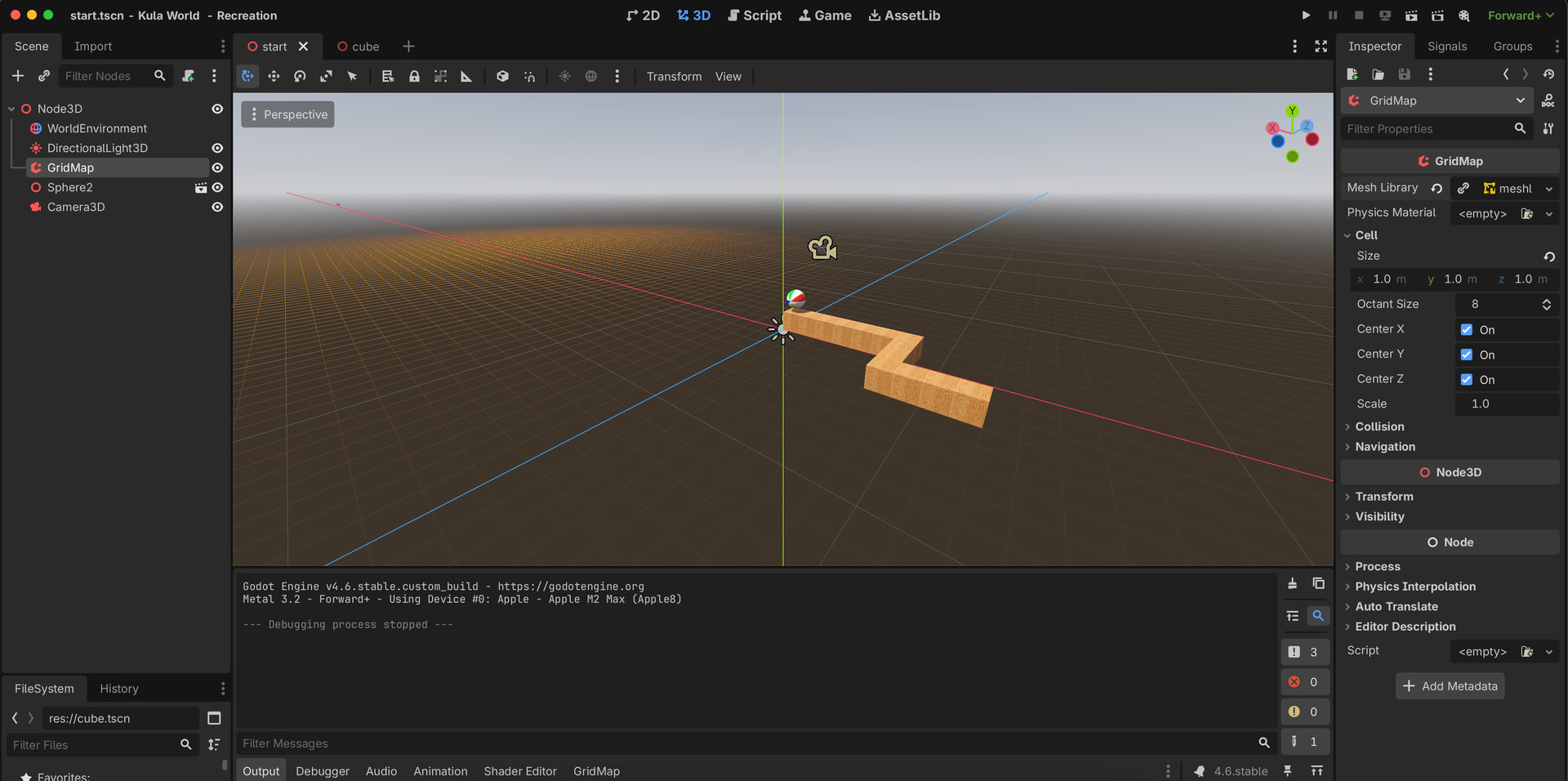
Well if you need all cells, you’ll have to iterate. Although I’m not sure why you need to put them all in an array. You can just calculate the cell coordinate on the fly from the player position.

Typically you’d need some data structure to holds custom per-cell data. A good approach would be to store it in a dictionary with Vector3i keys.

1 Like

Yeah that could be a good approach , I was thinking how to do neighbour cell if is coming from side and got one ahead , or if is flipped and will need to not allow jump .

Basically jump is two units ( I used meter by meter cube and radial 0.5 for sphere ) to simplify calculations but if you get 1 unit away from wall it not allow to jump only going forward .

Going forward when rotated away from next cell will not move but if jump and forward is pressed it will fall and restart scene .

Also one more mystery if I got multiple lands it will need to be somewhere 2 cells away to be able to jump on it how do I determine there as next cell to be able to land ?

So I have used tween for idle

func idle_animation_tween() -> void:
	idle_tween = get_tree().create_tween().set_loops()
	var squezzed = Vector3(1.1, 0.85, 1.1)
	var full = Vector3(1.0, 1.0, 1.0)
	idle_tween.tween_property(sphere, "scale", squezzed, 0.8).set_trans(Tween.TRANS_LINEAR).set_ease(Tween.EASE_IN_OUT)
	idle_tween.tween_property(sphere, "scale", full, 0.8).set_trans(Tween.TRANS_LINEAR).set_ease(Tween.EASE_IN_OUT)

this works fine but determine roll_animation for next position it probably need some higher coding skill ,

added pivot to rotate camera

@onready var pivot: Node3D = $Pivot

func _process -> void:
	if Input.is_action_just_pressed("left_camera"):
		pivot.rotation_degrees += Vector3(0, 90, 0)
	if Input.is_action_just_pressed("right_camera"):
		pivot.rotation_degrees += Vector3(0, -90, 0)

so somehow need to get this

var direction = where_is_forward()

func where_is_forward() -> Vector3:

some tips ?

so far -

extends Node3D
@onready var grid_map: GridMap = $"../GridMap"
@onready var sphere: MeshInstance3D = $Sphere
@onready var pivot: Node3D = $Pivot
var idle_tween: Tween

func _ready() -> void:
	idle_animation_tween()

func _process(delta: float) -> void:
	if Input.is_action_just_pressed("forward"):
		var direction = where_is_forward()
	if Input.is_action_just_pressed("left_camera"):
		pivot.rotation_degrees += Vector3(0, 90, 0)
	if Input.is_action_just_pressed("right_camera"):
		pivot.rotation_degrees += Vector3(0, -90, 0)

var direction = where_is_forward()

func where_is_forward() -> Vector3:
	return Vector3.ZERO

func idle_animation_tween() -> void:
	idle_tween = get_tree().create_tween().set_loops()
	var squezzed = Vector3(1.1, 0.85, 1.1)
	var full = Vector3(1.0, 1.0, 1.0)
	idle_tween.tween_property(sphere, "scale", squezzed, 0.8).set_trans(Tween.TRANS_LINEAR).set_ease(Tween.EASE_IN_OUT)
	idle_tween.tween_property(sphere, "scale", full, 0.8).set_trans(Tween.TRANS_LINEAR).set_ease(Tween.EASE_IN_OUT)

but one more thing coming to mind with it is when do rotation tween it will change axis for idle so it will be looking off, some trick for it ?

Remove the idle animation for now. That’s in finesse domain and should be done last. Implement the instant cell to cell movement first, without tweening, so your positions/directions are working properly. Forward is camera global look vector projected to horizontal plane. Or maintain a dedicated vector that you rotate around the global up axis by 90 degrees when a corresponding action is pressed.

Again, do everything without smoothing first. If you have the right positions and orientations, interpolating between them is the easy part.

1 Like

Can Camera placed as child of pivot and pivot child of Sphere node ?

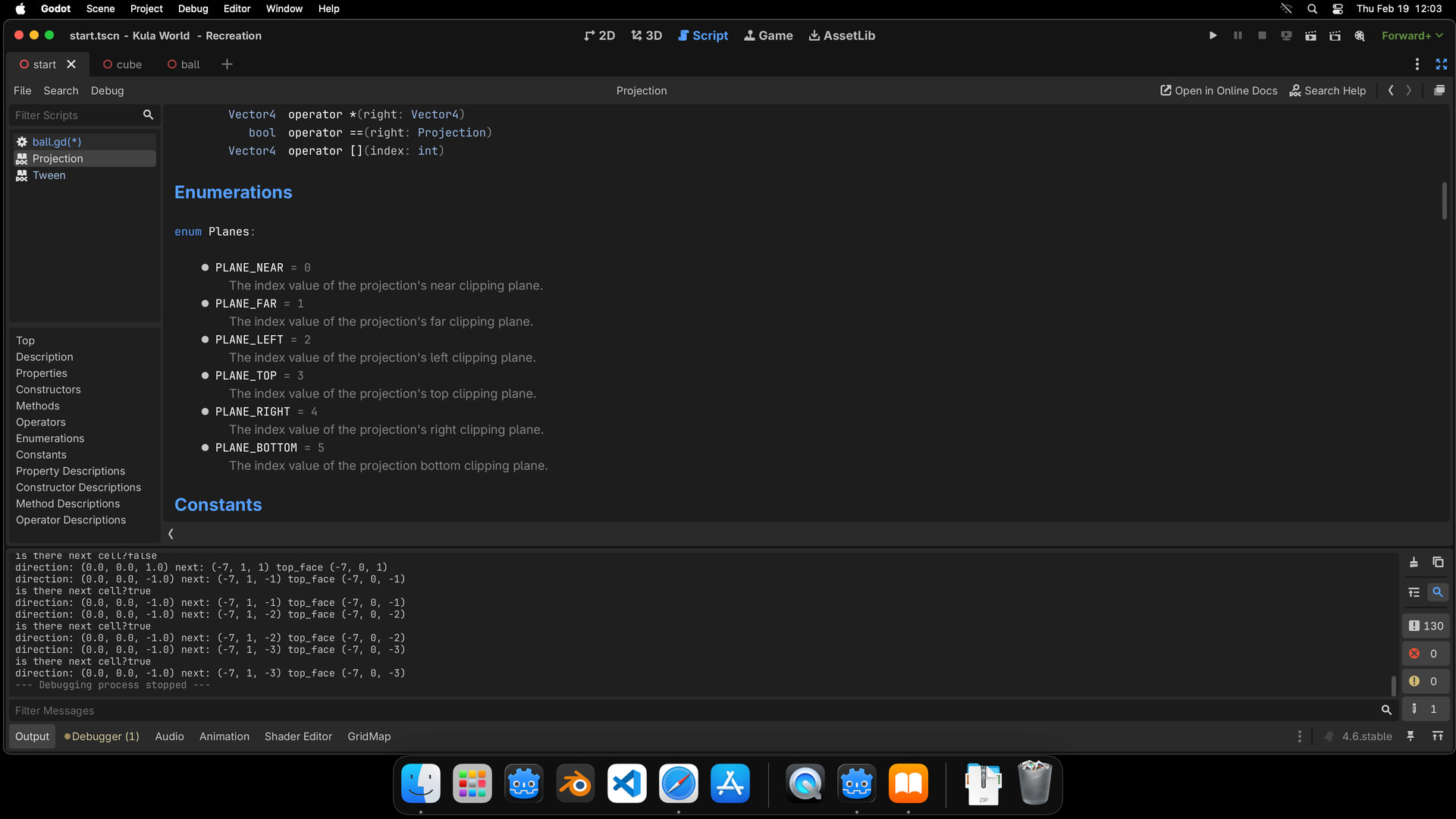
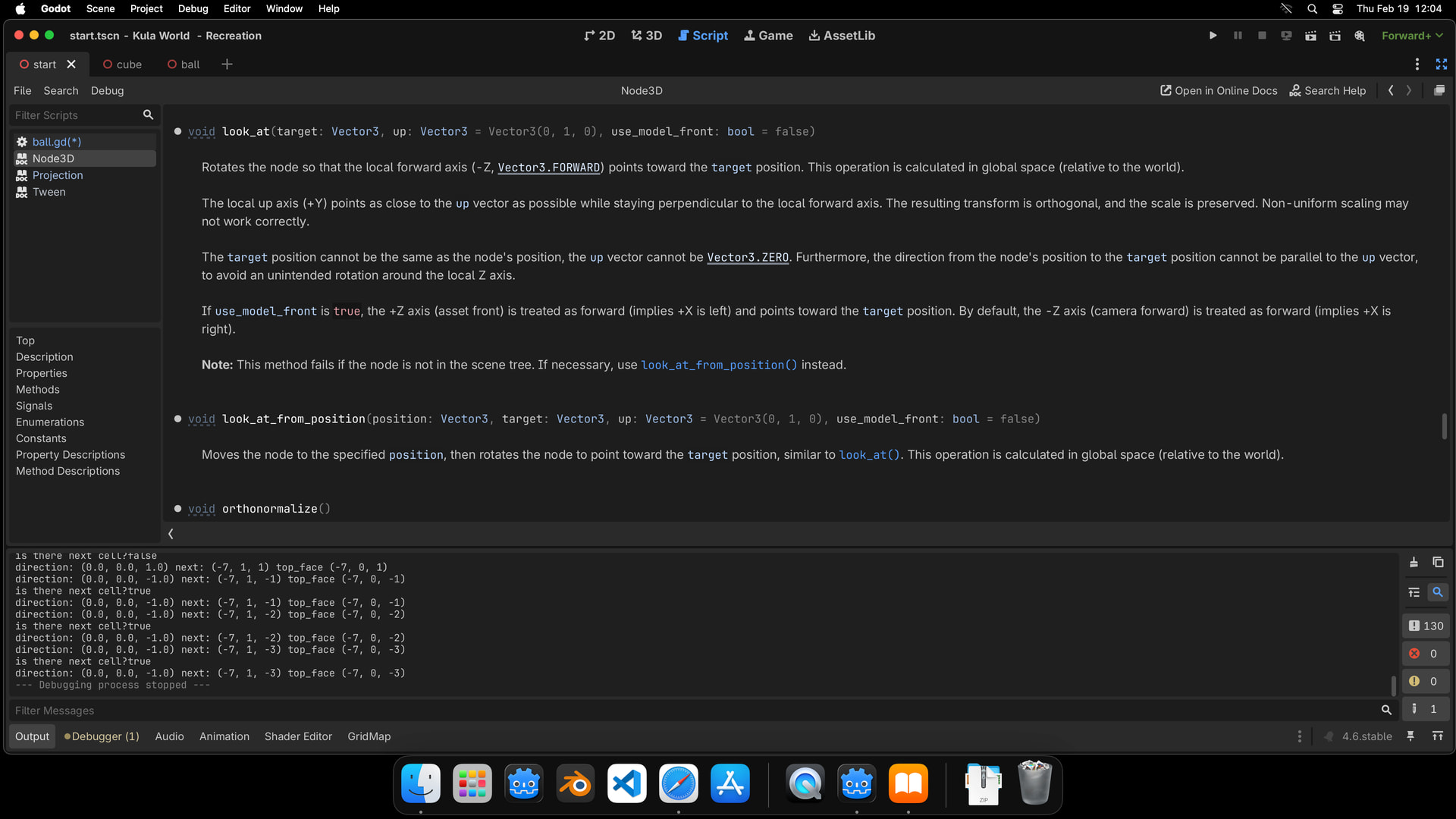
so for start XZ would be horizontal plane , camera have Vector4 , so use camera basis or some look_at from to function to determine direction .

I looked into documentation and some search and a bit doomed as for flat grid can imagine how level works to use cos and sin math but when comes to build vertical cells should those be flipped grid as new node or continuous of same grid but only rotate cells and keep adding one by one into layer +1 ?


so there is code for now to figure out where sphere is on grid

	grid_position = Vector3i(sphere_node.global_position / TILE_SIZE)
	var below = grid_position + Vector3i(0, -1, 0)
	print("Cell standing on: ", below, grid_map.get_cell_item(below))

movement itself is done by check of if there is next cell to move on , if so move_to_next_cell is executed

	if Input.is_action_just_pressed("forward"):
		print("is there next cell?", is_there_next_cell())
		if is_there_next_cell():
			move_to_next_cell()

for where_is_forward is used help of Claude as I couldn’t figure out how to get Projection

func where_is_forward() -> Vector3:
	var forward = camera_3d.global_basis * Vector3.FORWARD
	forward -= current_normal * forward.dot(current_normal)
	forward = forward.normalized()
	return forward

for check of next_cell used direction( Claude version for now ) , added grid_position and checked Y -1 ( that where its instantiated ), return only valid cells with occupied items

func is_there_next_cell() -> bool:
	var direction = where_is_forward()
	var next = grid_position + Vector3i(direction)
	var top_face = next + Vector3i(0, -1, 0)
	print("direction: ", direction, " next: ", next, " top_face ", top_face)
	return grid_map.get_cell_item(top_face) != GridMap.INVALID_CELL_ITEM

hardcoded move by size 1 as this is standard measure for cube in project

func move_to_next_cell() -> void:
	var direction = where_is_forward()
	grid_position += Vector3i(direction)
	sphere_node.position += direction * TILE_SIZE

Some ideas how to improve the logic for this Projection from camera ?

Good luck!

Maybe some materials which I should look into to get better understanding of it ?


You can generalize the whole thing for rotations around the horizontal axes and you pretty much have the rough prototype of the referenced game.

1 Like