V4.5.1
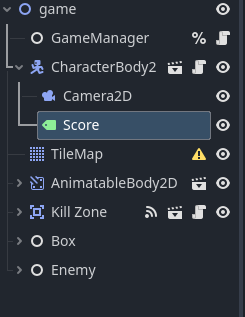
I have a camera which is my characters child
and i also have a label for showing score so the player can always see their score.
so i make the label as the cameras child. but the label is fixed and does not move as my character (and camera )'s position varies.
Your label is not a child of the Camera2D it is a child of the CharacterBody2D. If you want to always display it in the same screen-position you may have better luck reparenting it to a CanvasLayer
2 Likes
i tried both childing the label to Player and camera but it didnt work
and for the canvaslayer, when i do that the label will be disappear and i do not know why
It is probably off-screen, a new canvas layer will use screen coordinates starting from 0,0 to your window size.
1 Like
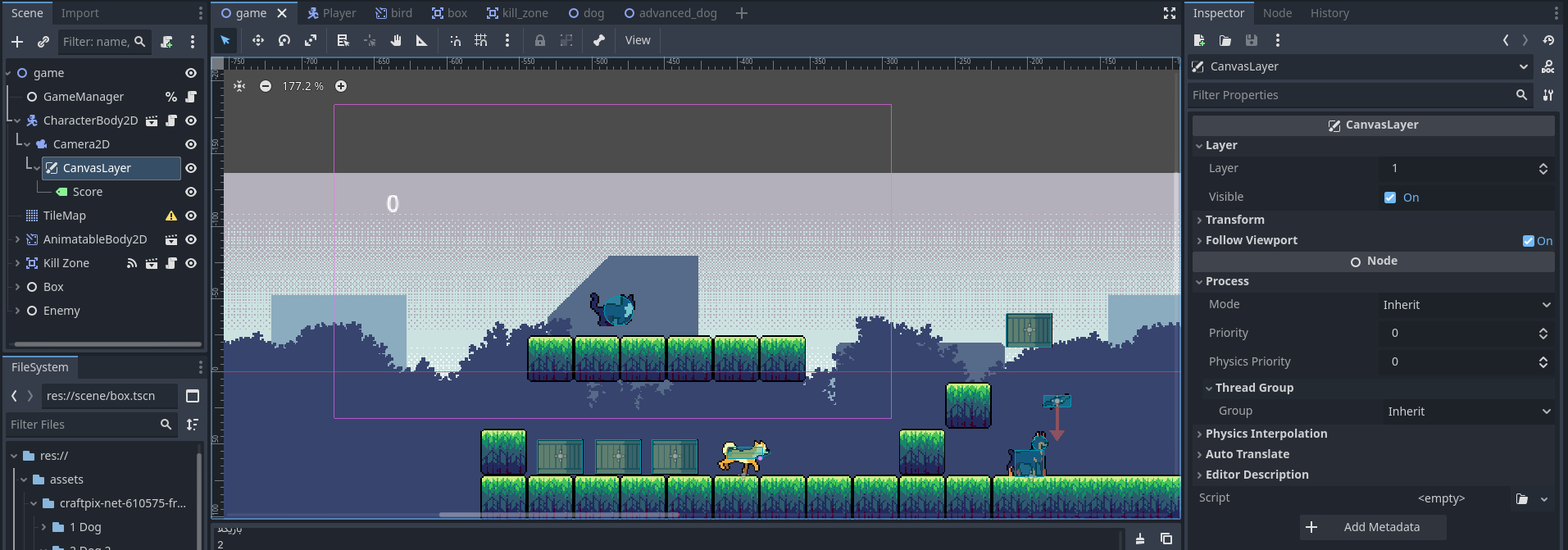
i tried what you suggested with the properties as in the following image.
still it sticks to its initial position and does not move
(i changed the layer several times to different numbers but nothing changed
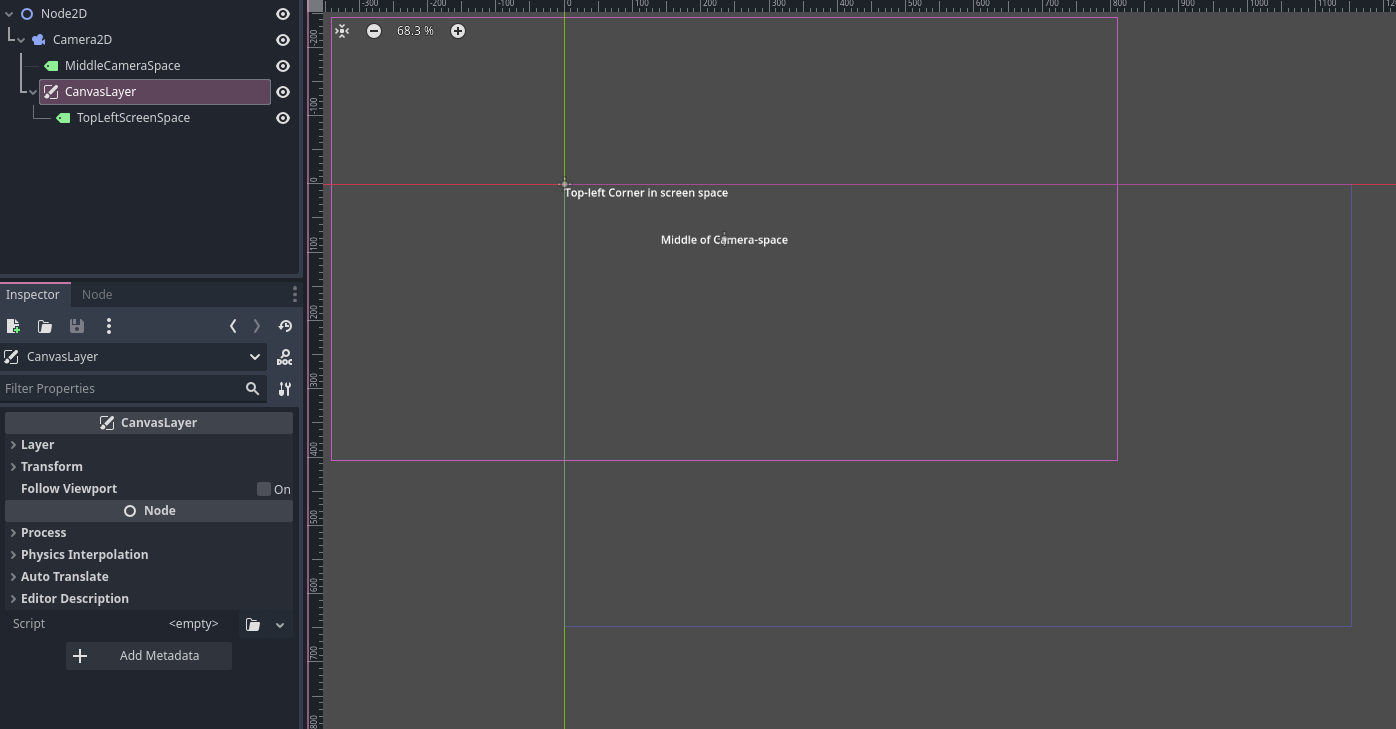
You have positioned the label in camera space; do not use Follow Viewport. Screen-space is the light purple box from origin to your project’s window size, camera space is the bright purple box around your camera node.
1 Like