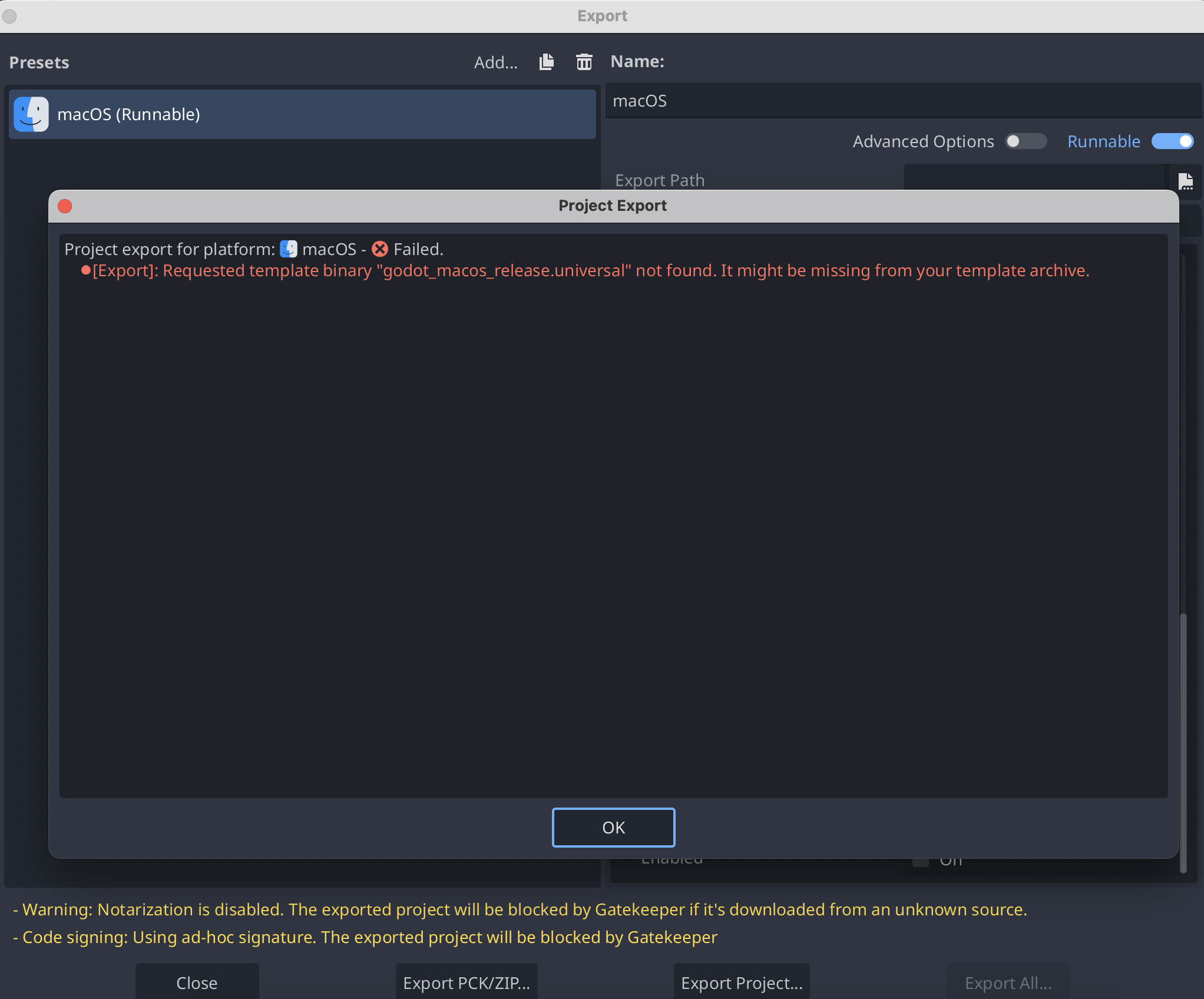
Mac OS exports confusion

Godot Version

4.5.1 arm64 Mac OS

Question

I'm trying to understand a couple of the things as I have compiled my own version of Godot for Apple Silicone

using

scons platform=macos arch=arm64 generate_bundle=yes

next I needed templates so have manually moved them from source_code/bin and rename from godot_macos.zip into macos.zip
into /Users/iosxcoder/Library/Application Support/Godot/export_templates . using only debug template

scons platform=macos target=template_debug arch=arm64 generate_bundle=yes

came across this interesting error - where specifically I made arm64 editor and template :slight_smile:

after adding release option

scons platform=macos target=template_release arch=arm64 generate_bundle=yes

and renaming and copying into
/Users/iosxcoder/Library/Application Support/Godot/export_templates

it works , but still got this check for minimum version

Min macOS Version x86 64
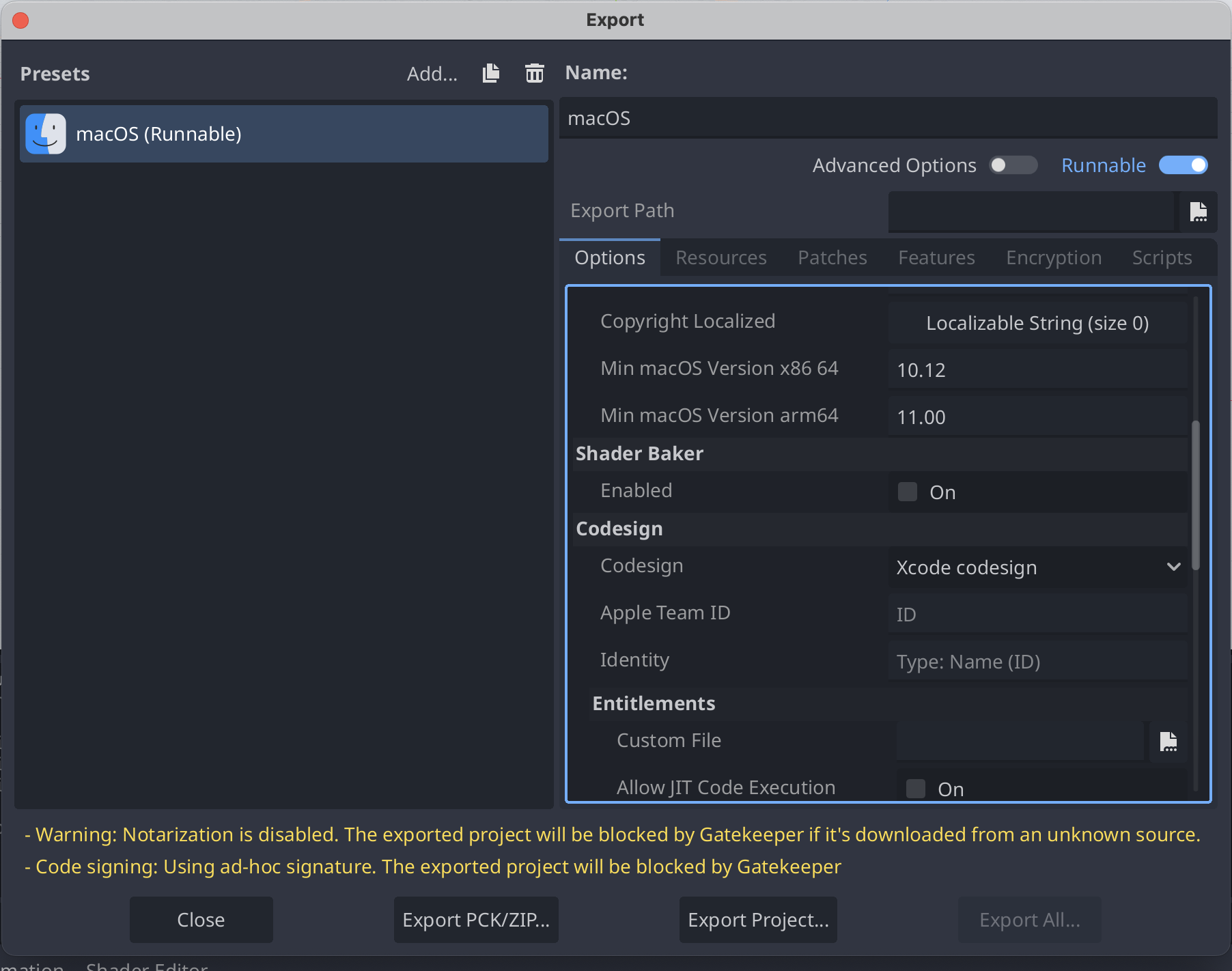
In fresh made project with this editor, I added macOS export and checked .cfg ( export_presets.cfg - inside project folder )

this have this parameters .

[preset.0.options]

export/distribution_type=1
binary_format/architecture="universal"
custom_template/debug=""
custom_template/release=""
debug/export_console_wrapper=1

So have changed it to arm64

New error
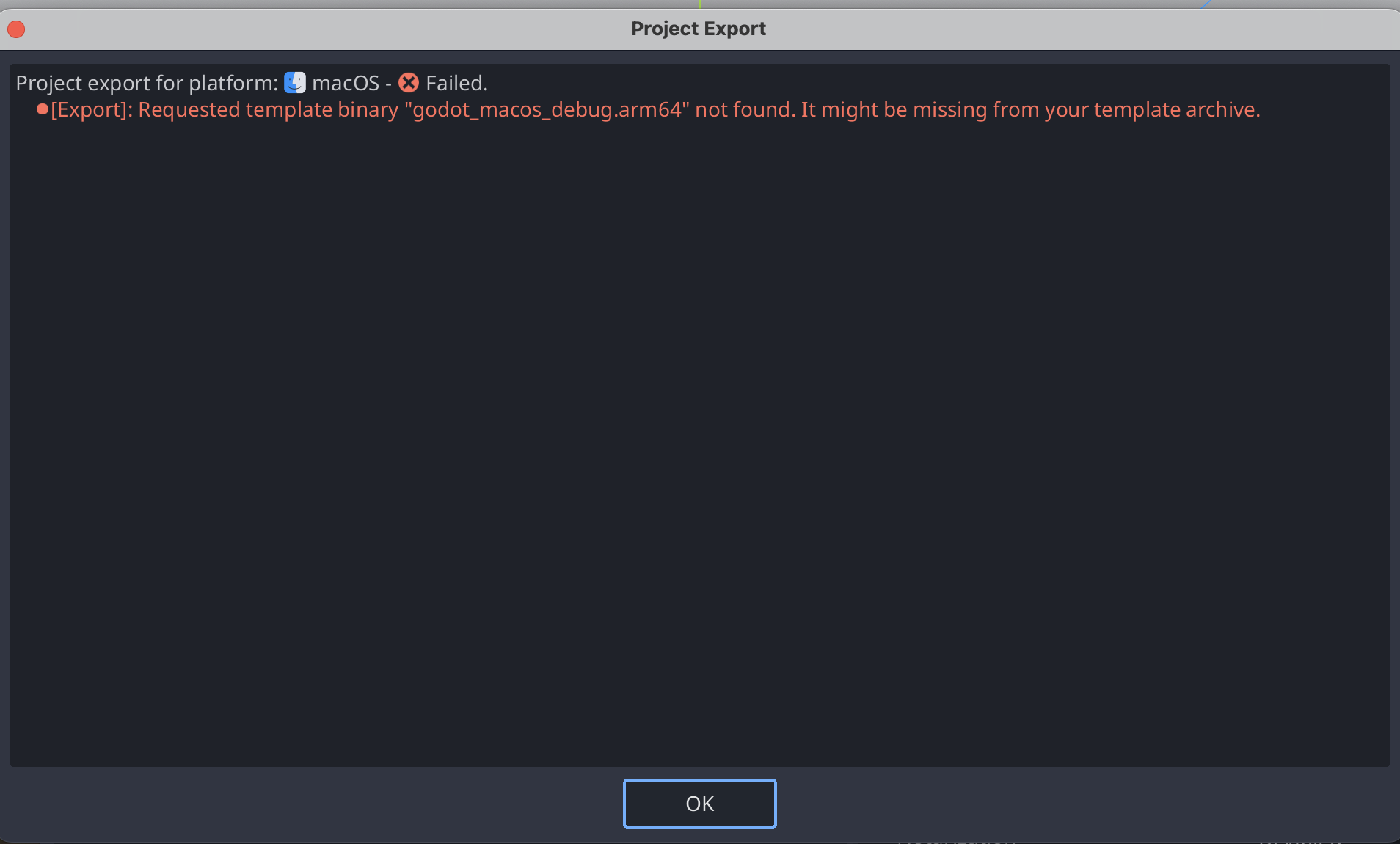
This is interesting as all you get from using “scons” and bundle is

godot.macos.template_release.arm64
godot_macos.zip
godot.macos.editor.arm64
godot.macos.template_debug.arm64
obj - folder

So I tried to rename name of file from godot.macos.template_debug.arm64 to godot_macos_debug.arm64 .

and rerun

scons platform=macos target=template_debug arch=arm64 generate_bundle=yes

result

iosxcoder@iOSxcOdacStudio godot % scons platform=macos target=template_debug arch=arm64 generate_bundle=yes
scons: Reading SConscript files ...
Auto-detected 12 CPU cores available for build parallelism. Using 11 cores by default. You can override it with the `-j` or `num_jobs` arguments.
Building for macOS 11.0+.
MoltenVK found at: /Users/iosxcoder/VulkanSDK/1.4.328.1/macOS/lib/MoltenVK.xcframework
Building for platform "macos", architecture "arm64", target "template_debug".
scons: done reading SConscript files.
scons: Building targets ...
[ 71%] Linking Program bin/godot.macos.template_debug.arm64 ...
[ 99%] Generating platform/macos/generate_bundle ...
[100%] scons: done building targets.
INFO: Time elapsed: 00:00:10.42

,so does it means I need to dig into somewhere where target=template_debug naming is scripted ?

I think I found a solution it a bit manual work , but I can manually rename .arm64 files into godot_macos_release.arm64 , godot_macos_debug.arm64t and copy them inside godot_macos.zipunzipped macos_template.app content of bundle , rezip , rename and copy into /Users/iosxcoder/Library/Application Support/Godot/export_templates

Lol , it’s a bit unnecessary if probably could just change somewhere in scripts to name it correctly .

Even with this option exported .dmg after opening .app and info.plist its still include

	<key>LSArchitecturePriority</key>
	<array>
		<string>arm64</string>
		<string>x86_64</string>
	</array>
	<key>LSMinimumSystemVersionByArchitecture</key>
	<dict>
		<key>arm64</key>
		<string>11.00</string>
		<key>x86_64</key>
		<string>10.12</string>
	</dict>

is those options hardcoded somewhere in source code and could I remove it ?

@tibaverus some hand with this ?

I noticed that you didn’t have Advanced Options enabled in the Export window. You need to enable advanced options, then you’ll be able to pick the macos.zip file as the custom export template.

1 Like

As has replaced in library is it not same effect ?

As far as I know that’s not how it should be done, but try it and see if using the Advanced option way works. Since that’s the official way of using a custom export template, and in that case, you must use the .zip file.

1 Like

I’ll give a try , one thing I like to change by default have rendering textures ETC2 enabled ( true ) as it’s required for iOS and MacOS

Did you try recently compile for arm64 and check exports to match it ?

I just did it today and also had the app notarized, and mine needed a custom export template as well. Everything worked fine on my end.

1 Like

How do you make custom template ?

The same way you did it above. Compiling for macOS — Godot Engine (stable) documentation in English

1 Like

Is app notarized only available if you are registered with apple developer and have paid fee ?

Yep, it’s $100 per year, and you essentially submit your application to Apple so they can check if it contains malicious code or not.

2 Likes

I found answer some answer in

godot/platform/macos/export/export_plugin.cpp

	r_options->push_back(ExportOption(PropertyInfo(Variant::STRING, "binary_format/architecture", PROPERTY_HINT_ENUM, "universal,x86_64,arm64", PROPERTY_USAGE_STORAGE), "universal"));

Also this makes some sense from

godot/platform/macos/doc_classes/EditorExportPlatformMacOS.xml

	<member name="binary_format/architecture" type="String" setter="" getter="">
			Application executable architecture.
			Supported architectures: [code]x86_64[/code], [code]arm64[/code], and [code]universal[/code] ([code]x86_64 + arm64[/code]).
			Official export templates include [code]universal[/code] binaries only.
		</member>

@tibaverus
I’m not sure what I’m doing wrong , but it still bundle .universal template instead of .arm64 in godot_template.zip :frowning:

its here in this py , should I rewrite it ?

methods.py

       # Assemble .app bundle.
        app_dir = env.Dir("#bin/macos_template.app").abspath
        templ = env.Dir("#misc/dist/macos_template.app").abspath
        if os.path.exists(app_dir):
            shutil.rmtree(app_dir)
        shutil.copytree(templ, app_dir)
        if not os.path.isdir(app_dir + "/Contents/MacOS"):
            os.mkdir(app_dir + "/Contents/MacOS")
        if rel_target_bin != "":
            shutil.copy(rel_target_bin, app_dir + "/Contents/MacOS/godot_macos_release.universal")
        if dbg_target_bin != "":
            shutil.copy(dbg_target_bin, app_dir + "/Contents/MacOS/godot_macos_debug.universal")

        # ZIP .app bundle.
        zip_dir = env.Dir(
            "#bin/" + (app_prefix + env.extra_suffix + env.module_version_string).replace(".", "_")
        ).abspath
        shutil.make_archive(zip_dir, "zip", root_dir=bin_dir, base_dir="macos_template.app")
        shutil.rmtree(app_dir)
1 Like