When using JetBrains CLion for writing GDExtensions, you have to provide the run settings with an executable, even when you are making a library. You can’t point it to the dll-file you are producing, so you need to give it some other application to run.
Edit: As mentioned in a reply, one can avoid this by simply using the Build button. The build button does not run the install step. If you rely on an install step to do things like automatically copy the gdextension files to a Godot project, then this trick can be of help.
This executable doesn’t have to do anything, so you can simply make an empty one. This is how I do it:
Create a dummy class
I usually call it dummy.cpp. It doesn’t need a header file, and it looks like this:
int main() {
    return 0;
}
Configure the project
In the CMakeList.txt file, add these lines:
add_executable(dummy dummy.cpp)
install(TARGETS dummy DESTINATION "${CMAKE_SOURCE_DIR}/dummy")
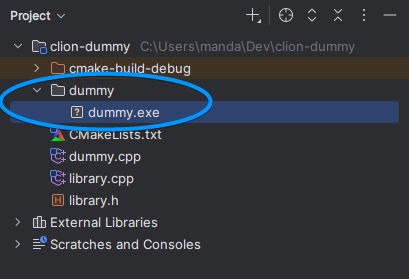
With these lines you are adding a new target which only uses the dummy.cpp file, and you will be installing it in a sub-directory called “dummy”, under the root directory.
Once you refresh the CMake project, CLion will add a new target to the run configuration dropdown list.
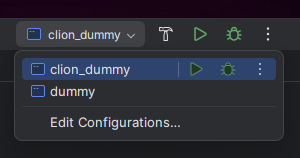
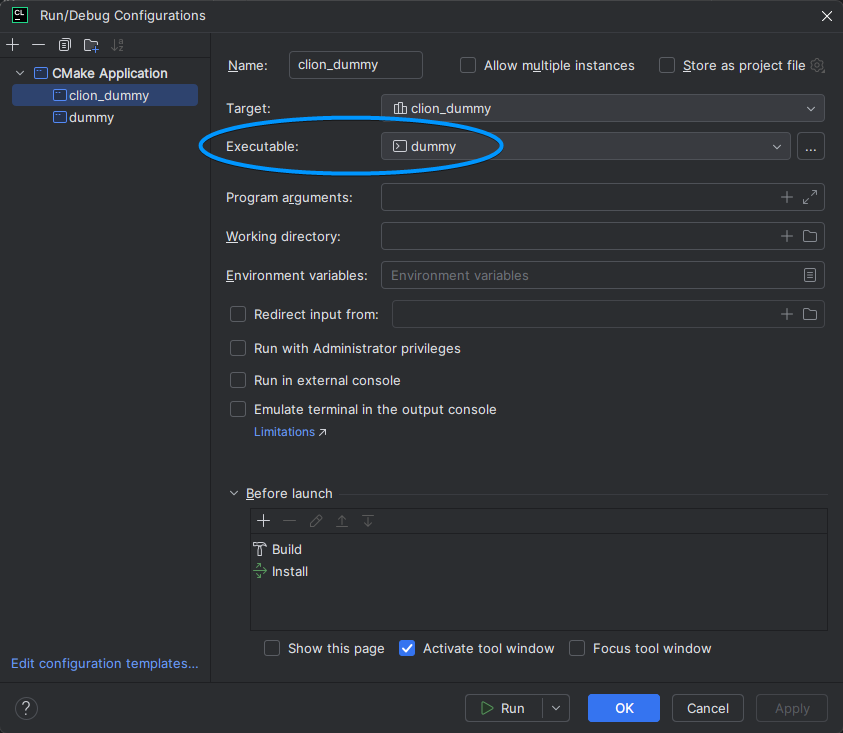
To make CMake put the executable in a place where you can find it, you need to enable the install task of the build process. Edit the configuration, and you will see this window:
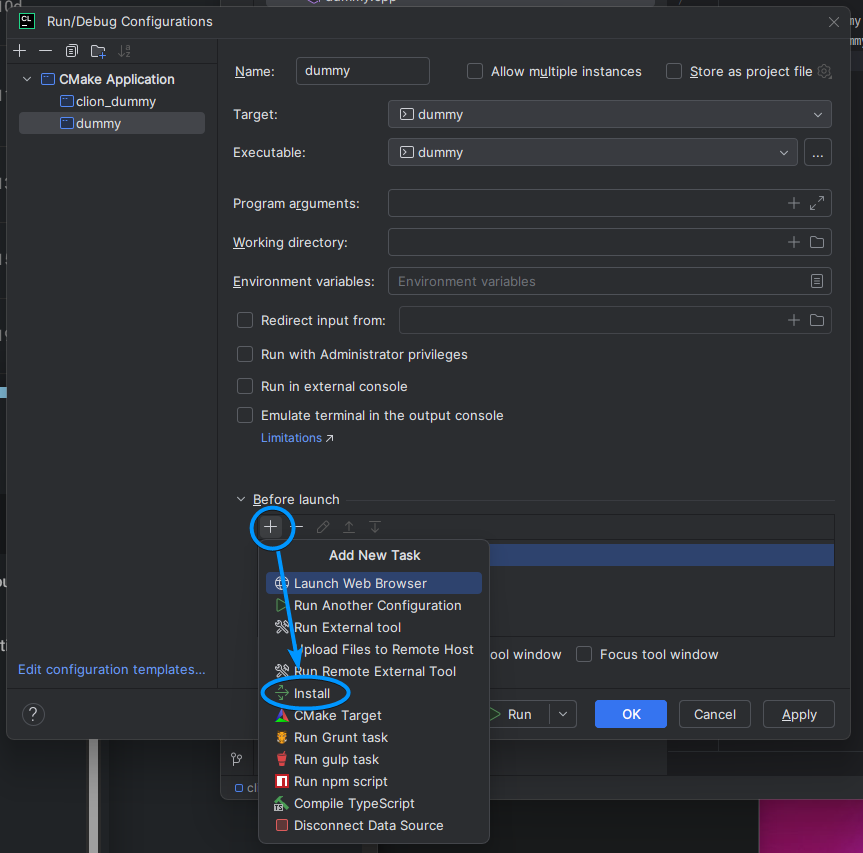
Add the install task.
Build
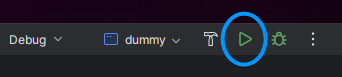
With the dummy target selected in the dropdown list, click the green play-button to build and install the dummy application.
The application will end up in the dummy folder.
Configure your main target
Edit the main target of your project, and add the dummy.exe to the Executable field.
That’s it
When you build your library, CLion will execute dummy.exe, which does nothing, and CLion stops complaining.
