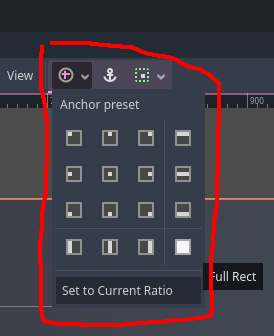
Change the text boxes anchors (green arrows) instead of the size (red dots). It’s a little to get used to but the anchors let you specify how the controls scales in a multitude of ways.
Best to try out these options, “Full Rect” for instance will always scale the text box to be relative to the screen size. “HCenter Wide” will center the text box, and grow it to the screen’s width. You can adjust the size (red dots) after setting the anchors.